DIGITNOW Manuals & User Guides
DIGITNOW specializes in digital preservation tools and audio equipment, offering film scanners, video grabbers, and turntables to easily digitize and preserve cherished memories.
About DIGITNOW manuals on Manuals.plus
DIGITNOW is a consumer electronics brand dedicated to bridging the gap between analog legacy media and modern digital formats. The company is best known for its user-friendly preservation tools, including high-resolution film scanners capable of digitizing 35mm, 110, and Super 8 negatives, as well as video capture cards that convert old VHS tapes and camcorder footage into digital files.
Beyond digitization, DIGITNOW manfuctures a variety of retro-inspired audio equipment. Their product lineup includes multi-speed vinyl turntables, cassette players, and Bluetooth transmitters. Many of their devices feature standalone functionality, allowing users to record directly to SD cards or USB drives without the need for a computer, making the preservation of memories accessible to everyone.
DIGITNOW manuals
לעצטע מאַנואַלן פֿון manuals+ אויסגעקליבן פֿאַר דעם בראַנד.
DIGITNOW C101 דיגיטאַל פילם סקאַננער באַניצער מאַנואַל
DIGITNOW C189 פילם סקאַננער און רוק Viewער באַניצער מאַנואַל
DIGITNOW JUM-FS14MP באַניצער מאַנואַל פֿאַר פילם און רוק סקאַננער
DIGITNOW 8541730152 135 פילם נעגאַטיוו סקאַננער מאַנואַל
DIGITNOW M46 טערנטייבאַל טשעמאָדאַן מיט מולטי-פונקציע בלועטאָאָטה באַניצער מאַנואַל
DIGITNOW M422 ווירעלעסס וויניל רעקאָרד שפּילער באַניצער מאַנואַל
DIGITNOW דואַל מאָניטאָר HDMI KVM סוויטש באַניצער מאַנואַל
DIGITNOW V308 HDMI ווידעא קאַפּטורע קאַרד באַניצער גייד
DIGITNOW M504 אָטאַמאַטיק סטערעאָ טערנטייבאַל סיסטעם באַניצער מאַנואַל
Digitnow BR608 Standalone Cassette to MP3 Converter Quick Start Guide
דידזשיטנאו U148 USB3.0 HDMI 4K ווידעא קאַפּטשער דעווייס באַניצער מאַנואַל
USB Audio Capture Quick Installation Guide
Digitnow RODFS35 WiFi Film Scanner User Manual
8mm & Super 8 Reels Movie Digitizer User Manual
U170 User Manual: Video Capture with Audio Quick Installation Guide
Digitnow Film Scanner User's Guide and Manual
BR693 Trail Camera Instruction Manual
Digitnow K201 Dual-Channel UHF Wireless Microphone System User Manual
BR117 USB 2.0 Video Capture with Audio: User Manual and Installation Guide
Digitnow V102-A Multifunctional FHD Video Recorder User Manual
Digitnow V316 HDMI Game Capture Card User Manual - 1080p HD Video Capture for Streaming & Recording
DIGITNOW manuals from online retailers
DIGITNOW M513 Record Player User Manual
DIGITNOW 35mm Film Scanner & Slide Viewer (Model C189) Instruction Manual
DIGITNOW BR630 Portable Cassette Player with AM/FM Radio and Voice Recorder User Manual
DIGITNOW PCIe Capture Card 4Kp60 (Model K801) Instruction Manual
DIGITNOW Belt Drive Turntable Instruction Manual
DIGITNOW BR120 Video Capture and Converter User Manual
DIGITNOW Wooden Retro Turntable Model FBA_606 User Manual
DIGITNOW M203 35mm Slide and Film Negative Viewער ינסטרוקטיאָן מאַנואַל
DIGITNOW! M125 Film and Slide Scanner User Manual
DIGITNOW Ezcap USB 2.0 Audio/Video Converter (Model BR116) Instruction Manual
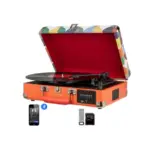
DIGITNOW Portable Bluetooth 3-Speed Suitcase Vinyl Record Player Instruction Manual
DIGITNOW! M503 Multi-Function Turntable System User Manual
DIGITNOW video guides
קוקט אויף סעטאַפּ, אינסטאַלאַציע און טראָובלעשווטינג ווידיאס פֿאַר דעם בראַנד.
DIGITNOW support FAQ
געוויינטלעכע פראגעס וועגן מאַנואַלן, רעגיסטראַציע און שטיצע פֿאַר דעם בראַנד.
-
How do I contact DIGITNOW support?
You can contact DIGITNOW technical support via email at support@digitnow.us or by calling +1 626-420-3417.
-
Does the DIGITNOW film scanner require a computer to work?
Many DIGITNOW film scanner models, such as the C189 and FS14MP, feature built-in screens and save scanned images directly to an SD card, allowing them to operate independently without a computer.
-
What types of film can I scan with DIGITNOW scanners?
Most DIGITNOW scanners support standard 35mm negatives and slides. Specific models also include adapters for 110, 126, and Super 8 film formats.
-
How do I record video using the DIGITNOW V102-A recorder?
To record, connect your video source (HDMI or AV), insert a formatted SD card or USB drive, long-press the power button to turn the device on, select the input source, and press the recording button.