הקדמה
Thank you for choosing the ToughTested ROC 5 Solar Power Bank. This rugged and reliable power bank is designed for outdoor and demanding environments, offering multiple charging options including MagSafe compatible wireless charging, USB-C Power Delivery, Quick Charge 3.0, and an emergency solar panel. This manual provides essential information for the safe and efficient use of your device.

Image: The ToughTested ROC 5 Solar Power Bank, a compact black and orange device with a solar panel, is shown attached magnetically to the back of a smartphone, illustrating its wireless charging capability. A hand holds the phone and power bank.
פּראָדוקט איבערview
שליסל פֿעיִקייטן
- 5000mAh באַטאַרייע קאַפּאַציטעט: גיט קייפל טשאַרדזשיז פֿאַר סמאַרטפאָונז און אַנדערע דעוויסעס.
- MagSafe & Qi-Compatible Wireless Charging: Supports MagSafe for compatible iPhones and universal Qi for other wireless charging devices.
- USB-C PD 20W & Quick Charge 3.0: Offers fast wired charging for various devices.
- זונ טשאַרדזשינג פּאַנעל: Designed for emergency recharging in remote locations.
- IP54 Weatherproof Design: קעגנשטעליק צו שטויב און שפריצן וואסער.
- אינטעגרירטע LED פלאַשליכט: Multi-mode flashlight for illumination.
קאַמפּאָונאַנץ
- זונ טשאַרדזשינג פּאַנעל
- Wireless Charging Pad (Magnetic)
- וסב-C אַרייַנשרייַב / רעזולטאַט פּאָרט
- וסב- א רעזולטאַט פּאָרט
- געפֿירט באַטערי ינדיקאַטאָר ליגהץ
- מאַכט קנעפּל
- געפֿירט פלאַשליגהט

בילד: א גראַפֿישע ווייַזונגasing the ToughTested ROC 5 Solar Power Bank with icons and text emphasizing its solar charging capability, IP54 waterproof design, and MagSafe compatibility. The power bank is depicted in an outdoor setting.
סעטאַפּ
ערשטע אויפלאדונג פון דער פאוער באנק
Before first use, fully charge your ROC 5 Power Bank using the USB-C port. Connect the included USB-A to USB-C cable to a compatible USB wall adapter (not included) and the USB-C port on the power bank. The LED indicator lights will illuminate to show charging progress and battery level. A full charge is indicated when all LED lights are solid.

Image: A visual representation of the ToughTested ROC 5 Power Bank simultaneously charging a smartwatch via USB-C, a smartphone via USB-A, and another smartphone wirelessly. This illustrates its multi-device charging capabilities.
אַפּערייטינג ינסטראַקשאַנז
ווייערד טשאַרדזשינג
- Connect your device's charging cable to either the USB-C (input/output) or USB-A (output) port on the power bank.
- פאַרבינדן די אנדערע סוף פון די קאַבלע צו דיין מיטל.
- דריק דעם מאַכט קנעפּל אויף דער מאַכט באַנק צו אָנהייבן טשאַרדזשינג. די LED אינדיקאַטאָרן וועלן ווייַזן די פארבליבענע באַטאַרייע מדרגה.
Wireless Charging (MagSafe & Qi Compatible)
- Ensure your device is wireless charging compatible (Qi-enabled or MagSafe compatible). For MagSafe, ensure your iPhone (17/16/15/14/13 series) has an official MagSafe case or no case for optimal magnetic alignment.
- Align your device with the wireless charging pad on the power bank. For MagSafe, the magnets will assist in proper alignment.
- Press the power button on the power bank to activate wireless charging. Your device should indicate that it is charging.
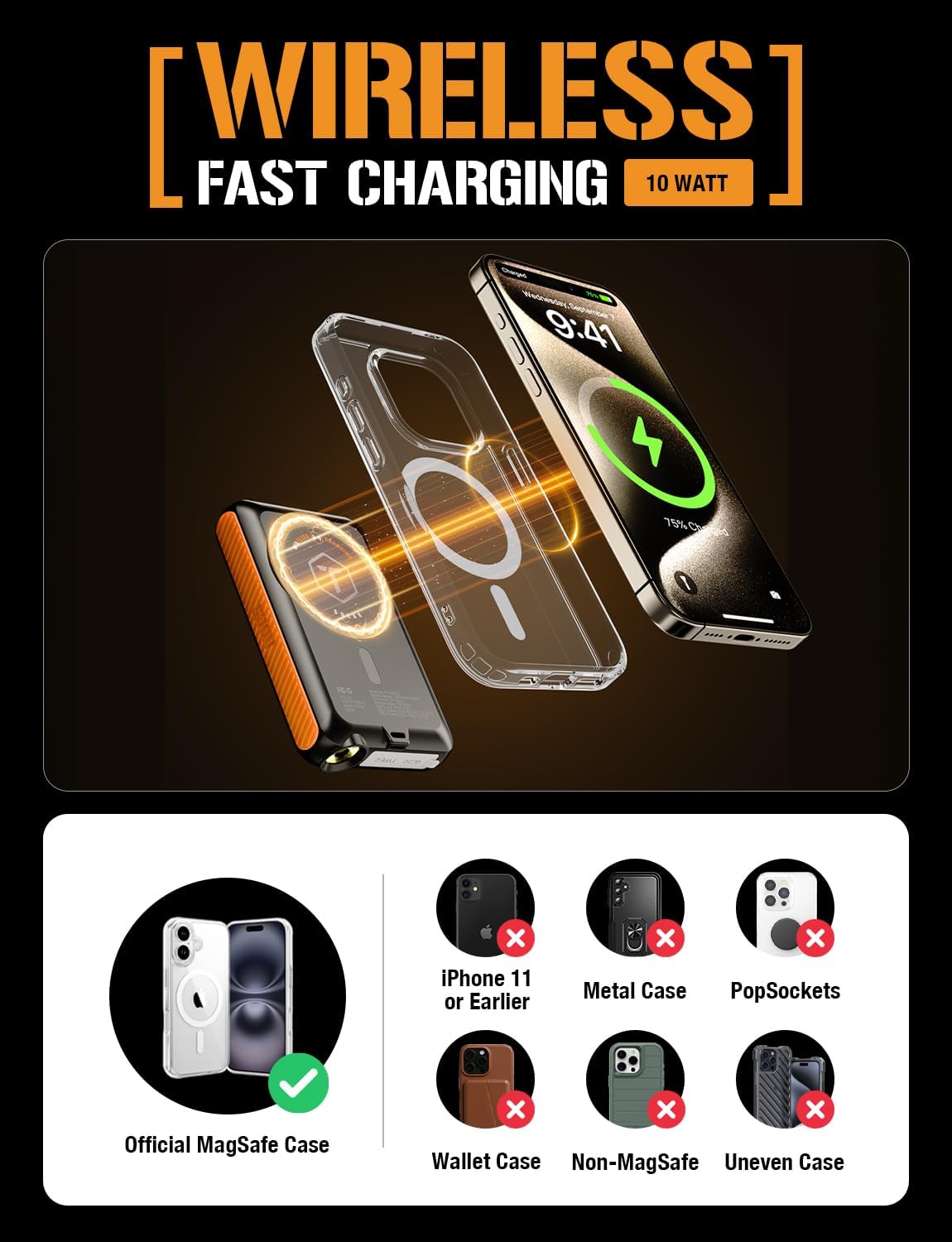
Image: A diagram showing the ToughTested ROC 5 Power Bank wirelessly charging an iPhone. It highlights the magnetic alignment for MagSafe compatibility and lists incompatible scenarios like metal cases or PopSockets.
זונ טשאַרדזשינג
The integrated solar panel is designed for emergency power replenishment and trickle charging in direct sunlight. It is not intended as a primary charging method due to its limited output (up to 100mA per hour). For daily use, recharge the power bank via its USB-C port.
- Place the solar panel directly facing strong sunlight.
- The LED indicators may show a slow charge, or the charge rate may be too low to register on the indicators if sunlight is not optimal.

Image: The ToughTested ROC 5 Solar Power Bank is shown attached to the side of a camouflage backpack, positioned to receive direct sunlight in a desert landscape, illustrating its use as an emergency solar reserve.
געפֿירט פלאַשליגהט
To activate the multi-mode LED flashlight:
- קער אויף / אַוועק: Double-press the power button.
- ציקל מאָדעס: Once the flashlight is on, single-press the power button to cycle through modes (e.g., constant light, strobe, SOS).
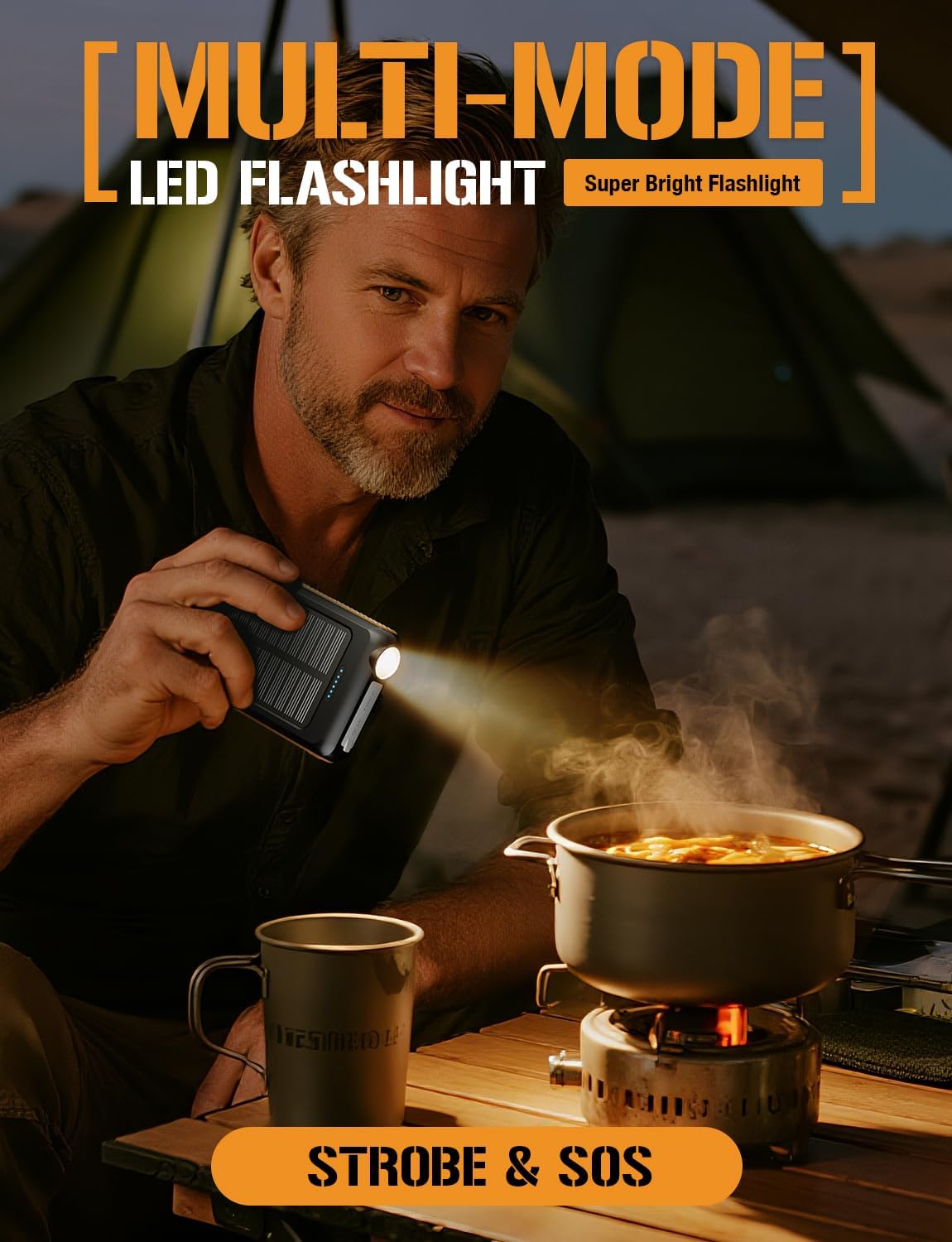
Image: A man is shown holding the ToughTested ROC 5 Power Bank, using its integrated LED flashlight to illuminate a cooking pot over a portable stove in a low-light outdoor setting, demonstrating its utility as a multi-mode flashlight.
וישאַלט
- רייניקונג: Wipe the power bank with a dry, soft cloth. Avoid using harsh chemicals or abrasive materials.
- סטאָרידזש: Store the power bank in a cool, dry place away from direct sunlight and extreme temperatures. For long-term storage, ensure the battery is charged to approximately 50-75% to preserve battery health.
- באַטערי זאָרגן: To maximize battery lifespan, avoid fully discharging the power bank frequently. Recharge it regularly, even if not in active use.
טראָובלעשאָאָטינג
- מאַכט באַנק ניט טשאַרדזשינג: Ensure the USB-C cable is securely connected to both the power bank and a working power source. Try a different cable or wall adapter.
- אפאראט לאדט זיך נישט אויף (פארבונדן מיט א דראט): Verify the cable connection to both the power bank and your device. Ensure the power bank has sufficient charge and the power button has been pressed.
- אפאראט לאדט זיך נישט אויף (ווירעלעס): Check for proper alignment of your device on the wireless charging pad. Remove any thick cases or metallic objects that may interfere with wireless charging. Ensure the power bank has sufficient charge and the power button has been pressed.
- פּאַמעלעך זונ טשאַרדזשינג: Solar charging is supplementary. Ensure the panel is in direct, strong sunlight. Cloud cover or indirect light will significantly reduce charging efficiency.
- פלאַשליגהט טוט נישט אַרבעטן: Double-press the power button to turn the flashlight on or off. Ensure the power bank has sufficient charge.
ספּעסאַפאַקיישאַנז
| מאָדעל נומער | TT-PBW-5C |
| באַטאַרייע קאַפּאַציטעט | 5000 מאַה |
| פּראָדוקט דימענשאַנז | 5.6 X 2.8 X 0.6 אינטשעס |
| פּונקט וואָג | 7.8 אונסעס |
| קאַנעקטער טיפּ | וסב טיפּ א, וסב טיפּ C |
| ווירעלעסס טשאַרדזשינג רעזולטאַט | MagSafe Compatible, Qi Compatible |
| וסב-C רעזולטאַט | פּד 20 וו |
| וסב-א רעזולטאַט | QC 3.0 |
| זונ טשאַרדזשינג אַרייַנשרייַב | Up to 100mA (Emergency Reserve) |
| וועטער קעגנשטעל | IP54 (שטויב און שפּריץ קעגנשטעליק) |
זיכערקייַט אינפֿאָרמאַציע
- Do not expose the power bank to fire, water, or extreme temperatures.
- נישט צענעמען, דורכשטעכן אדער מאדיפיצירן דעם אפאראט.
- האַלטן אויס פון דערגרייכן פון קינדער.
- פֿאַרמײַדט צו לאָזן פאַלן אָדער אויסשטעלן די פּאַוער באַנק צו שווערע קלאַפּן.
- If the power bank swells, overheats, or emits an unusual odor, discontinue use immediately.
- אָפּזאָגן דעם פּראָדוקט ריספּאַנסאַבלי לויט די היגע רעגיאַליישאַנז.
וואָראַנטי און שטיצן
The ToughTested ROC 5 Solar Power Bank comes with a 5-יאָר וואָראַנטי, reflecting our commitment to quality and durability. For warranty claims, technical support, or further assistance, please visit the official ToughTested webזייטל אדער קאנטאקט קאסטומער סערוויס דורך אייער הענדלער.

Image: The ToughTested ROC 5 Power Bank, its user guide, a USB cable, and a prominent '5 Year ToughCare' warranty badge are displayed together in a rugged outdoor environment, emphasizing the product's durability and extended support.


