1. הקדמה
This manual provides detailed instructions for the LIGE FV21-F Smart Watch. Please read this guide thoroughly to ensure proper usage, optimal performance, and longevity of your device. This smartwatch is designed to enhance your daily life with health monitoring, fitness tracking, and smart communication features.
2. וואָס איז אין דער קעסטל
Upon unboxing your LIGE FV21-F Smart Watch, verify that all the following items are included:
- Smartwatch (LIGE FV21-F)
- טשאַרדזשינג קאַבלע
- Watch Strap (Black Mesh)
- Additional Watch Strap (Apricot Silicone)
- Watch Setting Tools
- Smartwatch Manuals (this document)
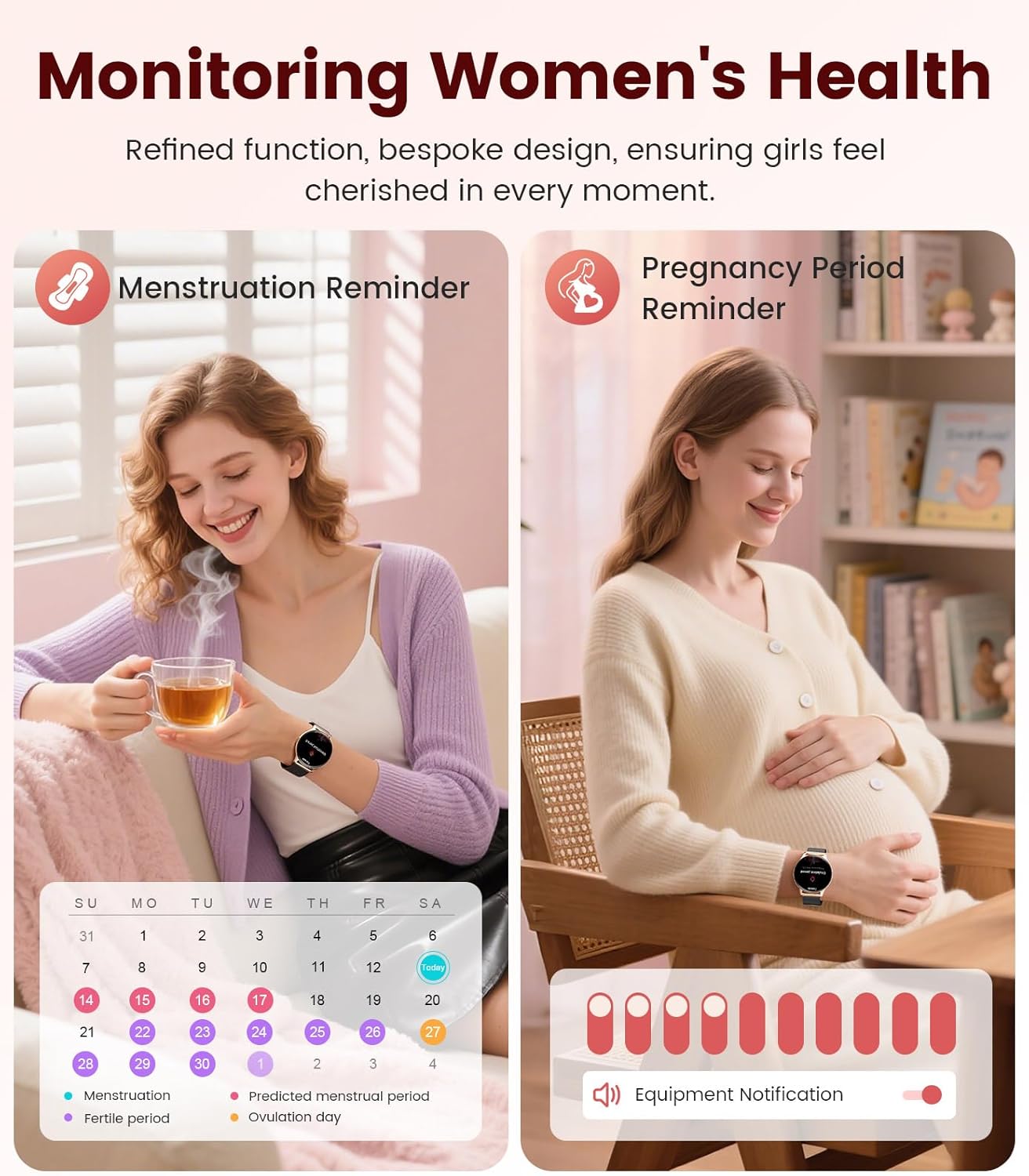
Image: Contents of the LIGE FV21-F Smart Watch package, showing the watch, charging cable, and two interchangeable bands.
3. סעטאַפּ גייד
3.1 Attaching the Watch Straps
Your LIGE FV21-F Smart Watch comes with two interchangeable straps: a black mesh band and an apricot silicone band. To attach a strap:
- Locate the spring bar on the back of the watch strap.
- Align one end of the spring bar with the lug hole on the watch case.
- Push the spring bar inward and slide the strap into place between the lugs.
- Release the spring bar, ensuring both ends are securely seated in the lug holes.
- Gently pull the strap to confirm it is firmly attached.
Video: Demonstrates how to attach and change the watch straps, as well as initial setup and pairing with a smartphone.
3.2 אויפלאָדן דעם סמאַרט וואַך
Before first use, fully charge your smartwatch. Use the provided magnetic charging cable.
- פֿאַרבינדט דעם USB עק פֿונעם טשאַרדזשינג קאַבל צו אַ מאַכט אַדאַפּטער (נישט אַרייַנגערעכנט) אָדער אַ קאָמפּיוטער'ס USB פּאָרט.
- Place the magnetic end of the charging cable onto the charging contacts on the back of the smartwatch. The magnets will align it correctly.
- The watch screen will display a charging indicator. A full charge typically takes approximately 2-3 hours.
Image: The LIGE FV21-F Smart Watch being charged using its magnetic charging cable.
3.3 אַפּ דאַונלאָוד און פּערינג
To unlock the full functionality of your smartwatch, download the companion app, "FitCloudPro," and pair it with your smartphone.
- אראפקאפיע די אַפּ: Scan the QR code displayed on the watch screen (access via Settings > QR Code) or search for "FitCloudPro" in your smartphone's app store (App Store for iOS, Google Play Store for Android).
- געבן בלועטאָאָטה: מאַכן זיכער אַז בלועטאָאָטה איז ענייבאַלד אויף דיין סמאַרטפאָנע.
- עפֿענען די אַפּ און פֿאַרבינדן: Open the FitCloudPro app, navigate to the "Device" section, and tap "Add Device" or "Search Now". Select "FV21" from the list of discovered devices.
- באַשטעטיקן פּערינג: A pairing request will appear on both your phone and watch. Confirm the pairing on both devices.
- לאָזן נאָטיפיקאַטיאָנס: Grant necessary permissions for notifications (calls, messages, apps) when prompted by the app.

Image: The FitCloudPro app interface on a smartphone and the QR code on the smartwatch for easy app download and pairing.
4. אַפּערייטינג ינסטרוקטיאָנס
4.1 יקערדיק נאַוויגאַציע
- טאָוטשסקרעען: סווייפּ לינקס/רעכטס, אַרויף/אַראָפּ צו נאַוויגירן מעניוז און סקרינז. צאַפּן צו סעלעקטירן.
- זייַט קנעפּל: דריקן צו אויפוועקן דעם עקראַן, צוריקקומען צום היים עקראַן, אדער צוקומען צו דער אַפּ ליסטע.
- וועק סקרין: Raise your wrist or press the side button to activate the display.
4.2 קאַסטאַמייזן זייגער פנימער
The LIGE FV21-F offers over 200 customizable watch faces. You can also upload your own photos.
- On the watch, long-press the home screen to access watch face options, then swipe to select.
- In the FitCloudPro app, go to "Watch Face Store" to browse and sync new faces.
- To use a custom photo, select "Watch Face DIY" in the app, choose a photo, adjust its position, and sync to your watch.

Image: The smartwatch displaying a custom watch face, demonstrating the personalization options available through the app.
4.3 קאָמוניקאַציע פֿעיִקייטן
- ענטפֿערן / מאַכן קאַללס: Once paired via Bluetooth, you can answer incoming calls directly from your watch or dial numbers using the watch's dial pad.
- אָנזאָג נאָטיפיקאַטיאָנס: Receive notifications for SMS, emails, and various social media apps (WhatsApp, Facebook, Instagram, etc.) directly on your wrist. Ensure app permissions are granted.
- שטימע אַססיסטאַנט: Utilize the integrated voice assistant for quick commands and information.

Image: The smartwatch displaying an incoming call and message notifications, highlighting its communication capabilities.
5. געזונט מאָניטאָרינג
The LIGE FV21-F Smart Watch provides comprehensive health tracking features to help you monitor your well-being.
- האַרץ קורס מאָניטאָרינג: כסדר טראַקס דיין האַרץ טעמפּאָ איבערן טאָג.
- שלאָף מאָניטאָרינג: אנאליזירט אייערע שלאף-מוסטערן, אריינגערעכנט טיפע שלאף, לייכטע שלאף, און וואך-צייטן.
- מאָניטאָרינג פון בלוט זויערשטאָף (SpO2): מעסט אייערע בלוט זויערשטאָף זעטיקונג לעוועלס.
- Women's Physiological Cycle Monitor: Provides reminders and tracking for menstrual and pregnancy periods.
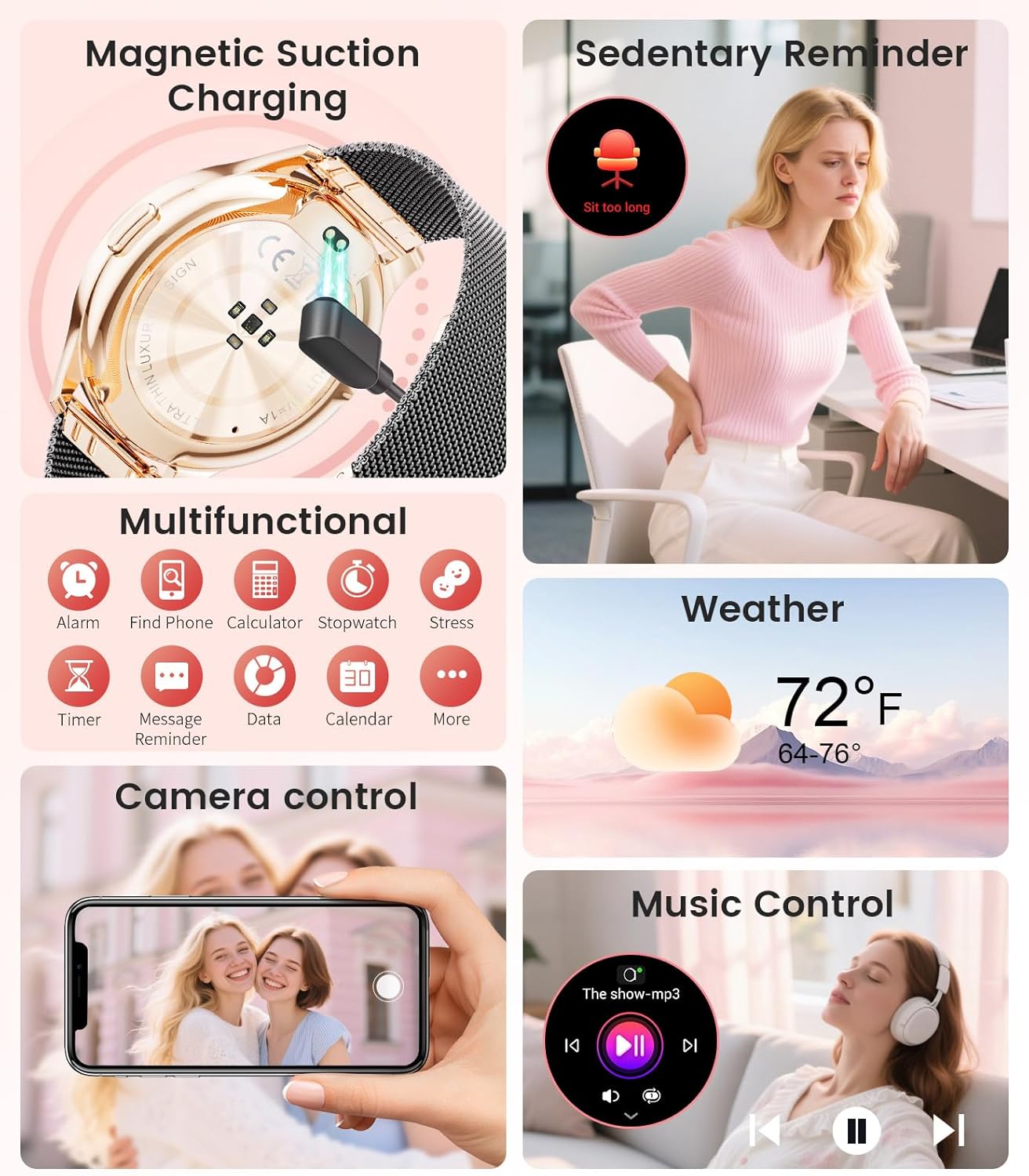
Image: The smartwatch interface showing women's health tracking features, including menstruation and pregnancy reminders.

Image: A user sleeping while wearing the smartwatch, with an inset showing the sleep tracking data on the watch face.
6. Fitness Tracking (120+ Sport Modes)
The LIGE FV21-F Smart Watch supports over 120 sport modes to track your activities, including walking, running, cycling, yoga, and more. It records steps, distance, calories burned, and heart rate during workouts.
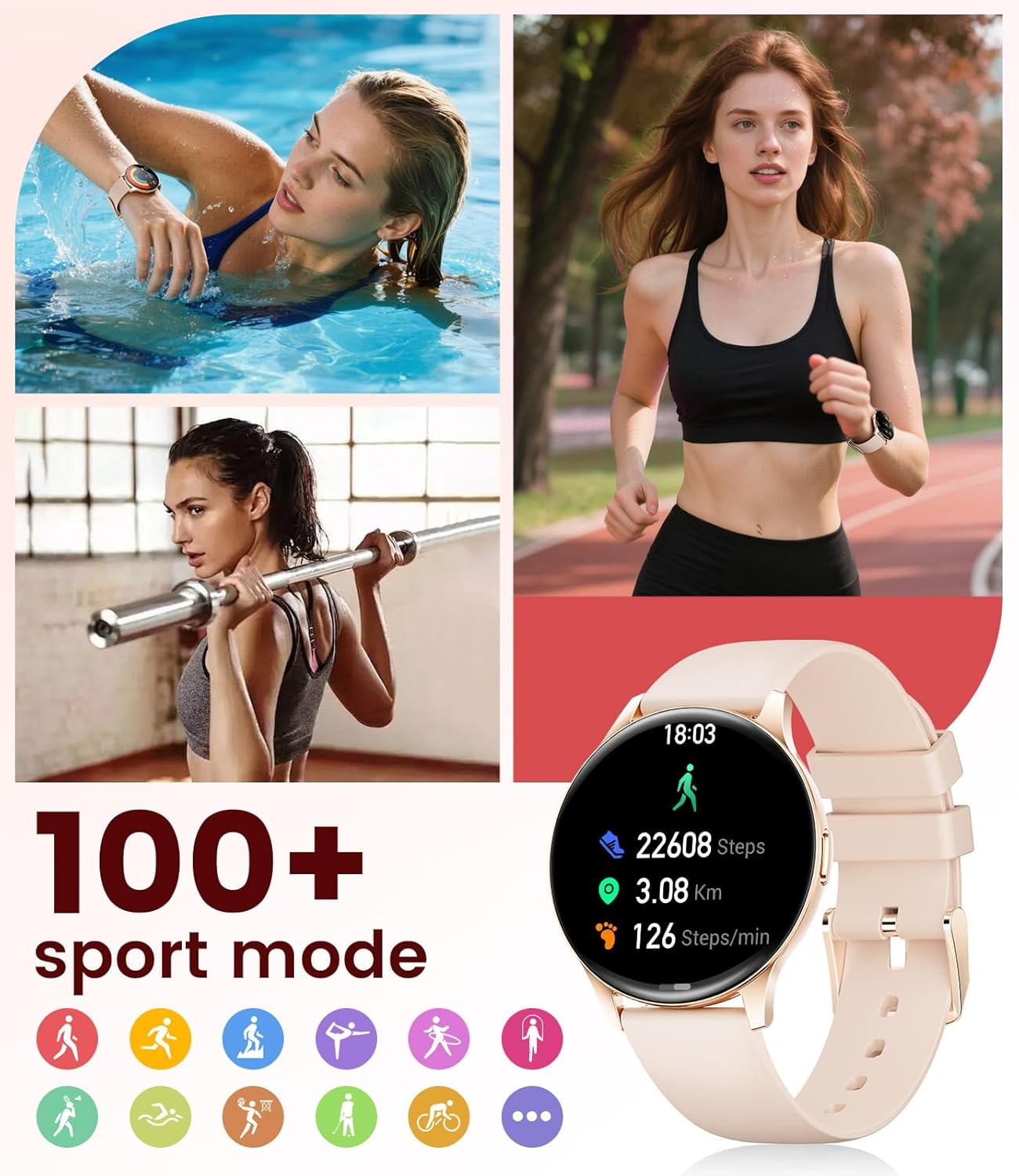
Image: The smartwatch showing different sport modes and real-time fitness data like steps, distance, and calories.
7. Other Smart Features
Beyond health and fitness, your smartwatch offers several convenient smart features:
- מוזיק קאָנטראָל: קאָנטראָלירט מוזיק ווידערשפּיל אויף אייער סמאַרטפאָון גלייך פֿון אייער זייגער.
- אַפּאַראַט קאָנטראָל: ניצט אייער זייגער ווי אַ ווייַט לאָדן פֿאַר אייער טעלעפאָן'ס קאַמעראַ.
- וועטער ווייַז: באַקומען וועטער דערהייַנטיקונגען אין רעאַל-צייט.
- אַלאַרמס און רימיינדערז: Set alarms, sedentary reminders, and drink water reminders.
- געפֿינען טעלעפֿאָן: געפינט אייער פארלוירענע טעלעפאן דורך אויסלעזן אן אלארם פון אייער זייגער.
- Calculator & Stopwatch: Basic utility tools available on your wrist.

Image: The smartwatch screen showing icons for music control, weather forecast, camera remote, and other utility features.
8. ספּעסאַפאַקיישאַנז
Detailed technical specifications for the LIGE FV21-F Smart Watch:
| שטריך | דעטאַל |
|---|---|
| מאָדעל נאָמען | FV21-F |
| ווייַז | 1.43" HD Curved AMOLED (466x466) |
| אַפּערייטינג סיסטעם קאַמפּאַטאַבילאַטי | Android 4.4+ און iOS 9.0+ |
| קאַנעקטיוויטי | בלועטאָאָטה |
| באַטאַרייע קאַפּאַציטעט | 1000 מיליamp שעה (ליטיום פּאָלימער) |
| וואַסער קעגנשטעל | IP68 Waterproof (up to 50 meters) |
| זכּרון סטאָרידזש קאַפּאַסיטי | 256 מב |
| באַנד מאַטעריאַל טיפּ | ומבאַפלעקט שטאָל, סיליקאָנע |
| מעטריקס געמאסטן | Heart Rate, Sleep Duration, Blood Oxygen |
| מענטש צובינד אַרייַנשרייַב | טאָוטשסקרעען |
| גפּס | דורך סמאַרטפאָנע |
9. וישאַלט
To ensure the longevity and optimal performance of your LIGE FV21-F Smart Watch, follow these maintenance guidelines:
- רייניקונג: Regularly wipe the watch screen and straps with a soft, dry cloth. For silicone straps, a mild soap and water solution can be used, ensuring to rinse thoroughly and dry completely.
- ויסמיידן האַרב קעמיקאַלז: Do not use abrasive cleaners, solvents, or strong chemicals, as these can damage the watch's finish and internal components.
- טשאַרדזשינג: Use only the provided magnetic charging cable. Avoid exposing the charging contacts to moisture or corrosive substances.
- סטאָרידזש: ווען נישט אין באַנוץ פֿאַר לענגערע פּעריאָדן, זאָל מען האַלטן די זייגער אין אַ קיל, טרוקן אָרט, אַוועק פֿון דירעקטער זון און עקסטרעמע טעמפּעראַטורן.
- וואַסער ויסשטעלן: While IP68 waterproof, avoid prolonged submersion in hot water, steam, or high-pressure water jets. Dry the watch thoroughly after exposure to water.
Video: The smartwatch being rinsed under tap water, showcasing its IP68 water resistance. Ensure to dry the watch after such exposure.
10. טראָובלעשאָאָטינג
If you encounter issues with your LIGE FV21-F Smart Watch, refer to the following common solutions:
- זייגער טוט זיך נישט אן: זיכער מאַכן אַז די זייגער איז גאָר אויפגעלאָדן. פֿאַרבינדט עס צום טשאַרדזשער פֿאַר לפּחות 30 מינוט.
- קען נישט צוזאמענשטעלן מיטן טעלעפאן:
- זייט זיכער אז בלועטוט איז ענייבאַלד אויף אייער טעלעפאָן און די זייגער איז אין דערגרייך.
- ריסטאַרט ביידע דיין טעלעפאָן און די זייגער.
- ויסמעקן די בלועטוט קעש אויף אייער טעלעפאָן און פּרוּווט ווידער צו פאַרבינדן.
- Ensure the FitCloudPro app has all necessary permissions.
- נאָטיפיקאַטיאָנס ניט באקומען:
- Check app permissions for notifications in your phone settings and within the FitCloudPro app.
- זיכער מאַכן אַז די זייגער איז ריכטיק פארבונדן דורך בלועטוט.
- Disable and re-enable notifications in the FitCloudPro app.
- ומפּינקטלעך געזונט דאַטן:
- זייט זיכער אז די זייגער טראָגט גוט אויף אייער האַנטגעלענק, נישט צו ענג אדער צו לויז.
- רייניקט דעם סענסאר אויף דער הינטערשטער זייגער.
- Note that health data is for reference and not for medical diagnosis.
- קורץ באַטאַרייע לעבן:
- רעדוצירן דעם ברייטקייט פון דעם עקראַן און דער צייט וואָס דער עקראַן איז אָן.
- דיאַקטיווירן קאָנטינויִערלעכע האַרץ ראַטע מאָניטאָרינג אויב נישט נייטיק.
- באגרענעצן די צאָל אַפּפּס וואָס שיקן נאָוטאַפאַקיישאַנז צו דער זייגער.
אויב די פראבלעם בלייבט, ביטע קאנטאקטירט קאסטומער סופארט.
11. וואָראַנטי און שטיצן
The LIGE FV21-F Smart Watch comes with a 2 יאָר וואָראַנטי פֿון דעם קויפֿדאַטום, וואָס דעקט פֿאַבריקאַציע־דעפֿעקטן. די וואָראַנטי דעקט נישט קיין שאָדן פֿאַראורזאַכט דורך אומרעכטן באַנוץ, אומגליקן, נישט־אָטעריזירטע מאָדיפֿיקאַציעס, צי נאָרמאַלער אָפּנוץ.
For technical support, warranty claims, or any other inquiries, please contact LIGE customer service through the retailer where you purchased the product or visit the official LIGE webפּלאַץ פֿאַר קאָנטאַקט אינפֿאָרמאַציע.
We are committed to ensuring your satisfaction and providing a delightful experience with your LIGE Smart Watch.