הקדמה
This manual provides detailed instructions for the installation, operation, and maintenance of your GOWENIC Wall Mount Music Amplifier. This device features a 2.4-inch LCD screen, Bluetooth 5.3 connectivity, and supports multiple audio formats, making it suitable for home or cafe environments. Please read this manual thoroughly before use to ensure proper functionality and safety.
זיכערקייַט אינפֿאָרמאַציע
- פאַרזיכערן די מאַכט צושטעלן וואָלtage פּאַסט צו די באדערפענישן ספּעציפֿירט פֿאַר די ampליפער.
- שטעלט נישט אויס דעם אפאראט צו וואסער, פייכטקייט, אדער עקסטרעמע טעמפעראטורן.
- ויסמיידן פּלייסינג די ampלאָזט דעם לײַפֿער לעבן היץ־קוואַלן אָדער אין דירעקטער זון.
- פרובירט נישט צו עפענען אדער פאררעכטן דעם אפאראט אליין. לאָזט איבער אלע סערוויסעס צו קוואַליפֿיצירטע פּערסאָנעל.
- האַלטן די מיטל אויס פון דערגרייכן פון קינדער.
- אָפּשטעקן די מאַכט איידער איר רייניקן אָדער דורכפירן קיין וישאַלט.
פּעקל אינהאַלט
באַשטעטיקן אַז אַלע זאכן וואָס זענען אויסגערעכנט אונטן זענען פאַראַן אין פּעקל:
- 1 x GOWENIC Wall Mount Music Ampליפער
- 1 x Wall Mounted Back Box
- 1 x Remote Control (with CR2025 battery included)
- 1 x באַניצער מאַנואַל (דאָס דאָקומענט)
- 1 x שרויפנ - ציער
- 2 רענטגענ סקרוז

Image: Package contents of the GOWENIC Wall Mount Music Ampליפער.
פּראָדוקט פֿעיִקייטן
- קלאָר לקד ווייַז: A 2.4-inch LCD screen provides easy operation and a clear visual experience.
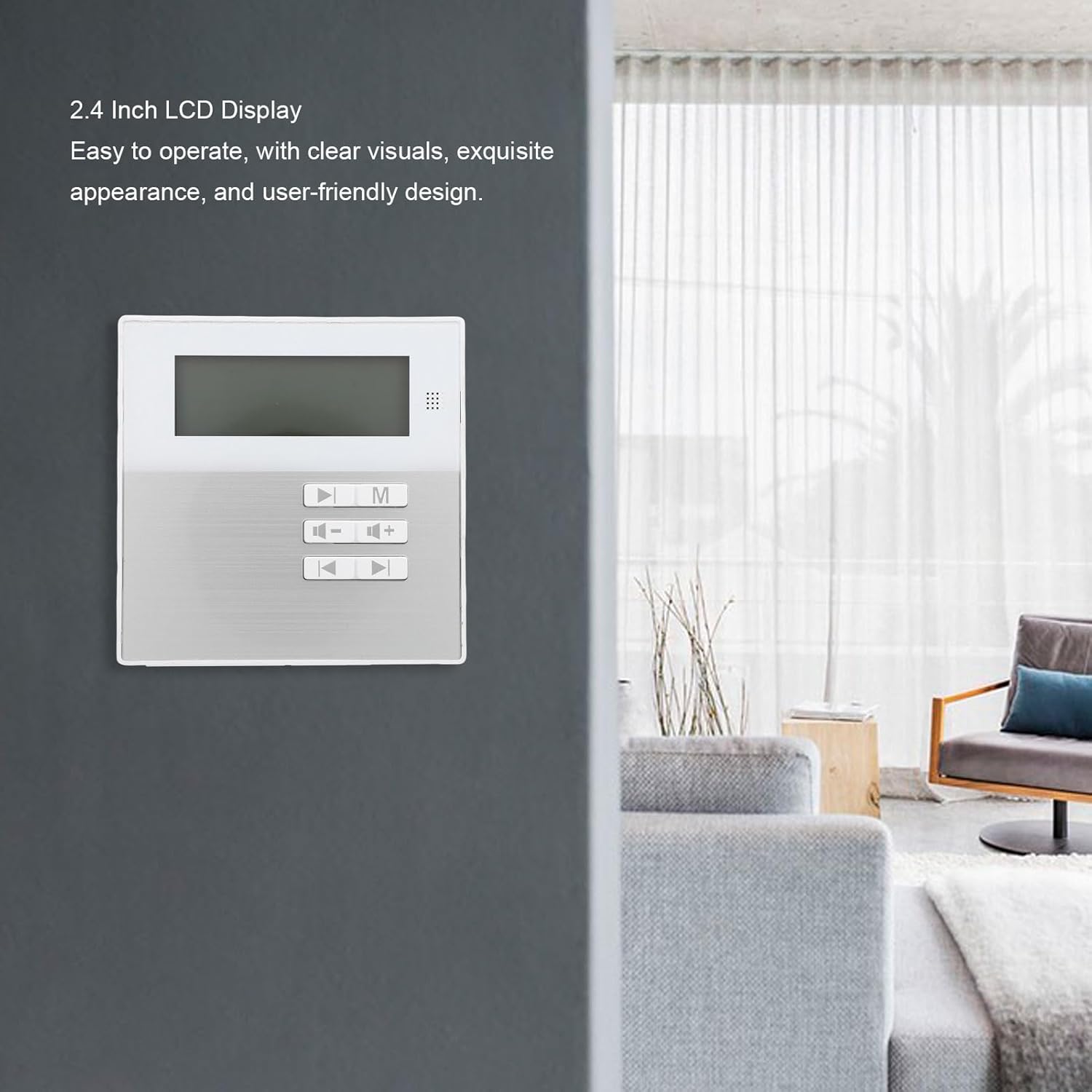
Image: The 2.4-inch LCD display of the ampליפער.
- מולטי-פאָרמאַט שטיצע: Compatible with various audio formats including MP3, WMA, WAV, and FLAC for flexible playback.
- ספעיס-שפּאָרן וואנט בארג פּלאַן: Designed for wall installation to save space and provide convenient access.
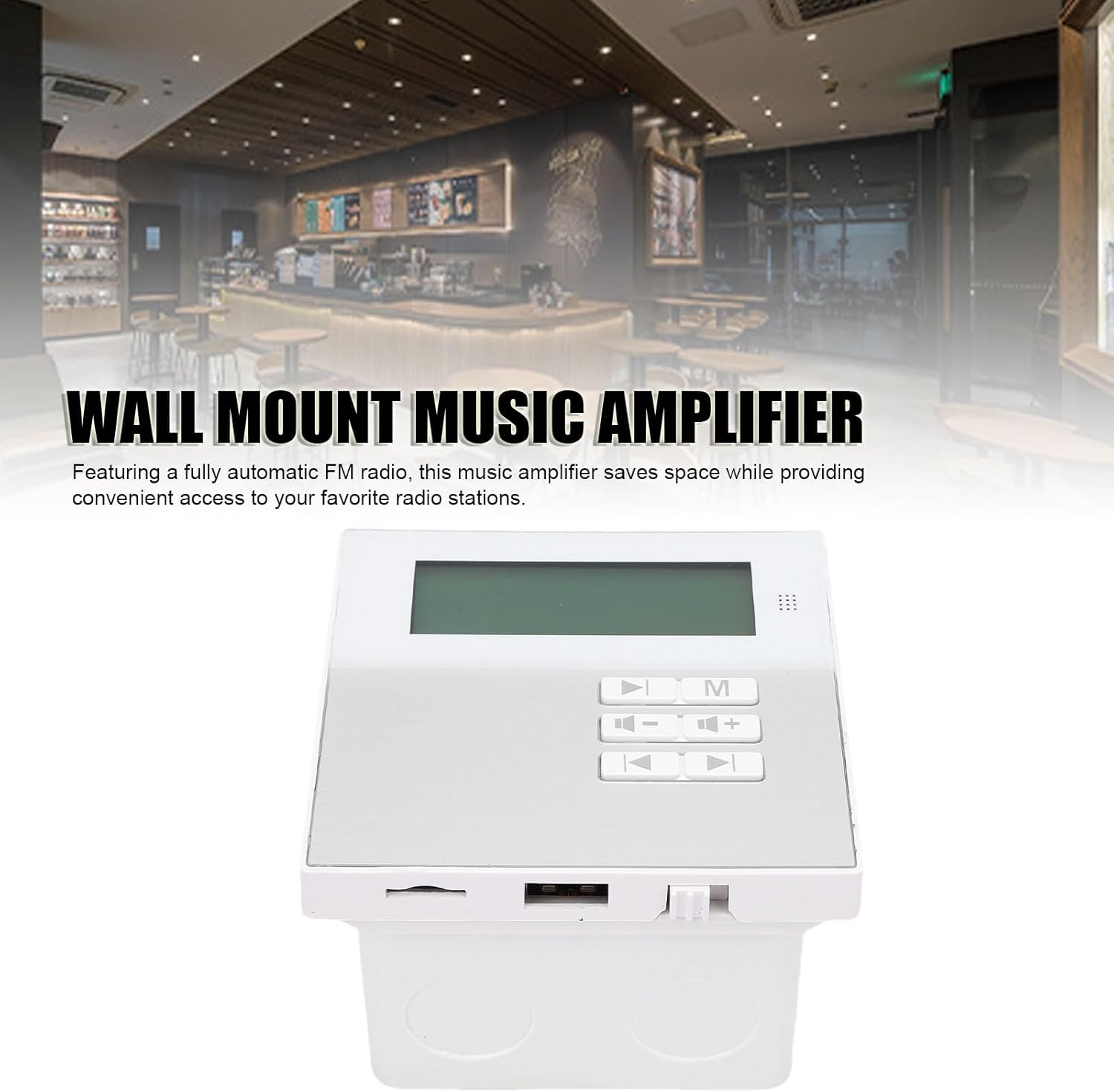
Image: Wall-mounted amplifier in a room setting.
- בלועטאָאָטה 5.3 קאַנעקטיוויטי: Ensures stable wireless music playback and seamless connection to external Bluetooth devices.
- באַקוועם רימאָוט קאָנטראָל: Allows for easy control of music functions, ideal for various settings.
- Built-in Radio Module: Features a built-in radio module for quick radio station search.

בילד: Amplifier displaying radio mode.
סעטאַפּ און ינסטאַלירונג
The GOWENIC Wall Mount Music Amplifier is designed for DIY installation. Follow these general steps:
- צוגרייטן די ינסטאַלירונג שטח: Choose a suitable wall location. Ensure there is access to power and speaker wiring.
- Install the Wall Mounted Back Box: Use the provided screws and screwdriver to securely attach the wall mounted back box to the wall. Ensure it is level.
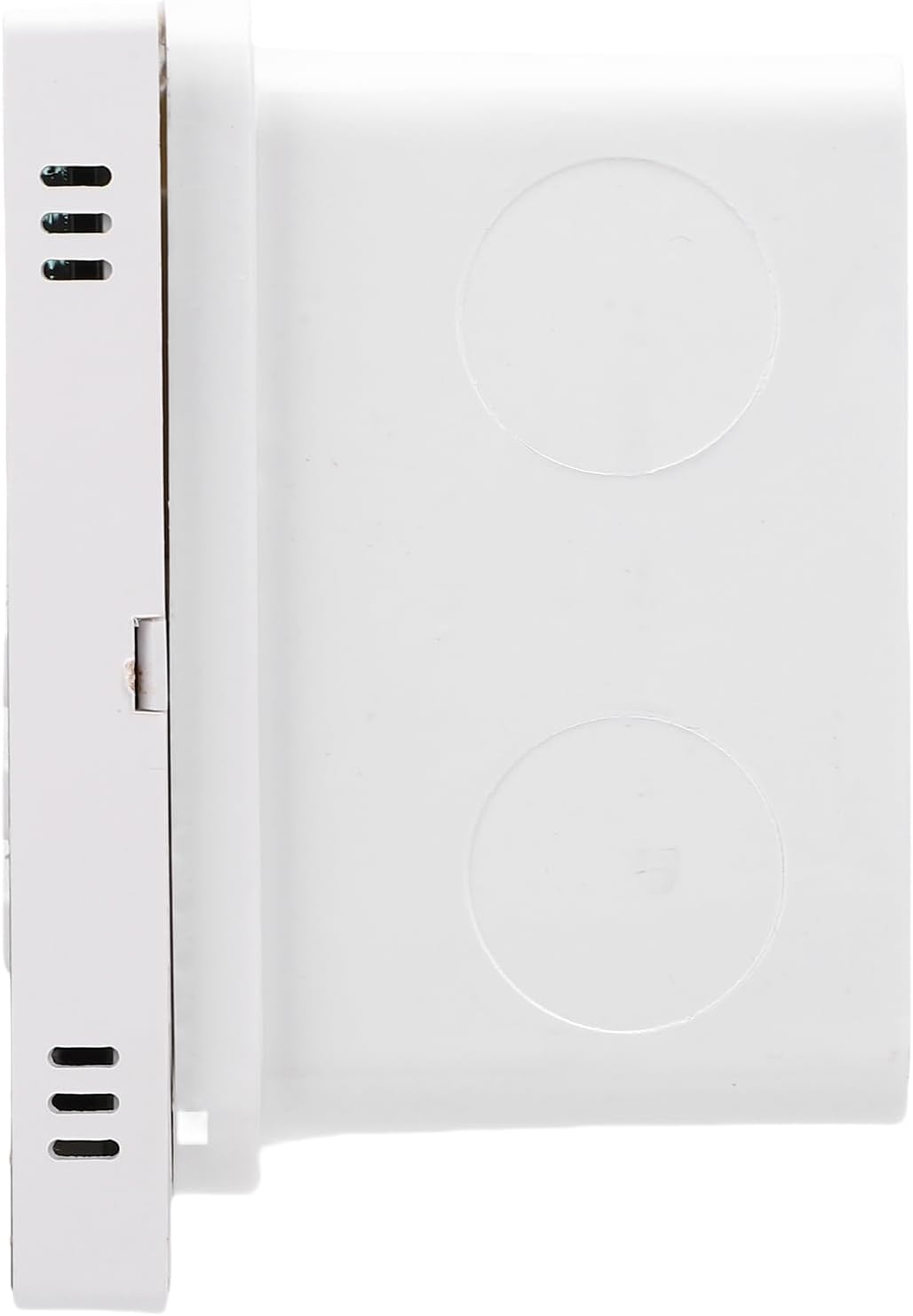
Image: Wall mounted back box.
- פאַרבינדן וויירינג: Connect speaker wires and power cables to the amplifier unit. Refer to the wiring diagram (if provided separately or on the unit itself) for correct polarity and connections.

בילד: Amplifier unit showing connection ports.
- בארג די Amplifier Unit: פֿאָרזיכטיק אַרײַנשטעלן די amplifier unit into the installed back box, ensuring all connections are secure and the unit sits flush with the wall.
- מאַכט אויף: Once installed, connect the amplifier to a power source. The LCD screen should illuminate.
אַפּערייטינג ינסטראַקשאַנז
יקערדיק אָפּעראַציע
- מאַכט אויף / אַוועק: Press the power button on the unit or remote control to turn the ampליפער אויף אָדער אַוועק.
- באַנד קאָנטראָל: Use the '+' and '-' buttons on the unit or remote to adjust the volume.
- מאָדע סעלעקציע: Press the 'M' button on the unit or remote to cycle through available input modes (e.g., Bluetooth, USB, Memory Card, FM Radio).
בלועטאָאָטה קאַנעקשאַן
- פאַרזיכערן די ampליפיער איז פּאַוערד אויף.
- Select Bluetooth mode using the 'M' button. The LCD screen will display "Bluetooth" or a similar indicator.
- On your external Bluetooth device (e.g., smartphone, tablet), enable Bluetooth and search for available devices.
- Select "GOWENIC Amplifier" (or similar name) from the list of found devices to pair.
- אַמאָל פּערד, די amplifier will indicate a successful connection, and you can play audio from your device.
- The Bluetooth wireless range is approximately 10 meters.
Media Playback (USB/Memory Card)
- Insert a USB drive or a memory card (up to 16GB, not included) containing supported audio files (MP3, WMA, WAV, FLAC) into the respective port on the ampליפער.
- Select the appropriate input mode (USB or Memory Card) using the 'M' button.
- די amplifier will automatically detect and begin playing audio files.
- Use the play/pause, next track, and previous track buttons on the unit or remote control to manage playback.
עפעם ראַדיאָ אָפּעראַציע
- Select FM Radio mode using the 'M' button.
- Use the tuning buttons (often represented by arrow icons) on the unit or remote to scan for radio stations.
- The LCD screen will display the current frequency.
רימאָוט קאָנטראָל באַניץ
The included remote control provides full functionality for the amplifier. Point the remote control directly at the amplifier's sensor. The remote control distance is approximately 8 meters.
Image: Remote control for the ampליפער.
פונקציעס טיפּיש אַרייַננעמען:
- מאַכט אויף / אַוועק
- Mode Selection (M)
- באַנד אַרויף / אַראָפּ (+/-)
- שפּיל / פּויזע
- פֿריִערדיקע/ווייַטער טראַק
- EQ Settings (if available)
- Numeric Keypad for direct track/station selection
וישאַלט
- רייניקונג: ניצן אַ ווייך, טרוקן שטאָף צו ריין די ייבערפלאַך פון די ampניצט נישט קיין פליסיקע רייניגער אדער שברייענדע מאַטעריאַלן.
- באַזייַטיקונג פון שטויב: Periodically wipe away dust from the unit to prevent accumulation, especially around vents.
- באַטעריע אויסטויש (ווייט קאָנטראָל): If the remote control's range decreases or it stops responding, replace the CR2025 battery. Ensure correct polarity.
- סטאָרידזש: אויב איר לייגט דאָס אַפּאַראַט אַוועק פֿאַר אַ לענגערע צײַט, זאָלט איר עס אָפּשטעקן פֿון עלעקטרישן מאַכט און עס אַוועקלייגן אין אַ קילן, טרוקענעם אָרט.
טראָובלעשאָאָטינג
| פּראָבלעם | מעגלעך סיבה | לייזונג |
|---|---|---|
| קיין מאַכט | שטראָם קאַבל נישט פארבונדן; שטראָם אַוטלעט דעפעקטיוו. | Check power cable connection; try a different power outlet. |
| קיין געזונט | Volume too low; incorrect input mode; speaker wires disconnected. | Increase volume; select correct input mode; check speaker wire connections. |
| בלועטאָאָטה איז נישט פּערינג | Amplifier not in Bluetooth mode; device too far; interference. | פאַרזיכערן amplifier is in Bluetooth mode; move device closer; restart both devices. |
| ווייַט קאָנטראָל נישט ארבעטן | Battery depleted; obstruction between remote and ampליפער. | Replace remote control battery; ensure clear line of sight to amplifier sensor. |
| USB/Memory card not recognized | Incorrect format; card/drive faulty; capacity too large. | פאַרזיכערן files are supported (MP3, WMA, WAV, FLAC); try another card/drive; ensure capacity is 16GB or less. |
ספּעסאַפאַקיישאַנז
| מאָדעל נומער | GOWENICtum8w0pzsr |
| רעזולטאַט מאַכט | 2x20W (supports 4 speakers) |
| רעדנער ימפּידאַנס | 8 אָום |
| בלועטאָאָטה ווערסיע | 5.3 |
| דיסטאַנסע פון בלועטאָאָטה | אַרויף צו 10 מעטער |
| ווייַט קאָנטראָל דיסטאַנסע | אַרויף צו 8 מעטער |
| זיקאָרן קאַרד שטיצן | Maximum 16GB (not included) |
| ווייַז סקרין | 2.4 אינטש לקד פאַרשטעלן |
| האַכלאָטע | 128x64 |
| גאַנץ האַרמאָניק דיסטאָרשאַן | ≤0.03% (1kHz, 1W, 8Ω) |
| אָפטקייַט ענטפער | 20Hz-20KHz |
| סיגנאַל צו ראַש פאַרהעלטעניש | >81דב |
| מוזיק פֿאָרמאַטירונגען | MP3, WMA, WAV, FLAC, etc. |
| רימאָוט קאָנטראָל באַטערי | CR2025 (140mAh, included) |
| פּונקט וואָג | 10.8 אונסעס |
| פּעקל דימענשאַנז | 5.91 X 4.72 X 3.54 אינטשעס |
וואָראַנטי און שטיצן
GOWENIC products are manufactured to high-quality standards. For specific warranty details, please refer to the warranty card included with your product or contact GOWENIC customer support.
For technical support, troubleshooting assistance, or inquiries regarding your GOWENIC Wall Mount Music Amplifier, please contact the manufacturer:
פאַבריקאַנט: GOWENIC
Please visit the official GOWENIC website or refer to your purchase documentation for the most up-to-date contact information.