1. הקדמה
The GIGABYTE Gaming A18 redefines accessible gaming with a perfect synergy of AI-powered performance and ergonomic design. Featuring an AMD Ryzen™ 7 260 Processor and an NVIDIA® GeForce RTX™ 5060 GPU, the GAMING A18 is ideal for gamers, students, and professionals exploring generative AI. Equipped with GiMATE - an intelligent AI agent - this laptop personalizes your computing experience by adapting system operations to your unique needs. With a focus on user comfort, the GIGABYTE Gaming A18 introduces the premium GIGABYTE Golden Curve Keyboard and a versatile 180-degree hinge design, accommodating various usage scenarios from gaming to productivity. Perceive every game-winning moment on a panoramic 165Hz display with slim bezels and a 16:10 aspect ratio while Dolby Atmos® creates an immersive audio experience.

Figure 1: GIGABYTE Gaming A18 Laptop highlighting key specifications like AMD Ryzen 7 260, NVIDIA RTX 5060, Windows 11, 32GB DDR5 RAM, and 1TB SSD.
2. געטינג סטאַרטעד
2.1. ונבאָקסינג און ערשט סעטאַפּ
- נעמט פֿאָרזיכטיק אַרויס דעם לאַפּטאָפּ און זייַנע אַקסעסאָריעס פֿון דער פּאַקאַדזשינג.
- פֿאַרבינדט דעם AC אַדאַפּטער צום לאַפּטאַפּ'ס מאַכט אַרייַנגאַנג פּאָרט און דערנאָך צו אַ מאַכט ווענטיל.
- עפֿנט דעם דעקל פֿונעם לאַפּטאָפּ און דריק דעם מאַכט קנעפּל צו אַקטיוויזירן דאָס אַפּאַראַט.
- פֿאָלגט די אינסטרוקציעס אויף דעם עקראַן צו פֿאַרענדיקן די ערשטע Windows 11 Home סעטאַפּ.
2.2. קאַנעקטינג פּעריפעראַלס
The GIGABYTE Gaming A18 offers a variety of ports for connecting external devices. Refer to the diagram below for port locations.
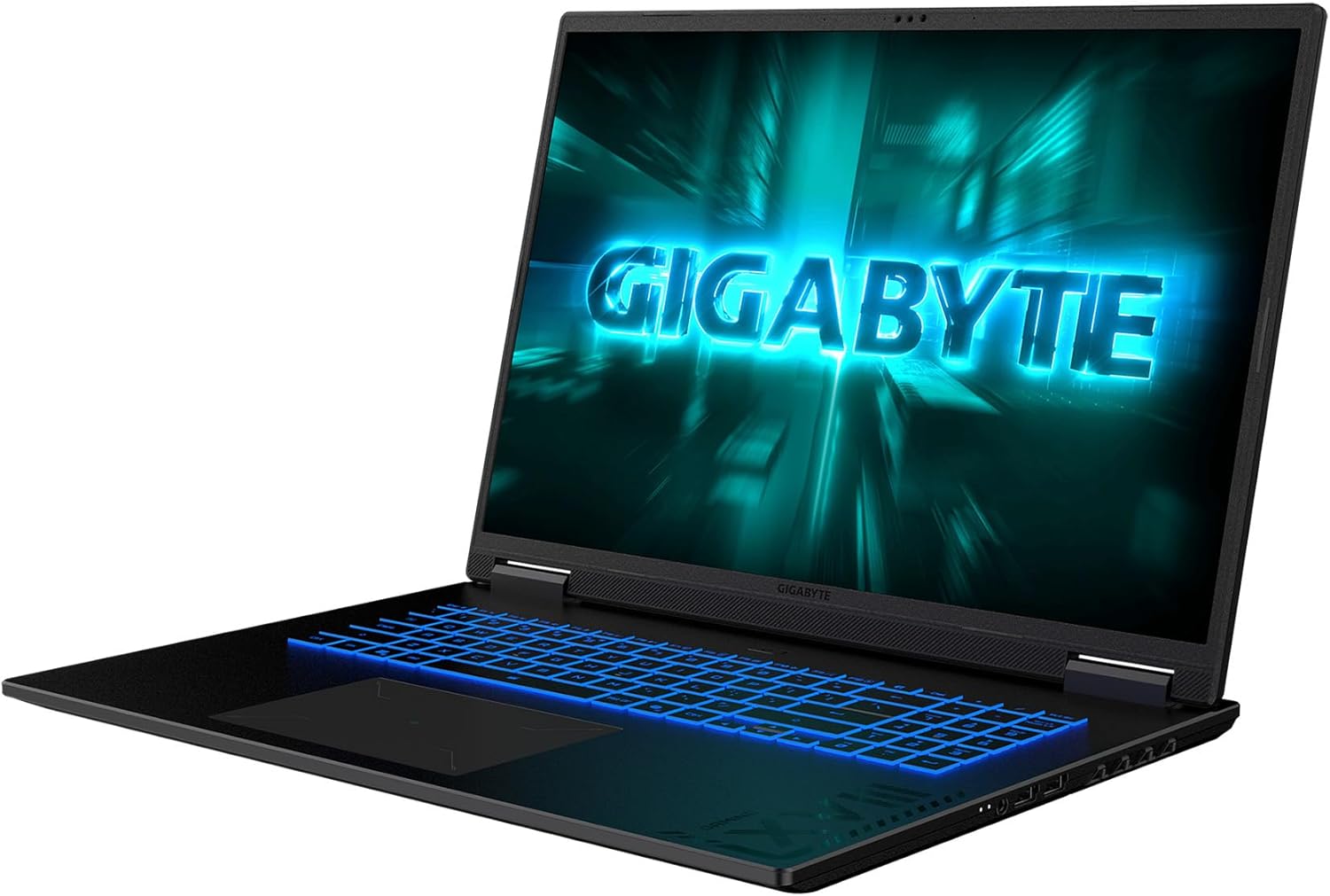
Figure 2: Connectivity ports including USB-A, USB-C (DisplayPort 1.4, Power Delivery 3.0), HDMI 2.1, RJ-45, DC-in, and 3.5mm Audio Jack.
3. אפערירן דיין לאַפּטאָפּ
3.1. ווייַז פֿעיִקייטן
Experience stunning visuals on the 18-inch WQXGA (2560x1600) display with a 165Hz refresh rate. The 4-sided super-slim bezels provide an enlarged viewing area, enhancing immersion for both gaming and productivity. The display offers 100% sRGB color accuracy and 414 nits brightness for vibrant and clear images.

Figure 3: Display specifications of the GIGABYTE Gaming A18 Laptop.
3.2. קלאַוויאַטור און טאָוטשפּאַד
The GIGABYTE Gaming A18 features a newly designed Golden Curve Keyboard with larger key caps and an optimized force curve for a comfortable and silent experience. The enlarged touchpad provides precise control for all your portable scenarios.

Figure 4: Close-up of the Golden Curve Keyboard and enlarged touchpad.
3.3. פאָרשטעלונג
Powered by an AMD Ryzen™ 7 260 Processor and an NVIDIA® GeForce RTX™ 5060 Laptop GPU, the Gaming A18 delivers exceptional performance. With 32GB DDR5 RAM and a 1TB SSD, you can stream, record, game, and run multiple applications without compromise. The NVIDIA Advanced Optimus with MUX Switch allows you to switch between integrated and discrete GPUs for optimal battery life or performance.

Figure 5: Visual representation of the AMD Ryzen processor.

Figure 6: NVIDIA GeForce RTX 5060 Laptop GPU capabilities.
3.4. קינסטלעכע אינטעליגענץ פֿעיִטשערס
The integrated GIGABYTE GiMATE AI agent intelligently adapts system operations to your needs, making your computing experience more personal and intuitive. This includes GiMATE AI Cooling, which dynamically adjusts to system demands for noise-free immersion in low-power scenarios.
4. וישאַלט און קער
4.1. קאָאָלינג סיסטעם
The GIGABYTE Gaming A18 is equipped with WINDFORCE Cooling Technology, featuring a dual-fan design with 3D VortX air-channeling and a surrounded vent to maximize airflow. This ensures low temperatures for comfortable use, even during intense gaming sessions.

Figure 7: WINDFORCE Cooling system on the underside of the laptop.
4.2. באַטערי מאַנאַגעמענט
The laptop offers up to 12 hours of battery life, supporting extended work or study sessions. To optimize battery longevity, ensure proper charging cycles and avoid extreme temperatures.
4.3. רייניקונג און סטאָרידזש
Regularly clean the screen with a soft, lint-free cloth and the keyboard with compressed air. Store the laptop in a cool, dry place away from direct sunlight and extreme temperatures.
5. טראָובלעשאָאָטינג
- קיין מאַכט: Ensure the AC adapter is securely connected to both the laptop and a working power outlet. Try a different outlet if necessary.
- ווייַז ישוז: If the screen is blank, try connecting an external monitor to check if the issue is with the laptop's display. Restart the laptop.
- פאָרשטעלונג לאַג: Close unnecessary applications, update drivers, and ensure the cooling vents are not obstructed. Use GiMATE to optimize performance settings.
- קאַנעקטיוויטי פּראָבלעמס: For Wi-Fi, restart your router and the laptop. For wired connections, check the Ethernet cable. Ensure Bluetooth devices are properly paired.
6. ספּעסאַפאַקיישאַנז
| שטריך | דעטאַל |
|---|---|
| שטייענדיק פאַרשטעלן ווייַז גרייס | 18 אינטשעס |
| פאַרשטעלן האַכלאָטע | 2560 x 1600 פּיקסעלס (WQXGA) |
| מאַקסימום סקרין האַכלאָטע | 2560x1600 |
| פּראַסעסער | 3.8 GHz AMD Ryzen 7 260 |
| באַראַן | 32 גיגאבייט דדר5 |
| זכּרון ספּיד | 5600 מהז |
| שווער דרייוו | 1 טב ססד |
| גראַפיקס קאָופּראַסעסער | NVIDIA® GeForce RTX™ 5060 Laptop GPU 8GB GDDR7 |
| טשיפּסעט בראַנד | נווידיאַ |
| קאָרט באַשרייַבונג | דעדאַקייטאַד |
| ווירעלעסס טיפּ | 802.11ax, בלועטוט |
| נומער פון וסב 2.0 פּאָרץ | 1 |
| נומער פון וסב 3.0 פּאָרץ | 2 |
| אָפּערייטינג סיסטעם | Windows 11 היים |
| פּונקט וואָג | 6.17 פונט |
| פּראָדוקט דימענשאַנז | 15.89 X 11.55 X 0.98 אינטשעס |
| קאָליר | שוואַרץ סטיל |
| נומער פון פּראַסעסערז | 8 |
| ספּעציעלע שטריך | באַקלייט קיבאָרד |
7. וואָס איז אין דער קעסטל
- GIGABYTE Gaming A18 Laptop
- אַק אַדאַפּטער
- באַניצער מאַנואַל
8. וואָראַנטי און שטיצן
For warranty information and technical support, please refer to the documentation included with your product or visit the official GIGABYTE support webפּלאַץ. האַלטן דיין קויפן קאַבאָלע פֿאַר וואָראַנטי קליימז.


