1. הקדמה
This manual provides instructions for the installation, operation, and maintenance of the Pioneer MVH-S110BT 1-Din Digital Media Receiver Car Stereo. This unit is designed to provide high-quality audio playback and connectivity options in a compact form factor.

פיגורע 1.1: פראָנט view of the Pioneer MVH-S110BT Digital Media Receiver.
2. זיכערקייַט אינפֿאָרמאַציע
Read all instructions carefully before installation and use. Keep this manual for future reference.
- פאַכמאַן ינסטאַלירונג רעקאַמענדיד: Due to the complexity of car audio systems, professional installation is highly recommended to prevent damage to the unit or vehicle.
- מאַכט מקור: פֿאַרבינדט דעם אַפּאַראַט נאָר צו אַ 12V DC מאַכט צושטעל מיט אַ נעגאַטיוון גראַונד.
- וויירינג: Ensure all wiring is correctly connected according to the wiring diagram to avoid short circuits or malfunction. Insulate all exposed wires.
- באַנד מדרגה: Avoid operating the unit at excessively high volume levels for extended periods, as this may cause hearing damage or distract from driving.
- נעץ: Do not expose the unit to moisture or water to prevent electric shock or fire.
- ווענטילאַטיאָן: זיכער מאַכן גענוג ווענטילאַציע אַרום דעם אַפּאַראַט צו פאַרמייַדן איבערהיצונג.
3. פּעקל אינהאַלט
באַשטעטיקן אַז אַלע זאכן זענען פאַראַן אין פּעקל:
- Pioneer MVH-S110BT דיגיטאַל מעדיע ופנעמער
- וויירינג כאַרניס
- מאַונטינג ייַזנוואַרג
- באַניצער מאַנואַל (דעם דאָקומענט)
4. סעטאַפּ און ייַנמאָנטירונג
The MVH-S110BT features a compact 1-DIN chassis designed for easy installation in various vehicle dashboards. Refer to your vehicle's specific dashboard removal and installation instructions.
4.1. וויירינג קאַנעקשאַנז
Before making any connections, disconnect the vehicle's negative battery terminal to prevent electrical shorts.
- מאַכט קשר: Connect the yellow wire (constant 12V) to a constant 12V power source. Connect the red wire (accessory 12V) to a switched 12V power source that turns on and off with the ignition. Connect the black wire (ground) to a clean metal point on the vehicle chassis.
- רעדנער קאַנעקשאַנז: Connect the speaker wires to the corresponding vehicle speakers. Ensure correct polarity (+/-) for each speaker. The unit supports up to four speakers.
- אַנטענע קשר: Connect the vehicle's antenna cable to the antenna input on the receiver.
- וסב ינפּוט: The front USB input allows for playback of compatible audio fileס פֿון אַ וסב סטאָרידזש מיטל.
- RCA אַוטפּוץ: The unit includes Front and Subwoofer (Mono) RCA outputs for connecting external ampליפערז.
After all connections are made, reconnect the vehicle's negative battery terminal and test the unit's functionality.
5. אַפּערייטינג ינסטרוקטיאָנס
5.1. גרונטלעכע קאנטראלן
The main rotary knob controls volume. Pressing it typically accesses menu options. The SRC (Source) button switches between audio sources (Tuner, USB, Bluetooth Audio).
5.2. בלועטאָאָטה קאַנעקטיוויטי
The MVH-S110BT features built-in Bluetooth for hands-free calling and wireless audio streaming.
- פּאָרינג: Turn on the unit and enable Bluetooth on your mobile device (iPhone or Android). זוכן פֿאַר available devices and select "MVH-S110BT" from the list. Confirm the pairing code if prompted.
- הענט-פריי רופן: Once paired, you can make and receive calls through the car stereo. Use the unit's controls to answer, end, or reject calls.
- אַודיאָ סטרימינג: Play music from your paired device, and control playback (play/pause, skip track) directly from the receiver.
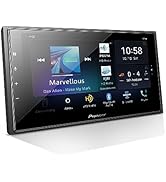
Figure 5.1: The unit's display indicating Bluetooth connectivity for calls and streaming.
5.3. וסב פּלייַבאַקק
Connect a USB storage device to the front USB input to play audio files. The unit supports FLAC, MP3, and WMA formats.
- אַרייַנלייגן די וסב מיטל אין די וסב פּאָרט.
- Press the SRC button to select 'USB' as the source.
- Use the track buttons to navigate through files און פאָלדערס.

Figure 5.2: USB input for high-quality audio playback.
5.4. AM/FM Radio
צו הערן צו די ראַדיאָ:
- Press the SRC button to select 'Tuner' as the source.
- Use the seek buttons to find radio stations.
- Press and hold preset buttons (1-6) to save your favorite stations.
5.5. Sound Customization (Direct EQ Keys)
The unit features dedicated Direct EQ Keys for quick adjustment of audio settings.
- Press the EQ button to access equalizer settings.
- Use the rotary knob to adjust bass, treble, and balance settings to your preference.

Figure 5.3: The Direct EQ Access Key for sound adjustments.
6. וישאַלט
Proper maintenance ensures the longevity and optimal performance of your digital media receiver.
- רייניקונג די אַפּאַראַט: ניצט אַ ווייכע, טרוקענע שטאָף צו ווישן דעם פראָנט פּאַנעל. פֿאַר שווערע שמוץ, דampen the cloth with water. Never use abrasive cleaners, waxes, or solvents.
- וסב פּאָרט: האַלט דעם USB פּאָרט פריי פון שטויב און שמוץ.
- ויסמיידן עקסטרעם טעמפּעראַטורעס: Do not expose the unit to direct sunlight or extreme temperatures for extended periods.
7. טראָובלעשאָאָטינג
אויב איר טרעפט פּראָבלעמען מיט אייער MVH-S110BT, זעט די פאלגענדע געוויינטלעכע פּראָבלעמען און לייזונגען:
| פּראָבלעם | מעגלעך סיבה | לייזונג |
|---|---|---|
| קיין מאַכט | אומרעכטע וויירינג; אויפגעריסענע פיוז | Check power and ground connections. Inspect and replace fuses if necessary. |
| קיין געזונט | Incorrect speaker wiring; Volume too low; Mute activated | Verify speaker connections and polarity. Increase volume. Check if mute function is active. |
| בלועטאָאָטה איז נישט קאַנעקטינג | Device not in pairing mode; Interference; Unit not discoverable | Ensure Bluetooth is enabled on both devices and the unit is in pairing mode. Try restarting both devices. Delete previous pairings and re-pair. |
| פּראָבלעמען מיט USB ווידערשפּיל | ינקאַמפּאַטאַבאַל file format; Damaged USB device; USB device not properly formatted | פאַרזיכערן files are FLAC, MP3, or WMA. Try a different USB device. Format USB device to FAT32. |
| נעבעך ראַדיאָ אָפּטראָג | Antenna not connected; Weak signal area | Check antenna connection. Try tuning to a stronger station or move to an area with better reception. |
8. ספּעסאַפאַקיישאַנז
Key technical specifications for the Pioneer MVH-S110BT:
| שטריך | דעטאַל |
|---|---|
| סאָרט | פּיאָניר |
| מאָדעל נומער | MVH-S110BT |
| פאָרם פאַקטאָר | 1-דין |
| קאַנעקטיוויטי טעכנאָלאָגיע | בלועטאָאָטה, וסב |
| ספּעציעלע פֿעיִקייטן | AM Tuner, Built-In Bluetooth, FM Tuner |
| וואָסtage | 50 watts x 4 channels (MOSFET ampלייבער) |
| קאַמפּאַטאַבאַל דעוויסעס | סמאַרטפאָון (iPhone און אַנדרויד) |
| אַודיאָ רעזולטאַט מאָדע | סטערעאָ |
| רקאַ אַוטפּוץ | Front, Subwoofer (Mono) |
| געשטיצטע USB פֿאָרמאַטן | FLAC, MP3, WMA |
| פּראָדוקט דימענשאַנז | 3.87"ד x 7"ברייט x 2"ה (אומגעפער) |
| פּונקט וואָג | 1.1 פונט (אומגעפער) |
9. וואָראַנטי אינפֿאָרמאַציע
Pioneer products are manufactured to high-quality standards. For specific warranty terms and conditions, please refer to the warranty card included with your product or visit the official Pioneer webזייטל. האַלט דיין קויפן באַווייַז פֿאַר וואָראַנטי קליימז.
10. קונה שטיצן
For further assistance, technical support, or service inquiries, please contact Pioneer customer support or visit their official webפּלאַץ.
Official Pioneer Store: פּיאָניר קראָם אויף אַמאַזאָן


