הקדמה
Welcome to the user manual for your new Xiaomi Smart TV X Pro QLED Series 65. This guide provides essential information for setting up, operating, maintaining, and troubleshooting your television. Please read this manual thoroughly before using your TV to ensure optimal performance and safety.
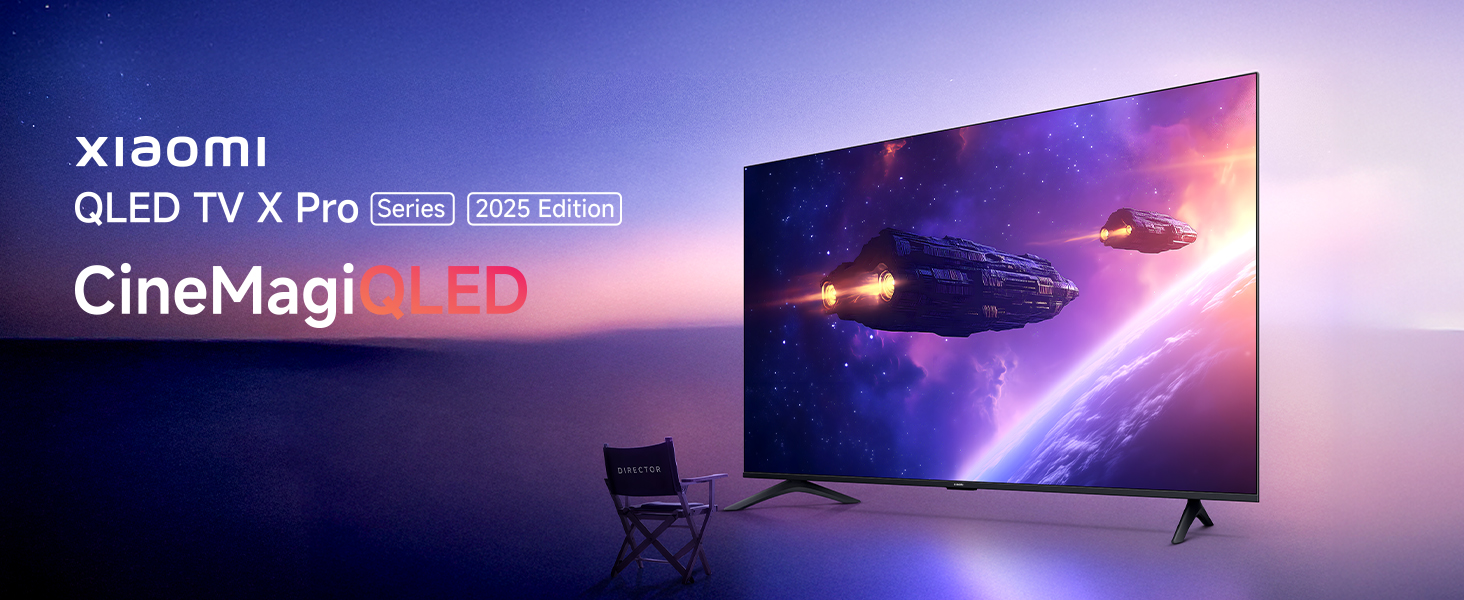
Image: Xiaomi QLED TV X Pro Series 2025 Edition, showcasing the TV's design and vibrant display.

Image: The Xiaomi Smart TV X Pro QLED Series 65 featuring an all-screen display and premium metal bezel-less design.
זיכערקייַט אינפֿאָרמאַציע
Always adhere to the following safety precautions to prevent damage to the TV and ensure personal safety:
- דו זאלסט נישט ויסשטעלן די טעלעוויזיע צו רעגן אָדער נעץ.
- ענשור געהעריק ווענטאַליישאַן אַרום די טעלעוויזיע.
- Do not block ventilation openings with items like newspapers, tablecloths, or curtains.
- Avoid placing the TV near heat sources such as radiators, heat registers, stoves, or other apparatus (including ampליפיערס) וואָס פּראָדוצירן היץ.
- באַשיצן די מאַכט שנור פון גיין אויף אָדער פּינטשט, ספּעציעל אין די פּלאַגז, קאַנוויניאַנס רעסאַפּיז און די פונט ווו זיי אַרויסגיין פון די אַפּאַראַט.
- נאָר נוצן אַטאַטשמאַנץ / אַקסעסעריז ספּעסיפיעד דורך דער פאַבריקאַנט.
- אָפּשטויסן דעם אַפּאַראַט בעשאַס בליץ סטאָרמז אָדער ווען אַניוזד פֿאַר לאַנג פּיריאַדז.
- אָפּשיקן אַלע סערוויסעס צו קוואַלאַפייד סערוויס פּערסאַנעל.
וואָס איז אין די קעסטל
ביים אויספּאַקן, ביטע באַשטעטיקן אַז אַלע קאָמפּאָנענטן וואָס זענען ליסטעד אונטן זענען פאַראַן:

Image: Diagram showing the contents of the TV box, including the TV unit, remote control, user manual, stands, AAA batteries, screws, and power cord.
- 1 LED TV Unit
- 1 רימאָוט קאָנטראָל
- 2 Stands Unit
- 2 רענטגענ אַאַאַ באַטעריז
- 1 מאַכט שנור
- סקרוז פֿאַר שטיין פֿאַרזאַמלונג
סעטאַפּ
1. גשמיות ייַנמאָנטירונג
Your Xiaomi Smart TV X Pro QLED Series 65 can be installed on a stand or wall-mounted. Ensure the TV is placed on a stable, level surface or securely mounted to a wall using a compatible VESA mount (sold separately).

בילד: פראָנט view of the Xiaomi Smart TV X Pro QLED Series 65, illustrating its slim bezels and stand.

Image: Technical drawing showing the dimensions (width, height, depth) and weight of the Xiaomi Smart TV X Pro QLED Series 65.
אַטאַטשינג די שטאַנדן:
- לייגט פֿאָרזיכטיק דעם טעלעוויזיע־עקראַן אַראָפּ אויף אַ ווייכער, גלאַטער ייבערפֿלאַך כּדי צו פֿאַרמייַדן שאָדן.
- גלייכט יעדן שטאַנד מיט די קאָרעספּאָנדירנדיקע סלאָץ אויף דער אונטערשטער טייל פון דעם טעלעוויזאָר.
- באַפֿעסטיקן די שטאַנדן מיט די צוגעשטעלטע שרויפֿן.
2. קאַנעקטינג פּעריפעראַלס
די טעלעוויזיע אָפפערט פֿאַרשידענע פּאָרטן פֿאַר פֿאַרבינדן עקסטערנע דעוויסעס:

בילד: הינטערשטע view of the Xiaomi Smart TV X Pro QLED Series 65, highlighting the various input and output ports.
- HDMI פּאָרץ: Connect gaming consoles, Blu-ray players, set-top boxes. The TV features 3 HDMI ports, including eARC support for enhanced audio return.
- וסב פּאָרץ: Connect USB drives for media playback. The TV has 2 USB ports.
- עטהערנעט פּאָרט: פֿאַר אַ דראָטיקער אינטערנעט פֿאַרבינדונג.
- אָפּטיש אַודיאָ רעזולטאַט: פֿאַר פֿאַרבינדן צו עקסטערנע אַודיאָ סיסטעמען.
- אַנטענע/קאַבל אַרייַנגאַנג: פֿאַר פֿאַרבינדן אַן אַנטענע אָדער קאַבל טעלעוויזיע.

Image: Graphic illustrating the TV's advanced connectivity options, including HDMI 2.1, ALLM, Bluetooth 5.0, and Dual-band Wi-Fi.
3. ערשטע אײַנשטעלן און נעץ סעטאַפּ
- פאַרבינדן די מאַכט שנור צו די טעלעוויזיע און אַ מאַכט ווענטיל.
- דריק דעם מאַכט קנעפּל אויף דער ווײַט קאָנטראָל אָדער דעם טעלעוויזיע.
- Follow the on-screen instructions to complete the initial setup, including language selection, country, and network connection.
- For Wi-Fi, select your network and enter the password. For wired connection, ensure the Ethernet cable is connected.
- Sign in with your Google account to access Google TV features and download apps.
אפערירן דיין טעלעוויזיע
1. רימאָוט קאָנטראָל פאַנגקשאַנז
The included remote control provides easy access to all TV functions:
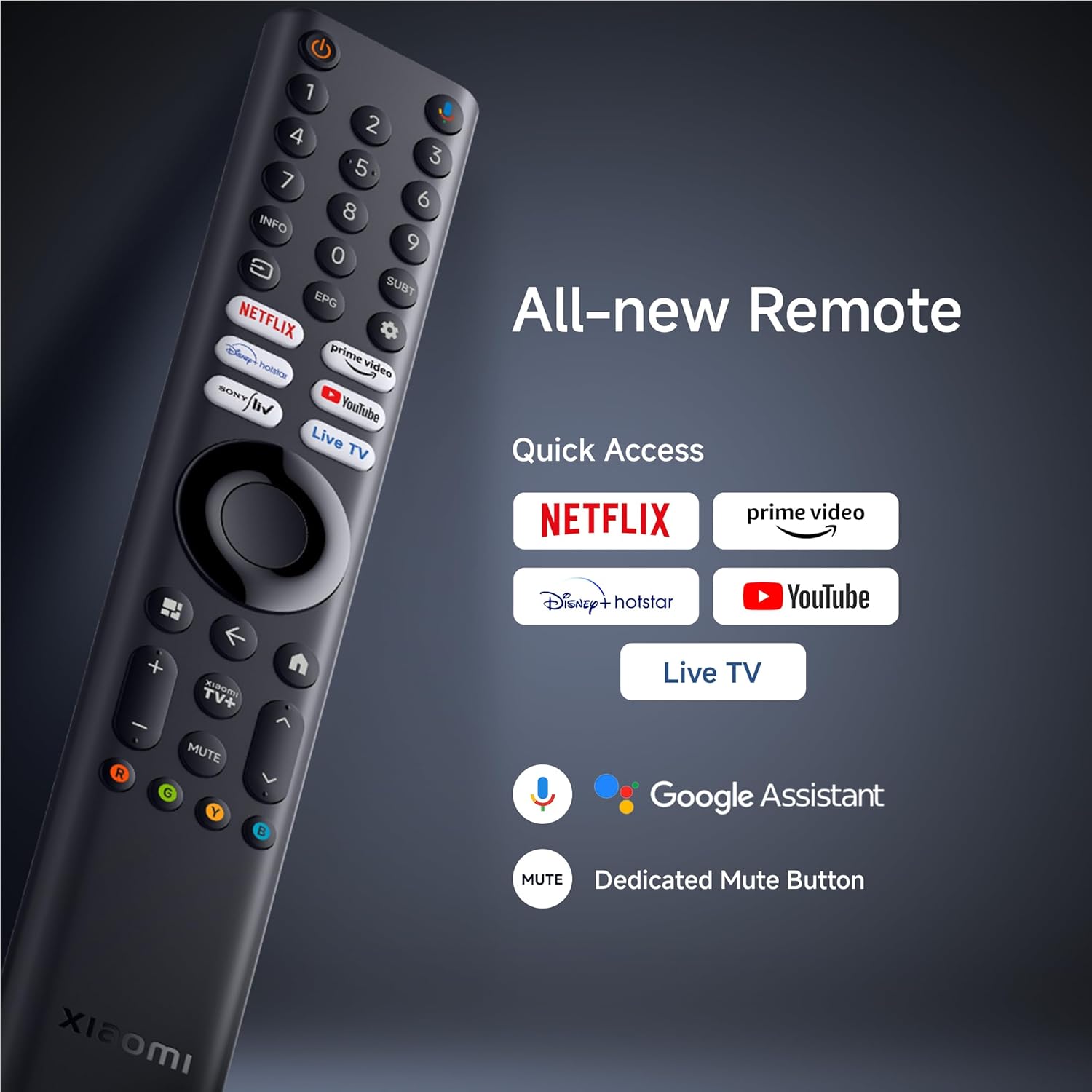
בילד: דעטאַלירט view of the Xiaomi Smart TV remote control, highlighting quick access buttons for streaming services and the Google Assistant button.
- מאַכט קנעפּל: טורנס די טעלעוויזיע אויף אָדער אַוועק.
- גוגל אַסיסטאַנט קנעפּל: אַקטיוויזירט שטימע קאָמאַנדעס.
- נאַוויגאַציע פּאַד: פֿאַר מעניו נאַוויגאַציע.
- שנעלע צוטריט קנעפּלעך: Dedicated buttons for Netflix, Prime Video, YouTube, and Live TV.
- באַנד/קאַנאַל קנעפּלעך: אַדזשאַסטירן די באַנד און טוישן קאַנאַלן.
- שטיל קנעפּל: Dedicated button to mute audio.
2. Smart TV Features (Google TV & PatchWall)
Your TV runs on Google TV, offering a personalized content experience, and also features Xiaomi's PatchWall for curated recommendations.

Image: Screenshot of the PatchWall interface, showing customized recommendations and content curation.

Image: Display showing the 32GB internal storage and various streaming applications available on the Xiaomi Smart TV.
- גוגל טעלעוויזיע: Access a vast library of apps, movies, and shows from the Google Play Store.
- Chromecast געבויט-אין: Cast content directly from your smartphone or tablet.
- עפּל עירפּליי 2: Stream content from Apple devices.
- אינערלעכער סטאָרידזש: 32GB ROM for apps and data.

Image: Illustration demonstrating the ability to stream content from a smartphone to the Xiaomi Smart TV using Google Cast or Apple AirPlay 2.
3. בילד סעטטינגס
אָפּטימיזירן דיין viewing experience with the TV's advanced display technologies:
- QLED דיספּלעי: Quantum Dot technology for vibrant colors and high contrast.
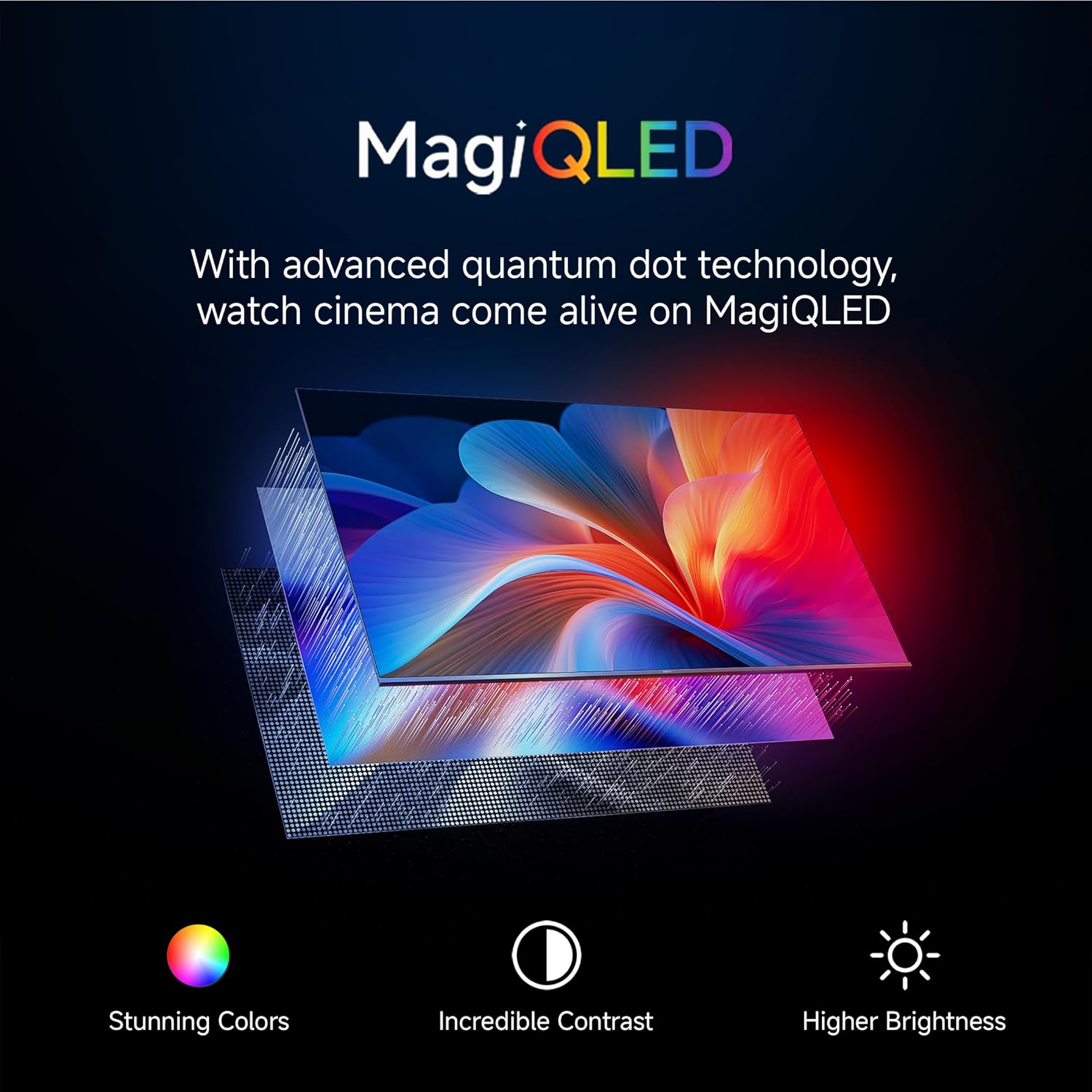
Image: Explanation of MagiQLED technology, highlighting stunning colors, incredible contrast, and higher brightness.
- 4K Ultra HD האַכלאָטע: Four times the detail of Full HD for crystal clear clarity.

Image: Side-by-side comparison of HD and 4K resolution, demonstrating the enhanced detail of 4K.
- HDR10+ & Dolby Vision: Enhanced dynamic range for brighter whites, darker blacks, and more vivid colors.

Image: Comparison showing the effect of HDR10+ on image quality, enhancing dynamic range and color.

Image: Illustration of Dolby Vision dynamically optimizing image quality frame by frame.
- פילממאַקער מאָדע: Preserves the original aspect ratio, colors, and frame rates to deliver the director's artistic intent.

Image: Scene depicting Filmmaker Mode, which removes post-processing to show content as intended by the director.
- אויג זאָרג מאָדע: Reduces blue light and flicker for a more comfortable viewינג דערפאַרונג.

Image: Scene illustrating the benefits of Eye Care Mode, providing flicker-free visuals and reduced blue light.
4. סאָונד סעטטינגס
Experience immersive audio with the TV's sound features:
- 34W Box Speakers: Powerful audio output.

Image: Graphic highlighting Cinematic Audio features, including 34W Box Speakers, Dolby Audio, DTS-X, and DTS Virtual:X.
- Dolby Audio, DTS-X, DTS Virtual:X: Advanced audio technologies for a rich, multi-dimensional sound experience.
- Xiaomi Sound: Preset audio configurations optimized by experts.

Image: Scene depicting Xiaomi Sound, a tailored audio configuration for an enhanced listening experience.
5. גיימינג פֿעיִטשערז
פֿאַרבעסערט אייער גיימינג דערפאַרונג מיט ספּעציעלע פֿונקציעס:
- 120Hz Game Booster: Automatically boosts refresh rate to 120Hz for ultra-low latency and smoother gameplay.

Image: Comparison showing the difference between 60FPS and 120FPS with the 120Hz Game Booster for smoother gaming.
- ALLM (אַוטאָ נידעריק לייטאַנס מאָדע): רעדוצירט אינפוט לעג פאר א מער רעספאנסיוו גיימינג דערפארונג.
וישאַלט
געהעריגע זאָרג און וישאַלט וועט פֿאַרלענגערן דאָס לעבן פֿון אײַער טעלעוויזיע:
- רייניקונג די פאַרשטעלן: Use a soft, lint-free cloth specifically designed for electronics. Do not use abrasive cleaners or solvents. Lightly dampen the cloth with water if necessary, and gently wipe the screen.
- רייניקונג די ראַם: ניצט אַ ווייכן, טרוקענעם שטאָף צו ווישן דעם טעלעוויזיע ראַם און שטאַנד.
- ווענטילאַטיאָן: זיכערט זיך אז די ווענטילאציע עפענונגען אויף דער הינטערשטער זייט פון דעם טעלעוויזאר זענען נישט פארשטאפט כדי צו פארמיידן איבערהיצונג.
- מאַכט שנור: Regularly check the power cord for any damage. If damaged, contact service personnel.
טראָובלעשאָאָטינג
אויב איר טרעפט פּראָבלעמען מיט אייער טעלעוויזיע, זעט די פאלגענדע געוויינטלעכע פּראָבלעמען און לייזונגען:
| פּראָבלעם | מעגלעך סיבה | לייזונג |
|---|---|---|
| קיין מאַכט | שטראָם קאַבל אָפּגעטיילט; פּראָבלעם מיט שטראָם אַוטלעט. | Ensure power cord is securely connected. Check if the power outlet is working. |
| קיין בילד נישט, אבער סאונד איז דא | Incorrect input source; display settings issue. | Verify the correct input source is selected. Check picture settings. |
| קיין קלאַנג, אָבער בילד איז דאָ | Volume muted or too low; audio output settings. | Increase volume. Check if TV is muted. Verify audio output settings (e.g., internal speakers vs. external). |
| ווייַט קאָנטראָל נישט ארבעטן | Batteries depleted; obstruction; remote not paired. | Replace batteries. Remove obstructions. Re-pair the remote control if it's a Bluetooth remote. |
| ווי-פי קשר ישוז | אומרעכט פּאַראָל; ראַוטער פּראָבלעמען; סיגנאַל שטערונג. | Re-enter Wi-Fi password. Restart your router. Move TV closer to router or reduce interference. |
| סמאַרט טעלעוויזיע אַפּפּס זענען פּאַמעלעך אָדער נישט רעאַגירנדיק | Insufficient memory; network issues; app malfunction. | Close unused apps. Check internet speed. Clear app cache or reinstall the app. Restart the TV. |
If the problem persists after trying these solutions, please contact Xiaomi customer support.
ספּעסאַפאַקיישאַנז
Detailed technical specifications for the Xiaomi Smart TV X Pro QLED Series 65 (L65MB-APIN):
| שטריך | דעטאַל |
|---|---|
| סאָרט | XIAOMI |
| מאָדעל | L65MB-APIN |
| מאָדעל נאָמען | QLED סעריע |
| מאָדעל יאָר | 2025 |
| פאַרשטעלן גרייס | 65 אינטשעס |
| ווייַז טעכנאָלאָגיע | QLED |
| האַכלאָטע | 4K Ultra HD (3840 רענטגענ 2160) |
| דערפרישן קורס | 60 Hz & DLG 120Hz |
| אָפּערייטינג סיסטעם | גוגל טעלעוויזיע |
| באַראַן | 2 גיגאבייט |
| אינערלעכער סטאָרידזש | 32 גיגאבייט ראַם |
| קאַנעקטיוויטי | Bluetooth 5.0, Dual Band Wi-Fi, Ethernet, HDMI, USB |
| HDMI פּאָרץ | 3 (HDMI 2.1, ALLM, eARC) |
| וסב פּאָרץ | 2 |
| אַודיאָ רעזולטאַט | 34 watts Output | Dolby Audio | DTS - X | DTS Virtual : X |
| ספּעציעלע פֿעיִקייטן | Bezel-Less Design, Chromecast, Eye Comfort Mode, Game Mode, Miracast, Reality Flow MEMC, Vivid Picture Engine 2, Wide Colour Gamut |
| פּראָדוקט דימענשאַנז (LxWxH) | 39.1 X 144.5 X 90 סענטימעטער |
| פּונקט וואָג | 19.9 קג |
| פאַבריקאַנט | TTE Electronics India Private Limited Vikruthamala (Vil), Papanaidupeta(post), Yerpedu(mandal), Tirupati, Chittoor (Dist.) Andhra Pradesh, India - 517526., TTE Electronics India Pvt Ltd |
| לאַנד פון אָריגין | אינדיע |
וואָראַנטי און שטיצן
Your Xiaomi Smart TV X Pro QLED Series 65 comes with a standard manufacturer's warranty. Please refer to the warranty card included in your packaging for specific terms and conditions.
For technical assistance, service requests, or warranty claims, please contact Xiaomi customer support. You can find contact details on the official Xiaomi website or through the support information provided with your product.
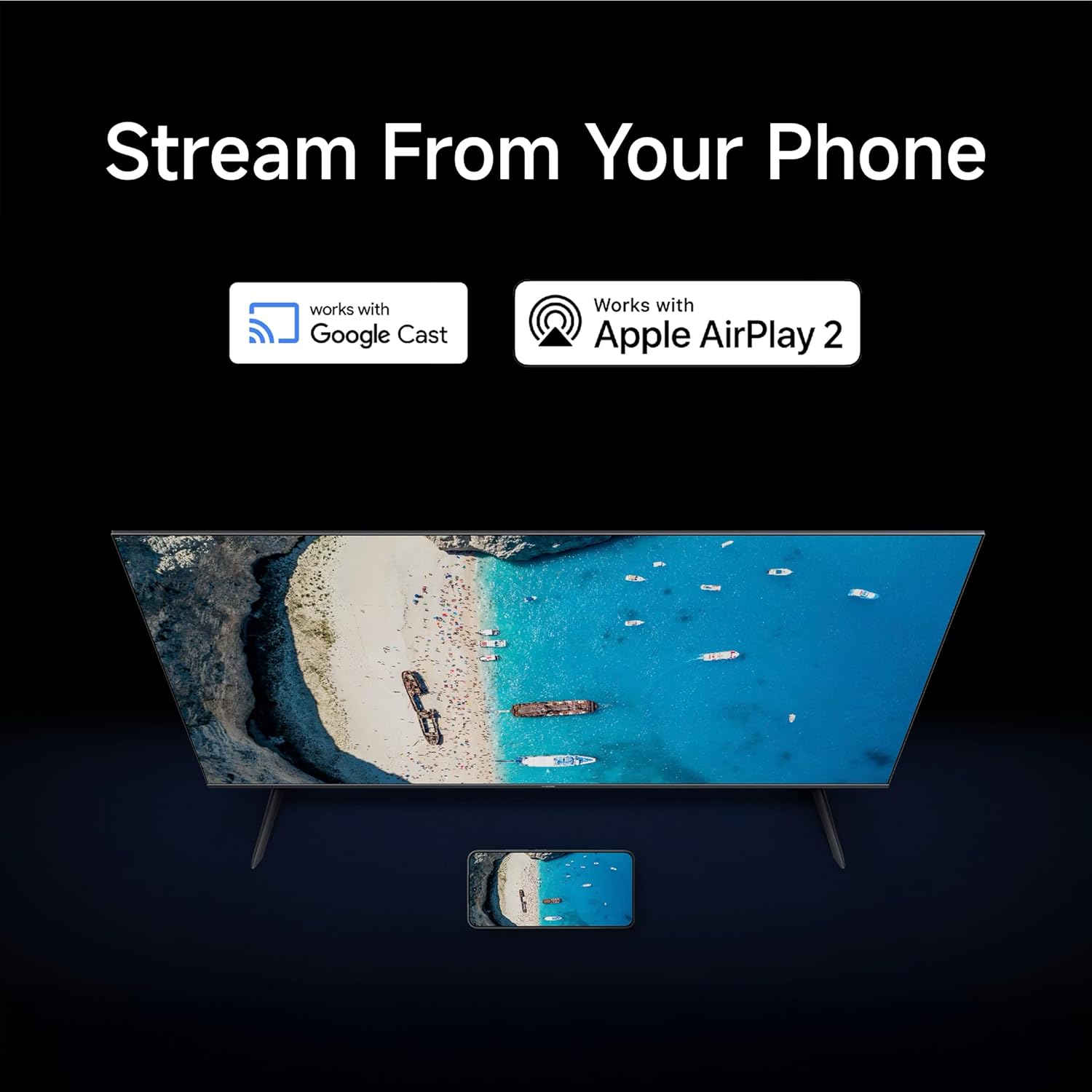
Image: Graphic detailing Xiaomi's support services, including quick installation, callback within 60 minutes, and doorstep service within 24 hours.
For more information, visit the official Xiaomi support page: Xiaomi India Support


