הקדמה
Thank you for choosing the CNBRO Fitness Tracker Smart Bracelet. This manual provides essential information for setting up, operating, and maintaining your device. Please read it carefully to ensure proper use and to fully benefit from its features.
This smart bracelet is designed to help you monitor various health metrics and track your daily activities with a blend of fashion and functionality.
וואָס איז אין די קעסטל
ווען איר עפנט אייער פעקל, ביטע זיכער מאכן אז אלע פאלגנדע זאכן זענען דא:
- 1 x CNBRO Smart Bracelet
- 1 x טשאַרדזשינג קאַבלע
- 1 x באַניצער מאַנואַל (דאָס דאָקומענט)
פּראָדוקט איבערview
The CNBRO Smart Bracelet combines elegant design with advanced health tracking capabilities. Its lightweight and stylish form factor makes it suitable for various occasions while continuously monitoring your well-being.

Image: The CNBRO Smart Bracelet, highlighting its elegant diamond-studded design and health-focused features.
The bracelet features a thin and light design, ensuring comfort during prolonged wear. It incorporates selected colored diamonds, offering a personalized touch while maintaining its core health monitoring functions.

Image: A display of three CNBRO Smart Bracelets in different colors (silver, green, red), emphasizing their fashionable design.
For a visual introduction to the product, please watch the official product video below:
ווידעא: אן אפיציעלע איבערview of the CNBRO Diamond Women Smart Bracelet, showcasinג זײַן דיזײַן און פֿעיִקייטן.
סעטאַפּ
1. טשאַרדזשינג די מיטל
Before first use, fully charge your smart bracelet. Connect the provided charging cable to the charging port on the bracelet and plug the other end into a USB power source (e.g., computer, USB wall adapter). The charging indicator will show the charging status.
2. אַפּ ינסטאַללאַטיאָן
To access all features and data, download the Nx Wear app on your smartphone. The app is compatible with both iOS and Android systems.
- פֿאַר יאָס: זוכן פֿאַר "Nx Wear" in the Apple App Store.
- פֿאַר אַנדרויד: זוכן פֿאַר "Nx Wear" in the Google Play Store.
גיי די אינסטרוקציעס אויף דעם עקראַן צו ינסטאַלירן די אַפּ.
3. דיווייס פּערינג
After installing the app and ensuring your bracelet is charged:
- געבן בלועטאָאָטה אויף דיין סמאַרטפאָנע.
- Open the Nx Wear app and create an account or log in.
- Follow the app's instructions to search for and connect to your smart bracelet. Ensure the bracelet is close to your phone during pairing.
- Once connected, the app will synchronize data and allow you to configure settings.
אַפּערייטינג ינסטראַקשאַנז
1. יקערדיק נאַוויגאַציע
The smart bracelet operates primarily through the Nx Wear app. All monitoring data and settings are managed within the application.
2. האַרץ רייט מאָניטאָרינג
The bracelet automatically tracks your heart rate. View real-time and historical heart rate data within the Nx Wear app. The app provides detailed graphs and statistics, including highest, lowest, and mean values.
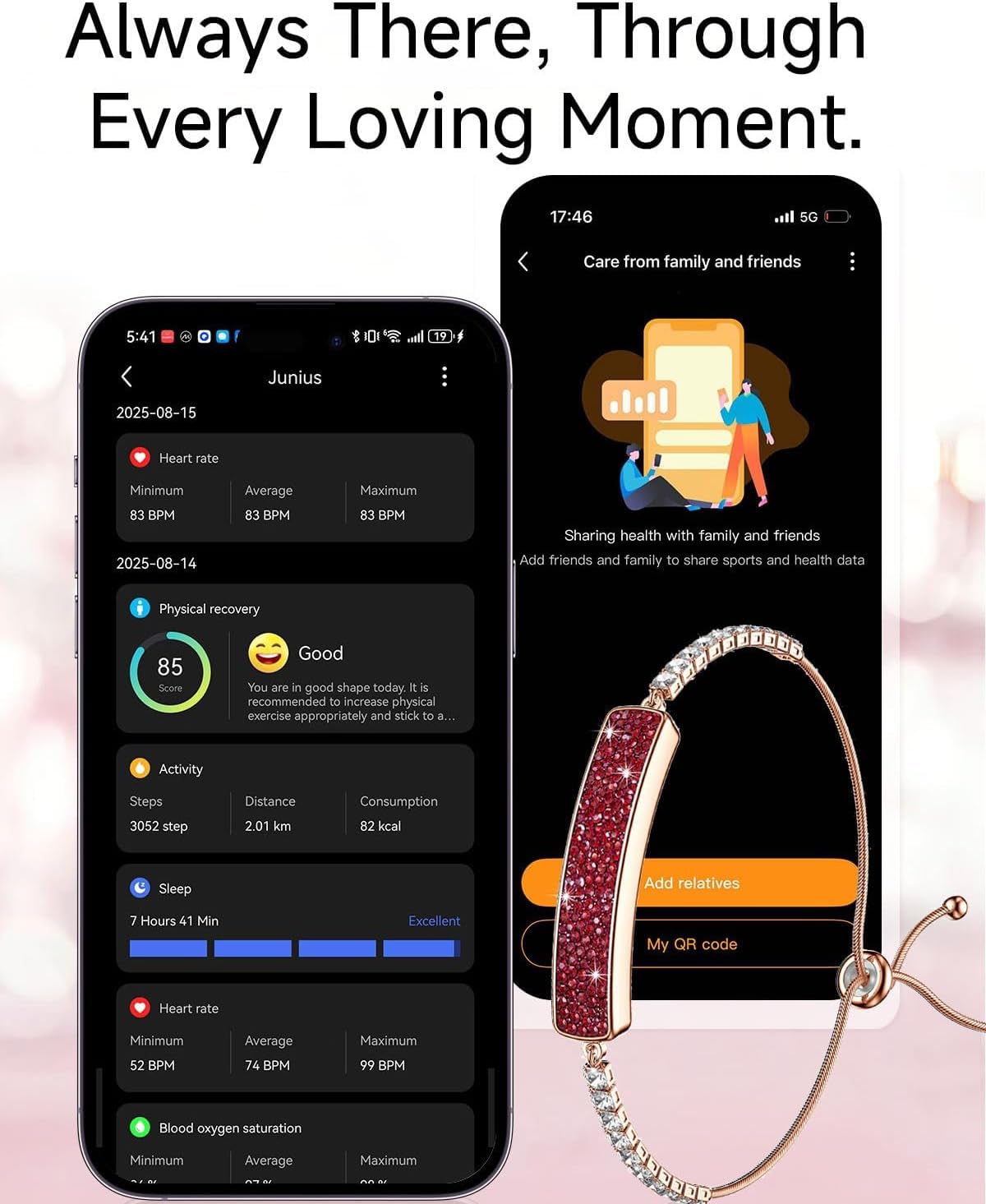
Image: A smartphone displaying heart rate monitoring data from the bracelet, with a user performing yoga.
3. שלאף טראַקינג
The smart bracelet monitors your sleep patterns, including deep sleep, light sleep, and awake times. This data is synchronized with the Nx Wear app to provide a comprehensive sleep analysis, helping you understand and improve your sleep quality.

Image: A smartphone displaying detailed sleep monitoring data, showing deep, light, and awake sleep phases.
4. Activity Tracking & Sport Modes
The bracelet records your daily steps, distance, and calorie consumption. It includes multiple sport modes to track specific activities. When a sport mode is activated, the tracker will additionally monitor your activity time and heart rate during exercise, providing real-time performance data.
5. Remote Camera Control
Utilize the remote camera feature through the Nx Wear app. This allows you to take photos on your smartphone by shaking the bracelet, offering convenience for group photos or selfies.
6. Women's Health Tracking
The Nx Wear app provides features for tracking women's health, including menstrual cycle prediction. Input your data to receive intelligent predictions and insights into your physiological cycle.

Image: A smartphone displaying the physiological cycle tracking feature within the Nx Wear app, with a woman wearing the bracelet.
וישאַלט
1. וואַסער קעגנשטעל (IP68)
The smart bracelet is IP68 waterproof, meaning it can withstand swimming, washing hands, and cold showers. However, it is not suitable for warm/hot water, diving, or prolonged submersion. Avoid exposing the device to high-pressure water or steam.

Image: The smart bracelet shown with water splashes, demonstrating its water resistance for daily activities.
2. רייניקונג
Clean the bracelet regularly with a soft, dry cloth. If necessary, use a slightly damp שטאָף און דערנאָך טרוקן גוט אויס. פֿאַרמייַדן ניצן שאַרפע כעמיקאַלן אָדער אַברייסיוו מאַטעריאַלן.
טראָובלעשאָאָטינג
- מיטל נישט קער אויף: Ensure the bracelet is fully charged. Connect it to the charger for at least 30 minutes.
- קען נישט צוזאמענשטעלן מיט אַפּ: Make sure Bluetooth is enabled on your phone and the bracelet is within range. Restart both your phone and the bracelet, then try pairing again. Ensure the Nx Wear app is updated to the latest version.
- נישט פּינקטלעכע דאַטן: Ensure the bracelet is worn snugly on your wrist, not too tight or too loose. Clean the sensors on the back of the device.
- אַפּ נישט סינקראָניזירט: Check your phone's internet connection. Close and reopen the Nx Wear app. If issues persist, try reinstalling the app (your data should be saved to your account).
ספּעסאַפאַקיישאַנז
| שטריך | דעטאַל |
|---|---|
| מאָדעל נומער | B0FWRCF4YC |
| קאַסע מאַטעריאַל | Alloy and Resin |
| וואַסער קעגנשטעל | IP68 (suitable for swimming, washing hands, cold showers; not for hot water/diving) |
| קאַמפּאַטאַבילאַטי | iOS, Android (via Nx Wear app) |
| בלועטאָאָטה ווערסיע | 5.3 |
| באַטאַרייע קאַפּאַציטעט | 18 מיליamp שעהן |
| באַטערי טיפּ | Nonstandard Battery (included) |
| פּונקט וואָג | 3.52 אונסעס |
| זכּרון סטאָרידזש קאַפּאַסיטי | 0.1 מב |
| ספּעציעלע פֿעיִקייטן | Activity Tracker, Gesture Control, Lightweight, Shockproof |
| גפּס | קיין גפּס |
וואָראַנטי און שטיצן
For warranty information and customer support, please refer to the contact details provided on the product packaging or the official CNBRO website. If you have any questions or encounter issues not covered in this manual, please contact our customer service team for assistance.
Manufacturer: Dongguan Niyajia Technology Co., Ltd