הקדמה
Welcome to your new AOC ACD2534 Wireless Bluetooth Earphones. This manual provides detailed instructions to help you set up, operate, and maintain your earphones for optimal performance and longevity. Please read this manual thoroughly before using the product.
פּעקל אינהאַלט
ביטע טשעקט די אינהאַלט פון די פּאַקעט צו זיכער מאַכן אַז אַלע זאכן זענען דאָרט:
- AOC ACD2534 Wireless Bluetooth Earphones
- טשאַרדזשינג קאַסע
- באַניצער מאַנואַל
פּראָדוקט איבערview
The AOC ACD2534 earphones feature an ergonomic design for a secure fit and come with a portable charging case.

AOC ACD2534 Wireless Bluetooth Earphones in their open charging case, showing both earbuds.

נאָענט-אַרויף view of the AOC ACD2534 Wireless Bluetooth Earphones, highlighting the ear clip design.
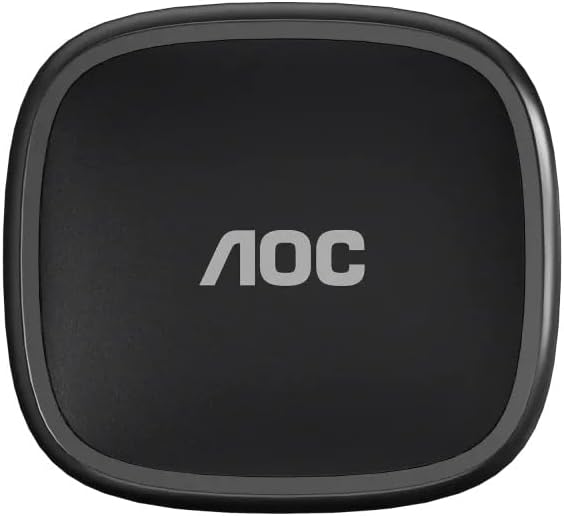
Top view of the closed AOC ACD2534 charging case, featuring the AOC logo.
סעטאַפּ
טשאַרדזשינג די ירפאָונז און קאַסטן
- פארן ערשטן באַנוץ, לאָדן די אויערפאָונז און די טשאַרדזשינג קעסטל גאָר אויף.
- Insert the earphones into the charging case. Ensure they are correctly seated in their respective slots.
- פֿאַרבינדט דעם טשאַרדזשינג קעסטל צו אַ מאַכט מקור מיט אַ קאָמפּאַטיבלע USB קאַבל.
- Charging indicators (LEDs) on the case and earphones will illuminate to show charging status. Refer to the LED indicator section for specific details (if applicable).
בלועטאָאָטה פּערינג
- מאַכן זיכער אַז די ירפאָונז זענען טשאַרדזשינג.
- Open the charging case. The earphones will automatically power on and enter pairing mode, indicated by a flashing LED on one or both earphones.
- On your device (e.g., smartphone, tablet), enable Bluetooth.
- זוכן פֿאַר available Bluetooth devices and select "AOC ACD2534" from the list.
- Once successfully connected, the LED indicator on the earphones will stop flashing or change color, indicating a stable connection.
- If pairing fails, turn off Bluetooth on your device, place earphones back in the case, close and reopen the lid, then repeat the pairing process.
אַפּערייטינג ינסטראַקשאַנז
מאַכט אויף / אַוועק
- מאַכט אויף: Open the charging case, or remove the earphones from the case. They will power on automatically. Alternatively, press and hold the multi-function button on each earphone for approximately 3 seconds.
- מאַכט אַוועק: Place the earphones back into the charging case and close the lid. They will power off automatically. Alternatively, press and hold the multi-function button on each earphone for approximately 5 seconds.
מוזיק פּלייַבאַקק
- שפּיל / פּויזע: Single tap the multi-function button on either earphone.
- ווייַטער שפּור: Double tap the multi-function button on the right earphone.
- פֿריִערדיקע שפּור: Double tap the multi-function button on the left earphone.
רופן פאַרוואַלטונג
- ענטפֿערן / סוף רופן: Single tap the multi-function button on either earphone.
- אָפּוואַרפן רופן: Press and hold the multi-function button on either earphone for 2 seconds.
וישאַלט און זאָרג
- רייניקונג: Regularly clean the earphones and charging case with a soft, dry, lint-free cloth. Do not use harsh chemicals, abrasive materials, or liquids directly on the device.
- סטאָרידזש: When not in use, store the earphones in their charging case to protect them from dust and damage, and to conserve battery life.
- באַטערי זאָרגן: Avoid exposing the earphones to extreme temperatures (hot or cold). Charge them regularly, even if not used frequently, to maintain optimal battery health.
- וואַסער קעגנשטעל: These earphones are not waterproof. Avoid exposure to rain, sweat, or other liquids.
טראָובלעשאָאָטינג
אויערפאָונז נישט פּערינג:
- Ensure both earphones are sufficiently charged.
- Place earphones back in the case, close the lid, then reopen to re-enter pairing mode.
- Disable and then re-enable Bluetooth on your connected device.
- Try pairing with another Bluetooth-enabled device to determine if the issue is with the earphones or your primary device.
קיין קלאַנג פֿון איין אויערפֿאָן:
- Verify that both earphones are charged.
- Try placing both earphones back into the charging case, closing the lid, and then taking them out again to re-establish the connection.
- Check the audio balance settings on your connected device.
נעבעך געזונט קוואַליטעט:
- Ensure the earphones are within the recommended Bluetooth range of your device (typically up to 10 meters/33 feet).
- Check for potential interference from other wireless devices operating nearby.
- Clean any debris or earwax from the earphone speakers and ear tips.
ספּעסאַפאַקיישאַנז
| שטריך | דעטאַל |
|---|---|
| סאָרט | AOC |
| מאָדעל נאָמען | ACD2534 Wireless Bluetooth Earphones |
| נומער מאָדעל נומער | ACD2534BK/00 |
| קאָליר | שוואַרץ |
| פאָרם פאַקטאָר | Earbud with Ear Clip Design |
| קאַנעקטיוויטי טעכנאָלאָגיע | בלועטאָאָטה |
| אַרייַנגערעכנט קאַמפּאָונאַנץ | באַניצער מאַנואַל |
| נומער פון זאכן | 1 |
וואָראַנטי אינפֿאָרמאַציע
The AOC ACD2534 Wireless Bluetooth Earphones come with a manufacturer's warranty of 6 חדשים from the date of purchase. This warranty covers manufacturing defects. Please retain your proof of purchase (receipt or invoice) as it is required for any warranty claims. The warranty does not cover damage caused by misuse, accidents, unauthorized modifications, or normal wear and tear.
שטיצן
For further assistance, technical support, or detailed warranty inquiries, please refer to the official AOC website or contact your local retailer where the product was purchased. You may also find additional resources and FAQs online.


