1. הקדמה
This manual provides essential information for the safe and efficient use of your PUSOKEI Senior Cell Phone. Please read it thoroughly before operating the device and keep it for future reference.
The PUSOKEI Senior Cell Phone is designed for ease of use, featuring a 2.6-inch HD screen, large tactile buttons, a loud speaker, and a 3000mAh battery. It supports dual SIM cards and includes an emergency flashlight function.

Image: PUSOKEI Senior Cell Phone, showcasing its compact design and large buttons, held comfortably in a hand.
2. פּעקל אינהאַלט
זיכער מאַכן אַז אַלע זאכן זענען פאַראַן אין פּעקל:
- 1 x PUSOKEI Senior Cell Phone
- 1 x טשאַרדזשינג קאַבלע
- 1 x באַניצער מאַנואַל (דאָס דאָקומענט)

Image: The PUSOKEI Senior Cell Phone displayed alongside its included charging cable.
3. פּראָדוקט איבערview
The PUSOKEI Senior Cell Phone is designed with user convenience and safety in mind. Key features include:
- HD ווייַז: A 2.6-inch shatterproof HD screen provides clear visibility with vivid colors, enhanced by adhesion technology to prevent dust and air intrusion.
- באַניצער-פרייַנדלעך פּלאַן: Large, tactile buttons with ample spacing minimize accidental presses, simplifying operation.
- Loud and Clear Sound: The front speaker delivers robust sound quality. Non-slip sides and round edges ensure a comfortable and secure grip.
- Emergency Lighting Assistance: A dedicated side key activates the flashlight, even when the phone is off or locked, for quick access in low-light conditions.
- Dual SIM Convenience: Supports two SIM cards (not included) for simultaneous standby, ensuring reliable communication.
- לאַנג-בלייַביק באַטערי: אויסגעשטאַט מיט אַ 3000mAh באַטאַרייע פֿאַר פֿאַרלענגערטע נוצן.
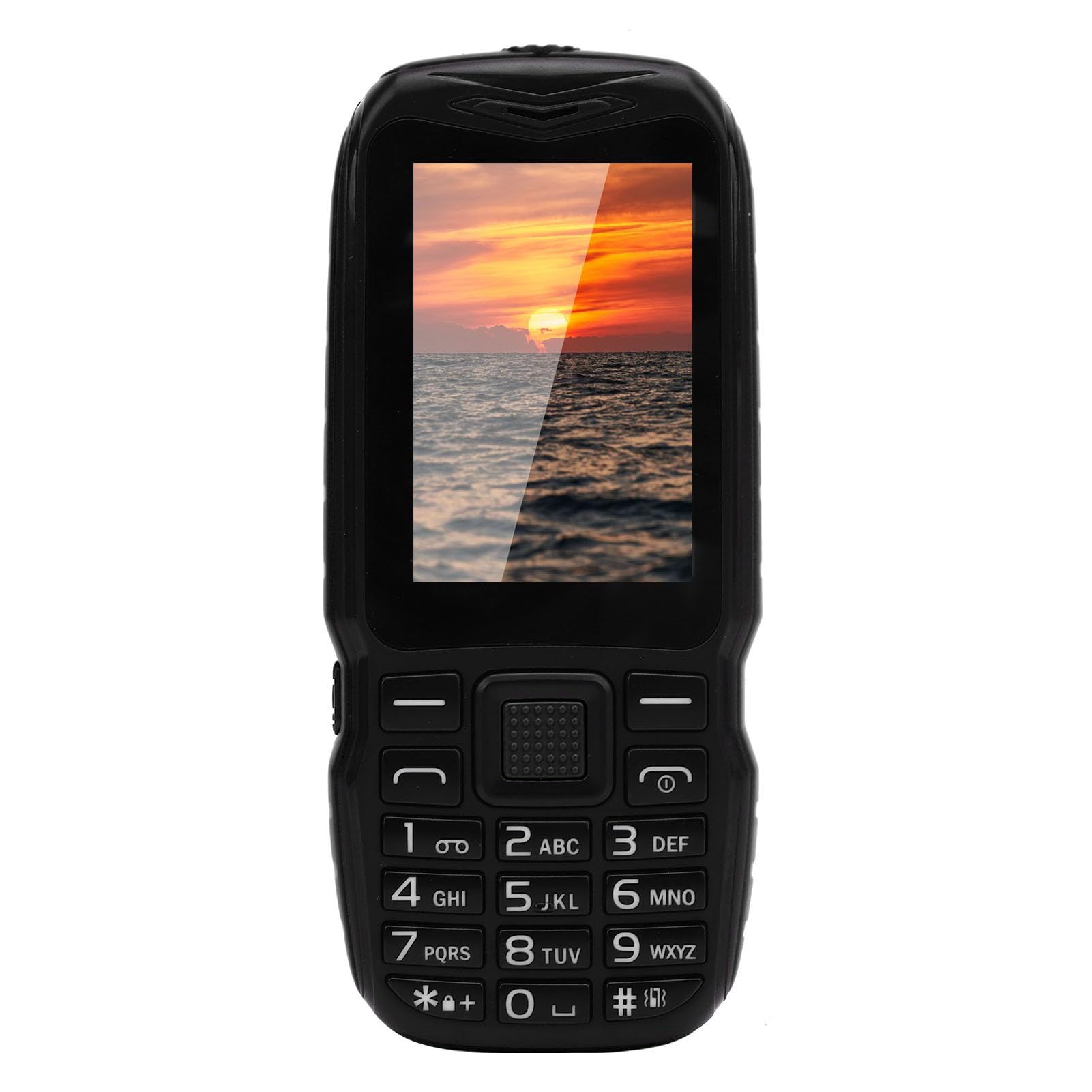
בילד: א נאָענטע בילד view of the phone's large, well-spaced buttons, highlighting their tactile design for easy pressing.
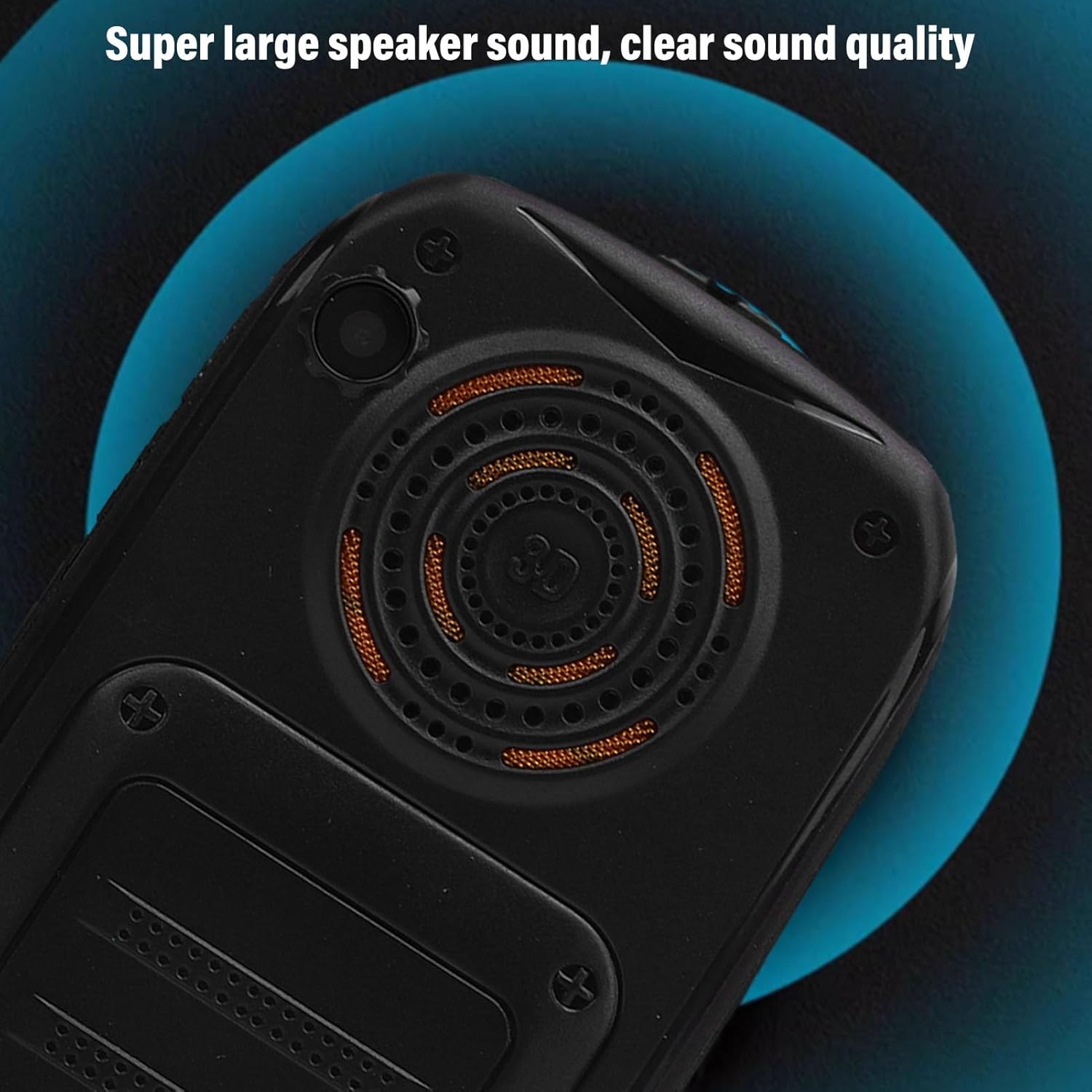
Image: The rear of the phone, emphasizing the large speaker for clear audio output.

בילד: א זייט view of the phone, illustrating the integrated flashlight feature.
4. סעטאַפּ
4.1 ינסטאַלירונג פון סים קאַרד
This phone supports dual SIM cards. To install SIM cards:
- פֿאָרזיכטיק אַראָפּנעמען די הינטערשטע דעקל פֿון טעלעפֿאָן.
- Insert your standard SIM cards into the designated slots. Ensure the metal contacts face downwards.
- פאַרבייַטן די צוריק דעקן סיקיורלי.
וויכטיק: Consult with your local operator to confirm if they support the GSM frequency bands: 850, 900, 1800, 1900 MHz.
4.2 טשאַרדזשינג די באַטאַרייע
Before first use, fully charge the phone's battery. Connect the provided charging cable to the phone's charging port and plug the other end into a compatible USB power adapter.
5. אַפּערייטינג ינסטרוקטיאָנס
5.1 מאַכט אויף / אַוועק
- To power on: Press and hold the Power button until the screen lights up.
- אויסצולאָשן: דריק און האַלט דעם פּאַוער קנעפּל, און סעלעקטיר 'אויסלאָשן' פון די אָפּציעס.
5.2 מאַכן רופן
- From the home screen, use the keypad to dial the desired phone number.
- Press the Green Call button to initiate the call.
- To end a call, press the Red End Call button.
5.3 שיקט טעקסט אַרטיקלען
- גיי צו צום "מעסעדזשינג" מעניו.
- אויסקלייבן 'נײַע מעסעדזש' אדער 'שרײַבן מעסעדזש'.
- אַרייַן די טעלעפאָן נומער פון דעם באַקומער אָדער סעלעקטירן פון קאָנטאַקטן.
- טיפּ דיין אָנזאָג ניצן די קיפּאַד.
- דריק 'שיקן'.
5.4 ניצן די פלאַשליגהט
The flashlight can be activated using the dedicated side key. Simply slide or press the flashlight button on the side of the phone to turn it on or off. This function works even when the phone is locked or powered off.
Video: A brief demonstration of the PUSOKEI Senior Cell Phone, highlighting its features and ease of use.
6. וישאַלט
- Keep the phone dry. Moisture can damage the device.
- ניצט נאָר באַשטעטיקטע טשאַרדזשערס און אַקסעסאָריעס.
- רייניקט דעם עקראַן און קערפּער מיט אַ ווייכן, טרוקענעם שטאָף. פֿאַרמייַדט שטרענגע כעמיקאַליעס.
- Do not attempt to disassemble the phone, as this will void the warranty.
7. טראָובלעשאָאָטינג
7.1 טעלעפאָן טוט זיך נישט אָן
- זיכער מאַכן אַז די באַטאַרייע איז אויפגעלאָדן. פֿאַרבינדט דעם טעלעפאָן צו אַ טשאַרדזשער פֿאַר לפּחות 30 מינוט.
- קוק אויב די באַטאַרייע איז רעכט ינסערטאַד.
7.2 No Network Signal
- Verify that the SIM card is correctly installed.
- קוק אויב איר זענט אין אַ געגנט מיט נעץ קאַווערידזש.
- ריסטאַרט די טעלעפאָן.
7.3 קלאַנג פּראָבלעמען
- Ensure the volume is turned up using the side volume keys.
- Check if the speaker is obstructed.
8. ספּעסאַפאַקיישאַנז
| שטריך | באַשרייַבונג |
|---|---|
| נומער טיפּ | Big Key Phone |
| מאַטעריאַל | ABS |
| Camera (Pixels) | 0.13MP |
| געבויט-אין באַטערי | 3000 מאַה |
| זכּרון | 32MB and 32MB, Supports up to 64G (not included) |
| Network Format | GSM: 850, 900, 1800, 1900 MHZ |
| קאָרט שפּעלטל | Dual SIM Dual Standby (Memory Card x1 and Regular SIM x2, not included) |
| פֿעיִקייטן | Vibration, Video Player, FM Radio, Music Player, Recorder, Camera, Clock, Calculator, Calendar, BT, Games, Side Key Flashlight |
| שפּראַך | English, Arabic, French, Portuguese, Russian, Spanish, German |
| פּראָדוקט דימענשאַנז | 5.51 X 3.14 X 1.96 אינטשעס |
| פּונקט וואָג | 5.3 אונסעס |
9. וואָראַנטי און שטיצן
For warranty information and technical support, please refer to the documentation included with your purchase or contact PUSOKEI customer service. Keep your proof of purchase for warranty claims.