1. הקדמה
This manual provides essential information for setting up, operating, and maintaining your Auusda 15.6-inch FHD Laptop. Designed for work, study, and entertainment, this laptop features an Athlon Silver 3050E Processor, 32GB DDR4 RAM, and a 1TB SSD for efficient performance and ample storage. Its thin and light design enhances portability, making it suitable for various environments.
Key features include a vibrant 15.6-inch Full HD IPS display, comprehensive connectivity options, a secure fingerprint reader, and a backlit keyboard for comfortable use in diverse lighting conditions. The laptop comes pre-installed with Windows 11 Pro.


2. סעטאַפּ
2.1 אויספּאַקן די קעסטל און ערשטע דורכקוק
Carefully remove the laptop and its accessories from the packaging. Ensure all components are present and undamaged.
- Auusda 15.6" FHD Laptop
- 12 וו 3 אַ טשאַרדזשער
- US Layout Keyboard Cover
- באַניצער מאַנואַל (דעם דאָקומענט)
2.2 אײַנצושאַלטן און ערשטע קאָנפיגוראַציע
- Connect the charger to the laptop's DC-in port and a power outlet.
- עפֿנט דעם דעקל פֿונעם לאַפּטאָפּ. דער לאַפּטאָפּ קען זיך אויטאָמאַטיש אָנצינדן, אָדער איר דאַרפֿט אפשר דריקן דעם מאַכט קנעפּל.
- פֿאָלגט די אינסטרוקציעס אויף דעם עקראַן צו פֿאַרענדיקן די Windows 11 Pro סעטאַפּ, אַרייַנגערעכנט שפּראַך, ראַיאָן, נעץ פֿאַרבינדונג און באַניצער אַקאַונט שאַפונג.
- For secure login, configure the integrated fingerprint reader during setup or via Windows Settings later.
3. אָפּעראַציע
3.1 אויסשטעלונג און וויזשוואַלן
The laptop features a 15.6-inch Full HD (1920x1080) IPS display, providing crisp and vibrant visuals. The narrow bezel design enhances the viewing experience for various tasks, from document editing to streaming media.

3.2 Processor and Performance
Powered by an Athlon Silver 3050E Processor with 2 cores and 4 threads, the laptop offers a base frequency of 1.4 GHz and a maximum turbo frequency of up to 2.8 GHz. This configuration supports daily office tasks, online learning, and video playback efficiently.

3.3 זכּרון און סטאָרידזש
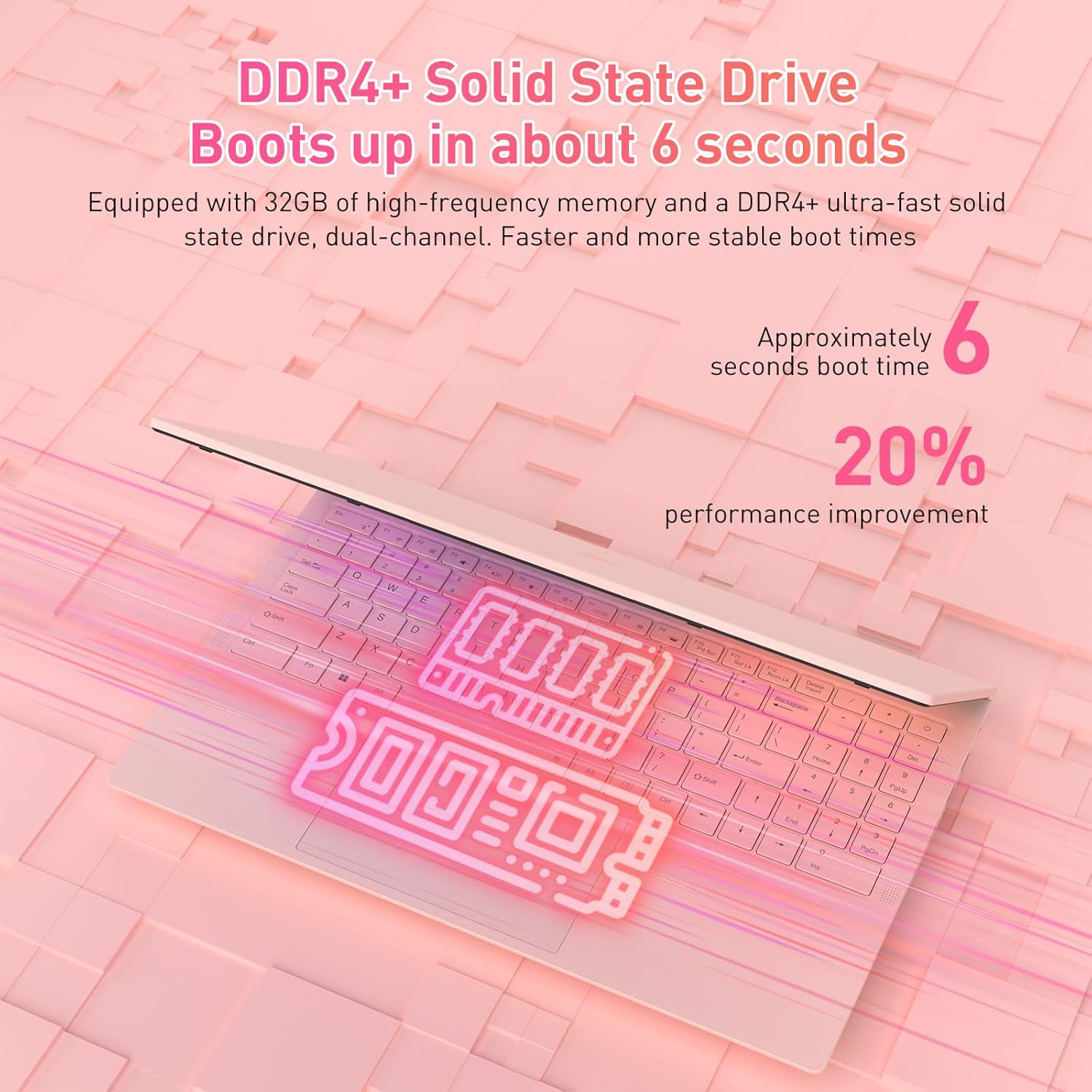
The laptop is equipped with 32GB of DDR4 RAM (2400 MHz) and a 1TB M.2 SATA 3.0 SSD. This combination ensures fast boot times (approximately 6 seconds) and smooth multitasking, allowing you to run multiple applications without significant slowdowns.

3.4 Keyboard and Security Features
The full-size backlit keyboard includes a numeric keypad for enhanced productivity. The large touchpad provides precise navigation. For secure access, the laptop is equipped with an integrated fingerprint reader, allowing for quick and reliable unlocking.

The laptop also features a privacy camera, which can be physically covered for enhanced security.
3.5 קאַנעקטיוויטי
The Auusda laptop offers a variety of ports and wireless options for versatile connectivity:
- וסב פּאָרץ: 1 קס וסב 3.0, 2 קס וסב 2.0
- טיפּ-C פּאָרט: Full-featured, supporting charging and data transfer.
- הדמי: פֿאַר פֿאַרבינדן צו עקסטערנע דיספּלייז.
- אַודיאָ: 3.5 מם כעדפאָון דזשאַק.
- קארטל לייענער: TF Card Slot.
- ווירעלעסס: Built-in Wi-Fi 5 (802.11a/b/g/n) and Bluetooth 5.0.
- זיכערהייט: Security Lock Slot.
- מאַכט: DC Jack for charging.

3.6 Multi-Screen Expansion
The laptop supports multi-screen expansion, allowing you to connect external monitors via the HDMI port for an extended desktop experience, enhancing productivity for work or entertainment.
While not primarily a gaming laptop, the Athlon Silver 3050E processor with RX Vega 3 integrated graphics can handle some lighter gaming titles. For optimal performance in gaming, ensure your system drivers are up to date.
4. וישאַלט
4.1 רייניקונג
- ניצט אַ ווייכע, לינט-פֿרייע שטאָף צו רייניקן דעם עקראַן. פֿאַר שווערע פֿלעקן, דampווישט דעם שטאָף מיט וואַסער אָדער אַ רייניקונג לייזונג ספּעציפֿיש פֿאַרן עקראַן.
- Wipe the keyboard and chassis with a slightly damp שטאָף. פֿאַרמייַדן איבעריקע פֿײַכטקייט.
- רייניקט רעגולער די ווענטילאַטאָר ווענטילאַטאָרן צו פאַרמייַדן שטויב אָנזאַמלונג, וואָס קען ווירקן די קילונג פאָרשטעלונג.
4.2 באַטערי קער
- פֿאַרמײַדט אָפֿט פֿולשטענדיק אויסצולאָדן די באַטעריע.
- האַלט דעם לאַפּטאָפּ אין אַ קיל, טרוקן אָרט ווען עס איז נישט אין באַנוץ פֿאַר לענגערע פּעריאָדן.
- Use only the provided charger to prevent damage to the battery and laptop.
4.3 ווייכווארג דערהייַנטיקונגען
Regularly check for and install Windows updates and driver updates (especially for graphics and chipset) to ensure optimal performance and security. You can typically find driver updates on the Auusda support website or AMD's official website for the Athlon processor.
5. טראָובלעשאָאָטינג
אויב איר טרעפט פּראָבלעמען מיט אייער לאַפּטאָפּ, זעט די פאלגענדע געוויינטלעכע טראָובלעשווטינג טריט:
- לאַפּטאָפּ אַרבעט נישט אָן: זיכער מאַכן אַז דער טשאַרדזשער איז זיכער פארבונדן און די עלעקטרישע אַוטלעט אַרבעט. פּרוּווט דריקן און האַלטן דעם מאַכט קנעפּל פֿאַר 10-15 סעקונדעס.
- פּראָבלעמען מיטן עקראַן (קיין עקראַן, פליקערן): Connect an external monitor via HDMI to check if the issue is with the laptop's internal display. Restart the laptop.
- לאַנגזאַמע פאָרשטעלונג: Close unnecessary applications, check for background processes, ensure sufficient free storage space, and run a malware scan.
- קאָנעקטיוויטי פּראָבלעמען (Wi-Fi, בלועטוט): Check if wireless adapters are enabled in Windows settings. Restart your router/modem for Wi-Fi issues.
- קלאַוויאַטור אָדער טאָוטשפּאַד רעאַגירט נישט: Restart the laptop. Ensure no external devices are interfering.
- איבערהייצונג: Ensure the laptop's vents are clear and not obstructed. Use the laptop on a hard, flat surface to allow for proper airflow.
For persistent issues, please contact Auusda customer support.
6. ספּעסאַפאַקיישאַנז
| שטריך | דעטאַל |
|---|---|
| סאָרט | Auusda |
| מאָדעל נאָמען | T156A-3050E-32GB+1TB |
| נומער מאָדעל נומער | 3050E |
| פאַרשטעלן גרייס | 15.6 אינטשעס |
| פאַרשטעלן האַכלאָטע | 1920 x 1080 פּיקסעלס (פול HD IPS) |
| פּראַסעסער | AMD Athlon Silver 3050E (1.4 GHz base, up to 2.8 GHz) |
| באַראַן | 32 גיגאבייט DDR4 SDRAM (2400 MHz) |
| סטאָרידזש | 1 TB SSD (PCIE x 2 interface) |
| גראַפיקס קאָופּראַסעסער | RX Vega 3 (Integrated Graphics) |
| אָפּערייטינג סיסטעם | Windows 11 פּראָ |
| ווירעלעסס טיפּ | 802.11a/b/g/n (Wi-Fi 5), Bluetooth 5.0 |
| וסב פּאָרץ | 1x USB 3.0, 2x USB 2.0, 1x Type-C (Full-Featured) |
| אנדערע פּאָרץ | HDMI, 3.5mm Headphone Jack, TF Card Slot, DC Jack, Security Lock Slot |
| פּונקט וואָג | 3.7 פונט |
| פּראָדוקט דימענשאַנז | 14 X 11 X 0.7 אינטשעס |
| קאָליר | ראָזעווע |
| ספּעציעלע פֿעיִקייטן | Anti Glare Coating, Backlit Keyboard, Fingerprint Reader, Numeric Keypad, Portable |
| באַטערי | 1x 12V battery (included) |
7. וואָראַנטי און שטיצן
7.1 פאַבריקאַנט'ס גאַראַנטיע
Your Auusda laptop comes with a 2-year manufacturer-backed coverage. This warranty covers defects in materials and workmanship under normal use. Please retain your proof of purchase for warranty claims.
7.2 קונה שטיצן
For technical assistance, warranty claims, or any questions regarding your Auusda laptop, please contact our customer support team:
- בליצפּאָסט: Auusda.ltd@gmail.com (as per A+ content FAQ)
- אָנליין: Log in to your Amazon buyer account, find your order, and click "Get Help" or "Ask questions" to reach the seller.
When contacting support, please provide your order number and a detailed description of the issue, including any relevant videos or screenshots.


