1. הקדמה
This manual provides comprehensive instructions for the installation, operation, and maintenance of your aosu T2 Ultra 4K Solar Security Camera System (2-Cam Kit). This system is designed to provide robust outdoor surveillance with advanced features including 4K TrueColor Night Vision, AI-powered detection, 360-degree coverage, and expandable local storage, all powered by solar energy.
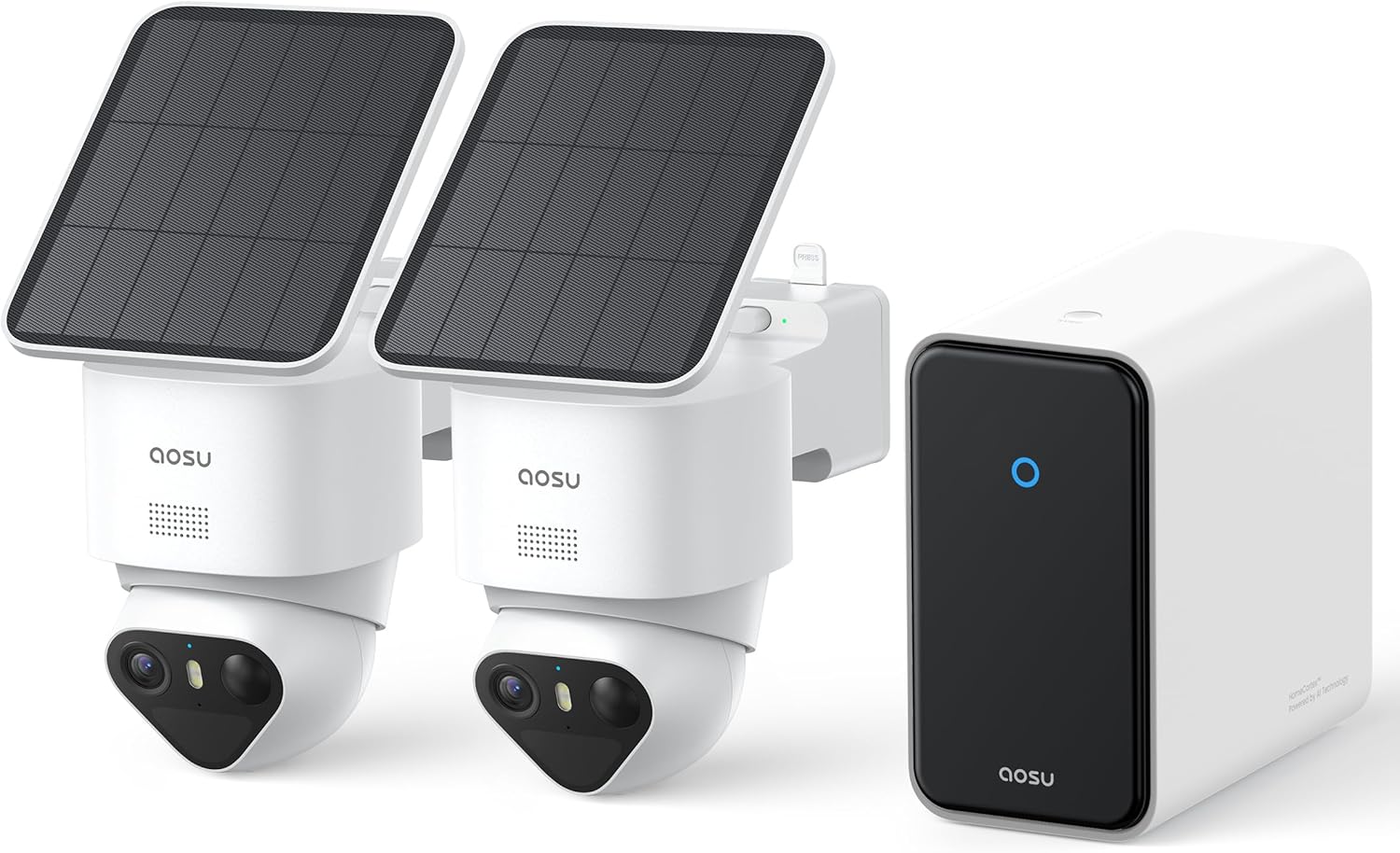
Image 1.1: The aosu T2 Ultra 4K Solar Security Camera System, featuring two cameras with integrated solar panels and a central HomeCortex base station.
2. פּעקל אינהאַלט
באַשטעטיקן אַז אַלע זאכן זענען פאַראַן אין דיין פּעקל:
- 2 x aosu T2 Ultra 4K Solar Security Cameras
- 1 x HomeCortex Base Station
- Mounting Kits (screws, wall anchors, mounting templates)
- וסב טשאַרדזשינג קאַבלע
- עטהערנעט קאַבלע
- שנעל אָנהייב גייד
3. סעטאַפּ און ייַנמאָנטירונג
3.1 ערשט סעטאַפּ
- Charge Cameras: Fully charge the cameras using the provided USB cable before installation.
- אראפקאפיע אַפּ: Download the 'aosu' app from your smartphone's app store.
- שאַפֿן אַ חשבון: Follow the in-app instructions to create an aosu account.
- Connect HomeCortex: Plug the HomeCortex Base Station into your router using the Ethernet cable and connect it to power. Wait for the indicator light to stabilize.
- פּאָר דעוויסעס: Follow the in-app instructions to add your HomeCortex Base Station and then pair your T2 Ultra cameras.
3.2 אַפּאַראַט מאַונטינג
The aosu T2 Ultra cameras are designed for simple, wire-free installation. Choose a location that provides optimal sunlight exposure for the solar panel and the desired surveillance view.
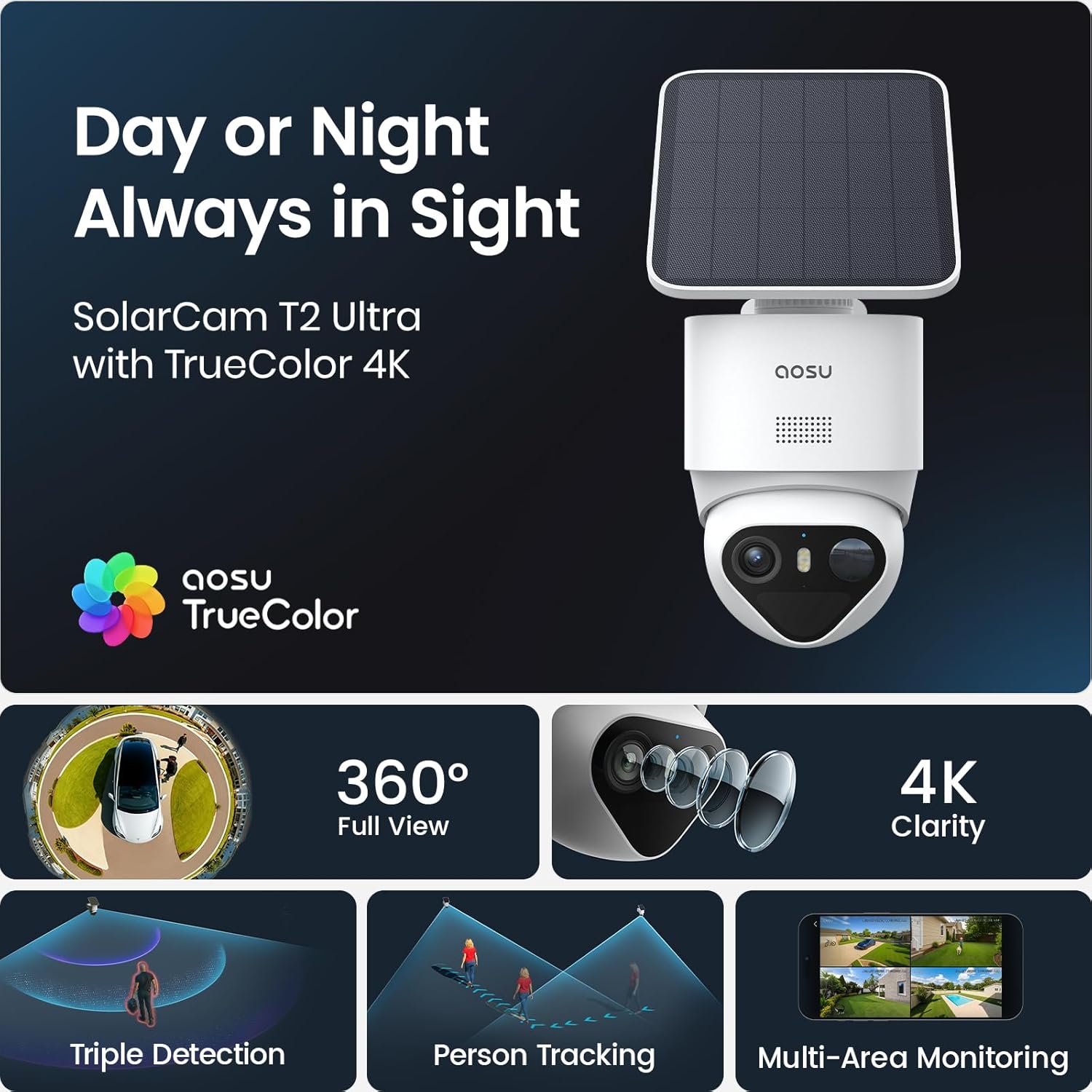
Image 3.1: An aosu T2 Ultra camera mounted on an exterior wall, showcasing its integrated solar panel for continuous power.
- אויסקלייַבן אָרט: Ensure the camera's solar panel receives at least 90 minutes of direct sunlight daily for continuous operation. The detachable solar panel allows for flexible mounting to maximize sun exposure.
- ניצן מאָנטירונג טעמפּלאַט: Use the provided mounting template to mark drill holes on the desired surface.
- ינסטאַלירן בארג: Drill pilot holes and secure the mounting bracket with screws and wall anchors.
- צוטשעפּען קאַמעראַ: Securely attach the camera to the mounting bracket. Adjust the angle for optimal coverage.
3.3 ווידעא איבערview of System Setup
ווידעא 3.1: אן אפיציעלער איבערview of the aosu T2 Ultra 4K Smart Home Security Cameras System, demonstrating its features and ease of installation.
4. Operating Your Security System
4.1 לעבן View און פּלייַבאַקק
Access live feeds from all connected cameras via the aosu app. Review רעקאָרדעד פוtage stored locally on the HomeCortex Base Station or an expandable external drive.

Image 4.1: The aosu app displaying live feeds from multiple cameras, illustrating the system's ability to provide total coverage of a property.
4.2 פּאַן, טילט, און זום (PTZ) קאָנטראָל
Utilize the app to remotely control the camera's pan (355°), tilt (90°), and 6x digital zoom functions. This allows for dynamic monitoring and adjustment of the viewינג געגנט.
4.3 צוויי-וועג אַודיאָ
Engage in real-time two-way communication through the camera. This feature is useful for interacting with visitors or deterring unwanted individuals.
4.4 קלוגע דעטעקציע און וואָרענונגען
The system employs PIR, radar, and on-device AI for accurate human activity detection, minimizing false alarms from environmental factors. Receive instant alerts on your smartphone when relevant motion is detected.
4.5 Multi-Camera Tracking
When multiple cameras detect movement, the system intelligently links the clips into a single video event, providing a comprehensive view of the activity without redundant notifications.
4.6 Optional AI Features (Subscription-Based)
Enhance your security intelligence with optional subscription-based AI features available through the aosu App:
- קלוג זוכן: Use text-to-video queries to quickly find specific moments, people, vehicles, or objects in your footage.
- Daily Security Reports: Receive summarized reports of events and potential threats.
- Abnormal Behavior Analysis: Advanced analysis to identify unusual activities.
5. שליסל פֿעיִקייטן
5.1 4K TrueColor Night Vision
Experience full-color footage even in low-light conditions. The F/1.0 ultra-wide aperture and large 1/1.8'' starlight sensor capture vivid, natural colors and ultra-clear detail without the need for a floodlight.

Image 5.1: A demonstration of 4K TrueColor Night Vision, providing clear and colorful images in dark environments.
5.2 Local Storage with Expansion
The HomeCortex Base Station includes 32GB of built-in memory, capable of storing up to 90 days of footage. Storage can be expanded up to 16TB using an external 2.5-inch HDD or SSD (not included), ensuring your video data remains private and accessible without monthly fees.

Image 5.2: The HomeCortex Base Station, highlighting its 32GB built-in storage and the option to expand up to 16TB with an external drive.
5.3 360-Degree Coverage and Auto Patrol
Each camera offers a 355° pan and 90° tilt capability, providing a wide field of view. The auto-patrol function allows for automated monitoring of predefined areas, eliminating blind spots.

Image 5.3: An illustration demonstrating the 360-degree full view capability of the aosu T2 Ultra camera, ensuring comprehensive monitoring.
5.4 Triple Smart Detection
The system integrates PIR (Passive Infrared), radar, and AI analysis to accurately detect human activity. This combination significantly reduces false alarms triggered by non-human movements such as trees, pets, or vehicles.
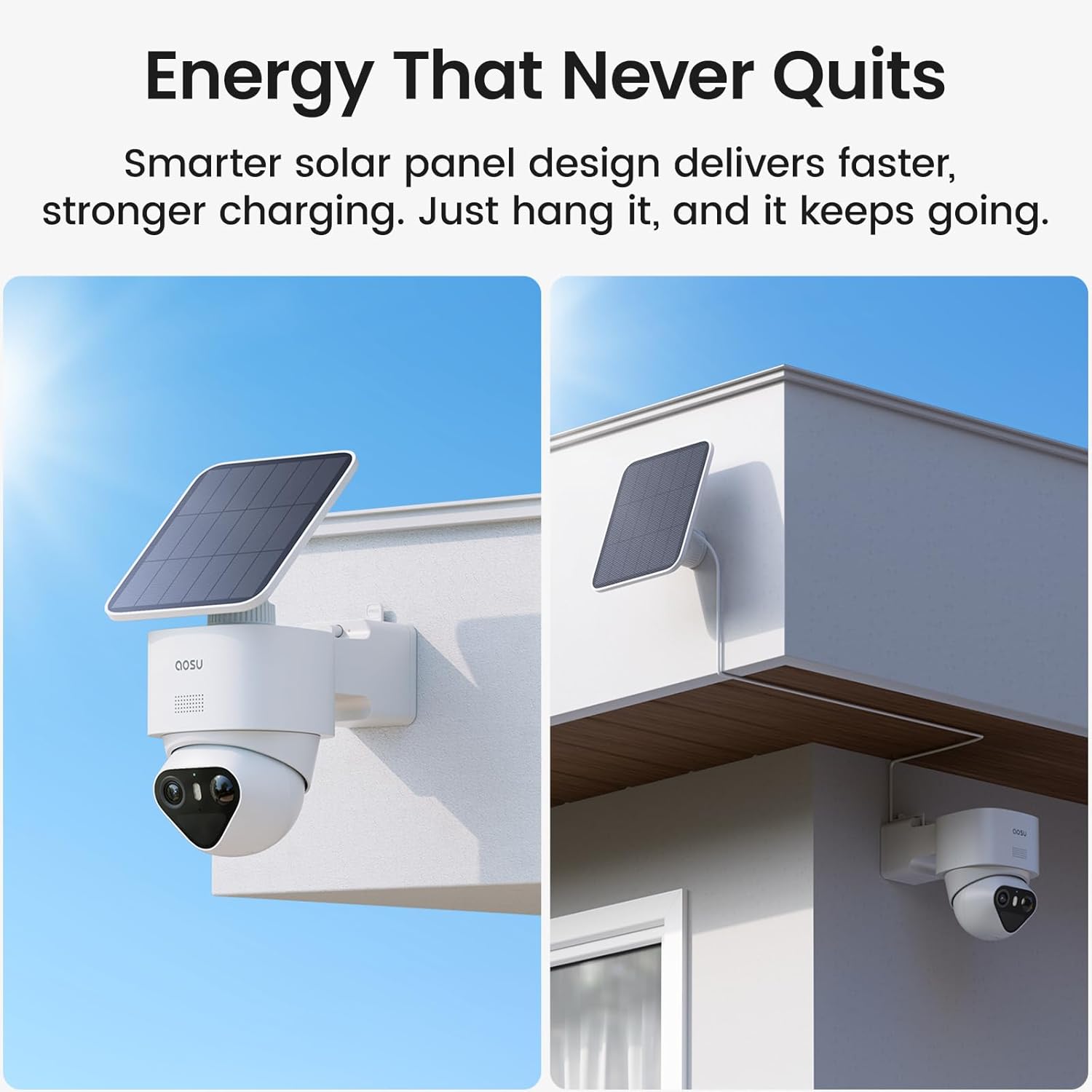
Image 5.4: A visual representation of the Triple Detection system, combining radar, PIR, and AI for precise alerts and reduced false alarms.
5.5 Solar + Battery Power
Designed for year-round operation, the cameras are powered by a combination of solar energy and a large-capacity battery. Just 90 minutes of direct sunlight per day can keep the camera running continuously, even during periods of cloudy or rainy weather.

בילד 5.5: עקס.amples of flexible solar panel mounting, allowing for optimal sunlight exposure regardless of camera placement.
6. וישאַלט
Regular maintenance ensures optimal performance and longevity of your aosu T2 Ultra security system.
- Clean Camera Lens and Solar Panel: ווישט פּעריִאָדיש די קאַמעראַ לינז און זונ פּאַנעל מיט אַ ווייכן, דamp cloth to remove dust, dirt, or debris that may obstruct vision or reduce charging efficiency.
- קאָנטראָלירן די באַטאַרייע סטאַטוס: Monitor the battery level of your cameras through the aosu app. Ensure solar panels are receiving adequate sunlight.
- Firmware דערהייַנטיקונגען: Regularly check the aosu app for available firmware updates. Updates often include performance improvements, new features, and security enhancements. Follow in-app instructions for seamless updates.
- קאָנטראָלירן די ינסטאַלירונג: Periodically check that cameras are securely mounted and that cables (if any) are intact and properly connected.
7. טראָובלעשאָאָטינג
This section addresses common issues you might encounter with your aosu T2 Ultra system.
7.1 קאַמעראַ פֿאַרבינדט זיך נישט צו Wi-Fi
- Ensure the HomeCortex Base Station is powered on and connected to your router.
- Verify that the camera is within range of the HomeCortex's Wi-Fi signal.
- Restart the camera and the HomeCortex Base Station.
- Check the Wi-Fi settings in the aosu app to ensure correct network credentials.
7.2 Frequent False Alarms
- Adjust the motion detection sensitivity settings in the aosu app.
- Define specific activity zones to exclude areas with frequent non-human movement (e.g., swaying trees).
- זיכער מאַכן אַז די קאַמעראַ לינז איז ריין און פריי פון שטערונגען.
7.3 Poor Night Vision Clarity
- רייניקט די קאַמעראַ לענס צו באַזײַטיקן יעדע פֿלעק אָדער שמוץ.
- Ensure there are no reflective surfaces close to the camera that could interfere with infrared or starlight vision.
- Check for any external light sources that might be overexposing the image.
7.4 Camera Battery Draining Quickly
- Verify the solar panel is receiving sufficient direct sunlight daily.
- Reduce the frequency of motion detection events or live view צוטריט אויב נישט קריטיש.
- Ensure the camera's operating temperature is within the recommended range.
8. ספּעסאַפאַקיישאַנז
| שטריך | דעטאַל |
|---|---|
| מאָדעל נאָמען | aosu T2 Ultra 2-Cam Kit |
| דרינענדיק / דרויסנדיק באַניץ | דרויסנדיק |
| מאַכט מקור | זונ - פּאַוערד |
| קאַנעקטיוויטי טעכנאָלאָגיע | ווייערלעס (בלוטוט, וויי-פיי) |
| ווידעא קאַפּטורע רעסאָלוטיאָן | 4K (2160 Effective Video Resolution) |
| עפעקטיוו נאָך האַכלאָטע | 8 מפּ |
| אָפּטיש פארגרעסער | 6x |
| אינטערנאַציאָנאַלע פּראַטעקשאַן שאַץ | IP65 |
| נומער דימענשאַנז (L X W X H) | 8.8 X 6.6 X 14 אינטשעס |
| פּונקט וואָג | 7.04 פונט |
| באַטעריז | 2 x 9V batteries (included) |
| ספּעציעלע פֿעיִקייטן | 4K UHD, HomeCortex with Local Storage, PTZ Technology, Automatic Tracking, Triple Motion Sensor, TrueColor Night Vision |
9. וואָראַנטי און שטיצן
Your aosu T2 Ultra 4K Solar Security Camera System is manufactured by AOSU. For any product-related inquiries, technical assistance, or warranty claims, please contact the manufacturer's customer support team. Details for contacting support can typically be found on the official AOSU website or within the aosu app. Please retain your proof of purchase for warranty purposes.


