1. הקדמה
This manual provides essential information for setting up, operating, maintaining, and troubleshooting your Auusda 16-inch FHD Laptop T161N. Please read this manual thoroughly before using your device to ensure proper function and longevity.
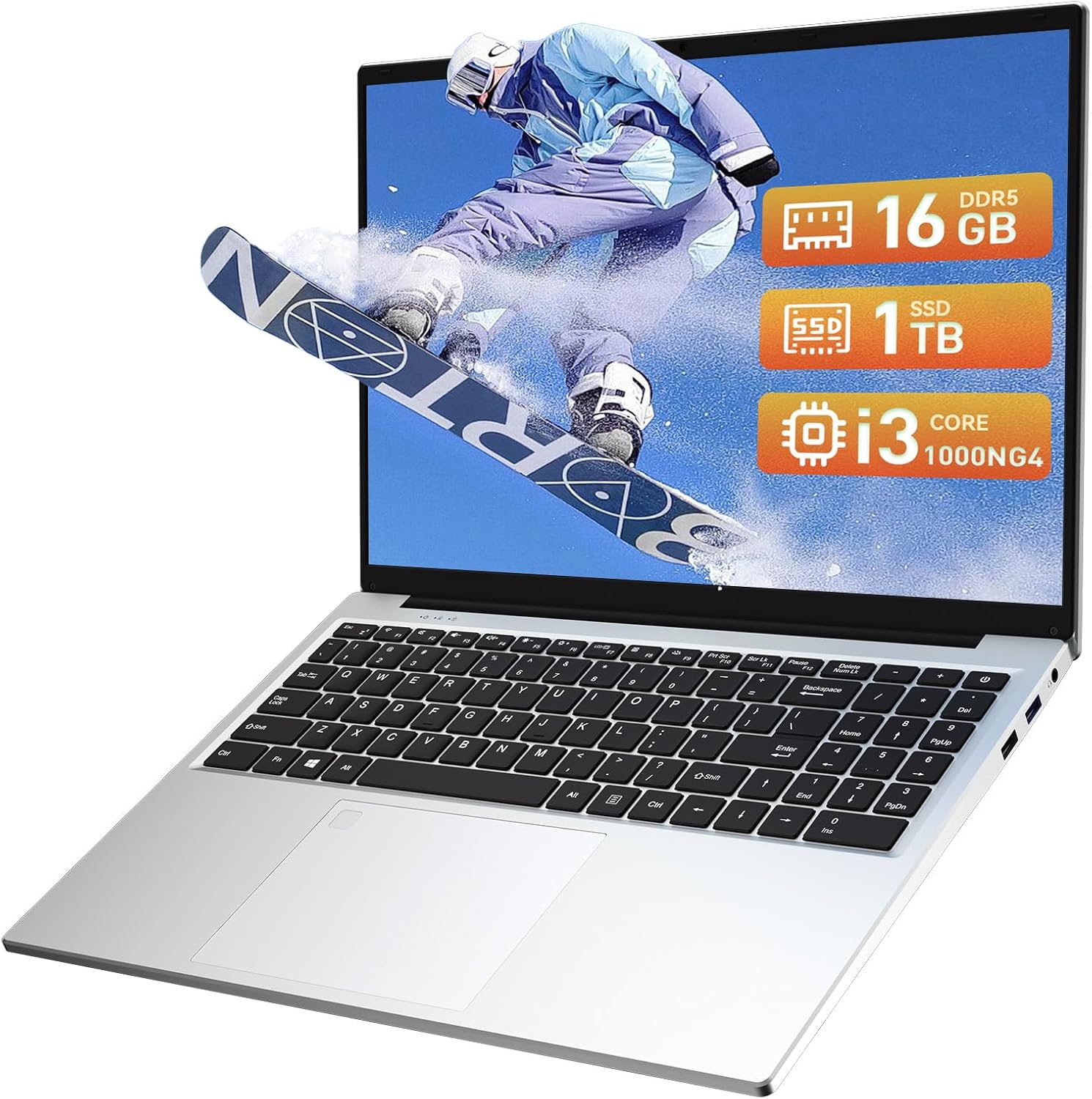
Image: The Auusda 16-inch FHD Laptop T161N, showcasinג זײַן גלאַטן דיזײַן און עקראַן.
2. וואָס איז אין דער קעסטל
Upon opening your Auusda T161N laptop package, verify that all the following items are included:
- Auusda 16-inch FHD Laptop T161N
- מאַכט אַדאַפּטער / טשאַרדזשער
- ינסטרוקטיאָן מאַנואַל (דעם דאָקומענט)
- קלאַוויאַטור קאָווער

Image: A visual representation of the items included in the Auusda T161N laptop packaging.
3. פּראָדוקט איבערview
3.1 שליסל פֿעיִקייטן
- ווייַז: 16-inch Full HD (1920x1080) IPS screen with 180° viewינג ווינקל.
- פּראַסעסער: Intel Core i3-1000NG4 (up to 3.2GHz).
- זכּרון: 16 גיגאבייט DDR4 ראַם.
- סטאָרידזש: 1TB PCIe SSD.
- קאַנעקטיוויטי: Wi-Fi 6, Bluetooth 5.3.
- זיכערהייט: Fingerprint Reader.
- אַרייַנשרייַב: Backlit Keyboard.
- אַפּערייטינג סיסטעם: ווינדאָוס 11 פּראָ.
3.2 פּאָרץ און קאַנעקטערז
The Auusda T161N laptop is equipped with various ports for versatile connectivity:
- וסב 3.0 פּאָרץ (קס 2)
- Full-Function Type-C Port (x1) - Supports data transfer, screen mirroring, and charging.
- USB 2.0 פּאָרט (x1)
- Mini HDMI Port (x1)
- 3.5mm Standard Headphone Jack (x1)
- Microphone Input (shared with headphone jack)
- טשאַרדזשינג פּאָרט

Image: A detailed diagram illustrating the location and type of ports on the Auusda T161N laptop.
3.3 וויזועל איבערview
ווידעא: אן איבערview of the Auusda 16-inch FHD Laptop T161N, demonstrating its design and key features.
4. סעטאַפּ
4.1 ערשט טשאַרדזשינג
- פֿאַרבינדט דעם מאַכט אַדאַפּטער צום טשאַרדזשינג פּאָרט אויף דעם לאַפּטאַפּ.
- צאַפּן די מאַכט אַדאַפּטער אין אַ וואַנט ווענטיל.
- לאָזט דעם לאַפּטאָפּ זיך אויפלאָדן פֿאַר לפּחות 30 מינוט איידער איר ניצט עס ערשט, אָדער ביז דער באַטאַרייע אינדיקאַטאָר ווײַזט גענוגיק אויפלאָדן.
4.2 אײַנצושאַלטן און ערשטע Windows סעטאַפּ
- דריק דעם מאַכט קנעפּל וואָס געפינט זיך אויף דער קלאַוויאַטור צו אנצינדן דעם לאַפּטאָפּ.
- פֿאָלגט די אינסטרוקציעס אויף דעם עקראַן צו פֿאַרענדיקן דעם Windows 11 Pro סעטאַפּ פּראָצעס. דאָס נעמט אַרײַן אויסקלײַבן אײַער ראַיאָן, שפּראַך, פֿאַרבינדן זיך צו אַ Wi-Fi נעץ, און שאַפֿן אַ באַניצער חשבון.
- Ensure you have an active internet connection for Windows updates and driver installations during the setup.
5. אַפּערייטינג ינסטרוקטיאָנס
5.1 Keyboard Functions (Fn + Function Keys)
The laptop features a full-size keyboard with dedicated function keys that can be accessed by pressing the Fn key in combination with the corresponding function key (F1-F12).
- באַקלייט קלאַוויאַטור: דרוק Fn + F9 to cycle through 2 brightness levels. Pressing it a third time turns the backlight off.
- נומער שלאס: דרוק Fn + Num Lk to toggle the numeric keypad on or off.
- באַנד קאָנטראָל: ניצן Fn + Speaker keys (F1-F3) to mute, decrease, or increase volume.
- ברייטנאַס קאָנטראָל: ניצן Fn + Sun keys (F4-F5) to decrease or increase screen brightness.

Image: A visual guide to using the Fn (Function) keys on the Auusda T161N keyboard for various controls.
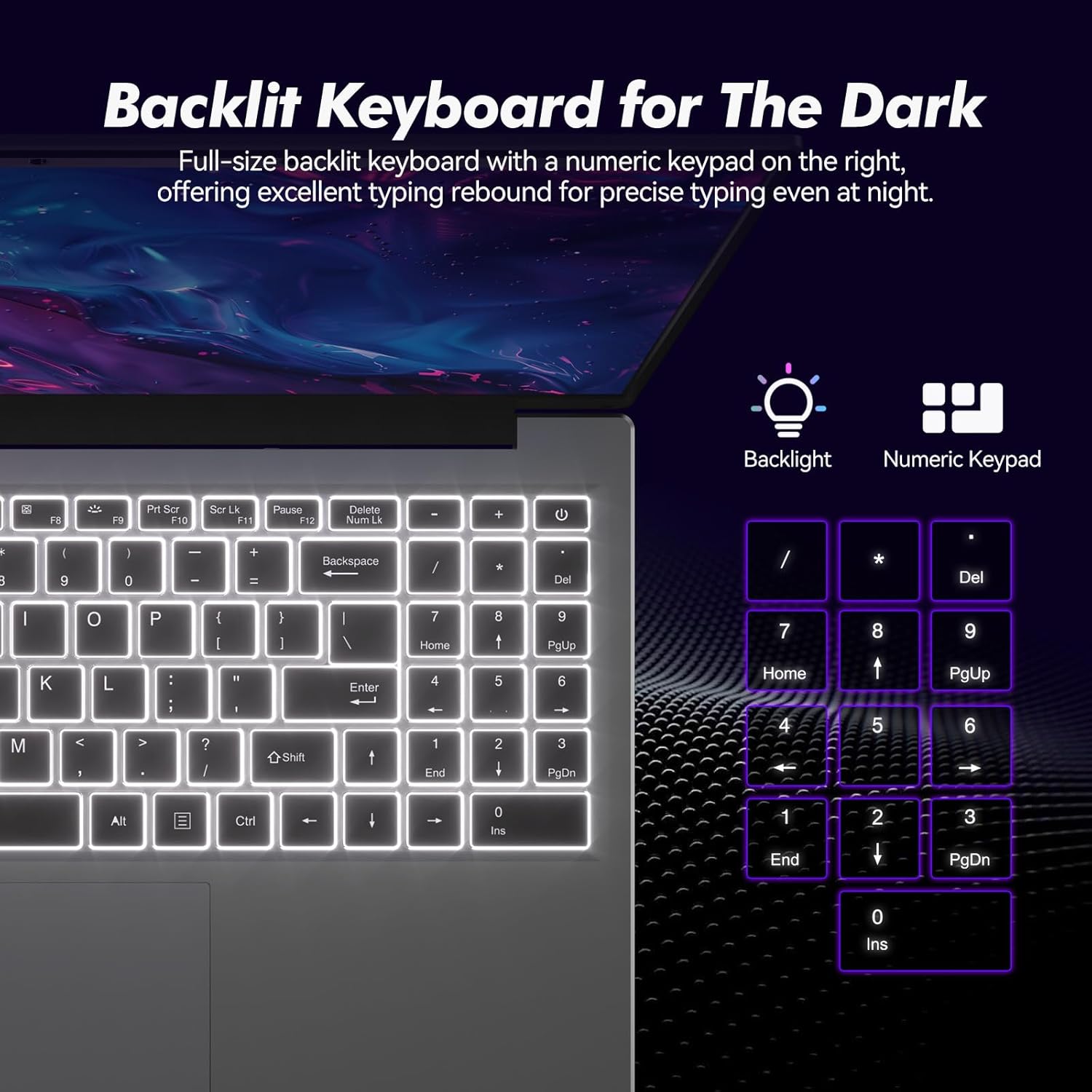
בילד: נאָענט-אַרויף view of the backlit keyboard and numeric keypad, highlighting their functionality.
5.2 פינגערפּרינט לייענער
The integrated fingerprint reader provides a secure and fast way to unlock your laptop. To set up fingerprint recognition:
- גיי צו Windows סעטטינגס > אַקאַונטס > לאָגין אָפּציעס.
- Under 'Windows Hello Fingerprint', click 'Set up'.
- Follow the on-screen prompts to register your fingerprint.
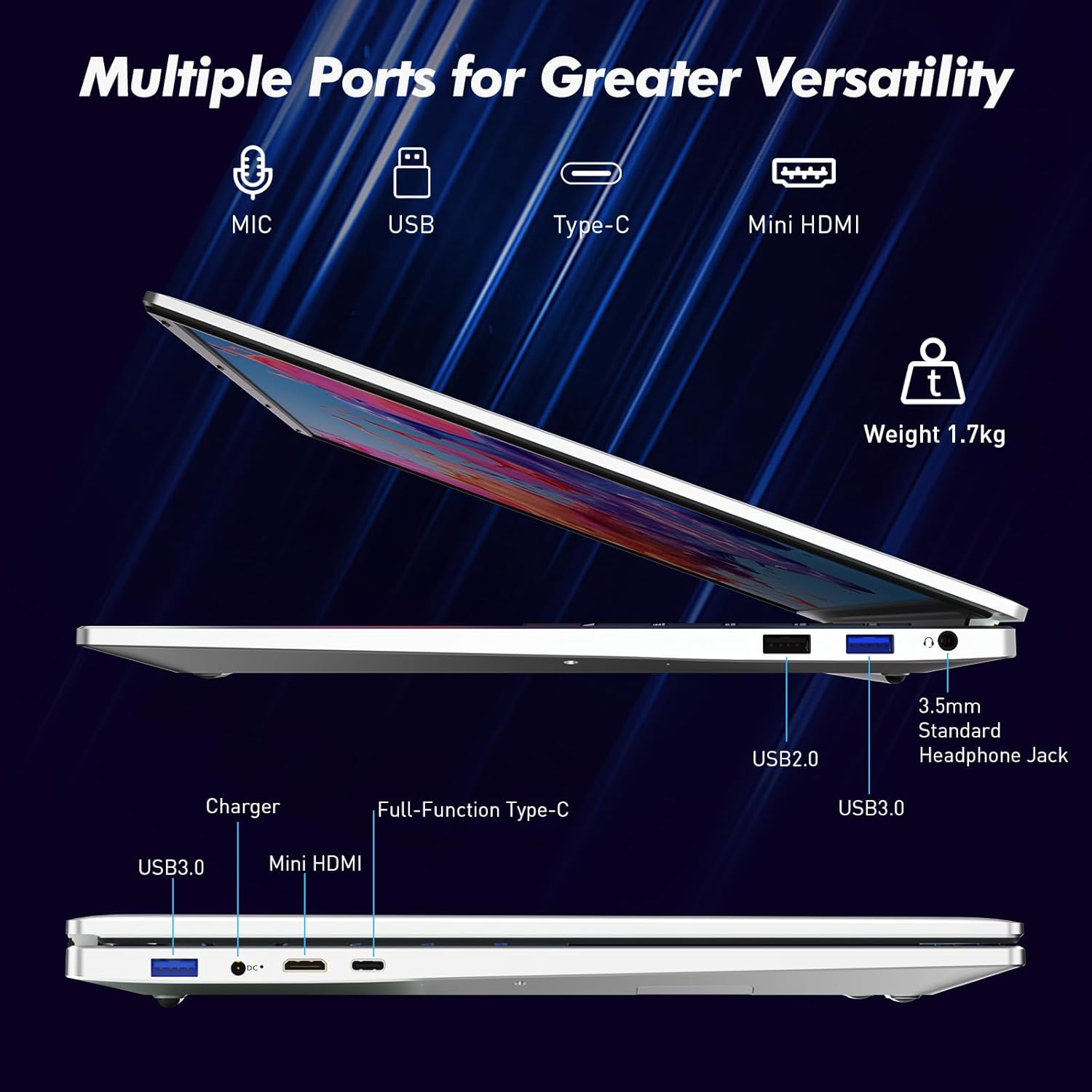
Image: A visual representation of the fingerprint reader location and its quick unlock capability.
5.3 Type-C Connectivity
The full-function Type-C port offers versatile connectivity options:
- דאַטאַ אַריבערפירן: Connect compatible devices for high-speed data exchange.
- סקרין שפּיגל: Output video to an external display using a compatible Type-C to HDMI/DisplayPort adapter (sold separately).
- טשאַרדזשינג: Charge the laptop using a compatible Type-C power delivery charger.
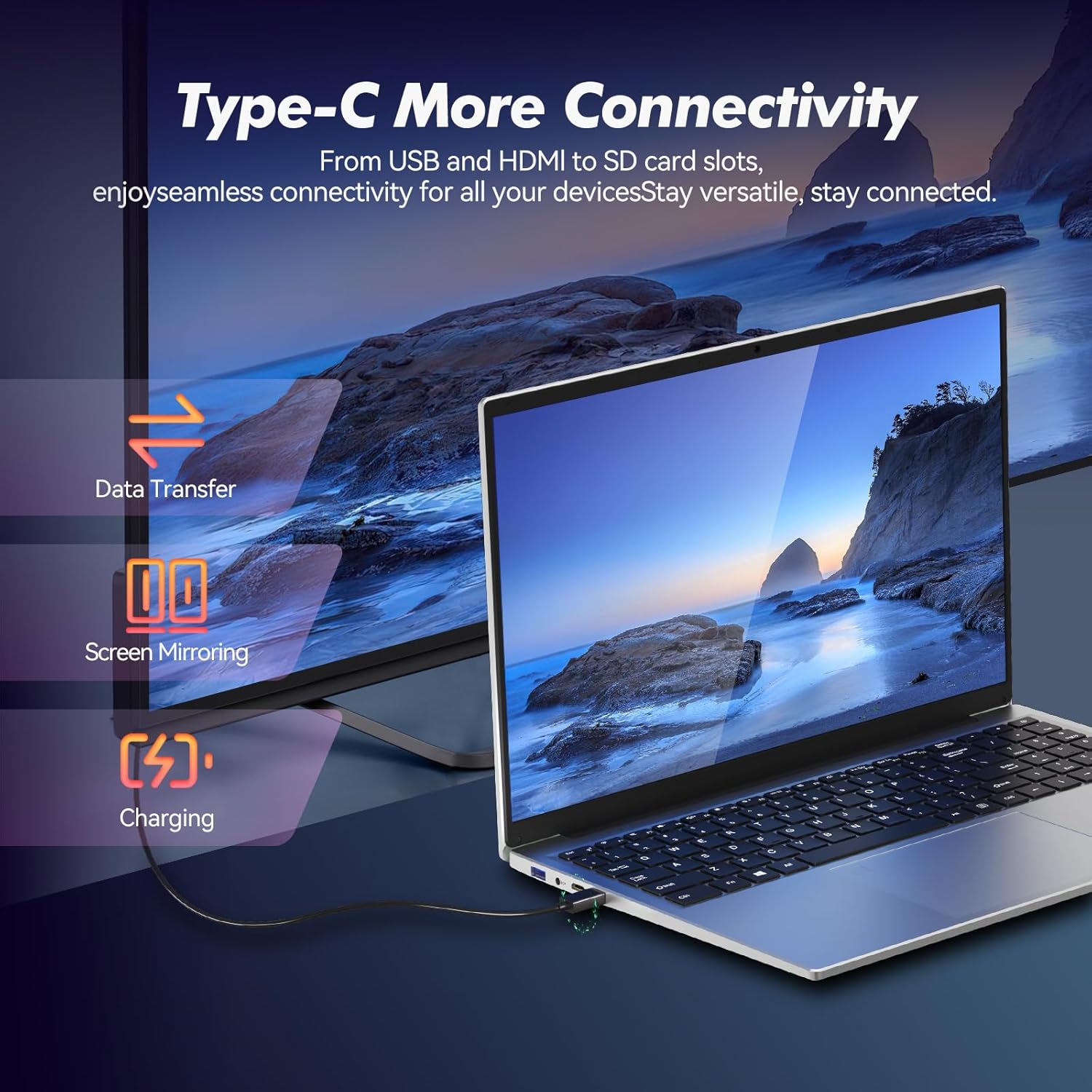
Image: Illustrates the multi-functional capabilities of the Type-C port, including data transfer, screen mirroring, and charging.
5.4 Wi-Fi 6 and Bluetooth 5.3
The laptop supports Wi-Fi 6 for faster and more stable wireless internet connections and Bluetooth 5.3 for connecting wireless peripherals.
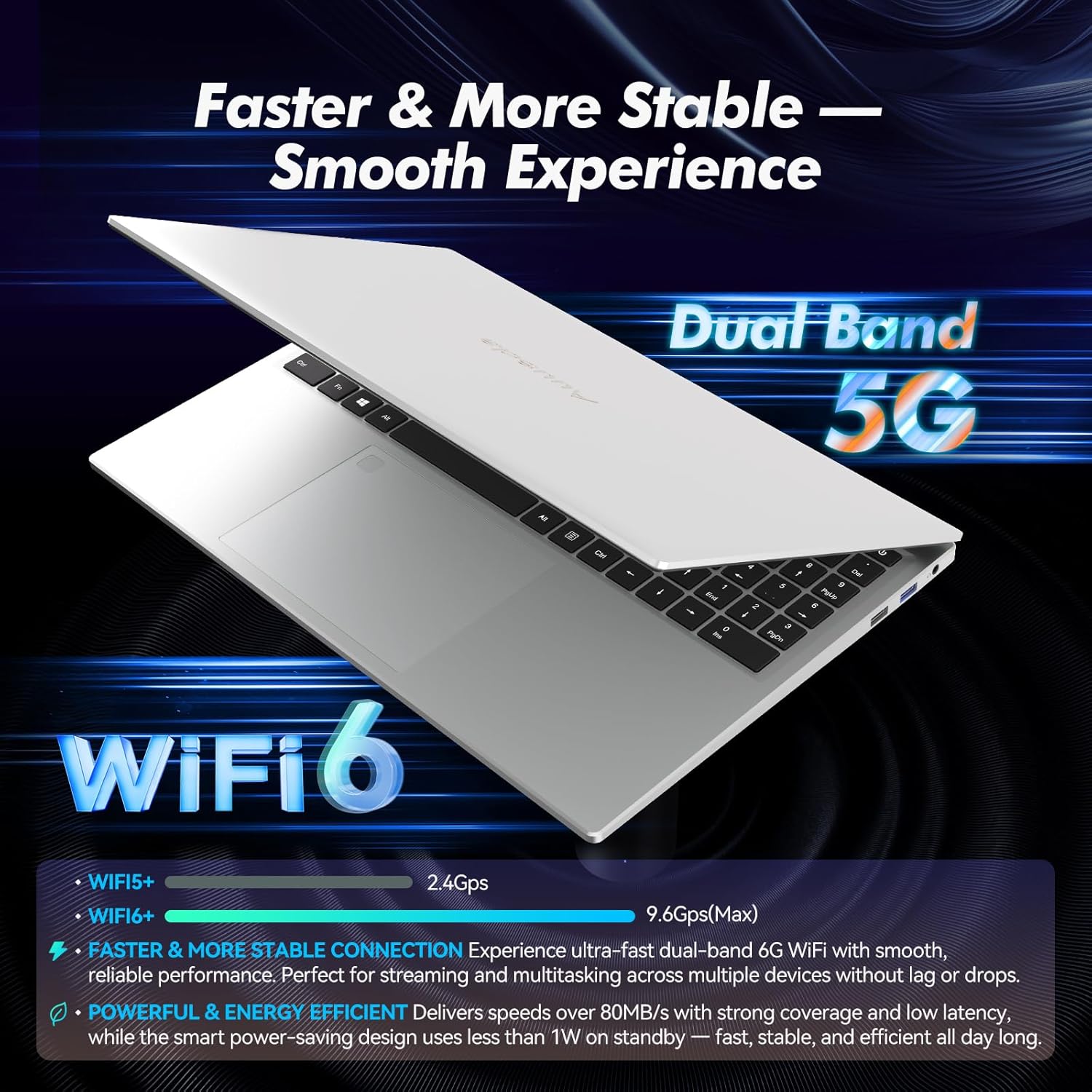
Image: Highlights the advanced wireless connectivity of the laptop, including Wi-Fi 6 and Dual Band 5G support.
6. ספּעסאַפאַקיישאַנז
Below are the detailed technical specifications for the Auusda 16-inch FHD Laptop T161N:
| שטריך | באַשרייַבונג |
|---|---|
| מאָדעל נומער | T161N |
| פאַרשטעלן גרייס | 16 אינטשעס |
| פאַרשטעלן האַכלאָטע | 1920 x 1080 פּיקסעלס (FHD) |
| פּראַסעסער | Intel Core i3-1000NG4 (1.09 GHz, up to 3.2 GHz) |
| באַראַן | 16 גיגאבייט DDR4 SDRAM |
| שווער דרייוו | 1 TB SSD (PCIe) |
| גראַפיקס קאָופּראַסעסער | Iris Plus Graphics G4 48EUs (Integrated) |
| אָפּערייטינג סיסטעם | Windows 11 פּראָ |
| ווירעלעסס טיפּ | 802.11ax (Wi-Fi 6), Bluetooth 5.3 |
| וסב 3.0 פּאָרץ | 2 |
| וסב 2.0 פּאָרץ | 1 |
| פּונקט וואָג | 5.21 פונט |
| פּראָדוקט דימענשאַנז | 14.17 X 10.83 X 0.71 אינטשעס |
| קאָליר | זילבער |
| באַטעריז | 1 12V באַטעריע (אריינגערעכנט) |
7. וישאַלט
Regular maintenance helps ensure the optimal performance and longevity of your laptop.
7.1 רייניקונג
- Use a soft, lint-free cloth to clean the screen and exterior surfaces. For stubborn marks, slightly dampווישט דעם שטאָף מיט וואַסער אָדער אַ פאַרשטעלן-זיכערן רייניגער.
- פֿאַרמײַדט צו שפּריצן פֿליסיקייטן גלייך אויף דעם לאַפּטאָפּ.
- ניצט קאמפרעסט לופט צו רייניקן שטויב פון קלאַוויאַטור קנעפלעך און ווענטילאַציע גרילן.
7.2 ווייכווארג דערהייַנטיקונגען
- Regularly check for and install Windows updates to ensure system stability and security. Go to Settings > Windows Update.
- Keep your drivers updated. Windows Update typically handles this, but you may occasionally need to check the Auusda support webזייטל פֿאַר ספּעציפֿישע דרייווער דערהייַנטיקונגען.
7.3 באַטערי קער
- פֿאַרמײַדט אָפֿט פֿולשטענדיק אויסצולאָדן די באַטעריע.
- האַלט דעם לאַפּטאָפּ אין אַ קיל, טרוקן אָרט אויב עס ווערט נישט גענוצט פֿאַר לענגערע צייטן.
8. טראָובלעשאָאָטינג
די סעקציע באהאנדלט אלגעמיינע פראבלעמען וואס איר קענט באגעגענען מיט אייער לעפטאפ.
8.1 לאַפּטאָפּ גייט נישט אָן
- זיכער מאַכן אַז דער מאַכט אַדאַפּטער איז זיכער פארבונדן צו ביידע דעם לאַפּטאַפּ און אַ אַרבעטנדיקן מאַכט ווענטיל.
- באַשטעטיקן אַז די עלעקטרישע ווענטיל אַרבעט דורך אַרײַנשטעקן אַן אַנדער דעוויס.
- If the battery is completely drained, allow it to charge for at least 15-30 minutes before attempting to power on again.
8.2 Wi-Fi קאָנעקטיוויטי פּראָבלעמען
- Check if Wi-Fi is enabled in Windows settings (Settings > Network & internet > Wi-Fi).
- ריסטאַרט דיין ראַוטער און מאָדעם.
- זייט זיכער אז איר זענט אין דער דערגרייכונג פון אייער Wi-Fi נעץ.
- Update your Wi-Fi drivers if necessary.
8.3 Keyboard or Touchpad Not Responding
- ריסטאַרט די לאַפּטאַפּ.
- Check for any physical obstructions or debris under the keys or on the touchpad.
- Ensure the touchpad has not been accidentally disabled (some laptops have a function key or a setting to toggle the touchpad).
For further assistance, refer to the support section below.
9. וואָראַנטי און שטיצן
Auusda provides customer support and warranty services for its products.
9.1 וואָראַנטי אינפֿאָרמאַציע
Auusda laptops typically come with a two-year after-sales service period. Please retain your proof of purchase for warranty claims.
9.2 קונה שטיצן
If you encounter issues or require technical assistance, please contact Auusda customer support:
- E- בריוו שטיצן: Send your order number and a video demonstrating the problem to Auusda.ltd@gmail.com.
- Amazon Buyer Account: Log in to your Amazon buyer account, find your order, and click "Get Help" or "Ask questions" for direct support.


