פּראָדוקט איבערview
The DIERYA DK68 is a 60% compact mechanical keyboard designed for versatility and performance. It features triple-mode connectivity, allowing seamless switching between Bluetooth 5.0, 2.4GHz wireless, and USB-C wired connections. Equipped with clicky blue mechanical switches and vibrant RGB backlighting, it offers a responsive and customizable typing experience for both gaming and office use.

Figure 1: DIERYA DK68 Wireless Mechanical Keyboard showcasing its compact design and RGB lighting.
פּעקל אינהאַלט
זיכער מאַכן אַז אַלע זאכן זענען פאַראַן אין פּעקל:
- DIERYA DK68 וויירלעס מעכאנישע קלאַוויאַטור
- וסב-C צו וסב-א קאַבלע
- קייקאַפּ פּולער
- 2.4GHz USB Receiver (stored in the keyboard's back compartment)
- באַניצער מאַנואַל (דעם דאָקומענט)
סעטאַפּ און קאַנעקטיוויטי
The DK68 keyboard supports three connection modes: USB-C wired, 2.4GHz wireless, and Bluetooth 5.0. Choose the mode that best suits your needs.
1. USB-C ווייערד מאָדע
- פֿאַרבינדט דעם צוגעשטעלטן USB-C קאַבל צום USB-C פּאָרט פֿון דער קלאַוויאַטור.
- פֿאַרבינדט דעם USB-A עק פֿונעם קאַבל צו אַ פֿאַראַן USB פּאָרט אויף אייער קאָמפּיוטער.
- די קלאַוויאַטור וועט ווערן אויטאָמאַטיש דערקענט און גרייט פֿאַר באַנוץ.
2. 2.4GHz ווירעלעס מאָדע
- Locate the 2.4GHz USB receiver in the compartment on the back of the keyboard.
- Remove the receiver and plug it into an available USB port on your computer.
- Turn on the keyboard using the switch located on the back.
- די קלאַוויאַטור זאָל זיך אויטאָמאַטיש פֿאַרבינדן צום ריסיווער. אויב נישט, דריק Fn + G (labeled '2.4G' on the key) to activate 2.4GHz pairing mode.

Figure 2: Triple-mode connectivity options including 2.4GHz wireless.
3. בלועטוט 5.0 מאָדע
The keyboard can connect to up to three Bluetooth devices.
- Turn on the keyboard using the switch on the back.
- דריקן און האַלטן Fn+Z (labeled 'BT1'), Fn + X (labeled 'BT2'), or Fn + C (labeled 'BT3') for 3-5 seconds until the corresponding key's backlight flashes rapidly. This indicates pairing mode.
- On your device (PC, laptop, tablet, phone), enable Bluetooth and search for "DIERYA DK68".
- Select the keyboard to pair. The key's backlight will stop flashing once connected.
- צו בייטן צווישן פארבינדענע בלוטוט דעווייסעס, דריק פשוט Fn + Z/X/C.

Figure 3: Bluetooth connectivity for multiple devices.
אַפּערייטינג ינסטראַקשאַנז
RGB באַקלייטונג קאָנטראָל
The DK68 features 20 built-in RGB lighting effects and 16.8 million customizable colors. Use the following key combinations to control the lighting:
- Fn + Backspace: Turn backlighting On/Off.
- Fn + שיפט: Switch light colors.
- Fn + אַרייַן: Switch light modes (20 dynamic RGB modes).
- Fn + אַרויף עראָו: פאַרגרעסערן ברייטנאַס.
- Fn + אַראָפּ עראָו: פֿאַרקלענערן ליכטיקייט.
- Fn + לינקס עראָו: פֿאַרקלענערן ליכט גיכקייט.
- Fn + רעכט עראָו: פֿאַרגרעסערן ליכט גיכקייט.

Figure 4: RGB lighting control key combinations for the DK68 keyboard.
Key Customization and Macros
The DIERYA DK68 supports full key anti-ghosting and N-Key Rollover (NKRO) for accurate input. For advanced customization, including key remapping, macro programming, and additional lighting effects, dedicated software is available. Please refer to the official DIERYA webוועבזייטל פֿאַר ווייכווארג דאַונלאָודז און אינסטרוקציעס.

Figure 5: Full N-Key Rollover and software customization capabilities.
מעטשאַניקאַל בלוי סוויטשיז
The keyboard is equipped with clicky blue mechanical switches, providing a distinct tactile bump and an audible click with each keystroke. These switches are ideal for users who prefer clear feedback and a satisfying typing experience. They feature a medium 60gf actuation force (±15gf) and 2.3mm travel (±0.6mm), with a lifespan of 50 million clicks.

פיגורע 6: דעטאַילעד view of mechanical blue switches and their specifications.
וישאַלט
באַטערי מאַנאַגעמענט
The keyboard is powered by a 3000mAh lithium battery. To charge, connect the keyboard via the USB-C cable to a power source. The keyboard can be used while charging.
- Usage Time (Backlighting On): אַרויף צו 12 שעה.
- Usage Time (Backlighting Off): אַרויף צו 333 שעה.
- אַוטאָ-סליפּ מאָדע: The keyboard enters auto-sleep mode after 3 minutes of inactivity to conserve power.
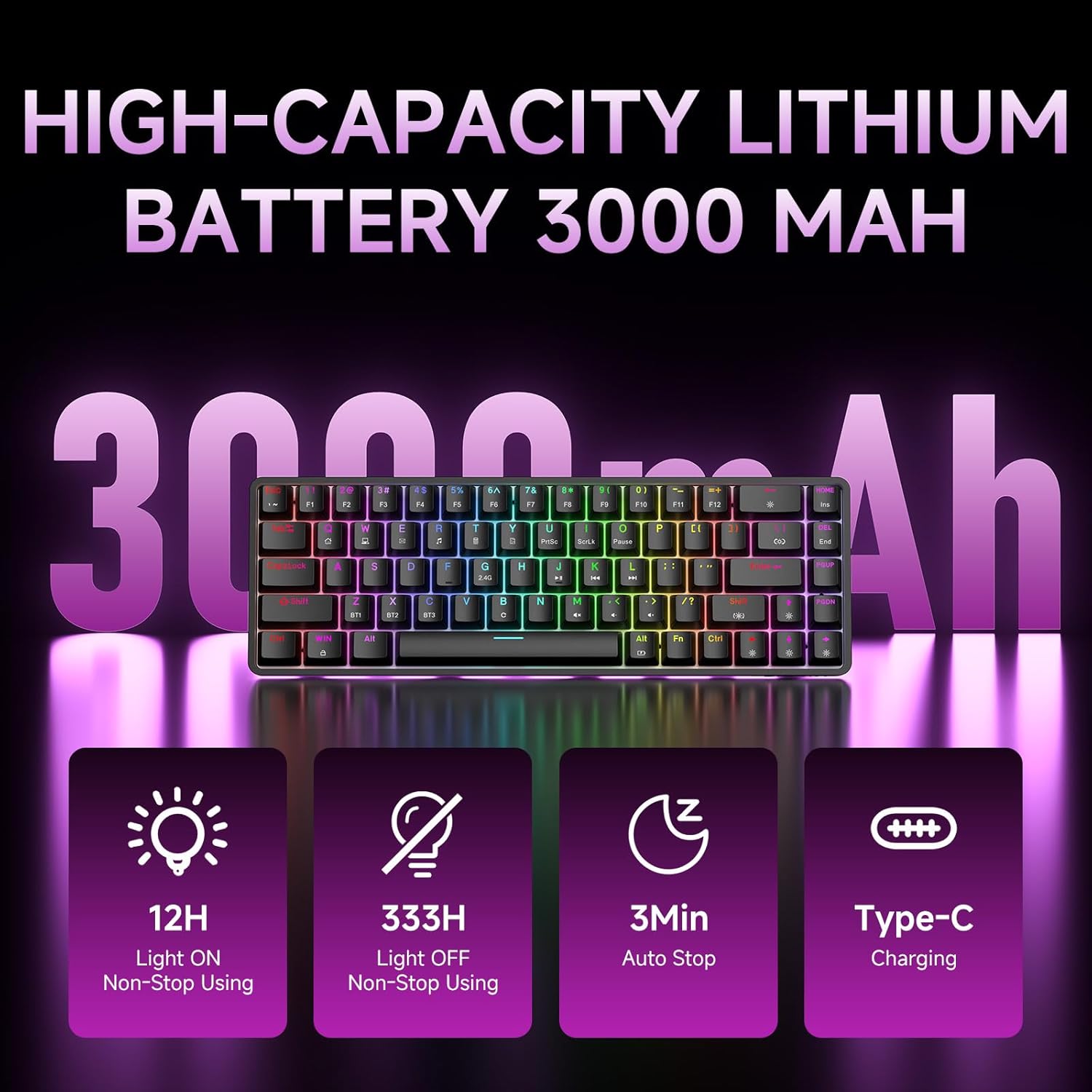
Figure 7: Battery capacity and power-saving features of the DK68.
רייניקונג און קער
- Use the provided keycap puller to carefully remove keycaps for cleaning.
- רייניקט די קלאַוויאַטור ייבערפלאַך מיט אַ ווייכן, דamp שטאָף. פֿאַרמייַדן איבעריקע פֿײַכטקייט.
- דו זאלסט נישט נוצן האַרב קעמיקאַלז אָדער אַברייסיוו קלינערז.
- זיכער מאַכן אַז די קלאַוויאַטור איז אויסגעלאָשן איידער רייניקונג.
טראָובלעשאָאָטינג
- קלאַוויאַטור ניט ריספּאַנדינג:
- Check the power switch on the back of the keyboard.
- Ensure the correct connection mode (wired, 2.4GHz, or Bluetooth) is selected.
- For 2.4GHz, ensure the USB receiver is securely plugged in.
- פֿאַר בלועטוט, זאָרגט אַז די קלאַוויאַטור איז געפּאָרט און אויסגעקליבן אויף אייער מיטל. פּרוּווט ווידער צו פּאָרן אויב נייטיק.
- If using wired mode, try a different USB port or cable.
- באַקלייטונג אַרבעט נישט:
- דרוק Fn + Backspace to toggle the backlighting.
- Check battery level; low battery may disable backlighting.
- שליסלען רעגיסטרירן זיך נישט:
- Ensure the keyboard is properly connected and powered on.
- If specific keys are not working, try removing and re-seating their keycaps.
ספּעסאַפאַקיישאַנז
| שטריך | דעטאַל |
|---|---|
| מאָדעל נומער | DK68 |
| קאַנעקטיוויטי טעכנאָלאָגיע | 2.4GHz ווירעלעס, בלועטוט 5.0, USB-C מיט ווייערס |
| באַשטימען טיפּ | Clicky Blue Mechanical Switches |
| שליסל אויסלייג | 68 שליסלען (60% אויסשטעל) |
| באַקלייט | RGB (16.8 Million Colors, 20 Effects) |
| באַטאַרייע קאַפּאַציטעט | 3000 מאַה ליטהיום פּאָלימער |
| קאַמפּאַטאַבאַל דעוויסעס | גיימינג קאנסאל, לעפטאפ, פיסי, טאבלעט |
| אַנטי-גהאָסטינג | Full Key Anti-Ghosting & NKRO |
| מאַטעריאַל | פּלאַסטיק |
| פּונקט וואָג | 1.76 פונט (בעערעך 800 ג) |
| פּעקל דימענשאַנז | 14.33 X 4.37 X 1.73 אינטשעס |

Figure 8: Keyboard dimensions and compact 68-key layout.
וואָראַנטי און שטיצן
For warranty information and technical support, please refer to the documentation included with your product or visit the official DIERYA website. Amazon's return policy for this product is 30 days from the date of receipt.


