הקדמה
This instruction manual provides essential information for the safe and efficient operation of your Skyworth 60Q6600H 60-Inch QLED+ 4K Google TV. Please read this manual thoroughly before using the television and retain it for future reference. It covers setup, operation, maintenance, and troubleshooting to ensure you get the best experience from your new TV.
וויכטיק סאַפעטי אינפֿאָרמאַציע
To reduce the risk of electric shock, fire, or damage, always follow these basic safety precautions:
- מאַכט מקור: פֿאַרבינדט דעם טעלעוויזיע נאָר צו אַן AC 100-240V, 50/60Hz מאַכט צושטעל.
- ווענטילאַטיאָן: Ensure adequate ventilation. Do not block ventilation openings. Maintain a minimum distance of 10 cm (4 inches) around the TV for proper airflow.
- וואַסער און נעץ: שטעלט נישט אויס דעם טעלעוויזאר צו רעגן אדער פייכטקייט. שטעלט נישט קיין זאכן פול מיט פליסיקייטן, ווי למשל וואזאנעס, אויף דעם טעלעוויזאר.
- היץ קוואלן: Keep the TV away from heat sources like radiators, heat registers, stoves, or other apparatus (including ampליפיערס) וואָס פּראָדוצירן היץ.
- רייניקונג: נעמט ארויס דעם טעלעוויזאר פון דער וואנט-אויסשטעל איידער איר רייניגט. ניצט א ווייכן, טרוקענעם טוך. ניצט נישט קיין פליסיקע רייניגער אדער אייראזאל-רייניגער.
- סערוויס: דו זאלסט נישט פּרווון צו דינען דעם פּראָדוקט זיך. קאָנטאַקט אַלע קוואַלאַפייד סערוויס פּערסאַנעל.
- קינדער: Supervise children to ensure they do not play with the TV.
פּעקל אינהאַלט
באַשטעטיקט אַז אַלע זאכן וואָס זענען אויסגערעכנט אונטן זענען אַרייַנגערעכנט אין אייער פּעקל:
- Skyworth 60Q6600H 60-Inch QLED+ 4K Google TV
- ווייַט קאָנטראָל
- TV Stand (Base)
- באַניצער מאַנואַל (דעם דאָקומענט)
- וואָראַנטי קאַרד
- מאַכט שנור
- שרויפן פֿאַר שטאַנד פֿאַרזאַמלונג
סעטאַפּ גייד
1. Unpacking the TV
Carefully remove the TV from its packaging. It is recommended to have two people for this process due to the size and weight of the television. Place the TV face down on a soft, flat surface (like a blanket or foam) to prevent screen damage during stand installation.
2. אנשטעלן דעם שטאנד
אויב איר וועט נישט מאָנטירן דעם טעלעוויזיע אויף דער וואַנט, באַפעסטיקט דעם אַרייַנגערעכנטן שטאַנד:
- גלייכט אויס די שטאַנד באַזעס מיט די קאָרעספּאָנדירנדיקע סלאָץ אויף דער אונטערשטער טייל פון דער טעלעוויזיע.
- Secure each stand base with the provided screws using a screwdriver. Ensure the stands are firmly attached.
- הייב פֿאָרזיכטיק דעם טעלעוויזאָר צו אַן אויפֿרעכטער פּאָזיציע און שטעל עס אויף אַ סטאַבילער, גלייכער ייבערפֿלאַך.
וואַנט מאָונטינג: The Skyworth 60Q6600H is wall-mountable. If you choose to wall-mount, please refer to the instructions provided with your wall-mount bracket (sold separately) and ensure professional installation for safety.
3. קאַנעקטינג פּעריפעראַלס
Connect your external devices to the TV's ports. The TV features multiple connectivity options:
- HDMI (HDMI 2.1): For high-definition devices like Blu-ray players, gaming consoles, and set-top boxes.
- וסב: פֿאַר פֿאַרבינדן USB סטאָרידזש דעוויסעס צו שפּילן מעדיע files.
- לאַן (עטערנעט): פֿאַר אַ דראָטיקער אינטערנעט פֿאַרבינדונג.
- אַנטענע/קאַבל אַרייַנגאַנג: For connecting an aerial or cable TV signal.
- אַודיאָ רעזולטאַט: פֿאַר פֿאַרבינדן עקסטערנע סאַונד סיסטעמען.
4. ערשטע איינשטראָם און ערשטע אויפשטעל
- פֿאַרבינדט דעם עלעקטרישן שנור צום טעלעוויזיע און דערנאָך צו אַ וואַנט אַוטלעט.
- דריק דעם מאַכט קנעפּל אויף דער ווײַטקאָנטראָל אָדער אויף דער טעלעוויזיע אַליין.
- פֿאָלגט די אינסטרוקציעס אויף דעם עקראַן צו פֿאַרענדיקן די ערשטע סעטאַפּ, וואָס כולל:
- שפּראַך סעלעקציע.
- Connecting to a Wi-Fi network (or using a wired LAN connection).
- Signing in with your Google account to access Google TV features, apps, and Google Assistant.
- Scanning for available TV channels (if using an antenna).
אפערירן דיין טעלעוויזיע
1. רימאָוט קאָנטראָל פאַנגקשאַנז
The included remote control allows you to navigate the TV's interface and control various functions. Familiarize yourself with the buttons for power, volume, channel, input selection, Google Assistant, and app shortcuts.
2. Navigating Google TV Interface
Google TV organizes your content from various streaming services and live TV into a personalized home screen. Use the directional pad and OK button on your remote to browse recommendations, access your apps, and manage settings.
3. ניצן קלוגע פֿעיִטשערס
- גוגל אַססיסטאַנט: דריק דעם גוגל אַסיסטאַנט קנעפּל אויף אייער ווײַטקאָנטראָל און רעד אין מיקראָפאָן צו זוכן אינהאַלט, קאָנטראָלירן קלוגע היים דעוויסעס, באַקומען ענטפֿערס און מער.
- Chromecast Built-in: Cast content (videos, photos, music) directly from your compatible smartphone, tablet, or computer to the TV. Look for the Cast icon in supported apps.
- אַפּפּס: Access pre-installed apps like Netflix, YouTube, and Prime Video. Download thousands more from the Google Play Store.
4. בילד סעטטינגס
Your Skyworth 60Q6600H features advanced display technologies. Adjust picture settings via the TV's menu to optimize your viewינג דערפאַרונג.
- QLED+ Display: Enjoy vibrant colors and enhanced brightness.
- HDR10+: Provides superior contrast and color accuracy for compatible content.
- Eye Care 5.0: Reduces blue light emission to minimize eye strain during prolonged viewing.
- 120Hz Turbo Motion & MEMC: Enhances motion clarity, reducing blur and judder in fast-paced scenes.
- Film Maker Mode: Preserves the original aspect ratio, colors, and frame rates of films as intended by the director.
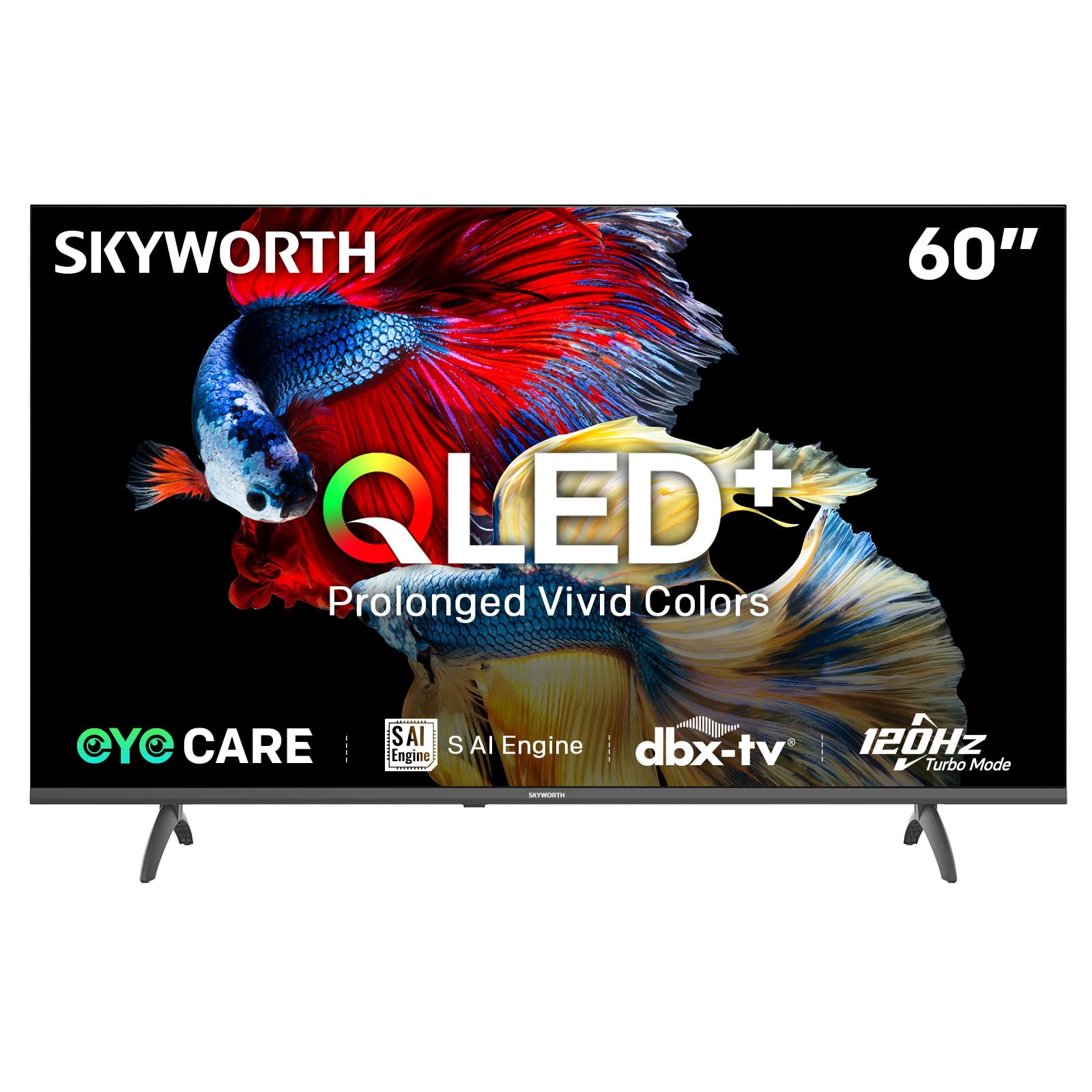
Image: A diagram illustrating the "No-Fading Extended Watching" feature, comparing Skyworth's stable and eco-friendly quantum dot performance over 10 years against conventional quantum dots.

Image: A graphic explaining the QLED+ technology, emphasizing its vivid, eco-friendly, brilliant, and prolonged color performance.

Image: An illustration of the 120Hz Turbo Motion feature, depicting a motocross rider with multiple frames to show enhanced motion clarity compared to 60Hz.
5. סאָונד סעטטינגס
The TV is equipped with 2x15W speakers and supports Dolby Digital/DBX audio processing for clear and powerful sound. Adjust sound modes (e.g., Standard, Music, Movie) and equalizer settings in the audio menu.

Image: A visual highlighting Skyworth's collaboration with Total Sonics for enhanced audio quality, featuring a sound wave graphic and a person associated with audio engineering.
6. שפּיל מאָדע
Activate Game Mode for reduced input lag and optimized picture settings when connecting gaming consoles, providing a more responsive gaming experience.
7. DVB-T2 Tuner
The integrated DVB-T2 tuner allows you to receive digital terrestrial television broadcasts. Perform a channel scan in the TV settings to find available channels.
וישאַלט
1. רייניקן דעם טעלעוויזאר
- פאַרשטעלן: ווישט אָפּ דעם עקראַן מיט אַ ווייכן, לינט-פֿרײַעם שטאָף. פֿאַר שווערע פֿלעקן, ווישט אַ ביסלampווישט דעם שטאָף מיט וואַסער אָדער אַ ספּעציאַליזירטן עקראַן רייניגער (מאַכט זיכער אַז עס איז זיכער פֿאַר טעלעוויזיע סקרינז) און ווישט אָפּ לײַכט. שפּריצט קיינמאָל נישט פליסיקייט גלייך אויף דעם עקראַן.
- טעלעוויזיע גוף: Use a soft, dry cloth to wipe dust from the TV's frame and stand.
- וויכטיק: שטענדיק ארויסנעמען דעם טעלעוויזאר פון דער עלעקטרישער ווענטיל איידער איר רייניגט.
2. ווייכווארג דערהייַנטיקונגען
Your Google TV may receive automatic software updates to improve performance and add new features. Ensure your TV is connected to the internet for these updates. You can also manually check for updates in the TV's settings menu.
3. סטאָרידזש און האַנדלינג
If storing the TV for an extended period, keep it in a cool, dry place, preferably in its original packaging. When moving the TV, always lift it with at least two people and avoid putting pressure on the screen.
טראָובלעשאָאָטינג
איידער איר קאָנטאַקטירט קונה שטיצע, פּרוּווט די פאלגענדע לייזונגען פֿאַר געוויינטלעכע פּראָבלעמען:
| פּראָבלעם | מעגלעך לייזונג |
|---|---|
| קיין מאַכט |
|
| קיין בילד נישט, אבער סאונד איז דא |
|
| קיין קלאַנג, אָבער בילד איז דאָ |
|
| ווייַט קאָנטראָל איז נישט ארבעטן |
|
| נעץ קאַנעקשאַן ישוז |
|
פאַבריק באַשטעטיק
If problems persist, a factory reset may resolve them. This will erase all personal settings and installed apps, returning the TV to its original factory state. Navigate to סעטטינגס > סיסטעם > וועגן > צוריקשטעלן > פאַבריק דאַטן צוריקשטעלן and confirm your choice.
ספּעסאַפאַקיישאַנז
Detailed technical specifications for the Skyworth 60Q6600H TV:
| שטריך | דעטאַל |
|---|---|
| מאָדעל | 60Q6600H |
| ווייַז גרייס | 60 אינטשעס |
| ווייַז טעכנאָלאָגיע | QLED+ |
| האַכלאָטע | 3840 רענטגענ 2160 (4K UHD) |
| דערפרישן קורס | 120Hz Turbo Motion |
| HDR שטיצן | HDR10+ |
| ברייטנאַס | 300 ניץ |
| קאָליר גאַמע | 90% DCI-P3 |
| אויג קער טעכנאָלאָגיע | Eye Care 5.0 |
| אָפּערייטינג סיסטעם | גוגל טעלעוויזיע |
| אַודיאָ רעזולטאַט | 2 רענטגענ 15 וו ספּיקערז |
| אַודיאָ טעכנאָלאָגיע | Dolby Digital, DBX |
| קאַנעקטיוויטי | HDMI 2.1, USB, LAN, Bluetooth 5.1, Dual-band WiFi |
| טונער | דווב-ט2 |
| פּראָדוקט גרייס (מיט שטאַנד) | 134.5W x 29.9D x 85.8H cm |
| פּראָדוקט גרייסן (אָן שטאַנד) | 134.5W x 8.8D x 78.5H cm |
| וואָג (מיט שטיין) | 15.9 קג |
| וואָג (אָן שטיין) | 12.1 קג |

Image: A detailed diagram illustrating the width, depth, and height dimensions of the Skyworth Q6600H 60-inch TV, both with and without its stand.
וואָראַנטי און שטיצן
וואָראַנטי אינפֿאָרמאַציע
Your Skyworth 60Q6600H TV comes with a 3-יאָר פאַבריקאַנט ס וואָראַנטי. This warranty covers defects in materials and workmanship under normal use. Please retain your proof of purchase for warranty claims. For full terms and conditions, refer to the included Warranty Card.
Spare part availability information is not available or provided.
קונה שטיצן
If you encounter issues that cannot be resolved using the troubleshooting guide, or for any other inquiries, please contact Skyworth customer support. Refer to your Warranty Card or the official Skyworth webזייטל פֿאַר די מערסט אַקטועלע קאָנטאַקט אינפֿאָרמאַציע.
אָנליין רעסורסן: Visit the official Skyworth website for FAQs, software downloads, and additional support resources.


