1. הקדמה
The BLUETTI Elite 10 Mini Portable Power Station is a compact and versatile power solution designed for various applications, including camping, travel, and emergency backup. Featuring a 128Wh LiFePO4 battery and a 200W AC outlet, it provides reliable power for small electronic devices. Its lightweight and airline-friendly design makes it an ideal companion for on-the-go power needs.

Figure 1: BLUETTI Elite 10 Mini Portable Power Station, showcasinג זײַן קאָמפּאַקטן דיזײַן און פראָנט טאַפֿליע.
2. זיכערקייַט אינסטרוקציעס
Please read and understand all safety instructions before operating the BLUETTI Elite 10. Failure to follow these instructions may result in electric shock, fire, or serious injury.
- דו זאלסט נישט דיסאַסעמבאַל, פאַרריכטן אָדער מאָדיפיצירן די אַפּאַראַט.
- האַלט דעם אַפּאַראַט אַוועק פון פייַער, וואַסער און עקסטרעמע טעמפּעראַטורן.
- פֿאַרמײַדט צו לאָזן פאַלן אָדער אויסשטעלן דאָס אַפּאַראַט צו שטאַרקע קלאַפּן.
- ניצט נאָר באַשטעטיקטע אַקסעסאָריעס און טשאַרדזשינג קייבאַלז.
- זיכער מאַכן אַז עס איז גענוג ווענטילאַציע בעת נוצן און אויפלאָדן.
- האַלטן אויס פון דערגרייכן פון קינדער.
3. פּראָדוקט פֿעיִקייטן
- Versatile Power Output: Equipped with a 200W AC outlet, 100W USB-C fast charging, and multiple DC ports to power various devices.
- סאָליד און פּאָרטאַטיוו: Weighs approximately 4.0 lbs (1.8 kg) with an ergonomic handle, making it easy to carry.
- Airline-Friendly Capacity: 128Wh battery capacity falls within the 100–160Wh range, allowing it to be carried on most major airlines with prior approval (limit 2 per passenger).
- ונינטעררופּטיבלע מאַכט צושטעלן (UPS): Features a built-in 10ms UPS and 350W bypass output for seamless power during outages.
- עטלעכע טשאַרדזשינג אָפּציעס: Supports 150W AC charging (full in 70 mins), 100W solar charging, and 100W car charging.
- סמאַרט אַפּ קאָנטראָל: Connect via Bluetooth to customize charging modes, adjust lighting, and monitor power status in real time.
- ינטעגראַטעד געפירט לייטינג: Offers 3 lighting modes (warm/cool light, SOS) for up to 50 hours of illumination.
4. Getting Started & Setup
4.1. אויספּאַקן און פּאַקעט אינהאַלט
ביים עפענען דעם פּעקל, זיכער מאַכן אַז אַלע קאָמפּאָנענטן זענען פאַראַן:
- BLUETTI Elite 10 Mini Power Station
- אַק טשאַרדזשינג קאַבלע
- מאַשין טשאַרדזשינג קאַבלע
- באַניצער מאַנואַל

Figure 2: Contents of the BLUETTI Elite 10 package.
4.2. ערשטע אויפלאָדונג
Before first use, fully charge the BLUETTI Elite 10. Connect the AC charging cable to the AC input port on the unit and then to a wall outlet. The display will indicate charging status. A full charge via AC takes approximately 70 minutes.
5. פּראָדוקט איבערview
5.1. פראָנט פּאַנעל
The front panel features the main display, control buttons, and various output ports:
- DC Output (12V/5A): For compatible DC devices.
- ווייַז פאַרשטעלן: Shows input/output wattagE, באַטאַרייע פּראָצענטtage, און די פארבליבענע לויף-צייט.
- DC קנעפּל: Activates DC output ports.
- מאַכט קנעפּל: טורנס די אַפּאַראַט אויף/אַוועק.
- AC קנעפּל: Activates the AC output outlet.
- USB-C 100W Output: פֿאַר שנעל-טשאַרדזשינג קאָמפּאַטיבלע USB-C דעוויסעס.
- USB-A 15W Outputs (x2): Standard USB-A ports for charging.
- USB-C 15W Output: Additional USB-C port.
Figure 3: Front panel layout of the BLUETTI Elite 10.
5.2. Side and Rear Panels
The side and rear panels house additional input/output ports and the LED light:
- DC/PV Input (12-28V/8A, 100W Max): For solar or car charging.
- AC Output (120V/200W): Standard wall outlet for AC-powered devices.
- AC אַרייַנשרייַב: For charging the unit via wall outlet.
- LED ליכט: Multi-mode light for illumination.

Figure 4: Rear panel showing AC output and LED light.
5.3. דימענשאַנז און וואָג
The Elite 10 is designed for portability:
- דימענסיעס: אומגעפער 7.8"ל x 5.7"ברייט x 4.3"ה (19.8cm x 14.5cm x 11cm)
- וואָג: בעערעך 4.0 לבס (1.8 קג)

Figure 5: Visual representation of the Elite 10's compact size.
6. אַפּערייטינג ינסטרוקטיאָנס
6.1. פּאָווערינג אויף / אויסגעלאשן
Press and hold the main power button on the front panel to turn the unit on or off. The display will illuminate upon activation.
6.2. ניצן AC אַוטלעץ
To use the AC outlet, press the 'AC' button on the front panel. The AC icon on the display will light up. Plug your AC-powered device into the AC output port on the rear panel. Ensure your device's power consumption does not exceed 200W.
6.3. ניצן גלייכשטראָם אַוטפּוץ
To use the DC output ports (USB-C, USB-A, 12V/5A), press the 'DC' button on the front panel. The DC icon on the display will light up. Connect your devices to the appropriate USB or 12V DC output ports.
6.4. Charging the Elite 10
The Elite 10 supports three charging methods:
- AC טשאַרדזשינג: Connect the AC charging cable to the AC input port and a wall outlet. Max 150W, full charge in approximately 70 minutes.
- זונ טשאַרדזשינג: Connect a compatible solar panel (e.g., BLUETTI PV60L/PV60F/PV100) to the DC/PV input port. Max 100W.
- מאַשין טשאַרדזשינג: Connect the car charging cable to the DC/PV input port and your vehicle's cigarette lighter socket. Max 100W.

Figure 6: Various charging methods for the Elite 10.
6.5. אומאויפהערלעכע מאַכט צושטעלן (UPS) פונקציע
When the Elite 10 is connected to an AC wall outlet and has devices plugged into its AC output, it can function as a UPS. In case of a power outage, the unit will automatically switch to battery power within 10 milliseconds, providing continuous power to connected devices up to 350W bypass output.
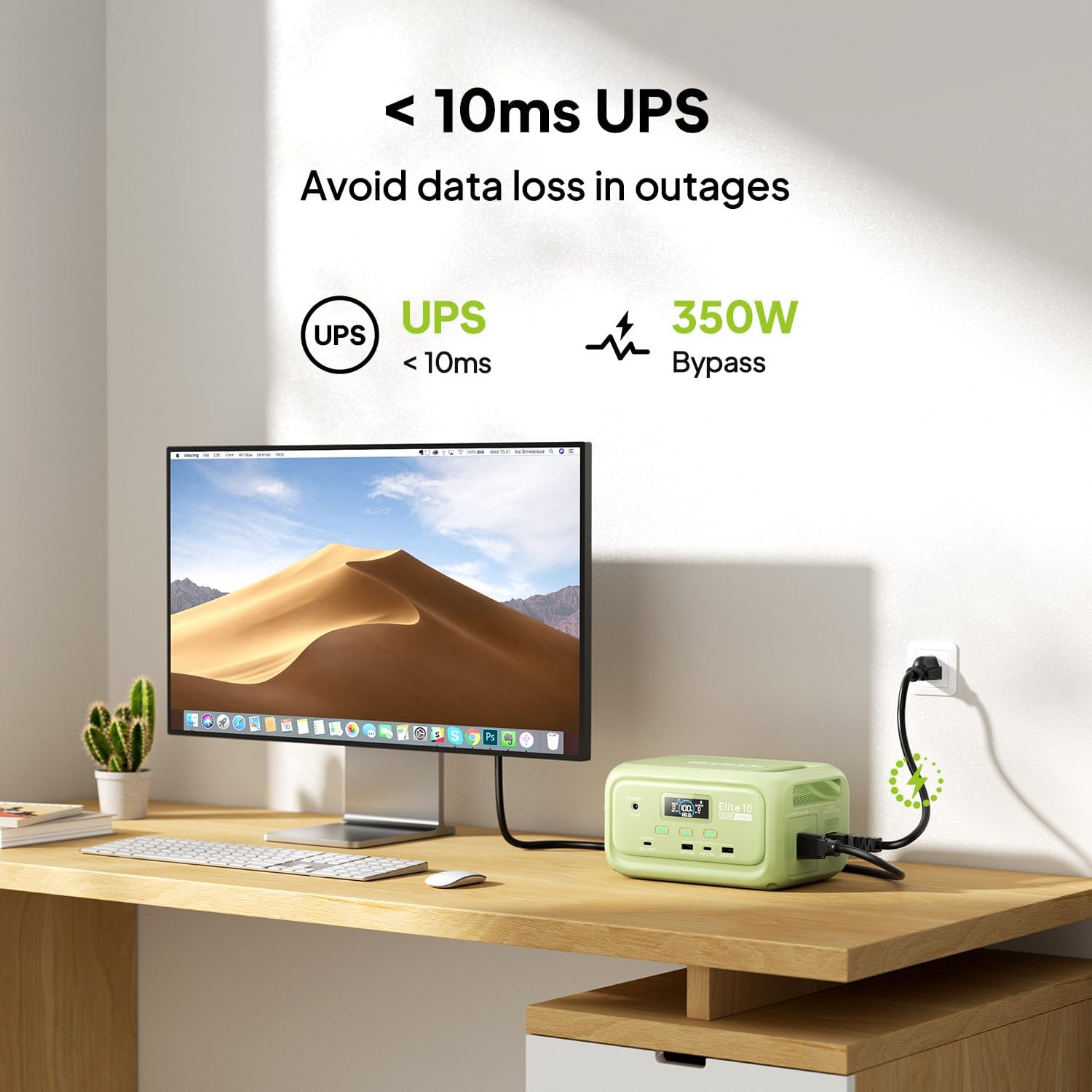
Figure 7: Illustration of the Elite 10's UPS capability.
6.6. געפירט ליגהטינג
The LED light on the rear panel offers three modes: warm light, cool light, and SOS. Press the dedicated light button to cycle through modes or turn it off. The light can provide up to 50 hours of illumination.
6.7. קלוגע אַפּ קאָנטראָל
Download the BLUETTI app and connect to your Elite 10 via Bluetooth. The app allows you to monitor power status, customize charging modes, and adjust lighting settings remotely.

Figure 8: Managing the Elite 10 via the BLUETTI mobile application.
7. וישאַלט און סטאָרידזש
- רייניקונג: ניצט אַ טרוקענעם, ווייכן שטאָף צו רייניקן דעם אַפּאַראַט. ניצט נישט קיין שרײַבנדיקע רייניגערס אדער סאָלווענטן.
- טעמפּעראַטור: Store and operate the unit within the recommended temperature range (typically 0°C to 40°C or 32°F to 104°F).
- לאנג-טערמין סטאָרידזש: If storing for extended periods, charge the unit to 50-80% every 3-6 months to prolong battery life. Store in a cool, dry place.
8. טראָובלעשאָאָטינג
If you encounter issues with your BLUETTI Elite 10, refer to the following common solutions:
- די אַפּאַראַט איז נישט אַקטיוו: זיכער מאַכן אַז די באַטאַרייע איז אויפגעלאָדן. אויב נישט, פאַרבינדט עס צו אַן AC ווענטיל פֿאַר טשאַרדזשינג.
- קיין רעזולטאַט פֿון פּאָרטן: Verify that the respective DC or AC output buttons are pressed and their indicators are lit. Check if the device connected requires more power than the unit can provide.
- פּאַמעלעך טשאַרדזשינג: Ensure you are using the original BLUETTI charging cables. Check the power source for adequate output.
- אָווערלאָאַד שוץ: If the unit shuts down, it may be due to an overload. Disconnect some devices and restart the unit.
For persistent issues, contact BLUETTI customer support.
9. ספּעסאַפאַקיישאַנז
| שטריך | דעטאַל |
|---|---|
| מאָדעל | עליט 10 |
| באַטאַרייע קאַפּאַציטעט | 128Wh ליפֿעפּאָ4 |
| אַק רעזולטאַט | 120V/200W (Pure Sine Wave) |
| וסב-C רעזולטאַט | 1 x 100 וואט, 1 x 15 וואט |
| וסב-א רעזולטאַט | קסנומקס רענטגענ קסנומקסוו |
| דק רעזולטאַט | 12V/5A |
| דק / פּוו אַרייַנשרייַב | 12-28 וו / 8 אַ, 100 וו מאַקס |
| אַק טשאַרדזשינג צייט | Approx. 70 minutes (150W Max) |
| UPS פֿונקציע | 10ms switchover, 350W bypass |
| דימענסיעס (L X W X H) | 7.8" x 5.7" x 4.3" (19.8 ס״מ x 14.5 ס״מ x 11 ס״מ) |
| וואָג | 4.0 לבס (1.8 קג) |
10. וואָראַנטי און שטיצן
The BLUETTI Elite 10 Mini Portable Power Station comes with a standard manufacturer's warranty. Please refer to the warranty card included in your package or visit the official BLUETTI webזייטל פֿאַר דעטאַלירטע וואָראַנטי טערמינען און באדינגונגען.
For technical support, troubleshooting assistance, or any product-related inquiries, please contact BLUETTI customer service through their official channels.


