הקדמה
The ShanWan Wireless Controller is a versatile gaming peripheral designed for use across multiple platforms, including PC, iPhone, Android, Nintendo Switch, and Steam. It offers tri-mode connectivity (Bluetooth, 2.4G wireless, and USB-C wired) to ensure a seamless gaming experience. This manual provides detailed instructions for setup, operation, maintenance, and troubleshooting to help you maximize your controller's performance.
Note: This controller is not compatible with Xbox or PlayStation 4/5 consoles.
פּעקל אינהאַלט
- ShanWan Wireless Controller
- וסב-C טשאַרדזשינג קאַבלע
- 2.4G ווירעלעס דאָנגל
- באַניצער מאַנואַל (דעם דאָקומענט)
קאָנטראָללער איבערview
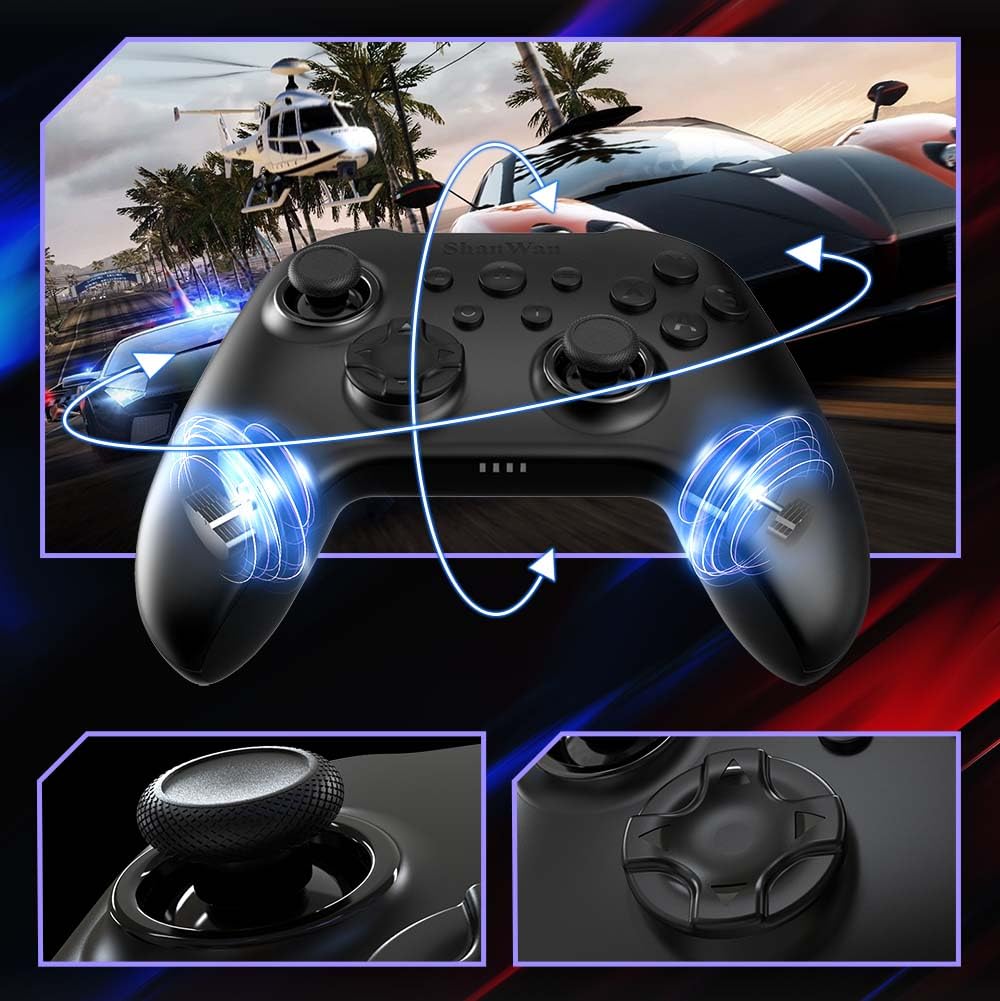
בילד: פראָנט view of the ShanWan Wireless Controller, showcasing its ergonomic design, dual joysticks, D-pad, and face buttons (A, B, X, Y).
בילד: צוריק view of the ShanWan Wireless Controller, highlighting the mode switch for different platforms (X, D, S).
שליסל פֿעיִקייטן:
- האַל עפֿעקט דזשויסטיקס: Designed for precision with no dead zones and anti-drift capabilities.
- Durable Gel Buttons: Conductive gel buttons tested for 1 million clicks for long-lasting performance.
- 6-אַקס גיראָסקאָפּ: Provides precise motion sensing for immersive gameplay.
- דואַל ווייבריישאַן מאָטאָרן: Delivers strong and subtle haptic feedback for an enhanced gaming experience.
- טורבאָ פונקציע: Allows for rapid, repeated button presses.
סעטאַפּ
1. אויפלאָדן דעם קאָנטראָללער
Before initial use, fully charge the controller using the provided USB-C cable. Connect the USB-C end to the controller and the USB-A end to a power source (e.g., computer USB port, USB wall adapter). The charging indicator lights will show charging status and turn off when fully charged.
2. פֿאַרבינדן זיך צו דעוויסעס
The ShanWan Wireless Controller supports three connection modes: Bluetooth, 2.4G Wireless, and USB-C Wired. Ensure the mode switch on the back of the controller is set to the appropriate platform before attempting to connect.

בילד: Visual representation of the controller's tri-mode connectivity, illustrating Bluetooth, 2.4G wireless, and USB-C wired options.
Mode Switch Settings:
- 'S' Mode: For Nintendo Switch.
- 'X' Mode: For PC (X-input), Android.
- 'D' Mode: For PC (D-input), iOS.
בלועטאָאָטה קאַנעקשאַן:
- Set the mode switch on the back of the controller to the desired platform ('S', 'X', or 'D').
- Press and hold the pairing button (usually a small button on the top or back) until the indicator lights flash rapidly.
- On your device (PC, iPhone, Android, Switch), go to Bluetooth settings and search for new devices.
- Select "ShanWan Controller" or a similar name from the list to pair.
- אַמאָל פּערד, וועלן די אינדיקאַטאָר ליכט אויף דעם קאָנטראָללער ווערן האַרט.
2.4G Wireless Connection (for PC/Switch):
- Set the mode switch on the back of the controller to 'X' (for PC) or 'S' (for Switch).
- Insert the 2.4G wireless dongle into a USB port on your PC or Switch dock.
- Press the Home button on the controller to power it on. It should automatically connect to the dongle.
- The indicator lights will become solid once connected.
USB-C ווייערד קאַנעקשאַן:
- Connect the USB-C cable to the controller and the other end to your PC or Switch dock.
- The controller will automatically be recognized as a wired device.
- No specific mode switch setting is required for wired connection, but setting it to the correct platform mode ('X' for PC, 'S' for Switch) is recommended for optimal compatibility.
אַפּערייטינג ינסטראַקשאַנז
מאַכט אויף / אַוועק:
- מאַכט אויף: Press the Home button once.
- מאַכט אַוועק: Press and hold the Home button for 3-5 seconds, or the controller will automatically power off after a period of inactivity.
באַוועגונג קאָנטראָל:
The built-in 6-axis gyroscope provides motion control capabilities, particularly useful for games on Nintendo Switch or other compatible platforms. Ensure the game supports motion controls for this feature to function.
ווייבריישאַן באַמערקונגען:
The dual vibration motors provide haptic feedback during gameplay. The intensity of the vibration can often be adjusted through game settings or the Gamepad Space app.
טורבאָ פונקציע:
To activate the Turbo function for a specific button:
- Press and hold the button you wish to set to Turbo.
- While holding the button, press the Turbo button (refer to controller layout for location).
- The button will now repeatedly register presses as long as it is held down.
To deactivate Turbo for a button, repeat the process.
Software Customization (Gamepad Space App):
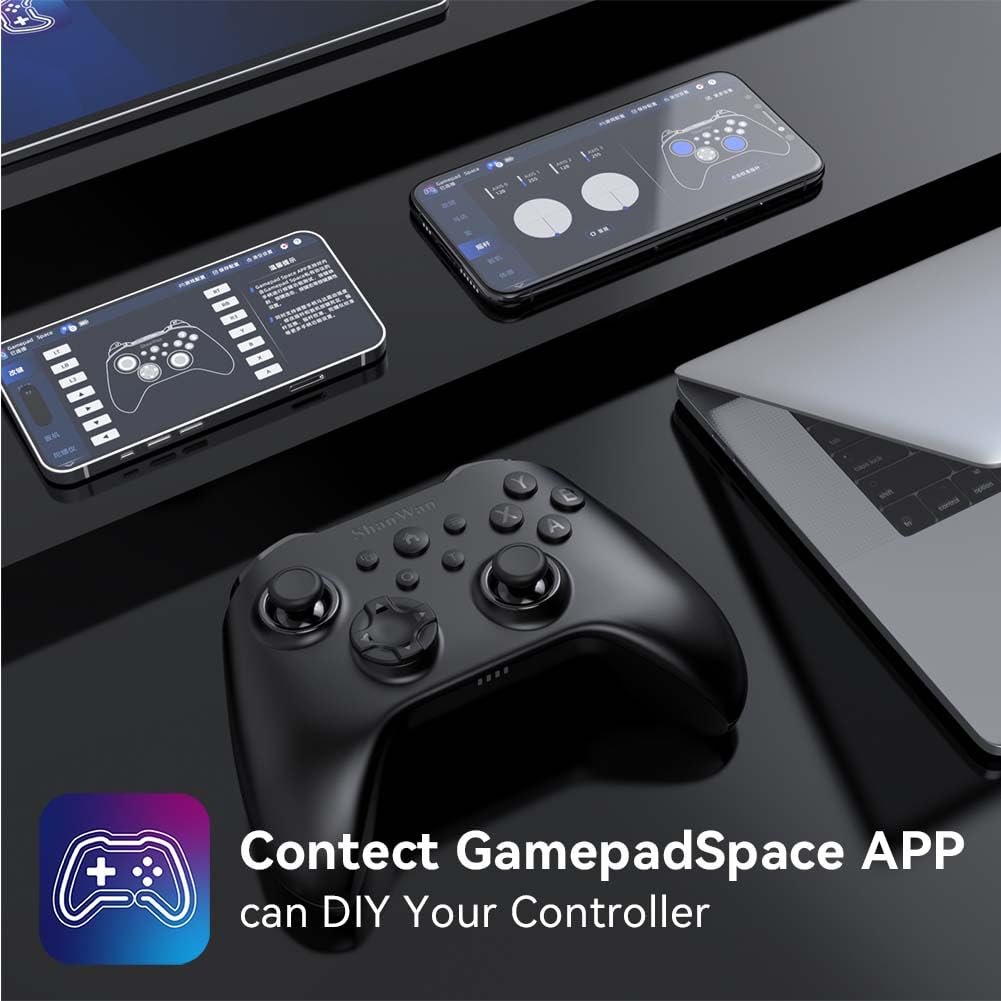
Enhance your gaming experience by customizing controller settings using the Gamepad Space mobile application.

בילד: A ShanWan controller alongside smartphones displaying the Gamepad Space app, illustrating options for calibration and on-the-fly adjustments.
- Download the "Gamepad Space" app from your mobile device's app store.
- Connect your controller to your mobile device via Bluetooth.
- אינעם אַפּ, קענט איר:
- אַפּגרייד פירמוואַרע.
- Adjust stick and trigger dead zones.
- Customize vibration intensity.
- Test buttons.
וישאַלט
- רייניקונג: ניצט אַ ווייכע, טרוקענע שטאָף צו רייניקן דעם קאָנטראָללער. פֿאַרמייַדט ניצן שטרענגע כעמיקאַלן אָדער אַברייסיוו מאַטעריאַלן.
- סטאָרידזש: האַלט דעם קאָנטראָללער אין אַ קיל, טרוקן אָרט אַוועק פון דירעקט זונשייַן און עקסטרעמע טעמפּעראַטורן.
- באַטערי זאָרגן: To prolong battery life, avoid fully discharging the controller frequently. Charge it regularly, even if not in constant use.
טראָובלעשאָאָטינג
קאָנטראָללער פֿאַרבינדט זיך נישט:
- מאַכן זיכער אַז די קאָנטראָללער איז טשאַרדזשינג.
- Verify the mode switch on the back of the controller is set correctly for your platform (S, X, or D).
- For Bluetooth, ensure your device's Bluetooth is on and the controller is in pairing mode.
- For 2.4G wireless, ensure the dongle is properly inserted and the controller is in the correct mode.
- פּרוּווט ריסטאַרטן ביידע דעם קאָנטראָללער און דיין דעווייס.
אינפוט לעג אדער דיסקאנעקשאַנז:
- זיכער מאַכן אַז עס זענען נישטאָ קיין שטאַרקע עלעקטראָמאַגנעטישער שטערונגען אין דער נאָענט.
- Move closer to your device for a stronger wireless signal.
- Ensure the controller's battery is not low.
- Consider using a wired USB-C connection for the most stable experience.
Joystick Drift or Unresponsive Buttons:
- Calibrate the joysticks and test buttons using the Gamepad Space app.
- Ensure the controller's firmware is up to date via the Gamepad Space app.
- Clean around the buttons and joysticks to remove any debris.
ספּעסאַפאַקיישאַנז
| מאָדעל | B0FS13DT2B |
| קאַנעקטיוויטי טעכנאָלאָגיע | Bluetooth, 2.4G Wireless, USB-C Wired |
| קאַמפּאַטאַבאַל דעוויסעס | Android, iOS, Nintendo Switch, Nintendo Switch 2, PC |
| קאָנטראָללער טיפּ | גאַמעפּאַד |
| קנעפּל קוואַנטיטעט | 12 |
| ספּעציעלע פֿעיִקייטן | Hall Effect Joysticks, 6-Axis Gyroscope, Dual Vibration, Turbo Function, Software Customization |
| מאַכט מקור | באַטאַרייע פּאַוערד |
| פּונקט וואָג | 300 גראַמז |
| נומער דימענשאַנז (ד רענטגענ וו רענטגענ ה) | 2.5" x 4" x 6" |
וואָראַנטי און שטיצן
ShanWan products are designed for reliability and performance. For specific warranty information, please refer to the documentation included with your purchase or visit the official ShanWan support website. If you encounter any issues not covered in this manual, please contact ShanWan customer support for assistance.
אָנליין שטיצן: Visit the ShanWan Store on Amazon


