הקדמה
This manual provides detailed instructions for the setup, operation, and maintenance of your Rapoo VT3 MAX Gen-2 Wireless Gaming Mouse. Please read this manual thoroughly to ensure optimal performance and longevity of your device.

Image: The Rapoo VT3 MAX Gen-2 Wireless Gaming Mouse, showcasinג זײַן ערגאָנאָמישן פּלאַן.
פּעקל אינהאַלט
באַשטעטיקט אַז אַלע זאכן וואָס זענען אויסגערעכנט אונטן זענען אַרייַנגערעכנט אין אייער פּעקל:
- 1 x Wireless Gaming Mouse
- 1 רענטגענ טיפּ-C קאַבלע
- 1 x USB Adapter (2.4G wireless dongle)
- 1 x אַנטי-גליטש סטיקער
- 1 x פאַרבייַט PTFE מויז פֿיס

Image: An illustration detailing the mouse dimensions and the included accessories: Type-C cable, USB adapter, anti-slip stickers, and replacement PTFE feet.
פּראָדוקט איבערview
The Rapoo VT3 MAX Gen-2 is designed for high-performance gaming, featuring advanced technology for precision and comfort.
שליסל פֿעיִקייטן:
- 53g Ultra Lightweight Design: Optimized hand grip and accessible side buttons enhance comfort and accuracy, reducing strain during extended use.
- ביז 750 שעה באַטעריע לעבן: Equipped with a Nordic nRF54L15 MCU, this mouse offers extended usage at 1000Hz polling rate.
- True 8K Wireless Polling Rate: Delivers native 8000Hz wireless performance without requiring additional software or dongles, ensuring responsive tracking.
- 120-Million Optical Switch: Utilizes infrared light for click registration, eliminating double-click issues and debounce delay, with a prolonged lifespan.
- 30K Independent X/Y DPI: Provides pixel-precise tracking with 99.9% resolution accuracy and customizable X/Y-axis DPI settings.
- A Hub for Windows & Mac OS: Dedicated driver software for advanced features, including programmable buttons and macros, with onboard memory.
שטריך דעטאַילס:

Image: The mouse highlighting its 53g ultra-lightweight design for enhanced maneuverability.

Image: Visual representation of the mouse's extended battery life, capable of up to 750 hours.

Image: The mouse demonstrating its true 8K wireless polling rate for superior responsiveness.

Image: An illustration of the Rapoo optical switch, highlighting its 120-million click lifespan and lack of debounce delay.
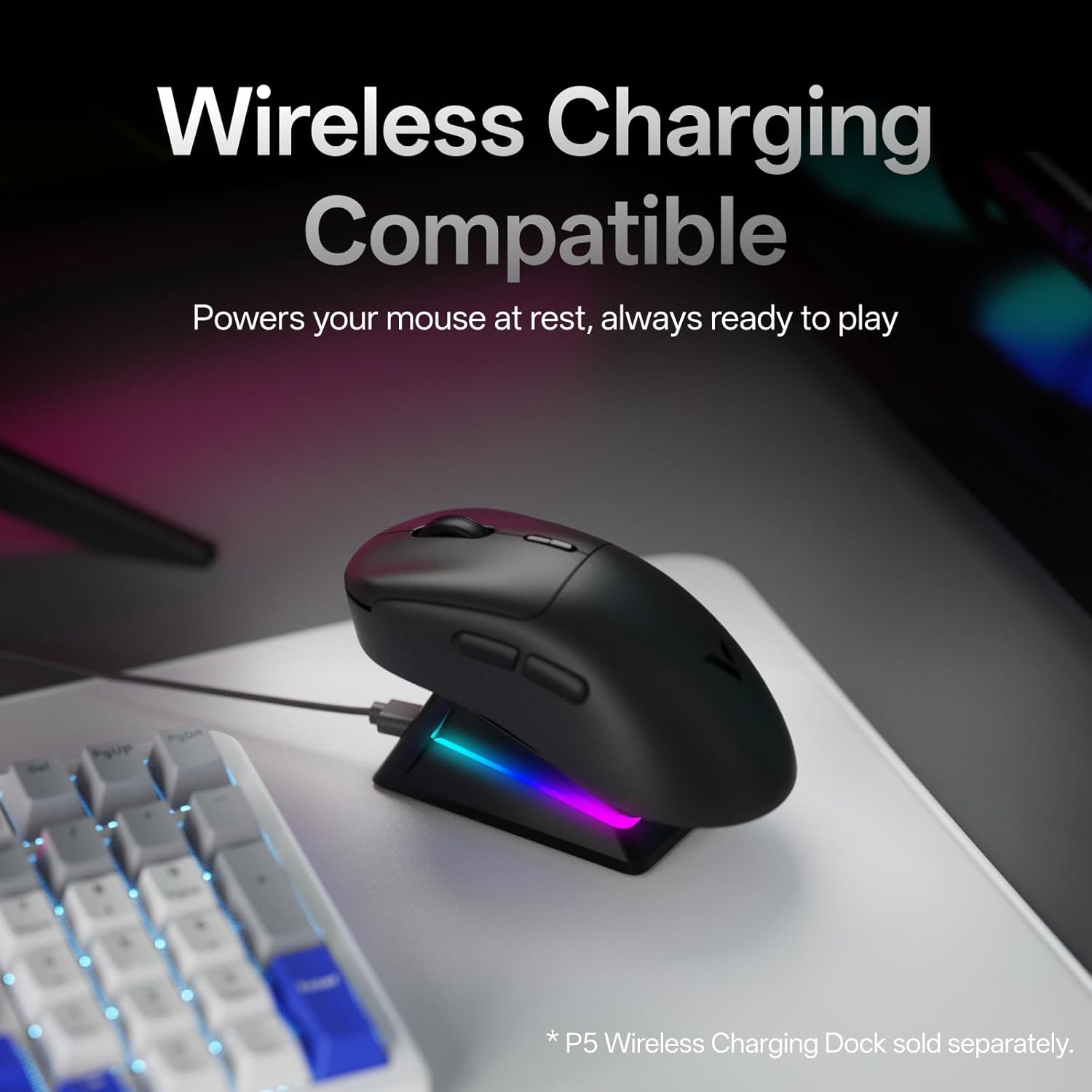
Image: The mouse placed on a wireless charging dock (sold separately), illustrating its wireless charging compatibility.

Image: Screenshots of the 'A Hub' software interface for Windows and Mac OS, showing customization options for the mouse.
סעטאַפּ
- טשאַרדזשינג די מויז: Connect the included Type-C cable to the mouse and a USB power source (e.g., computer USB port, wall adapter). The mouse will begin charging.
- 2.4G ווירעלעסס קאַנעקשאַן:
- Locate the USB adapter (dongle) in the package.
- שטעקט אריין דעם USB אַדאַפּטער אין אַ פאַראַן USB פּאָרט אויף אייער קאָמפּיוטער.
- צינדט אן די מויז מיטן מאַכט קנעפּל וואָס געפינט זיך אויף דער אונטערשטער טייל פון דער מויז.
- די מויז זאָל זיך אויטאָמאַטיש פֿאַרבינדן צו דיין קאָמפּיוטער.
- ווייערד קשר:
- Connect the Type-C cable directly from the mouse to a USB port on your computer.
- די מויז וועט פונקציאָנירן אין דראָט מאָדע און וועט זיך אויפלאָדן סיימאַלטייניאַסלי.
- ווייכווארג אינסטאַלאַציע (אפציאָנעל אָבער רעקאָמענדירט):
- Download the 'A Hub' driver software from the official Rapoo webפּלאַץ.
- Install the software to access advanced features such as programmable buttons, macro settings, and independent X/Y DPI adjustments.
אַפּערייטינג ינסטראַקשאַנז
דפּי אַדזשאַסטמאַנט:
The mouse features dedicated DPI +/- buttons, typically located near the scroll wheel. Press these buttons to cycle through preset DPI levels. For fine-tuning and independent X/Y DPI settings, use the 'A Hub' software.
Programmable Buttons and Macros:
The Rapoo VT3 MAX Gen-2 includes 10 programmable buttons. Utilize the 'A Hub' software to assign custom functions, macros, or key combinations to these buttons. Settings are stored in the mouse's onboard memory, allowing them to be used across different devices and operating systems without re-configuration.
פּאָללינג קורס:
The mouse supports a true 8K wireless polling rate. This setting can be managed and optimized through the 'A Hub' software to suit your preferences and system capabilities.
מאַכט פאַרוואַלטונג:
Use the ON/OFF switch on the bottom of the mouse to conserve battery life when not in use. The mouse also features an ultra-low-power wireless technology for extended battery performance.
וישאַלט
- רייניקונג: ניצט אַ ווייכע, טרוקענע שטאָף צו רייניקן די מויז ייבערפלאַך. פֿאַר שווערע שמוץ, אַ ביסל טרוקןamp מען קען ניצן אַ שטאָף, און זיכער מאַכן אַז קיין פליסיקייט גייט נישט אַרײַן אין דער מויז. פֿאַרמײַדט שאַרפֿע כעמיקאַלן אָדער אַברייסיוו מאַטעריאַלן.
- סטאָרידזש: האַלט די מויז אין אַ קיל, טרוקן אָרט אַוועק פון דירעקט זונשייַן און עקסטרעמע טעמפּעראַטורן.
- Replacing Mouse Feet: If the mouse feet show signs of wear, use the included replacement PTFE mouse feet for optimal glide performance. Carefully peel off the old feet and apply the new ones, ensuring they are securely attached.
טראָובלעשאָאָטינג
| פּראָבלעם | מעגלעך סיבה | לייזונג |
|---|---|---|
| מויז ניט ריספּאַנדינג | Low battery; Power switch OFF; USB adapter not connected; Driver issue. | Charge the mouse; Turn ON the power switch; Reconnect USB adapter; Reinstall 'A Hub' software. |
| ינטערמיטאַנט קשר | Interference; USB adapter too far; Low battery. | Move mouse closer to adapter; Ensure no strong interference sources; Charge the mouse. |
| קנעפּלעך אַרבעטן נישט ווי געריכט | Incorrect software settings; Physical damage. | Check 'A Hub' software for button assignments; Contact support if physical damage is suspected. |
| מויז קורסאָר נישט סטאַביל | Dirty sensor; Uneven surface; Software issue. | Clean the optical sensor; Use a clean, even mouse pad; Update or reinstall 'A Hub' software. |
ספּעסאַפאַקיישאַנז
| שטריך | דעטאַל |
|---|---|
| מאָדעל נומער | VT3 מאַקס |
| פּראָדוקט דימענשאַנז | 4.96 X 2.68 X 0.04 אינטשעס (126.2 X 68.2 X 42.4 מם) |
| פּונקט וואָג | 1.87 אונסעס (53 ג) |
| קאַנעקטיוויטי טעכנאָלאָגיע | Radio Frequency (2.4G Wireless), USB (Wired) |
| באַוועגונג דעטעקשאַן טעכנאָלאָגיע | PAW 3950 Ultimate |
| פּאָללינג קורס | True 8K Wireless (8000Hz) |
| באַשטימען טיפּ | 120-Million Optical Switch |
| באַטערי טיפּ | 1 ליטהיום יאָן באַטאַרייע (אַרייַנגערעכנט) |
| ספּעציעלע פֿעיִקייטן | Lightweight, Programmable Buttons, Rechargeable, True 8K Wireless Polling Rate, Wireless Charging Compatible |
| אַפּערייטינג סיסטעם שטיצן | Windows, Mac OS |
וואָראַנטי און שטיצן
פֿאַר וואָראַנטי אינפֿאָרמאַציע און טעכנישע שטיצע, ביטע זען די באַאַמטער Rapoo webזייטל אדער קאנטאקט זייער קאסטומער סערוויס גלייך. האלט אייער קויף קוויטל פאר גאראנטיע טענות.
Rapoo is committed to providing quality products and support. For the latest drivers, FAQs, and contact information, visit the official Rapoo support page.


