1. הקדמה
This manual provides essential information for setting up, operating, maintaining, and troubleshooting your NIMO N158 15.6-inch laptop. Please read this manual thoroughly before using your device to ensure optimal performance and longevity.
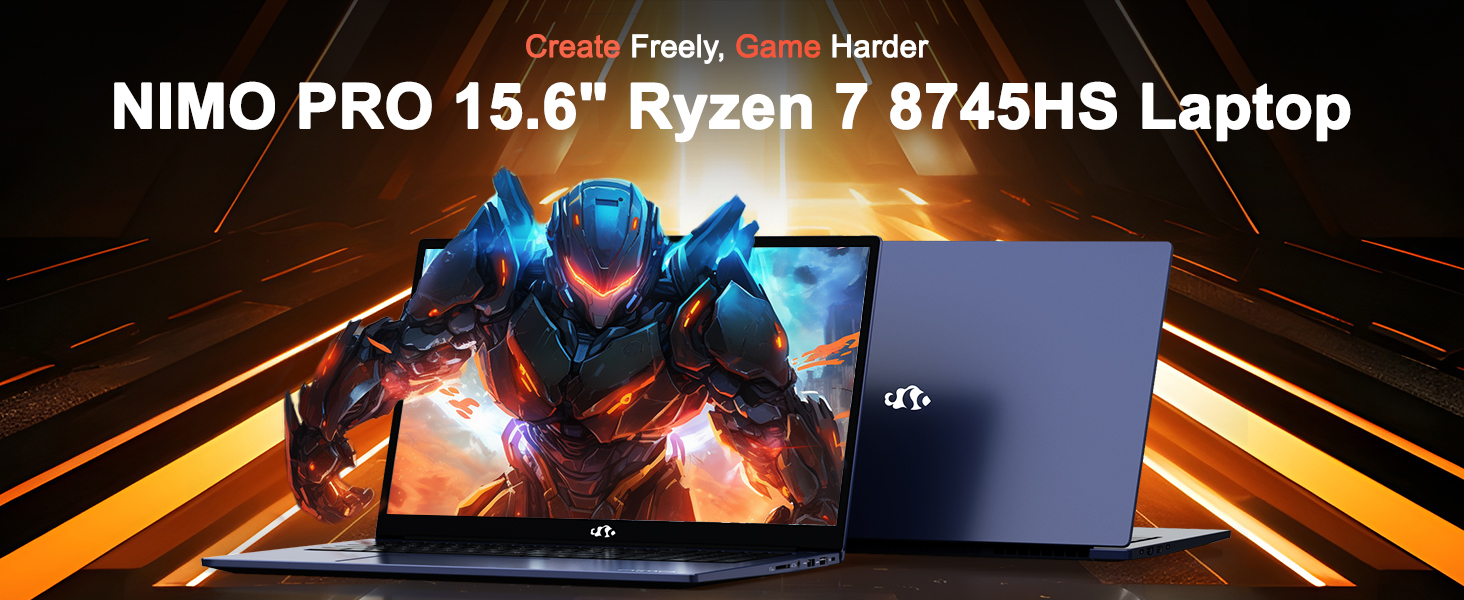
Image: The NIMO N158 15.6-inch laptop, showcasinג זײַן דיזײַן און שליסל פֿעיִקייטן.
2. פּראָדוקט איבערview
The NIMO N158 is a high-performance laptop designed for productivity and entertainment. It features an AMD Ryzen 7 8745HS processor, 64GB DDR5 RAM, and a 1TB PCIe 4.0 SSD.
2.1 שליסל קאַמפּאָונאַנץ
- פּראַסעסער: AMD Ryzen 7 8745HS (8 קערנס, 16 פֿעדעם, ביז 4.9GHz)
- גראַפיקס: AMD Radeon 780M Integrated Graphics
- זכּרון: 64GB DDR5 RAM (4800 MHz)
- סטאָרידזש: 1TB PCIe 4.0 SSD
- ווייַז: 15.6-אינטש פול HD (1920x1080) IPS אַנטי-גלער
- אַפּערייטינג סיסטעם: Windows 11 היים
- באַטערי: 75Wh Lithium Polymer
2.2 פּאָרטן און אינטערפייסיז
The NIMO N158 laptop offers a variety of ports for connectivity:

Image: Diagram illustrating the various ports and interfaces on the NIMO N158 laptop.
- 1 קס וסב 2.0 פּאָרט
- 3 רענטגענ וסב 3.0 פּאָרץ
- 1 x USB 4.0 Type-C Port (with 100W PD fast charging support)
- 1 רענטגענ הדמי פּאָרט
- 1 x כעדפאָון דזשאַק
- 1 x סד קאָרט לייענער
- 1 X Kensington Lock Slot
3. סעטאַפּ
3.1 ערשטע איינשטראָם און אויפלאָדן
- Unpack the laptop and the included 100W Type-C PD Fast Charger.
- Connect the charger to the USB Type-C port on the laptop and to a power outlet. The Charger LED will illuminate.
- לאָזט דעם לאַפּטאָפּ זיך אויפלאָדן פֿאַר לפּחות 30 מינוט איידער איר ניצט עס ערשט, אָדער ביז דער באַטאַרייע אינדיקאַטאָר ווײַזט גענוגיק אויפלאָדן.
- דרוק די מאַכט קנעפּל צו קער אויף די לאַפּטאַפּ.

Image: The NIMO N158 laptop connected to its 100W Type-C fast charger, illustrating the charging process.
3.2 אָפּערייטינג סיסטעם סעטאַפּ
Upon first boot, you will be guided through the Windows 11 Home setup process. Follow the on-screen instructions to configure your language, region, network connection, and user account.
3.3 פינגערפּרינט לייענער סעטאַפּ
For enhanced security, set up the integrated fingerprint reader during the Windows 11 setup or later via Windows Settings > Accounts > Sign-in options. This allows for quick and secure login.
4. אַפּערייטינג ינסטרוקטיאָנס
4.1 קלאַוויאַטור און טאָוטשפּאַד
- באַקלייט קלאַוויאַטור: The keyboard features backlighting for comfortable typing in low-light conditions. Use the designated function key (Fn + F key combination, typically) to adjust brightness or toggle the backlight.
- נומעריק קיפּאַד: A dedicated numeric keypad is included for efficient data entry.
- Precision Gesture Touchpad: The touchpad supports multi-touch gestures for navigation. Refer to Windows settings for customizing touchpad gestures.

Image: A user interacting with the NIMO N158 laptop, highlighting the backlit keyboard and fingerprint reader on the touchpad.
4.2 ווייַז
The 15.6-inch Full HD IPS anti-glare display provides clear and vibrant visuals. Adjust display settings (resolution, brightness, color) through Windows Display Settings.

Image: The NIMO N158 laptop displaying a vibrant image on its 15.6-inch Full HD IPS screen, emphasizing visual quality.
4.3 Webקאַם
דער לאַפּטאָפּ כולל אַ 2MP webcam. For privacy, a physical webcam shield or switch is integrated. Ensure the webcam is open when in use and closed when not needed.

Image: A visual representation of the NIMO N158 laptop's privacy-focused camera, showing the open and closed states of the webcam switch.
4.4 פאָרשטעלונג און מולטיטאַסקינג
The AMD Ryzen 7 8745HS processor and 64GB DDR5 RAM provide robust performance for demanding tasks, content creation, and gaming. The 1TB PCIe 4.0 SSD ensures fast boot times and application loading.

Image: A close-up of the AMD Ryzen 7 8745HS processor chip, highlighting its core specifications.
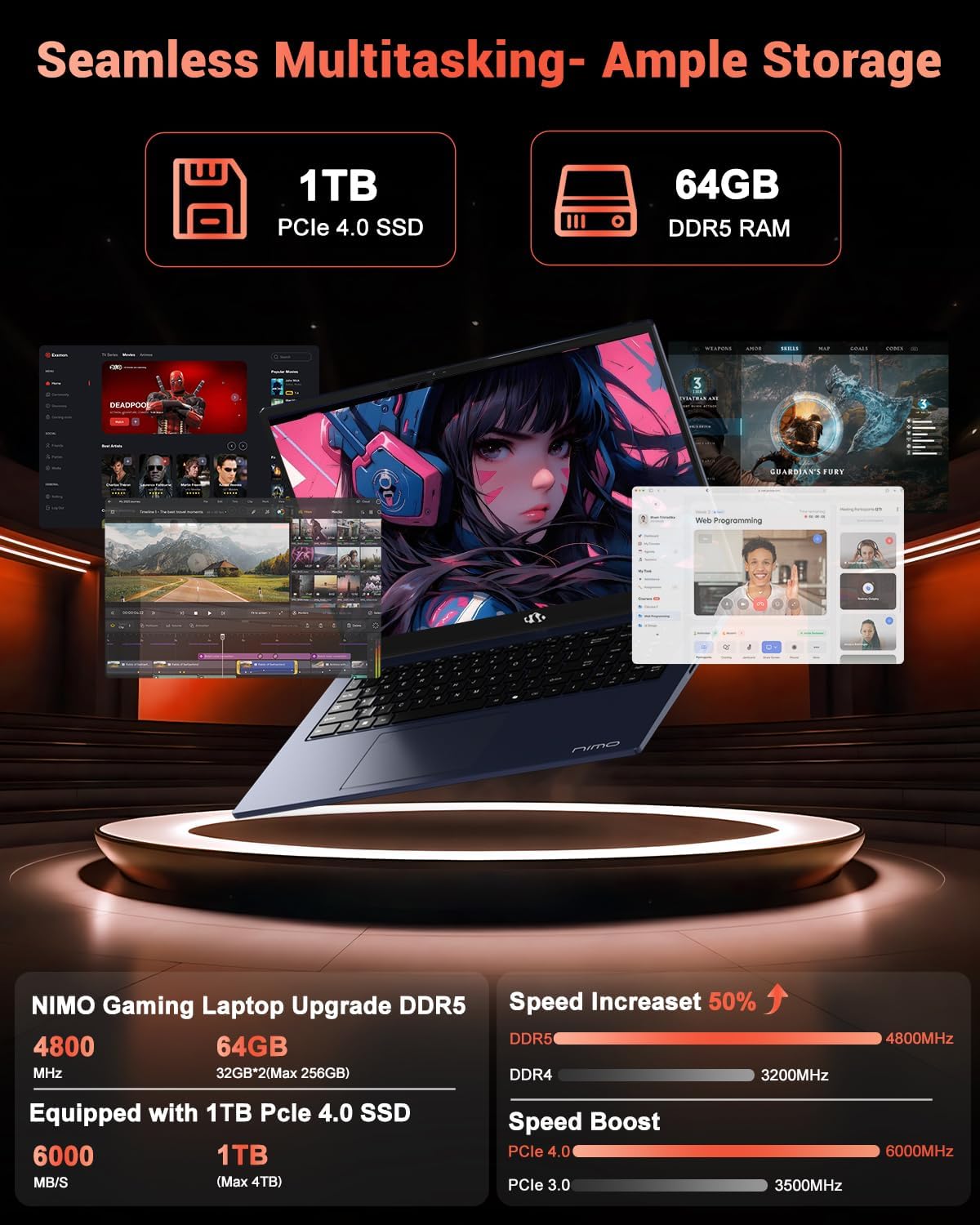
Image: The NIMO N158 laptop displaying multiple applications open, demonstrating its multitasking capabilities with 64GB RAM and 1TB SSD.
5. וישאַלט
5.1 אַלגעמיינע קער
- Keep the laptop clean by wiping surfaces with a soft, dry cloth.
- Avoid exposing the laptop to extreme temperatures, direct sunlight, or moisture.
- לייגט נישט קיין שווערע זאכן אויפן לעפטאפ.
- פאַרזיכערן געהעריק ווענאַליישאַן דורך נישט בלאַקינג די לופט ווענץ.
5.2 אַפּגרעידאַביליטי
The NIMO N158 features an upgradable design, allowing for expansion of memory (RAM) and storage (SSD). Consult a qualified technician or refer to official NIMO support resources before attempting any internal upgrades to avoid voiding your warranty.
6. טראָובלעשאָאָטינג
If you encounter issues with your NIMO N158 laptop, consider the following basic troubleshooting steps:
- קיין מאַכט: זיכער מאַכן אַז דער טשאַרדזשער איז זיכער פארבונדן און די עלעקטרישע אַוטלעט אַרבעט. פּרוּווט אַן אַנדער אַוטלעט.
- ווייַז ישוז: Check external display connections if using one. Adjust screen brightness. Restart the laptop.
- פּאַמעלעך פאָרשטעלונג: Close unnecessary applications. Check for background updates. Ensure sufficient free storage space.
- קאַנעקטיוויטי פּראָבלעמס: Restart your Wi-Fi router. Reconnect to the Wi-Fi network. Update network drivers.
- System Freezes: דריק און האלט דעם פּאַוער קנעפּל פֿאַר 10-15 סעקונדעס צו צווינגען אַן אַוטלאָך, און דערנאָך ריסטאַרט.
For persistent issues, refer to the NIMO support webפּלאַץ אָדער קאָנטאַקט קונה דינסט.
7. ספּעסאַפאַקיישאַנז
| שטריך | באַשרייַבונג |
|---|---|
| סאָרט | נימאָ |
| מאָדעל נאָמען | NIMO N158B |
| פאַרשטעלן גרייס | 15.6 אינטשעס |
| פאַרשטעלן האַכלאָטע | 1920 x 1080 פּיקסעלס (FHD IPS) |
| פּראַסעסער | AMD Ryzen 7 8745HS (up to 4.9 GHz) |
| באַראַן | 64 גיגאבייט DDR5 (4800 מעגהערץ) |
| שווער דרייוו | 1024 GB SSD (PCIe 4.0) |
| גראַפיקס קאָופּראַסעסער | אַמד ראַדעאָן 780 ם |
| אָפּערייטינג סיסטעם | Windows 11 היים |
| ווירעלעסס טיפּ | 802.11a/b/g/n/ac (Wi-Fi 6E) |
| וסב 2.0 פּאָרץ | 1 |
| וסב 3.0 פּאָרץ | 3 |
| וסב 4.0 טיפּ-C פּאָרץ | 1 |
| דורכשניטלעך באַטאַרייע לעבן | 15.5 שעה |
| פּונקט וואָג | 3.8 פונט |
| פּראָדוקט דימענשאַנז | 14.07 X 8.98 X 0.76 אינטשעס |
| ספּעציעלע פֿעיִקייטן | באַקלייט קלאַוויאַטור, פינגערפּרינט לייענער, HD אַודיאָ, נומערישער קלאַוויאַטור |
8. וואָראַנטי און שטיצן
NIMO is committed to providing excellent customer service and product support.
8.1 וואָראַנטי אינפֿאָרמאַציע
אייער NIMO N158 לאַפּטאַפּ קומט מיט אַ 2 יאָר וואָראַנטי from the date of purchase. This warranty covers manufacturing defects and hardware malfunctions under normal use. Please retain your proof of purchase for warranty claims.

Image: A technician performing maintenance on a laptop, representing the 2-year support provided by NIMO.
8.2 צוריקקומען פּאָליטיק
NIMO offers a 90-טאָגיקע פּראָבלעם-פֿרײַע צוריקקער פּאָליטיק. If you are not satisfied with your purchase, you may return the product within 90 days from the date of purchase. Please refer to the official NIMO return policy for detailed terms and conditions.

Image: A delivery person handing a package to a customer, illustrating the 90-day return policy.
8.3 קונה שטיצן
Our dedicated support team is available to assist you with any questions or issues. You can reach us via:
- בליצפּאָסט: service@nimopc.com
- אָנליין: באַזוכט דעם אָפֿיציעלן NIMO webוועבזייטל פֿאַר אָפֿט געשטעלטע פֿראַגעס און שטיצע רעסורסן.
We strive to provide quick solutions and a worry-free experience.

Image: Customer service representatives wearing headsets, representing professional customer assistance.


