1. הקדמה
This manual provides essential information for setting up, operating, maintaining, and troubleshooting your NIMO 15.6" FHD Laptop (Model N158). Please read this manual thoroughly before using your device to ensure optimal performance and longevity.
פּעקל אינהאַלט
- 1 x נימאָ N158 לאַפּטאָפּ
- 1 x טיפ-C 100W PD שנעלער טשאַרדזשער
- 1 x באַניצער מאַנואַל
- Windows 11 היים אָפּערייטינג סיסטעם (פאַר-אינסטאַלירט)
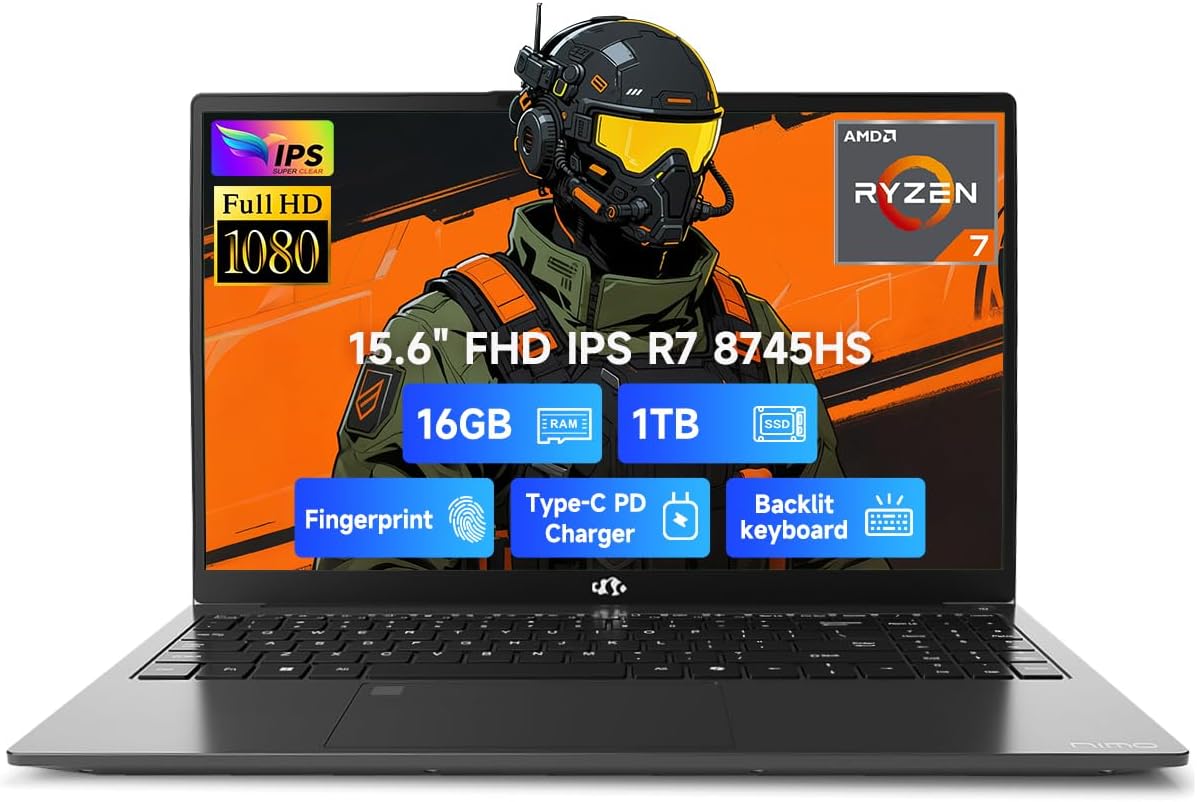
Image 1.1: NIMO 15.6 inch FHD Laptop, showcasinג זײַן גלאַטן דיזײַן און אַרויסווײַז.
2. ערשט סעטאַפּ
2.1 אײַנצושאַלטן און אױפֿלאָדן
Before first use, ensure your laptop is fully charged. Connect the provided 100W Type-C PD Fast Charger to the USB 4.0 Type-C port on the laptop and to a power outlet. The charging indicator light will illuminate.

Image 2.1: The NIMO laptop connected to its 100W USB-C fast charger, illustrating the charging process and battery capacity.
2.2 ערשטער בוט און ווינדאָוס 11 סעטאַפּ
Press the power button to turn on the laptop. Follow the on-screen instructions to complete the initial setup of Windows 11 Home. This includes setting up your region, language, network connection, and user account.
2.3 פינגערפּרינט סענסאָר סעטאַפּ
For enhanced security, configure the integrated fingerprint sensor. During Windows 11 setup or via Windows Settings > Accounts > Sign-in options, you can register your fingerprint for quick and secure login.

Image 2.2: Close-up of the NIMO laptop's keyboard, highlighting the backlit keys and the integrated fingerprint sensor on the touchpad.
3. אפערירן דיין לאַפּטאָפּ
3.1 קלאַוויאַטור און טאָוטשפּאַד
The laptop features a full-size keyboard with a numeric keypad and adjustable backlighting for comfortable typing in various lighting conditions. The precision gesture touchpad supports multi-touch gestures for intuitive navigation. The fingerprint sensor is integrated into the touchpad for convenient unlocking.
3.2 קאָנעקטיוויטי פּאָרטן
Your NIMO laptop is equipped with a variety of ports for connecting external devices:
- USB 4.0 טיפּ-C: For high-speed data transfer, video output, and power delivery (charging).
- וסב 3.2: Multiple ports for connecting peripherals like external drives and mice.
- וסב 2.0: פֿאַר נאָרמאַלע USB דעוויסעס.
- הדמי: פֿאַר פֿאַרבינדן צו עקסטערנע דיספּלייז אָדער פּראָיעקטאָרן.
- כעדפאָון דזשאַק: פֿאַר אַודיאָ רעזולטאַט.
- SD Card Slot: פֿאַר לייענען זכּרון קאַרטלעך.
- Kensington Lock Slot: פֿאַר פֿיזישע זיכערהייט.
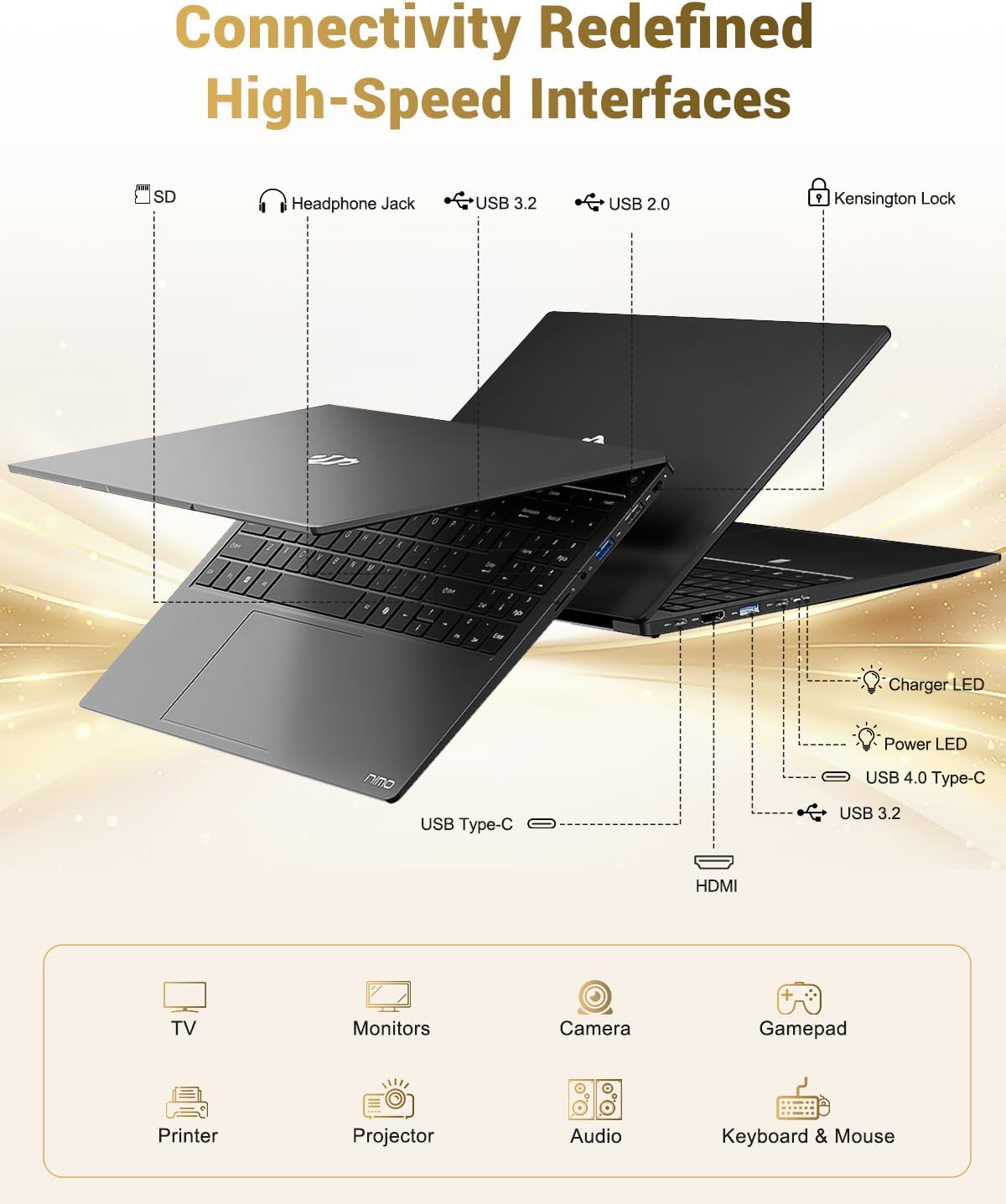
Image 3.1: Diagram illustrating the various input/output ports available on the NIMO laptop, including USB, HDMI, and audio jacks.
3.3 Webקאַם באַניץ
די אינטעגרירטע 2 מעגאַפּיקסעל webcam is suitable for video calls and online meetings. For privacy, the laptop includes a physical privacy switch to disable the webקאַם ווען ניט אין נוצן.

Image 3.2: A visual representation of the laptop's webcam with an open and closed privacy switch, emphasizing user control over privacy.
4. וישאַלט און קער
4.1 באַטערי קער
The laptop is equipped with a 75Wh Smart Battery, providing an average battery life of 15.5 hours. To prolong battery lifespan:
- ויסמיידן עקסטרעם טעמפּעראַטורעס.
- לאָדט נישט אָפט גאָר אויס די באַטאַרייע.
- If storing the laptop for extended periods, charge it to approximately 50-60%.
4.2 Upgradable Components
The NIMO laptop features an upgradable design, allowing for expansion of memory (DDR5 RAM) and storage (PCIe 4.0 SSD) to meet future needs. Consult a qualified technician for upgrades to avoid damaging components.

Image 4.1: Visual representation of the laptop's multitasking capabilities and ample storage, highlighting 1TB PCIe 4.0 SSD and 16GB DDR5 RAM.
4.3 רייניקן דיין לאַפּטאָפּ
Use a soft, lint-free cloth to clean the screen and exterior surfaces. For stubborn marks, dampen the cloth slightly with water or a screen-safe cleaner. Avoid harsh chemicals or abrasive materials.
5. טראָובלעשאָאָטינג
This section addresses common issues you might encounter with your NIMO laptop.
5.1 שטראָם פּראָבלעמען
- לאַפּטאָפּ טוט זיך נישט אָנצינדן: Ensure the charger is securely connected and the power outlet is functional. If the battery is completely drained, it may take a few minutes of charging before the laptop can power on.
- באַטערי נישט טשאַרדזשינג: Verify the Type-C charger and cable are undamaged. Try a different power outlet.
5.2 ווייַז פּראָבלעמס
- פאַרשטעלן איז ליידיק: Check if the laptop is powered on. Try connecting an external monitor via HDMI to determine if the issue is with the laptop's display or the graphics output.
- פליקערנדיקע אדער פארדרייטע אויסשטעלונג: דערהייַנטיקט אייערע גראַפיק דרייווערס. אויב איר ניצט אַן עקסטערנאַלן מאָניטאָר, קאָנטראָלירט די קאַבל פֿאַרבינדונג.
5.3 קאָנעקטיוויטי פּראָבלעמען
- Wi-Fi פֿאַרבינדט זיך נישט: Ensure Wi-Fi is enabled in Windows settings. Restart your router and the laptop. Check for updated Wi-Fi drivers.
- USB דעוויסעס נישט דערקענט: Try connecting the device to a different USB port. Ensure device drivers are installed.
אויב איר טרעפט פראבלעמען וואָס ווערן נישט דאָ באַהאַנדלט, ביטע זעט די שטיצע אָפּטיילונג פֿאַר הילף.
6. ספּעסאַפאַקיישאַנז
Detailed technical specifications for the NIMO 15.6" FHD Laptop (Model N158).
| שטריך | באַשרייַבונג |
|---|---|
| סאָרט | נימאָ |
| מאָדעל נאָמען | NIMO N158L |
| נומער מאָדעל נומער | NIMO N158 |
| פאַרשטעלן גרייס | 15.6 אינטשעס |
| פאַרשטעלן האַכלאָטע | 1920 x 1080 פּיקסעלס (FHD IPS) |
| פּראַסעסער | AMD Ryzen 7 8745HS (8 Cores, 16 Threads, up to 4.9 GHz) |
| באַראַן | 16 גיגאבייט DDR5 (4800 מעגהערץ) |
| שווער דרייוו | 1024 GB SSD (PCIe 4.0) |
| גראַפיקס קאָופּראַסעסער | AMD Radeon 780M (אינטעגרירט) |
| אָפּערייטינג סיסטעם | Windows 11 היים |
| ווירעלעסס טיפּ | 802.11a/b/g/n/ac |
| וסב פּאָרץ | 1 x USB 2.0, 3 x USB 3.0, 1 x USB 4.0 טיפּ-C |
| דורכשניטלעך באַטאַרייע לעבן | 15.5 שעה (75Wh) |
| פּונקט וואָג | 3.8 פונט |
| פּראָדוקט דימענשאַנז | 14.07 X 8.98 X 0.76 אינטשעס |
| קאָליר | שוואַרץ |
| דערציען Webקאַם האַכלאָטע | 2 מפּ |
| ספּעציעלע פֿעיִקייטן | באַקלייט קלאַוויאַטור, פינגערפּרינט לייענער, HD אַודיאָ, נומערישער קלאַוויאַטור |

Image 6.1: The NIMO laptop's 15.6-inch FHD IPS display, emphasizing clear visuals and screen size.

Image 6.2: Close-up of the AMD Ryzen 7 8745HS processor, detailing its 8 cores, 16 threads, and 4.9GHz boost clock.
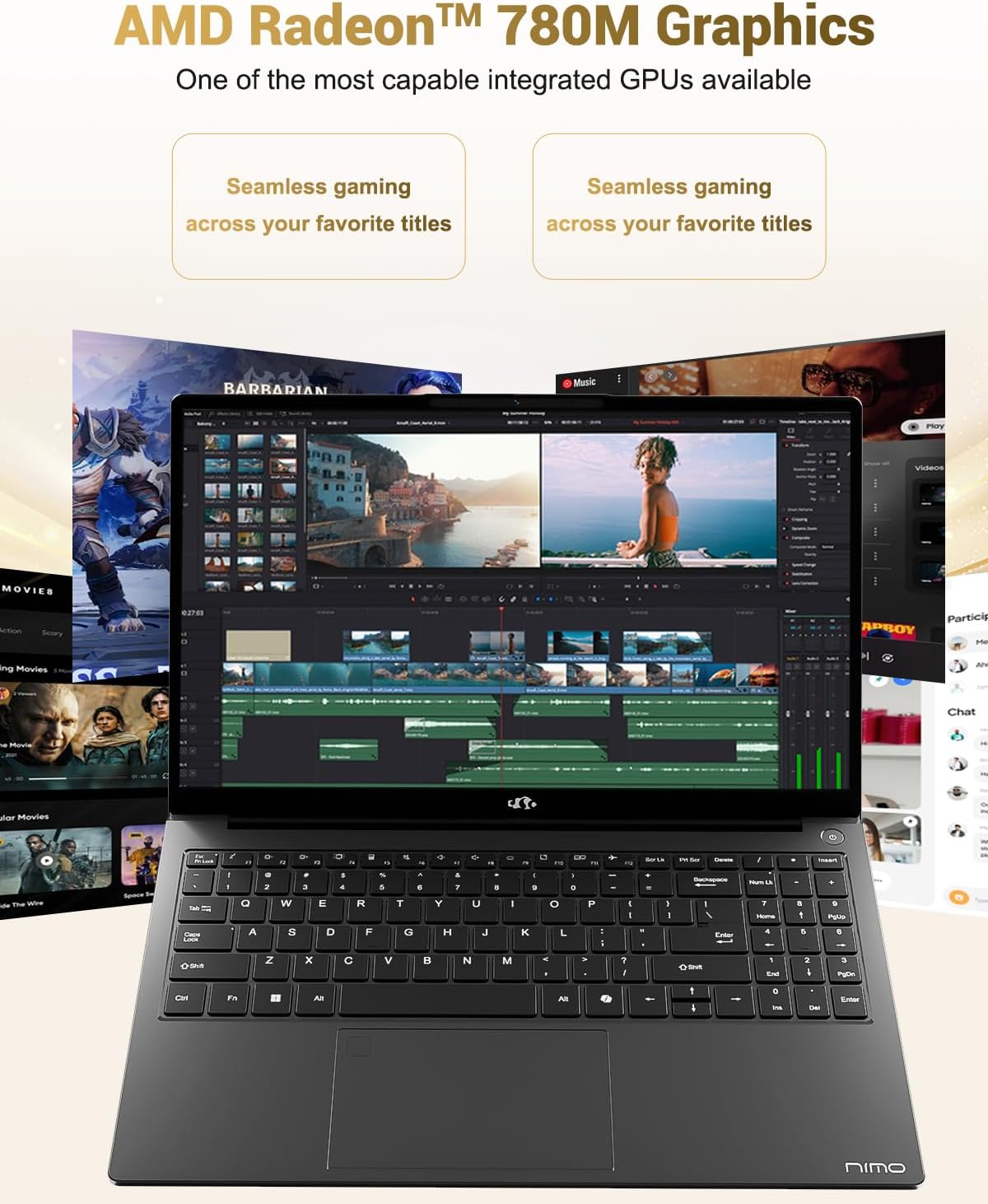
Image 6.3: The AMD Radeon 780M Graphics, highlighting its capability for seamless gaming and creative tasks.
7. וואָראַנטי אינפֿאָרמאַציע
Your NIMO laptop comes with a 2 יאָר וואָראַנטי from the date of purchase. This warranty covers manufacturing defects and hardware malfunctions under normal use. Additionally, NIMO offers a 90-טאָגיקע פּראָבלעם-פֿרײַע צוריקקער פּאָליטיק פֿאַר דיין קאַנוויניאַנס.
For warranty claims or return inquiries, please contact our customer support team using the information provided in the Support section.

Image 7.1: Icon representing 2-year support for NIMO products.

Image 7.2: Icon representing the 90-day return policy for NIMO products.
8. קונה שטיצן
NIMO is committed to providing excellent customer service. Our dedicated support team is available to assist you with any questions or issues you may have.
קאָנטאַקט אינפֿאָרמאַציע
- בליצפּאָסט: service@nimopc.com
- סערוויס שעה: 24-hour service available
For quick solutions and a worry-free experience, please reach out to us. We are ready to provide professional assistance.

Image 8.1: Illustration of professional customer assistance, indicating support availability.


