1. הקדמה
The AOC MS610 Ergonomic Wireless Vertical Mouse is designed to enhance comfort and productivity during extended computer use. Its unique vertical design promotes a natural hand position, reducing wrist strain. This mouse offers versatile connectivity options, adjustable precision, and customizable features to suit various workflows.

Image 1.1: The AOC MS610 mouse, highlighting its ergonomic design and productivity benefits.
2. וואָס איז אין דער קעסטל
- ווירעלעסס ערגאָנאָמיק מאַוס
- 2.4Ghz USB Receiver
- טיפּ-C טשאַרדזשינג קאַבלע
- באַניצער מאַנואַל
- שנעל גייד

Image 2.1: The AOC MS610 mouse and its included USB receiver.
3. סעטאַפּ
3.1 קאָנעקטיוויטי אָפּציעס
The AOC MS610 mouse offers three versatile connection modes: 2.4GHz wireless, Bluetooth 5.4, and wired USB-C. You can switch between these modes using the button on the underside of the mouse.

Image 3.1: Three easy ways to connect your AOC MS610 mouse.
3.2 2.4GHz ווירעלעס פֿאַרבינדונג
- Locate the 2.4GHz USB receiver stored in the magnetic compartment on the bottom of the mouse.
- צאַפּן די וסב ופנעמער אין אַ בנימצא וסב פּאָרט אויף דיין קאָמפּיוטער.
- צינדט אן די מויז מיטן מאַכט קנעפּל אויף דער אונטערשטער זייט. די מויז זאָל זיך אויטאָמאַטיש פֿאַרבינדן.
3.3 בלועטאָאָטה קאַנעקשאַן
- מאַכן זיכער אַז די מויז איז פּאַוערד אויף.
- Press the mode switch button on the bottom of the mouse to select Bluetooth mode. The LED screen will indicate 'MODE: BT'.
- אויף אייער קאָמפּיוטער, גייט צו די בלועטוט סעטטינגס און זוכט פֿאַר נייע דעוויסעס.
- Select 'AOC MS610' from the list of available devices to pair. The mouse can connect to up to three Bluetooth devices, allowing seamless switching.
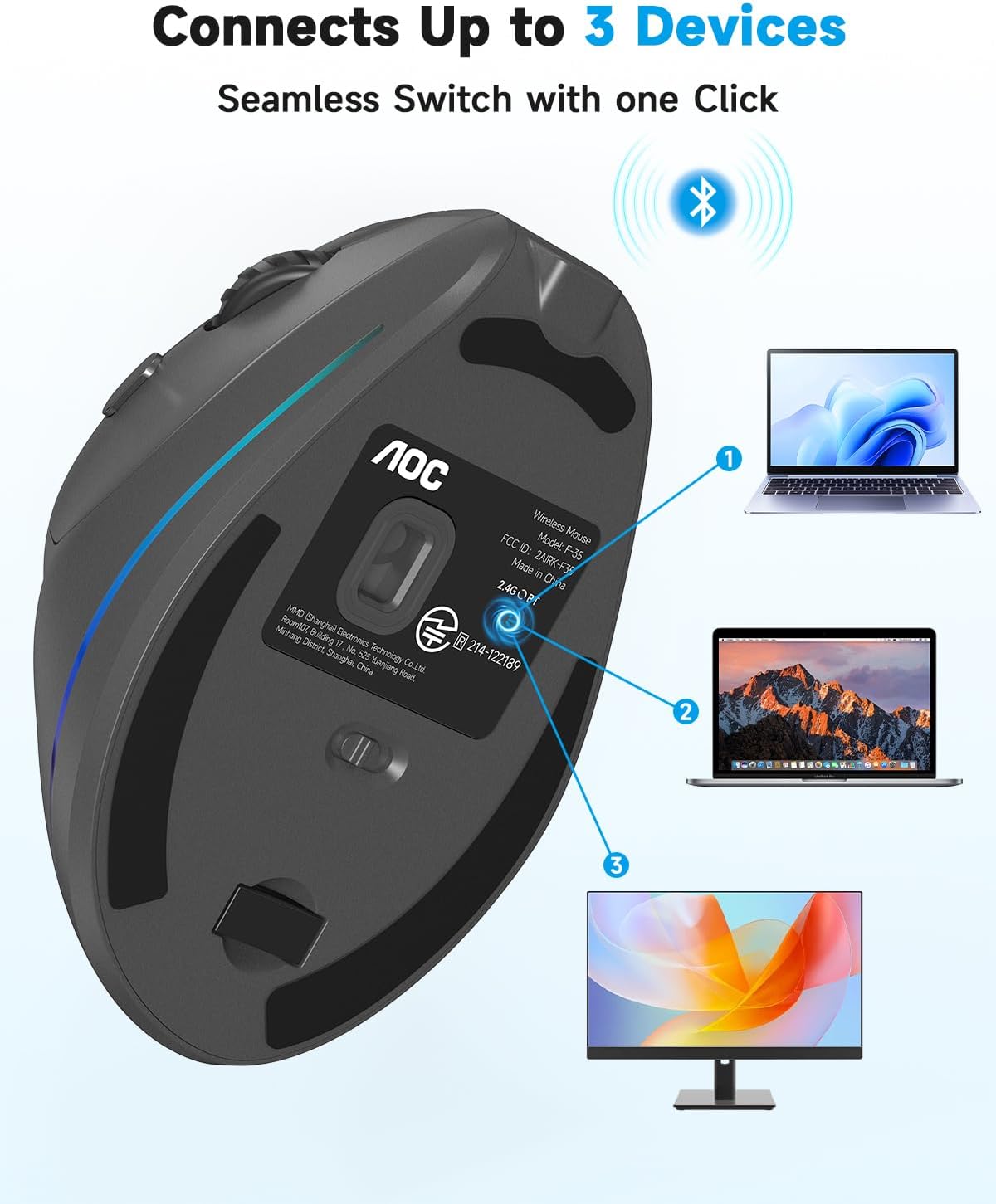
Image 3.2: The AOC MS610 mouse supports seamless switching between up to three devices.
3.4 ווייערד קאַנעקשאַן
Connect the provided Type-C charging cable from the front of the mouse to a USB port on your computer. The mouse will function as a wired mouse and charge simultaneously.
3.5 ערשט אָפּצאָל
It is recommended to fully charge the mouse before first use. Connect the Type-C cable to the mouse and a power source. The LED status screen will display the battery percentage.
ווידעא 3.1: א פארקויפער'ס רעפערענץview demonstrating the unboxing and initial setup of the AOC MS610 mouse.
4. אַפּערייטינג ינסטרוקטיאָנס
4.1 דפּי אַדזשאַסטמאַנט
The mouse features 5 adjustable DPI levels: 1000, 1600, 2400, 3200, and 4800. Press the DPI button located near the scroll wheel to cycle through these settings. The current DPI level is displayed on the built-in LED screen.

Image 4.1: Adjustable DPI for smooth and precise tracking.
4.2 פּראָגראַממאַבלע קנעפּלעך
The mouse includes programmable buttons to customize shortcuts and enhance efficiency. Refer to the included Quick Guide for details on downloading the companion software to configure these buttons and customize the RGB lighting.

בילד 4.2: איבערview of the mouse buttons and their functions.
4.3 RGB לייטינג
The mouse features customizable RGB accent lighting. Use the companion software (details in Quick Guide) to adjust colors and lighting modes.
4.4 שטילע קליקן
The left and right mouse buttons are designed for whisper-quiet operation, producing less than 35dB of sound. Other buttons may produce normal clicking sounds.

Image 4.3: Enjoy quiet operation with the AOC MS610 mouse.
5. ערגאָנאָמיק
The AOC MS610 is designed with a 52° vertical angle to promote a natural 'handshake' position, which helps reduce wrist twisting and forearm tension during prolonged use. This design aims to improve comfort and prevent repetitive strain injuries.

Image 5.1: The 52° ergonomic angle promotes natural hand posture.
5.1 Hand Size Guide
For optimal comfort, ensure the mouse size is suitable for your hand. The mouse dimensions are 4.33 x 2.91 x 3.15 inches (11 x 7.4 x 8 cm).
- Medium Hands: Hand Length (A) 6.7-7.5 inches (17-19 cm), Palm Width (B) 3.2-3.9 inches (8-10 cm)
- Large Hands: Hand Length (A) >7.5 inches (>19 cm), Palm Width (B) >3.9 inches (>10 cm)
Note: Not recommended for small hands.

Image 5.2: Hand size recommendations for the AOC MS610 mouse.
6. באַטעריע לעבן און טשאַרדזשינג
The AOC MS610 is equipped with an 800mAh rechargeable battery. It provides up to 200 hours of use without RGB lighting and over 40 hours with RGB active. The built-in LED status screen displays the battery percentage, allowing you to monitor power levels at a glance.
6.1 טשאַרדזשינג
Use the provided Type-C charging cable to recharge the mouse. The mouse supports use-while-charging, ensuring uninterrupted workflow. It is recommended to charge the mouse when the battery level drops below 20%.

Image 6.1: Rechargeable ergonomic mouse with long battery life.

Image 6.2: Visual battery display to prevent unexpected downtime.
7. ספּעסאַפאַקיישאַנז
- פּראָדוקט דימענשאַנז:
- 4.33 X 2.91 X 0.1 אינטשעס
- נומער וואָג:
- 3.68 אונסעס
- נומער מאָדעל נומער:
- MS610
- באַטעריז:
- 1 נישט-סטאַנדאַרט באַטאַרייע (אַרייַנגערעכנט)
- קאַנעקטיוויטי טעכנאָלאָגיע:
- 2.4 GHz Wireless, Bluetooth 5.4, Wired USB-A
- ספּעציעלע פֿעיִקייטן:
- Programmable Buttons, Quiet Clicks, RGB Accent Lighting, Rechargeable Battery, LED Status Screen
- באַוועגונג דעטעקשאַן טעכנאָלאָגיע:
- אָפּטיש
- דפּי לעוועלס:
- 1000/1600/2400/3200/4800
8. וישאַלט
To ensure the longevity and optimal performance of your AOC MS610 mouse, follow these maintenance guidelines:
- רייניקונג: ניצט אַ ווייכע, טרוקענע שטאָף צו רייניקן די מויז ייבערפלאַך. פֿאַר שווערע שמוץ, אַ ביסל טרוקןamp מען קען ניצן אַ שטאָף, און זיכער מאַכן אַז קיין נעץ גייט נישט אַרײַן אין די אינעווייניקסטע קאָמפּאָנענטן.
- סענסאָר זאָרגן: Keep the optical sensor on the bottom of the mouse clean and free from dust or debris.
- סטאָרידזש: When not in use, store the USB receiver in its designated compartment on the bottom of the mouse to prevent loss.
- באַטערי זאָרגן: Avoid fully discharging the battery frequently. Charge the mouse when the battery indicator shows low power.
9. טראָובלעשאָאָטינג
If you encounter issues with your AOC MS610 mouse, try the following troubleshooting steps:
- No Connection (2.4GHz): Ensure the USB receiver is securely plugged into a working USB port. Verify the mouse is switched to 2.4GHz mode. Try a different USB port.
- No Connection (Bluetooth): Ensure Bluetooth is enabled on your computer and the mouse is in Bluetooth pairing mode. Remove the mouse from your computer's Bluetooth device list and re-pair it.
- פארשפּעטיקונג אדער איבערצייטיגע פארבינדונג: Move the mouse closer to the receiver/computer. Ensure there are no major obstructions or sources of interference (e.g., other wireless devices) between the mouse and receiver.
- Cursor Not Moving: Check the battery level on the LED screen and charge if necessary. Ensure the optical sensor is clean.
- קנעפּלעך ניט ריספּאַנדינג: Check battery level. If using programmable buttons, ensure the companion software is correctly configured.
10. וואָראַנטי און שטיצן
AOC is committed to delivering professional-grade comfort, precision, and reliability. The AOC MS610 ergonomic mouse is built to last and is backed by AOC’s reliable warranty and responsive customer support. For warranty claims or technical assistance, please refer to the contact information provided in the Quick Guide or visit the official AOC webפּלאַץ.


