1. הקדמה
Thank you for choosing the Parsonver PSSW8 Smart Watch. This manual provides essential information for setting up, operating, and maintaining your device. The PSSW8 Smart Watch is designed to enhance your daily life with features such as built-in GPS, Bluetooth calling, comprehensive health monitoring, and a wide array of sports modes.

Figure 1: Parsonver PSSW8 Smart Watch (Black 43mm)
2. זיכערקייַט אינפֿאָרמאַציע
- נישט קיין מעדיצינישע מיטל: This device is not intended for medical use and should not be used to diagnose or treat any medical condition. Consult a medical professional for any health concerns.
- וואַסער קעגנשטעל: The device is IP68 water- and dust-resistant, suitable for splashes, hand washing, and rain. It is not recommended for showering, swimming, or sauna use. Prolonged exposure to water may cause damage.
- באַטערי זיכערקייַט: Do not attempt to replace the battery yourself. Use only the provided charging cable. Avoid extreme temperatures.
- טשאָקינג סכנה: Keep the device and its accessories out of reach of small children.
- דרייווינג זיכערקייַט: Avoid interacting with the device while driving to prevent distractions.
3. סעטאַפּ
3.1. אויספּאַקן און פּאַקעט אינהאַלט
Carefully unbox your Parsonver PSSW8 Smart Watch. The package should contain the following items:
- 1x Parsonver PSSW8 Smart Watch
- 1x טשאַרדזשינג קאַבלע
- 1x באַניצער מאַנואַל
- Additional interchangeable bands (color may vary)
ווידעא 1: אויספּאַקן און איבערקוקן די איניציאַלןview of the Parsonver Smart Watch and its accessories.
3.2. Attaching/Changing Bands
The watch bands are designed for easy attachment and removal, allowing you to customize your watch's appearance. To remove a band, locate the small release button on the underside of the watch where the band connects. Push this button and slide the band out. To attach a new band, align it with the watch body and slide it in until it clicks securely into place.

Figure 2: Close-up of the watch band attachment mechanism.
3.3. אויפלאָדן דעם סמאַרט וואַך
Connect the magnetic charging cable to the charging points on the back of the watch. The magnets will ensure proper alignment. Connect the USB end of the cable to a power source. A full charge typically takes about 2 hours and provides up to 7 days of typical use or 30 days of standby time.

Figure 3: Magnetic charging cable connected to the watch.
3.4. אַפּ אינסטאַלאַציע און מיטל פּערינג
Download the companion app (InfoWear) from your smartphone's app store (compatible with Android 5.0+ and iOS 12.0+). Open the app and follow the on-screen instructions to pair your watch. This usually involves scanning a QR code displayed on the watch screen. Ensure Bluetooth is enabled on your phone.
Video 2: Demonstrates the pairing process between the smartwatch and the companion app.
3.5. Unit Settings and Watch Face Customization
Within the app, navigate to the settings to customize units (metric/imperial) for weight, length, and temperature. You can also browse over 100 watch faces in the "Watch Face Center" or create your own custom DIY watch face using your photos.

Figure 4: Watch Face Center in the companion app showing various customization options.
4. אפערירן דעם סמאַרט וואַך
4.1. נאַוויגאַציע און צובינד
The watch features a 1.27-inch 360x360 Ultra HD display with responsive touch controls. Swipe left/right to access quick widgets like activity data, heart rate, sleep, music control, and weather. Swipe down for quick settings (brightness, water lock, etc.). Press the side button to access the main app menu.
4.2. געזונט מאָניטאָרינג
The PSSW8 Smart Watch offers 24/7 wellness monitoring:
- הארץ ראטע: Tracks heart rate continuously with customizable alerts.
- בלוט זויערשטאָף (SpO2): מאָניטאָרט בלוט זויערשטאָף לעוועלס.
- סטרעס לעוועלס: Provides insights into emotional fluctuations.
- שלאָף מאָניטאָרינג: Analyzes deep, light, and REM sleep stages.
- פרויען געזונט טראַקינג: Supports data-driven cycle management.

פיגורע 5: איבערview of 24-hour health monitoring features.
4.3. ספּאָרט מאָדעס און טעטיקייט טראַקינג
Choose from over 100 sports modes, including running, cycling, yoga, and strength training. The watch automatically detects workouts and records stats like heart rate, calories, distance, and pace. Built-in GPS accurately tracks routes without needing your phone.

Figure 6: Built-in GPS tracking for outdoor activities.
4.4. Bluetooth Calling and Smart Alerts
With dual Bluetooth support (BT 3.0 + BLE 5.3) and a premium microphone, you can make and answer calls directly from your wrist. Receive instant notifications for calls, texts, and popular apps like WhatsApp and Facebook. Quick call replies are available for Android users.

Figure 7: Bluetooth calling and smart notifications on the watch.
4.5. Smart Life Assistant Features
The watch includes various assistant features:
- דערמאָנונגען: Drink water, move, take medication, wash hands.
- מכשירים: Weather updates, music control, remote camera trigger, alarms, timers, stopwatch, calculator, calendar, find my phone.
- וועללנעסס: גיידעד אָטעמען סעסיעס.
- קינסטלעכע אינטעליגענץ פֿעיִקייטן: AI Voice Assistant and AI Smart Watch Face generation.

פיגורע 8: איבערview of additional smart features available on the watch.
4.6. IP68 Water and Dust Resistance
The watch is IP68 rated, meaning it is resistant to dust and can withstand immersion in water up to 1.5 meters for 30 minutes. It is suitable for daily use like hand washing, rain, and splashes. However, it is not recommended for showering, swimming, or sauna use.

Figure 9: The watch is IP68 waterproof, suitable for splashes but not prolonged water immersion.
5. וישאַלט
- רייניקונג: Regularly wipe the watch screen and bands with a soft, dry cloth. If necessary, use a slightly damp שטאָף און מילד זייף, דערנאָך שווענקען און טרוקן גוט.
- טשאַרדזשינג: Always use the provided magnetic charging cable. Ensure the charging points are clean and dry before charging.
- סטאָרידזש: האַלט די זייגער אין אַ קיל, טרוקן אָרט אַוועק פון דירעקט זונשייַן און עקסטרעמע טעמפּעראַטורן ווען נישט אין באַנוץ.
- ווייכווארג דערהייַנטיקונגען: Periodically check the companion app for available software updates to ensure optimal performance and access to new features.
6. טראָובלעשאָאָטינג
- זייגער טוט זיך נישט אן: זיכער מאַכן אַז די זייגער איז גאָר אויפגעלאָדן. פֿאַרבינדט עס צום טשאַרדזשער און וואַרט אַ פּאָר מינוט איידער איר פּרוּווט עס ווידער אָנצוצינדן.
- קאַנעקטיוויטי ישוז:
- מאַכן זיכער אַז בלועטאָאָטה איז ענייבאַלד אויף דיין סמאַרטפאָנע.
- זייט זיכער אז די זייגער איז אין דער דערגרייכונג פון אייער סמאַרטפאָון.
- ריסטאַרט ביידע דיין סמאַרטפאָנע און די וואַך.
- Unpair and re-pair the device through the companion app.
- Inaccurate Readings (Heart Rate, SpO2, etc.):
- זייט זיכער אז די זייגער טראָגט גוט אויף אייער האַנטגעלענק, אָבער נישט צו ענג.
- האַלט דעם סענסאָר געגנט אויף דער צוריק פון דער זייגער ריין.
- בלייבט שטיל בעת די מעסטונגען.
- עקראַן רעאַגירט נישט/פאַרפרוירן: Try restarting the watch by pressing and holding the side button. If unresponsive, allow the battery to fully drain and then recharge. A factory reset option is available in the app settings.
7. ספּעסאַפאַקיישאַנז
| שטריך | דעטאַל |
|---|---|
| מאָדעל נומער | PSSW8 |
| ווייַז גרייס | 1.27 אינטשעס |
| ווייַז האַכלאָטע | 360x360 פּיקסעלס |
| וואַסער קעגנשטעל | IP68 |
| באַטאַרייע קאַפּאַציטעט | 270 מיליamp שעהן |
| באַטעריע לעבן (טיפּיש) | אַרויף צו 7 טעג |
| סטאַנדביי צייט | אַרויף צו 30 טעג |
| טשאַרדזשינג צייט | בעערעך. 2 שעה |
| קאַנעקטיוויטי | Bluetooth 5.3 (BT 3.0 + BLE 5.3) |
| אָפּערייטינג סיסטעם | Compatible with iOS 12.0+/Android 5.0+ |
| געבויט-אין גפּס | יא |
| פּונקט וואָג | 40 גראַמז |
| פּראָדוקט דימענשאַנז | 11.02 X 3.35 X 0.71 אינטשעס |
8. וואָראַנטי און שטיצן
Your Parsonver PSSW8 Smart Watch comes with dedicated customer service. For any questions, technical support, or warranty claims, please contact our 24/7 customer service team. Refer to the product packaging or the official Parsonver webפּלאַץ פֿאַר קאָנטאַקט דעטאַילס.
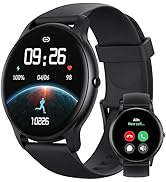
Figure 10: 24/7 Online Support available.


