הקדמה
The NUBWO HG04 Wireless Gaming Headset is designed to provide a versatile audio experience for gaming, music, and movies across multiple platforms. Featuring dual 2.4GHz wireless and Bluetooth 5.3 connectivity, three custom EQ sound modes, a noise-canceling microphone, and a comfortable foldable design with a 50-hour battery life, this headset is engineered for extended use and clear communication.
פּעקל אינהאַלט
Please ensure all items are present in your NUBWO HG04 package:
- NUBWO HG04 Wireless Gaming Headset
- USB-A/C 2.4GHz Wireless Dongle
- אָפּנעמבאַר ראַש-קאַנסאַלינג מיקראָפאָן
- וסב-C טשאַרדזשינג קאַבלע
- 3.5 מם אַודיאָ קאַבלע
- באַניצער מאַנואַל
- Extended Warranty Activation Card (as shown in some product videos)
פּראָדוקט איבערview און קאָנטראָלס
Familiarize yourself with the headset's components and controls for optimal use.
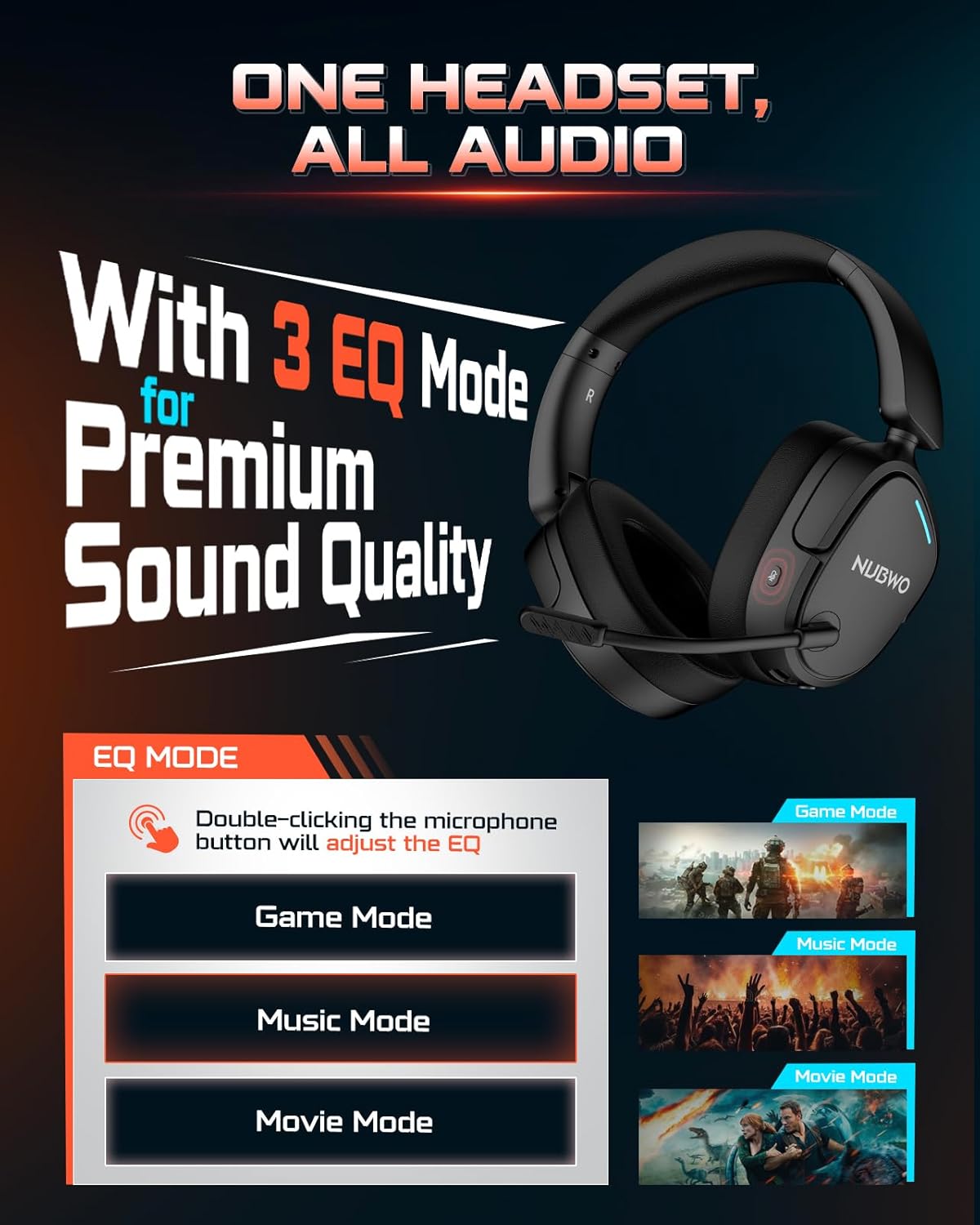
Image: NUBWO HG04 Wireless Gaming Headset highlighting its three EQ modes (Game, Music, Movie) and the microphone button for switching between them.
כעדסעט קאָנטראָלס:
- מאַכט קנעפּל: Located on the left earcup. Long press to power on/off.
- באַנד ראָד: אַדזשאַסטירט אַודיאָ אַרויסגאַנג לעוועל.
- מיקראָפאָן שטום קנעפּל: Toggles microphone mute. Double-click to cycle through EQ modes.
- EQ Mode Indicator: Visual feedback for selected sound mode (Game, Music, Movie).
- USB-C טשאַרדזשינג פּאָרט: פֿאַר טשאַרדזשינג די כעדסעט.
- 3.5 מם אַודיאָ דזשאַק: פֿאַר דראָטיקער קאָנעקטיוויטי.
- אָפּנעמבאַר מיקראָפאָן פּאָרט: Connects the boom microphone.
Comfort and Design:
The NUBWO HG04 features lightweight construction (270g) with rotating memory foam earcups for extended comfort during long gaming sessions. Its foldable design allows for easy storage and portability.

Image: Close-up of the NUBWO HG04 headset's memory foam earcups, emphasizing comfort for prolonged use.

Image: Comparison showing the NUBWO HG04 headset in its foldable state for travel versus a non-foldable headset.
סעטאַפּ און קאַנעקטיוויטי
The NUBWO HG04 offers multiple connectivity options for various devices.

Image: Diagram illustrating the headset's 4-in-1 multi-platform connectivity, including 3.5mm wired, Bluetooth, USB-A, and USB-C options for various devices.
1. 2.4GHz Wireless Connection (PC, PS5, PS4, Nintendo Switch)
- Insert the USB-A/C wireless dongle into an available USB port on your PC, PS5, PS4, or Nintendo Switch.
- Power on the headset by long-pressing the Power button. The headset will automatically connect to the dongle.
- Ensure the headset is selected as the audio output/input device in your system settings.
- באַמערקונג: Microphone functionality is not supported on Nintendo Switch via 2.4GHz wireless.
ווידעא: אן איבערview of the NUBWO HG04 Wireless Gaming Headset, demonstrating its features and connectivity options, including the 2.4GHz dongle.
2. Bluetooth 5.3 Connection (Mobile Devices)
- מאַכט די כעדסעט.
- Activate Bluetooth pairing mode on the headset (refer to the specific button combination in the quick start guide, usually a long press on the Bluetooth button or mode button).
- On your mobile device, search for Bluetooth devices and select "NUBWO HG04" to pair.
- The headset supports dual-channel simultaneous connection, allowing you to game via 2.4GHz and maintain a Bluetooth link to your phone for calls and notifications.

Image: Illustration of the NUBWO HG04 headset simultaneously connected to a PS5 via 2.4GHz and a phone via Bluetooth, enabling seamless game and call management.
3. 3.5mm Wired Connection (Xbox Series X|S, Nintendo Switch, PC, PS4)
- Connect the 3.5mm audio cable from the headset's 3.5mm jack to your device's audio port (e.g., Xbox controller, Nintendo Switch, PC).
- באַמערקונג: For Xbox Series X|S, only wired connection is supported. Microphone functionality is not supported on Nintendo Switch in wired mode.
אַפּערייטינג ינסטראַקשאַנז
EQ געזונט מאָדעס:
The NUBWO HG04 features three custom EQ modes to optimize your audio experience:
- שפּיל מאָדע: Enhanced treble for clear footsteps and in-game audio cues.
- מוזיק מאָדע: Deep bass and balanced tones for full immersion.
- פֿילם מאָדע: Clear voices and cinematic immersion.
To switch between EQ modes, double-click the Microphone Mute button.
מיקראָפאָן באַניץ:
The detachable directional microphone focuses on your voice, reducing background noise through passive noise reduction. It also features real-time mic monitoring, allowing you to hear your own voice clearly through the headset.

Image: A gamer wearing the NUBWO HG04 headset, showcasing the crystal clear noise-canceling microphone in action, designed to block background noise and highlight the user's voice.
- Attaching/Detaching: Align the microphone's 3.5mm plug with the port on the left earcup and insert until it clicks. To remove, gently pull it out.
- מוטיקן: Use the Microphone Mute button on the headset to quickly mute or unmute your voice.
- פּאַזישאַנינג: For optimal clarity, position the microphone 1-2 cm away from your mouth, ensuring it is not tilted upwards.
באַנד אַדזשאַסטמאַנט:
Use the volume wheel on the headset to adjust the audio output to your preferred level.
טשאַרדזשינג און באַטערי
The NUBWO HG04 headset is equipped with a long-lasting battery for extended usage.
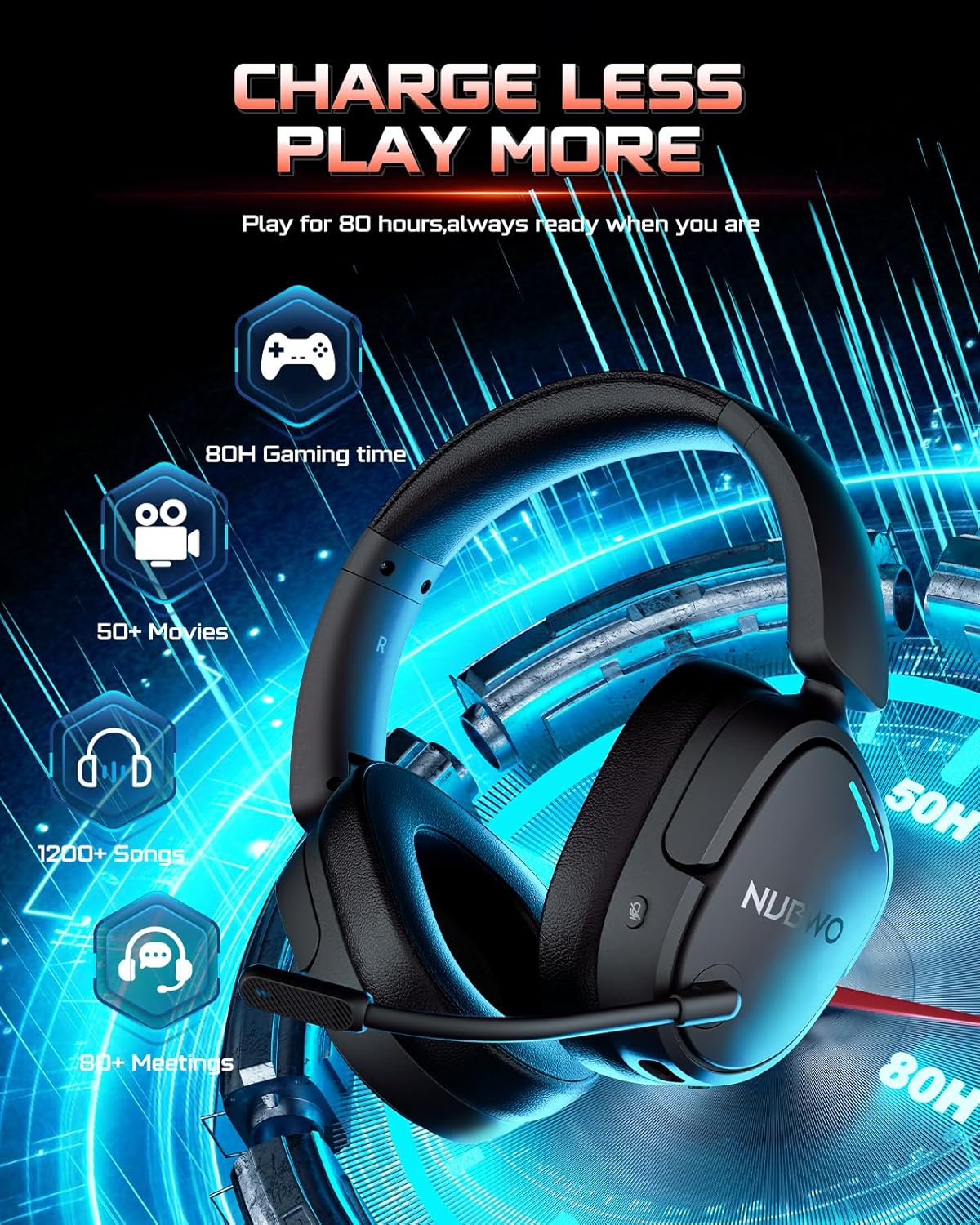
Image: The NUBWO HG04 headset with graphics indicating a 50-hour battery life, suitable for extended gaming, movies, music, and meetings.
- באַטאַרייע לעבן: הנאה אַרויף צו 50 שעה פון קעסיידערדיק נוצן אויף אַ איין אָפּצאָל.
- טשאַרדזשינג: Connect the supplied USB-C charging cable to the headset's USB-C port and a power source (e.g., computer USB port, USB wall adapter).
- טשאַרדזשינג ינדיקאַטאָר: An LED indicator on the headset will show the charging status.
וישאַלט און זאָרג
To ensure the longevity and optimal performance of your NUBWO HG04 headset, follow these care guidelines:
- רייניקונג: Use a soft, dry cloth to clean the headset. Avoid harsh chemicals or abrasive materials.
- סטאָרידזש: When not in use, store the headset in a cool, dry place. The foldable design helps protect it during travel.
- ויסמיידן עקסטרעמע טנאָים: Do not expose the headset to extreme temperatures, humidity, or direct sunlight.
- שעפּן מיט זאָרג: Avoid dropping the headset or subjecting it to strong impacts.
טראָובלעשאָאָטינג
If you encounter any issues with your NUBWO HG04 headset, please refer to the following common solutions:
- קיין קלאַנג/נידעריק באַנד:
- Check the headset's volume wheel and your device's volume settings.
- Ensure the headset is properly connected (dongle inserted, Bluetooth paired, or 3.5mm cable fully plugged in).
- Verify the correct audio output device is selected in your system settings.
- מיקראָפאָן איז נישט ארבעטן:
- זייט זיכער אַז דער מיקראָפאָן איז זיכער באַפעסטיקט און נישט שטיל.
- קאָנטראָלירט אייער דעווייס'ס אַודיאָ אינפוט סעטטינגס צו זיכער מאַכן אַז דער כעדסעט מיקראָפאָן איז אויסגעקליבן.
- Remember, microphone is not supported on Nintendo Switch (2.4GHz or wired) and Xbox Series X|S (wired only).
- קשר ישוז:
- For 2.4GHz, ensure the dongle is fully inserted and the headset is powered on and within range.
- For Bluetooth, ensure the headset is in pairing mode and your device's Bluetooth is enabled. Try unpairing and re-pairing.
- Restart both the headset and your connected device.
ספּעסאַפאַקיישאַנז
| שטריך | באַשרייַבונג |
|---|---|
| מאָדעל נאָמען | HG04 |
| סאָרט | NUBWO |
| קאַנעקטיוויטי טעכנאָלאָגיע | ווירעלעס (2.4GHz, בלועטוט 5.3), מיט אַ דראָט (3.5 מ״מ דזשעק) |
| ווירעלעסס קאָמוניקאַציע טעכנאָלאָגיע | 2.4GHZ, Bluetooth 5.3 |
| בלועטאָאָטה קייט | 33 פֿיס |
| אַודיאָ לייטאַנס | 20 מיליסעקאַנדז |
| אַודיאָ דרייווער גרייס | 40 מילאַמיטערז |
| אָפטקייַט ענטפער | 20000 הז |
| סענסיטיוויטי | 90 דב |
| ראַש קאָנטראָל | פּאַסיוו ראַש קאַנסאַליישאַן |
| פּונקט וואָג | 6.1 אונס (0.38 פונט) |
| פּראָדוקט דימענשאַנז | 7.13 X 6.2 X 2.46 אינטשעס |
| באַטערי לעבן | אַרויף צו 50 שעה |
| מאַטעריאַל | פּלאַסטיק |
| קאַמפּאַטאַבאַל דעוויסעס | Cellphones, Desktops, Gaming Consoles, Laptops, PS5/PS4, Xbox Series X|S (wired only) |
וואָראַנטי און שטיצן
Your NUBWO HG04 Wireless Gaming Headset comes with a manufacturer's warranty. Please refer to the included Extended Warranty Activation Card for details on how to register your product and activate your warranty.
For further assistance, troubleshooting, or product inquiries, please visit the official NUBWO support webפּלאַץ אָדער קאָנטאַקט זייער קונה דינסט.


