1. הקדמה
This manual provides essential information for the safe and efficient use of your realme 14 Pro Lite Smartphone. Please read it carefully before using your device.
פּעקל אינהאַלט:
ביים אויספּאַקן, זיכער מאַכן אַז אַלע זאכן זענען פאַראַן:
- realme 14 Pro Lite Smartphone
- וסב קאַבלע
- 45 וו אַדאַפּטער
- פּראַטעקטיוו קאַסע
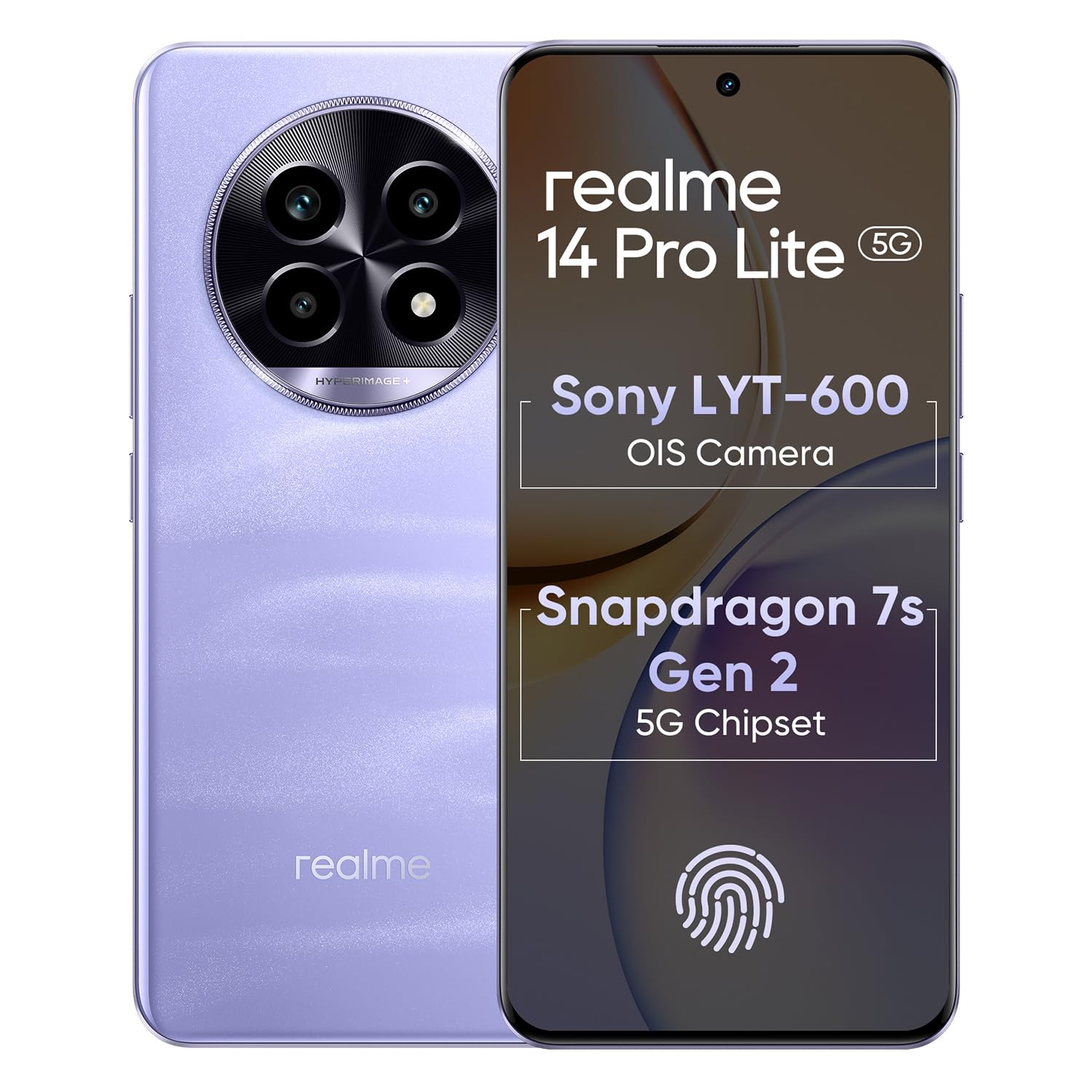
Image 1.1: The realme 14 Pro Lite Smartphone, showcasinג זײַן דיזײַן.
2. סעטאַפּ
2.1. סים קאַרטל און מיקראָסד קאַרטל ינסטאַלירונג
- געפינט די סים קארטל טאַץ אויף דער זייט פון אייער דעווייס.
- שטעקט אריין דעם סים קארטל ארויסווארפער געצייג אין דעם קליינעם לאך לעבן דעם טרעי און דריקט לײַכט ביז דער טרעי קומט ארויס.
- Place your Nano-SIM cards (up to two) and/or a microSD card into the designated slots on the tray. Ensure the gold contacts face downwards.
- פֿאָרזיכטיק צוריקשטעלט דעם טאַץ אין דעם טעלעפֿאָן ביז עס קליקט אַרײַן אין פּלאַץ.
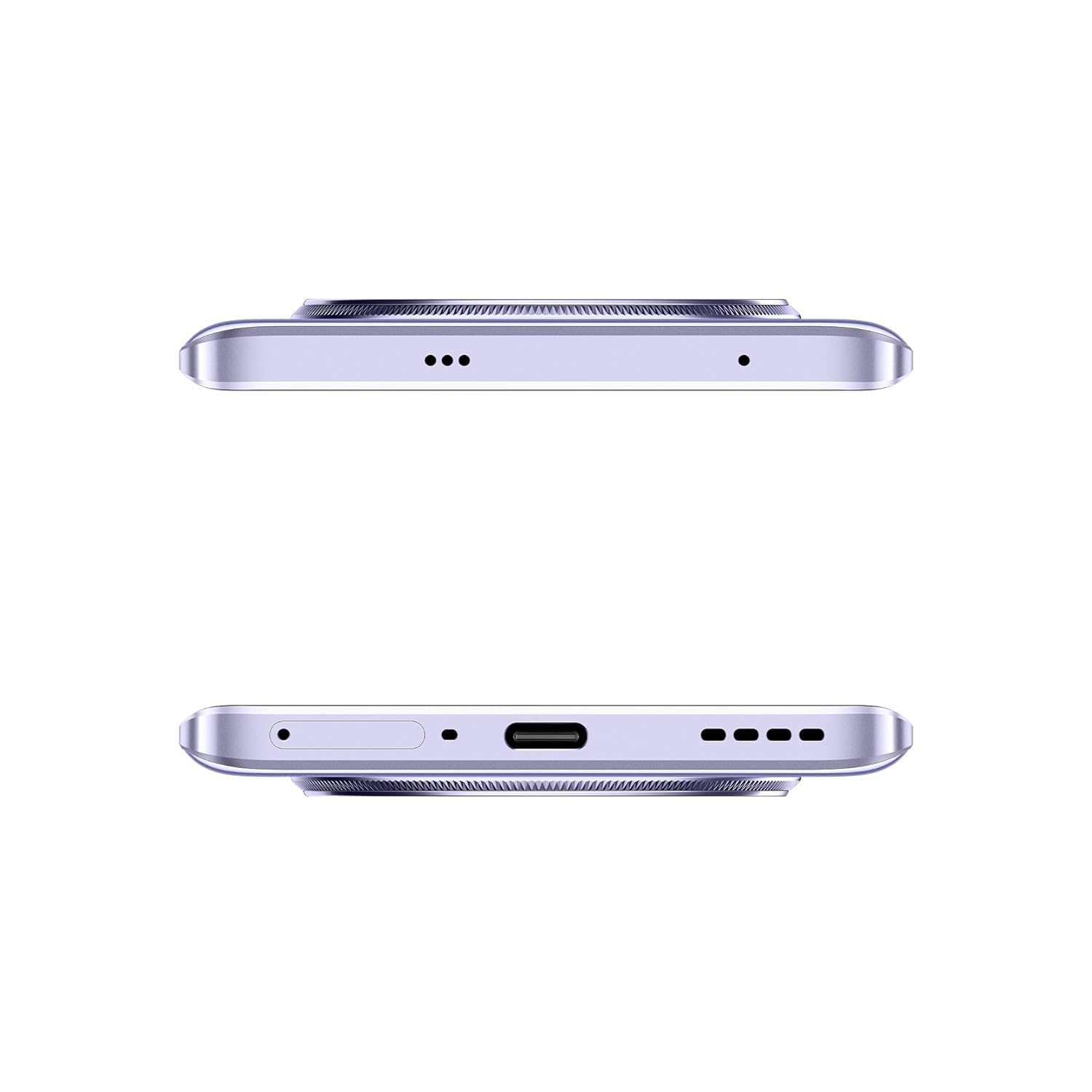
בילד 2.1: זייט view of the realme 14 Pro Lite, indicating the SIM card tray position.
2.2. טשאַרדזשינג די מיטל
Connect the 45W adapter to a power outlet and the USB cable to the phone's charging port. The device supports 45W SuperVOOC fast charging. It is recommended to fully charge the device before first use.
בילד 2.2: אונטן view of the realme 14 Pro Lite, highlighting the USB-C charging port.
2.3. פּאַוערינג אויף און ערשט סעטאַפּ
Press and hold the Power button located on the side of the device until the realme logo appears. Follow the on-screen instructions to select your language, connect to Wi-Fi, and set up your Google account.
3. אַפּערייטינג ינסטרוקטיאָנס
3.1. אַרויסווייַזונג און נאַוויגאַציע
Your realme 14 Pro Lite features a 6.7-inch OLED Flow Display with a 120Hz refresh rate for smooth visuals and a 2000Hz instant touch sampling rate for responsive interaction. Navigate the Android 14 operating system with realme UI 5.0 using gestures or on-screen buttons.
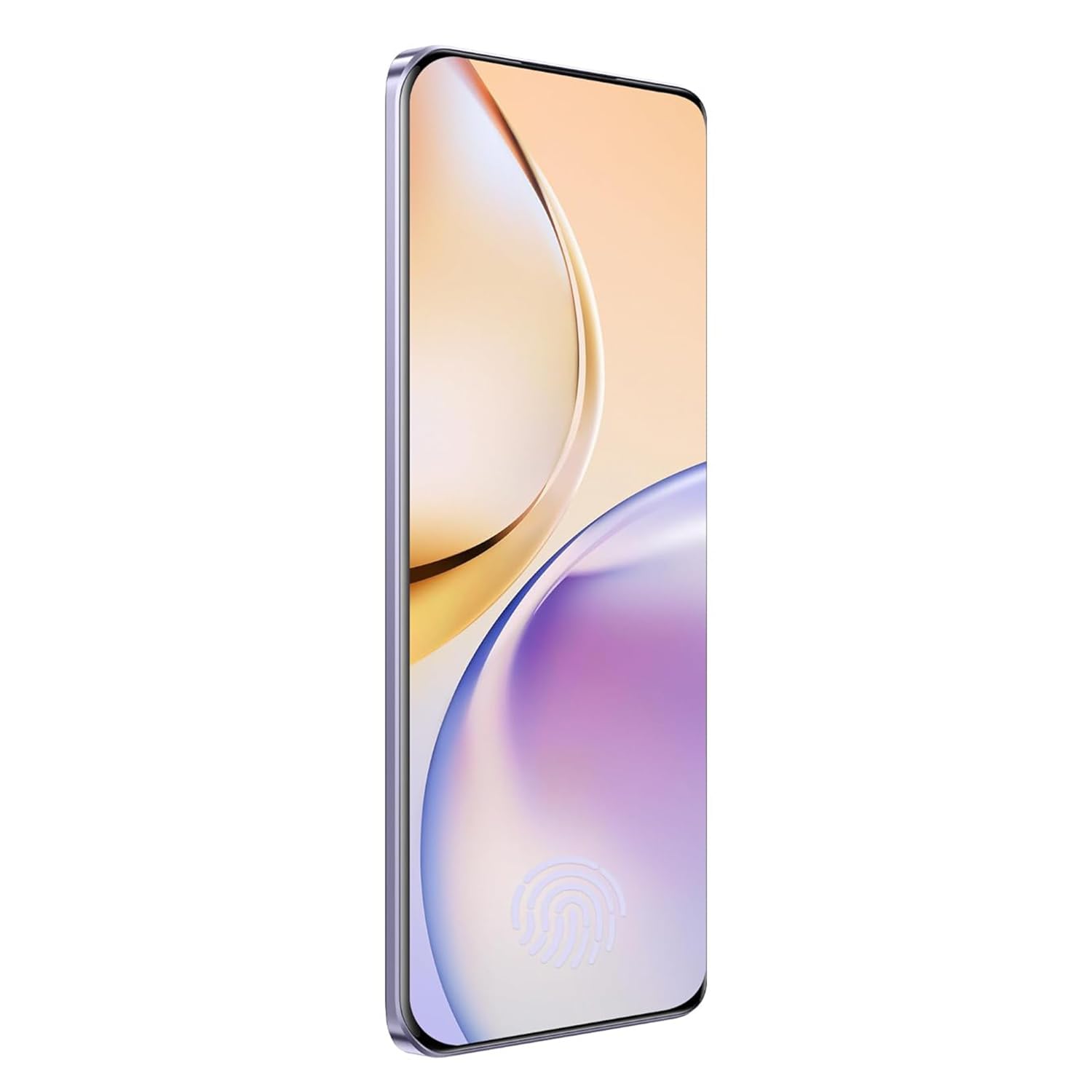
בילד 3.1: פראָנט view of the realme 14 Pro Lite, showcasinג זײַן אַרויסווײַזונג.
3.2. פאָרשטעלונג און קאָנעקטיוויטי
The device is powered by a Snapdragon 7s Gen 2 4nm 5G Chipset, ensuring efficient performance for various tasks. Connectivity options include Bluetooth, USB, and Wi-Fi. For 5G network access, ensure you have a compatible SIM card and service plan.
3.3. קאַמעראַ יוז
Utilize the integrated camera system for photography and videography. Open the Camera application from your home screen or app drawer. Select modes such as Photo, Video, Portrait, or Night mode as desired. Tap the shutter button to capture images or start/stop video recording.

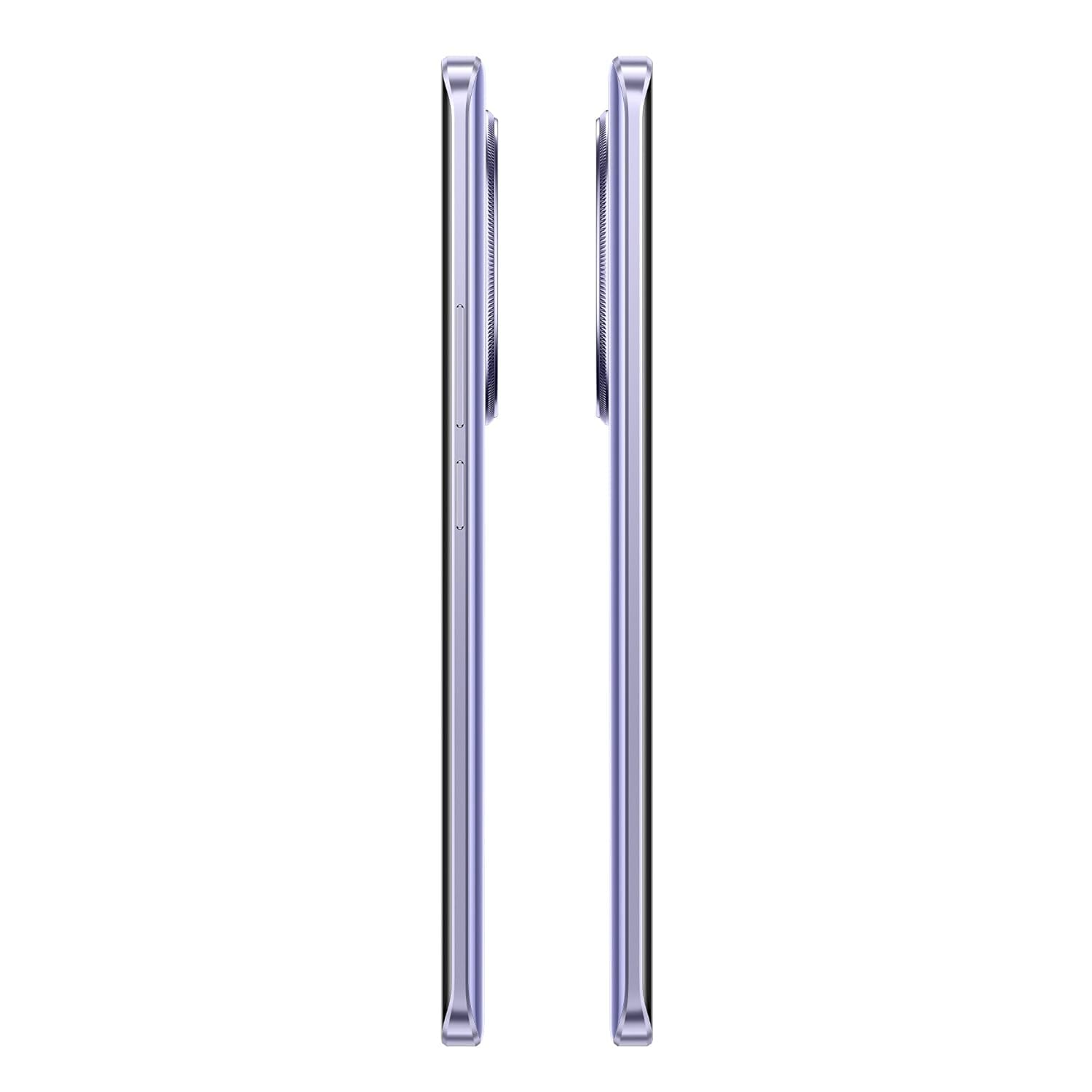
בילד 3.2: צוריק view of the realme 14 Pro Lite, highlighting the camera module.
4. וישאַלט
4.1. באַטערי קער
- ויסמיידן יקספּאָוזינג די מיטל צו עקסטרעם טעמפּעראַטורעס.
- Use only the provided 45W adapter and USB cable for charging.
- לאָזט נישט דעם אַפּאַראַט אויפלאָדן פֿאַר לענגערע צייטן נאָכדעם ווי עס דערגרייכט 100%.
4.2. ווייכווארג דערהייַנטיקונגען
קאָנטראָלירט און אינסטאַלירט רעגולער ווייכווארג דערהייַנטיקונגען צו ענשור אָפּטימאַלע פאָרשטעלונג, זיכערהייט און צוטריט צו נייַע פֿעיִקייטן. נאַוויגירט צו Settings > About device > realme UI version צו קאָנטראָלירן פֿאַר דערהייַנטיקונגען.
4.3. רייניקן דיין דעווייס
Use a soft, lint-free cloth to clean the screen and body of the phone. Avoid using harsh chemicals or abrasive materials. Do not immerse the device in water.
5. טראָובלעשאָאָטינג
5.1. דיווייס גייט נישט אן
- זיכער מאַכן אַז די באַטאַרייע איז אויפגעלאָדן. פֿאַרבינדט דעם טשאַרדזשער און וואַרט אַ פּאָר מינוט איידער איר פּרוּווט ווידער אָנצוצינדן.
- דריק און האלט דעם פּאַוער קנעפּל פֿאַר לפּחות 10-15 סעקונדעס צו צווינגען אַ ריסטאַרט.
5.2. Connectivity Issues (Wi-Fi/Bluetooth)
- Toggle Wi-Fi or Bluetooth off and on again.
- ריסטאַרט דיין מיטל.
- Forget the network/device and attempt to reconnect.
5.3. אַפּפּס קראַשן אָדער פרירן
- Clear the cache and data for the problematic app via סעטטינגס > אַפּפּס > [אַפּ נאָמען] > סטאָרידזש.
- נעם אַוועק און ריינסטאַל די אַפּ.
- זיכער מאַכן אַז אייער מיטל'ס ווייכווארג איז אַרויף צו דאַטע.
6. ספּעסאַפאַקיישאַנז
| שטריך | דעטאַל |
|---|---|
| מאָדעל נאָמען | realme 14 Pro Lite |
| אָפּערייטינג סיסטעם | Android 14 (with realme UI 5.0) |
| פּראַסעסער | Snapdragon 7s Gen 2 4nm 5G Chipset |
| ווייַז | 6.7-inch OLED Flow Display, 120Hz Refresh Rate, 2412x1080 Resolution |
| באַראַן | 8 גיגאבייט |
| אינערלעכער סטאָרידזש | 128GB (expandable up to 1TB with microSD) |
| באַטאַרייע קאַפּאַציטעט | 5200 מאַה |
| טשאַרדזשינג | 45W SuperVOOC Charge |
| קאַנעקטיוויטי | 5G, Bluetooth, USB, Wi-Fi, GPS |
| דימענשאַנז (LxWxH) | 16.13 X 7.39 X 0.82 סענטימעטער |
| וואָג | 183 ג |
7. וואָראַנטי און שטיצן
7.1. וואָראַנטי אינפֿאָרמאַציע
Your realme 14 Pro Lite Smartphone comes with a standard manufacturer's warranty. Please refer to the warranty card included in your package or visit the official realme webזייטל פֿאַר דעטאַלירטע תּנאים און באַדינגונגען וועגן וואָראַנטי קאַווערידזש און געדויער.
7.2. קונה שטיצן
For technical assistance, service, or further inquiries, please contact realme customer support. You can find contact details, FAQs, and support resources on the official realme webפּלאַץ:
8. אפיציעלע פּראָדוקט ווידעאָס
No official product videos from the seller were found in the provided data. Please visit the official realme website or authorized channels for any available video guides or demonstrations.


