הקדמה
Thank you for choosing the Vandlion V11B Digital Voice Recorder. This manual provides detailed instructions on how to set up, operate, and maintain your device. Please read it carefully to ensure optimal performance and longevity of your recorder.

Image: The Vandlion V11B Digital Voice Recorder, a compact device shown held in a hand, highlighting its portable design.
וואָס איז אין די קעסטל
באַשטעטיקן אַז אַלע זאכן זענען פאַראַן אין פּעקל:
- 1 x Digital voice recorder
- 1 x USB-C דאַטן קאַבל
- 1 X Headphone
- 1 x באַניצער מאַנואַל (דאָס דאָקומענט)

Image: A visual representation of the package contents, including the digital voice recorder, USB-C cable, headphones, lanyard, and user manual.
מיטל איבערview
Familiarize yourself with the physical components of your Vandlion V11B recorder.

בילד: א דעטאַלירטע view of the Vandlion V11B digital voice recorder, showing its display, control buttons (REC, SAVE, POWER, RESET), and integrated carabiner clip.

Image: The Vandlion V11B digital voice recorder shown attached to a backpack and a belt loop, illustrating its compact size and ease of carrying.
שליסל פֿעיִקייטן אַרייַננעמען:
- ווייַז פאַרשטעלן: Shows recording status, time, battery level, and file אינפֿאָרמאַציע.
- REC/SAVE Switch: Slide up to start recording, slide down to save.
- POWER קנעפּל: דריקן און האַלטן צו קער אויף / אַוועק.
- RESET קנעפּל: Small pinhole button for factory reset if needed.
- וסב- C פּאָרט: פֿאַר טשאַרדזשינג און דאַטן אַריבערפירן.
- כעדפאָון דזשאַק: 3.5mm port for audio playback.
- אינטעגרירטע קליפ: פֿאַר גרינג פּאָרטאַביליטי.
סעטאַפּ
1. טשאַרדזשינג די מיטל
Before first use, fully charge the recorder. Connect the supplied USB-C cable to the device's USB-C port and the other end to a computer or a USB power adapter (not included).
- א פולע אויפלאדונג נעמט בערך 1.5 שעה.
- A fully charged device provides up to 20 שעה of continuous recording.
- דער דיספּלעי וועט ווײַזן דעם טשאַרדזשינג סטאַטוס.

Image: The Vandlion V11B digital voice recorder connected to a laptop via its USB-C port for charging and data transfer.
2. פּאָווערינג אויף / אויסגעלאשן
- צו אנצינדן: דריק און האלט די מאַכט קנעפּל ביז דער עקראַן באַלויכטנט זיך.
- צו אויסלעשן: דריק און האלט די מאַכט קנעפּל ביז דער עקראַן וועט זיך אויסלעשן.
אַפּערייטינג ינסטראַקשאַנז
1. One-Button Recording
The device features a simple slide switch for quick recording.
- To start recording: Slide the REC/SAVE switch upwards to the "REC" position. The device will begin recording immediately.
- To save recording: Slide the REC/SAVE switch downwards to the "SAVE" position. The current recording will be saved, and the device will stop recording.

Image: An illustration demonstrating the one-button recording function, showing a finger sliding the REC/SAVE switch to initiate recording.
2. AI Noise Reduction
The Vandlion V11B incorporates an advanced AI chip to enhance audio clarity by reducing background noise.
- This feature automatically identifies and minimizes distracting sounds, focusing on human speech.
- It is active during recording to provide high-fidelity voice capture.

Image: A graphic illustrating how AI noise reduction works, showing various types of noise (wind, static, hum) being filtered out to produce clear sound.
3. Voice Activated Recording (VOR)
The Voice Activated Recording function allows the device to record only when sound is detected, conserving memory and battery life.
- To enable VOR: Access the device's menu by long pressing the שפּיל / פּויזע / באַשטעטיקן button when not recording, then navigate to the VOR settings. Set VOR to "ON".
- Once enabled, slide the REC/SAVE button to "REC". The recorder will start recording when sound above a set threshold (e.g., >65dB) is detected and pause when sound falls below the threshold (e.g., <65dB).
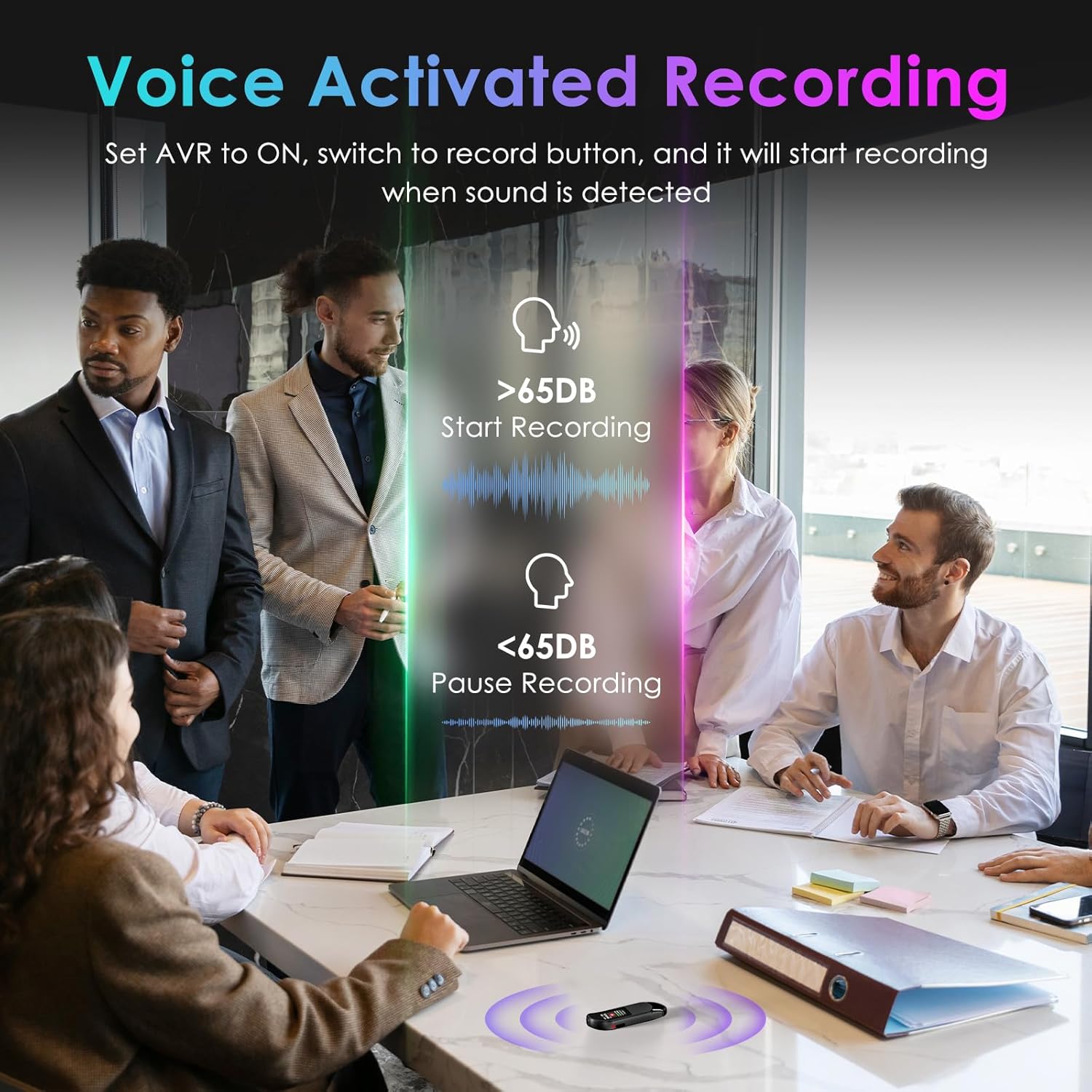
Image: A visual demonstrating voice-activated recording in a meeting, showing the device starting to record when sound is above 65dB and pausing when below.
4. פּלייַבאַקק
You can listen to your recordings directly from the device using headphones or by transferring files to a computer or Android phone.
- ניצן כעדפאָונז: Connect the included headphones to the 3.5mm jack. Use the control buttons (Vol+, Vol-, Previous, Next, Play/Pause/Confirm) on the headphone cable to navigate and play recordings.
- Connecting to Computer/Phone: אַריבערפירן files as described in the "File Management" section below.

Image: A diagram showing various playback methods: using wired headphones, connecting to a computer, and connecting to an Android phone. The image also illustrates the control buttons on the headphone cable for navigation.
5. שפּריכוואָרט פּראַטעקשאַן
To protect your recordings, you can set a 4-digit password.
- To set a password: Access the device's menu (long press the שפּיל / פּויזע / באַשטעטיקן button when not recording) and navigate to the "Password" settings. Follow the on-screen prompts to set your 4-digit code.
- Once enabled, the password will be required to access the device's files.

Image: A visual representation of the password protection feature, showing the device screen prompting for a 4-digit password.
6. File פאַרוואַלטונג און טראַנספער
Recordings are saved with timestamps for easy organization. You can transfer files to a computer (Windows/Mac) or an Android phone.
- Connect the device to your computer or Android phone using the supplied USB-C cable.
- The device will appear as a removable storage drive.
- You can then drag and drop recording files (MP3 or WAV format) to your desired location.
- באַמערקונג: This device is not compatible with iPhones for direct file אַריבערפירן.

Image: The Vandlion V11B connected to a laptop via USB-C, demonstrating file transfer and showing example filenames with timestamps.
וישאַלט
- האַלט דעם אַפּאַראַט טרוקן און אַוועק פון עקסטרעמע טעמפּעראַטורן.
- רייניקט דעם אַפּאַראַט מיט אַ ווייכן, טרוקענעם שטאָף. ניצט נישט קיין פליסיקע רייניגער.
- ויסמיידן דראַפּינג די מיטל אָדער אונטערטעניק צו שטאַרק ימפּאַקץ.
- Regularly back up your recordings to prevent data loss.
- If the device becomes unresponsive, use a small pin to press the באַשטעטיק קנעפּל.
טראָובלעשאָאָטינג
| פּראָבלעם | מעגלעך סיבה | לייזונג |
|---|---|---|
| די מיטל טוט נישט מאַכט אויף. | נידעריק באַטאַרייע. | לאָדט דעם אַפּאַראַט אויף לפּחות 1.5 שעה. |
| קענען ניט רעקאָרדירן. | Memory full; device frozen. | אַריבערפירן files to a computer to free up space. Press the RESET button. |
| נעבעך אַודיאָ קוואַליטעט. | Microphone obstructed; excessive background noise. | Ensure microphone is clear. Use AI Noise Reduction in appropriate environments. |
| קענען ניט אַריבערפירן files to iPhone. | Device is not compatible with iPhone for direct transfer. | אַריבערפירן files to a computer (Windows/Mac) or Android phone instead. |
| פארגעסן פּאַראָל. | פּאַראָל פאַרלוירן. | Contact customer support for assistance. A factory reset might be required, which will erase all data. |
ספּעסאַפאַקיישאַנז
| שטריך | דעטאַל |
|---|---|
| מאָדעל נומער | ווקסנומקסב |
| זכּרון סטאָרידזש קאַפּאַסיטי | 64 GB (up to 900 hours of recording) |
| רעקאָרדינג פֿאָרמאַט | mp3 אַודיאָ, וואַוו |
| אַודיאָ קוואַליטעט | 1536Kbps Crystal Audio |
| ראַש רעדוקציע | AI Noise Cancellation |
| באַטעריע לעבן (רעקאָרדירונג) | אַרויף צו 20 שעה |
| טשאַרדזשינג צייט | בעערעך. 1.5 שעה |
| קאַמפּאַטאַבאַל דעוויסעס | Personal Computer (Windows/Mac), Smartphone (Android) |
| ייַזנוואַרג צובינד | וסב טיפּ C |
| מיקראָפאָן פאָרם פאַקטאָר | געבויט-אין |
| כעדפאָונז דזשאַק | 3.5 מילאַמיטערז |
| פּראָדוקט דימענשאַנז | 0.39" טיף x 0.86" ברייט x 2.99" הויך (10 מ״מ x 22 מ״מ x 76 מ״מ) |
| פּונקט וואָג | 1.41 אונסעס (40 גראַמז) |
| קענטיק סקרין דיאַגאָנאַל | 1" / 3 ס״מ |
וואָראַנטי און שטיצן
Vandlion products are built for performance and durability. For warranty information or technical support, please refer to the contact details provided with your purchase or visit the official Vandlion webפּלאַץ.
For common issues, please consult the Troubleshooting section of this manual.
פאַבריקאַנט: וואַנדליאָן
וויכטיק נאָטעס
- Always ensure the device is fully charged before important recording sessions.
- Regularly transfer and back up your recordings to avoid data loss.
- The device does not have a built-in speaker; headphones or external playback devices are required to listen to recordings.


