1. הקדמה
The ATK VXE Dragonfly R1 Pro is a high-performance wireless gaming mouse designed for precision and comfort. Featuring an ultra-lightweight design, a PixArt PAW3395 sensor, and adjustable polling rates, it offers a responsive and reliable experience for gaming and productivity. This manual provides essential information for setting up, operating, maintaining, and troubleshooting your device.
2. פּעקל אינהאַלט
באַשטעטיקן אַז אַלע זאכן זענען פאַראַן אין דיין פּראָדוקט פּאַקאַדזשינג:
- ATK VXE Dragonfly R1 Pro Wireless Gaming Mouse
- 2.4G וויירלעס ריסיווער (USB דאָנגל)
- וסב-C צו וסב-א טשאַרדזשינג / דאַטאַ קאַבלע
- באַניצער מאַנואַל (דעם דאָקומענט)
ווידעא: ATK R1 Gaming Mouse Unboxing. This video demonstrates the unboxing process and shows the included accessories.

בילד: The ATK VXE Dragonfly R1 Pro mouse shown with its USB-C charging cable and 2.4G wireless receiver.
3. סעטאַפּ
3.1. אויפלאָדן די מויז
Before first use, it is recommended to fully charge the mouse. Connect the provided USB-C cable to the mouse's front port and the USB-A end to your computer or a USB power adapter. The mouse features a 500mAh battery, providing approximately 75 hours of continuous use at 1000Hz polling rate.
3.2. קאַנעקטינג די מאַוס
The R1 Pro supports dual-mode connectivity: 2.4G Wireless and Wired USB-C.
2.4G ווירעלעסס מאָדע:
- Locate the 2.4G wireless receiver (USB dongle) stored in the compartment on the underside of the mouse.
- Remove the receiver and plug it into an available USB port on your computer.
- Slide the power switch on the bottom of the mouse to the '2.4G' position.
- אייער קאָמפּיוטער זאָל אויטאָמאַטיש דעטעקטירן און זיך פֿאַרבינדן צו דער מויז.
ווייערד USB-C מאָדע:
- Connect the provided USB-C cable to the mouse's front port and the USB-A end to your computer.
- די מויז וועט זיך אויטאמאטיש איבערקערן צו ווייערד מאָדע און אָנהייבן טשאַרדזשינג.
בילד: The underside of the mouse, highlighting the power switch for connectivity modes and the DPI adjustment button.
4. אַפּערייטינג ינסטרוקטיאָנס
4.1. דפּי אַדזשאַסטמאַנט
The R1 Pro features a PixArt PAW3395 sensor with adjustable DPI up to 26,000. You can cycle through pre-set DPI levels using the dedicated DPI button on the bottom of the mouse. Default pre-set profiles typically include 400 DPI (Red), 800 DPI (Green - Default), 1600 DPI (Blue), and 3200 DPI (Purple).

בילד: Details of the PixArt PAW3395 sensor, showing DPI ranges and pre-set profiles.
4.2. שטימונג קורס אַדזשאַסטמענט
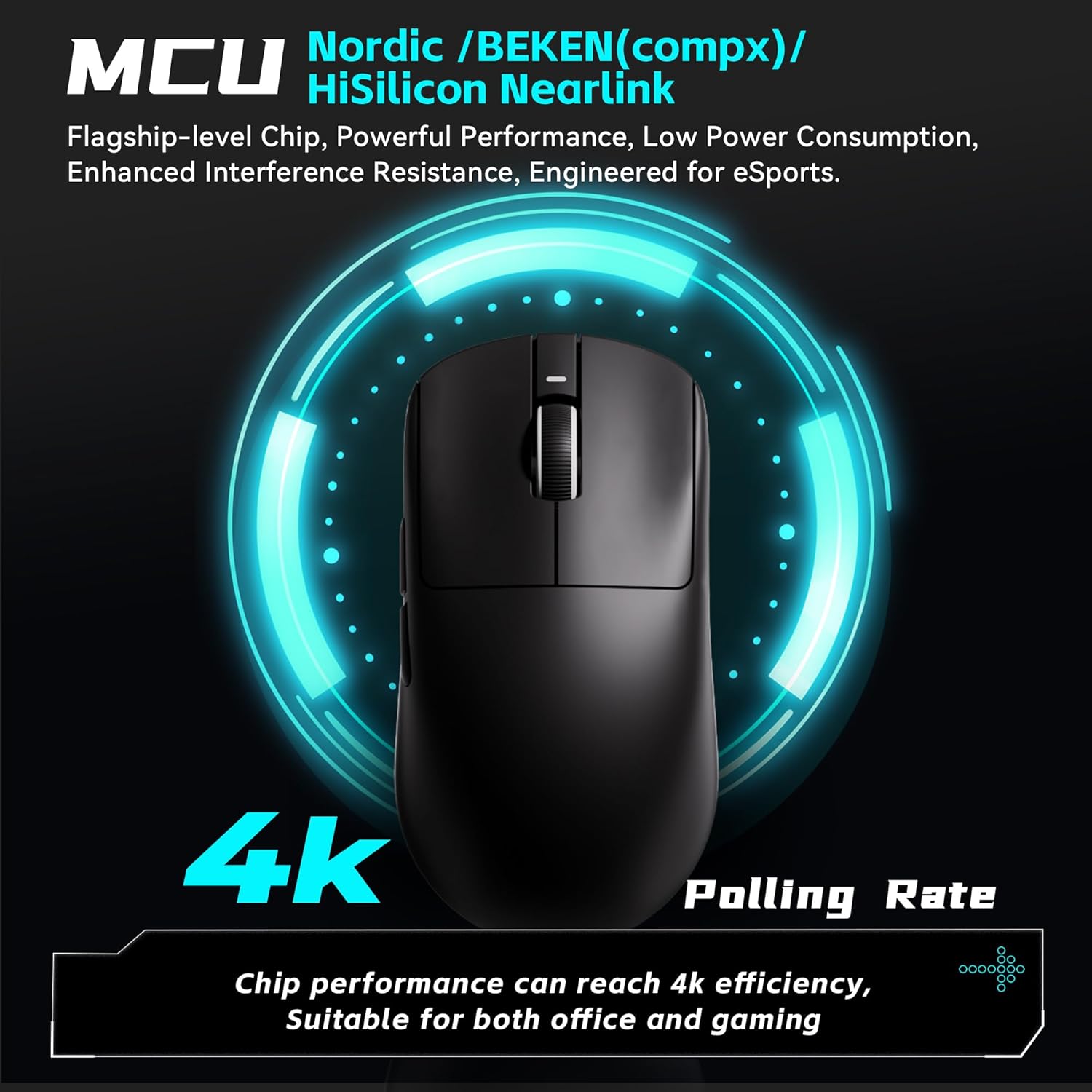
The R1 Pro supports adjustable polling rates from 125Hz to 4,000Hz. A 4K polling rate requires a separate 4K receiver (not included with the standard mouse package) for optimal performance. The polling rate can be adjusted via the ATK V HUB software.

בילד: Illustration of the mouse's 4K polling rate capability and the high-performance MCU.
4.3. פּראָגראַמירבאַרע קנעפּלעך
The R1 Pro features multiple programmable buttons (left click, right click, scroll wheel click, two side buttons). These buttons can be customized for various functions, macros, and key remapping using the ATK V HUB software. The software supports Windows 10 and above systems.

בילד: אַן עקסample of the ATK V HUB software interface for managing mouse settings.
5. וישאַלט
- רייניקונג: ניצט אַ ווייכע, טרוקענע שטאָף צו רייניקן די מויז. פֿאַרמייַדט ניצן שטרענגע כעמיקאַלן אָדער שרײַבנדיקע מאַטעריאַלן.
- סטאָרידזש: When not in use, store the mouse in a dry, cool place away from direct sunlight.
- באַטערי זאָרגן: כדי צו פארלענגערן די באַטעריע לעבן, זאָלט איר נישט אָפט אויסלאָדן די מויז גאָר. לאָדט זי אויף ווען דער אינדיקאַטאָר פֿאַר נידעריקע באַטעריע דערשיינט.
6. טראָובלעשאָאָטינג
- מויז ענטפערט נישט: Ensure the mouse is charged and the power switch is in the correct position (2.4G or Wired). Re-insert the USB receiver.
- פֿאַרהאַלטונג אָדער אָפּשטעל: Ensure the USB receiver is plugged into a direct USB port, not a hub. Move the mouse closer to the receiver. Check for interference from other wireless devices.
- DPI טוישט זיך נישט: Press the DPI button firmly. If using software, ensure settings are applied correctly.
- ווייכווארג דעטעקטירט נישט מויז: Ensure the mouse is connected and powered on. Reinstall the ATK V HUB software.
7. ספּעסאַפאַקיישאַנז
| שטריך | דעטאַל |
|---|---|
| פּראָדוקט דימענשאַנז | 4.72 X 2.51 X 0.1 אינטשעס |
| פּונקט וואָג | 1.69 אונסעס (בעערעך 48 ג) |
| מאָדעל נומער | ATK R1 Series |
| סענסאָר | פּיקסאַרט PAW3395 |
| DPI קייט | אַרויף צו 26,000 דפּי |
| פּאָללינג קורס | 125-4,000Hz (4K polling requires separate receiver) |
| קאַנעקטיוויטי טעכנאָלאָגיע | 2.4G Wireless, USB-C Wired |
| Battery Life (R1 Pro) | ~75 hours (at 1000Hz) |
| ספּעציעלע פֿעיִקייטן | Lightweight, Programmable Buttons, Rechargeable |
| פאַבריקאַנט | ATK |

בילד: A comprehensive table outlining the specifications for various models in the VXE Dragonfly R1 Series, including the R1 Pro.
8. וואָראַנטי און שטיצן
For warranty information and customer support, please refer to the official ATK webזייטל אדער קאָנטאַקט אייער הענדלער. האַלט אייער קויפן באַווייַז פֿאַר קיין וואָראַנטי קליימז.


