הקדמה
This user manual provides comprehensive instructions for the Bigme B6 Color E-reader. Please read this manual carefully before using the device to ensure proper operation and to maximize its features. Keep this manual for future reference.
פּראָדוקט איבערview
שליסל פֿעיִקייטן
- ווייַז: 6-inch color E-paper display (1448 x 1072 pixels) designed for an eye-friendly reading experience. Features blue light zero and flicker-free technology, certified by TÜV Rheinland for comfortable reading.
- זכּרון און סטאָרידזש: Equipped with 4GB RAM and 64GB internal storage, allowing for the storage of numerous e-books and documents.
- אַפּערייטינג סיסטעם: Runs on Android 14, providing access to a wide range of applications.
- פּראַסעסער: Features an Octa-core CPU for quick response and efficient performance.
- פּלאַן: Slim, compact, and lightweight black body for easy portability.
- פראָנט ליכט: 36-level adjustable front light for comfortable reading in various lighting conditions.
- קאַנעקטיוויטי: Supports Bluetooth and Wi-Fi for seamless data transfer and online access.
- File קאַמפּאַטאַבילאַטי: Supports over 19 e-book formats including PDF, TXT, EPUB, EPUB3, HTML, HTM, AZW3, FB2, DOC, DOCX, MOBI, OEB, CBR, RPC, RPC, RTF, DJVU, ZIP.
- Audiobook Support: Allows for audiobook playback.
פּעקל אינהאַלט
The Bigme B6 Color E-reader package includes the following items:
- Bigme B6 Color E-reader Main Unit
- פּראַטעקטיוו קאַסע
- באַניצער מאַנואַל (דעם דאָקומענט)

בילד: פאָרנט און הינטן view of the Bigme B6 Color E-reader. The device is black and features a slim design.

Image: Illustration of the Bigme B6 Color E-reader package contents, including the device, protective case, and user manual.
סעטאַפּ
ערשט אָפּצאָל
Before first use, fully charge your Bigme B6 E-reader. Connect the device to a power source using the provided USB cable. The charging indicator will show the charging status.
מאַכט אויף / אַוועק
- צו מאַכט אויף: Press and hold the power button located on the side/top of the device until the screen lights up.
- צו מאַכט אַוועק: Press and hold the power button until a power-off menu appears on the screen. Select "Power Off".
- צו שלאפן/אויפוואכן: דריק קורץ דעם מאַכט קנעפּל צו שטעלן דעם מיטל אין שלאָף מאָדע אָדער וועקן עס אויף.
ערשט סעטאַפּ וויזערד
Upon first power-on, the device will guide you through an initial setup wizard. This typically includes:
- שפּראַך סעלעקציע
- Wi-Fi נעץ קשר
- דאַטע און צייט סעטטינגס
- Account login (optional, for app stores or cloud services)
גיי די פּראַמפּס אויף דעם עקראַן צו פאַרענדיקן די סעטאַפּ.
אַפּערייטינג ינסטראַקשאַנז
נאַוויגאַציע און צובינד
The Bigme B6 features an intuitive touch interface. Navigate through menus and content by tapping, swiping, and pinching on the screen.
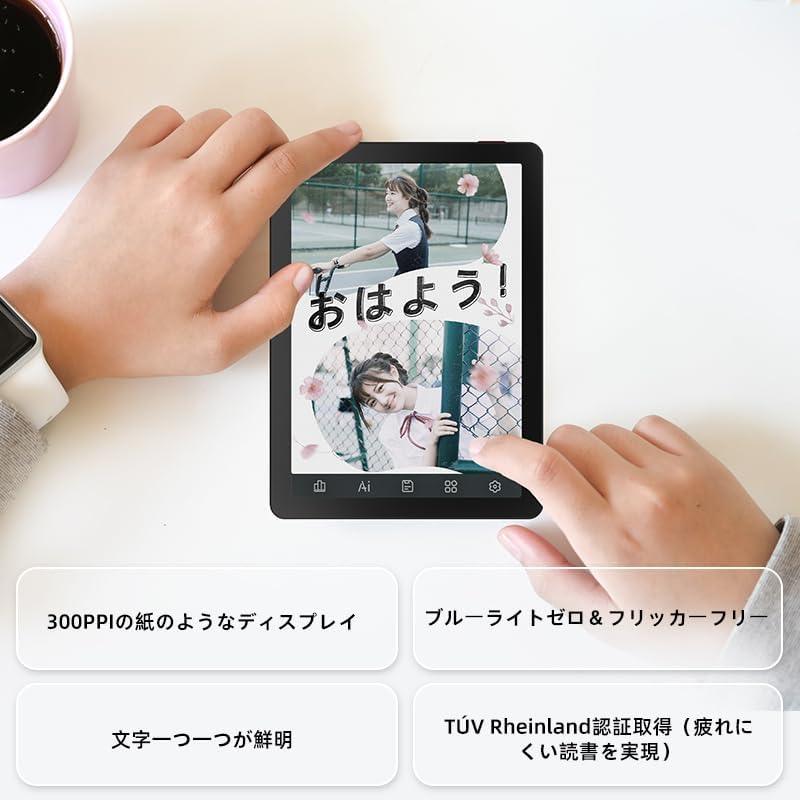
Image: A hand holding the Bigme B6 E-reader, highlighting its display features such as 300PPI, blue light zero, and clear text rendering.

Image: The Bigme B6 E-reader displaying its interface with customizable touch buttons at the bottom of the screen.
לייענען E- ביכער
- Opening Books: Tap on a book cover from your library to open it.
- Turning Pages: Tap the left or right side of the screen, or swipe horizontally, to turn pages.
- Adjusting Font/Light: Tap the center of the screen to bring up the reading menu. From here, you can adjust font size, font style, line spacing, and the 36-level front light.
- Highlighting and Notes: Press and hold on text to select it. Options for highlighting, adding notes, or looking up definitions will appear.
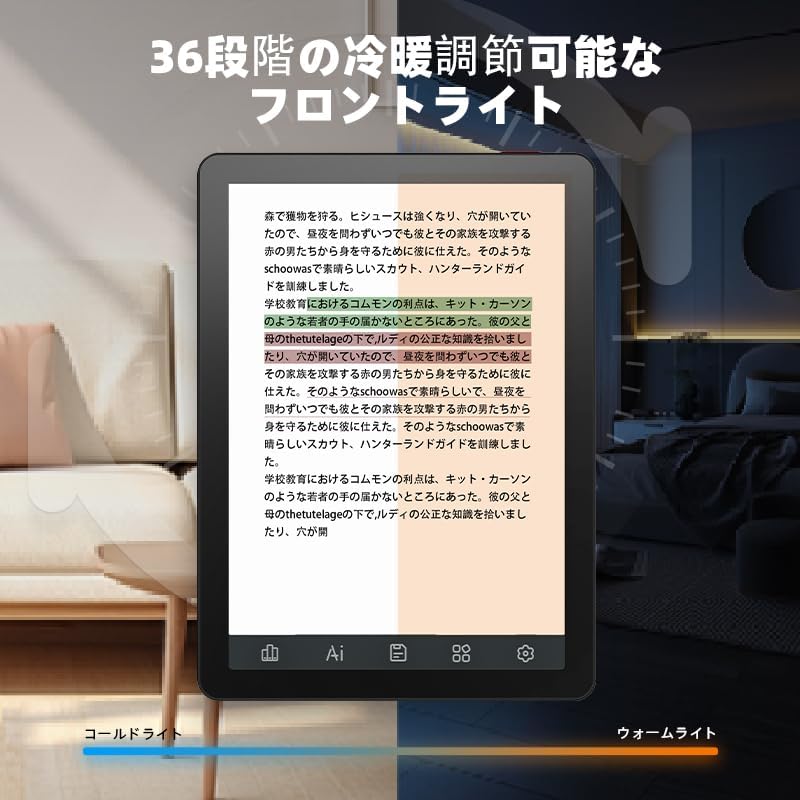
Image: The Bigme B6 E-reader displaying text with an illustration of adjustable front light levels, from cold light to warm light.

Image: The Bigme B6 E-reader displaying text with color elements, demonstrating the ability to read in color and highlight content.
Managing Your Library
The device supports various e-book formats, allowing you to expand your library without complex file קאַנווערזשאַנז.

Image: The Bigme B6 E-reader displaying its storage capacity of 4GB RAM and 64GB, indicating it can store tens of thousands of books.

Image: The Bigme B6 E-reader displaying a list of supported e-book formats, emphasizing its ability to expand the library without file קאַנווערזשאַן.
Connectivity and Data Transfer
- ווי-פי: Connect to Wi-Fi networks for downloading books, browsing the internet, and syncing data. Go to Settings > Wi-Fi to manage connections.
- בלועטאָאָטה: Pair with Bluetooth headphones or speakers for listening to audiobooks. Go to Settings > Bluetooth to manage devices.
- וסב אַריבערפירן: Connect the device to a computer using a USB cable to transfer files גלייַך.

Image: The Bigme B6 E-reader next to a pair of headphones, illustrating its audiobook functionality.

Image: The Bigme B6 E-reader shown alongside a laptop, demonstrating seamless data synchronization capabilities.
וישאַלט
רייניקונג די מיטל
- ניצן אַ ווייך, לינט-פריי שטאָף צו ריין די פאַרשטעלן און גוף פון די מיטל.
- Do not use abrasive cleaners, alcohol, or chemical solvents, as these can damage the screen or finish.
- Avoid spraying cleaners directly onto the screen. Apply to the cloth first.
סטאָרידזש
- האַלט דעם אַפּאַראַט אין אַ קיל, טרוקן אָרט, אַוועק פון דירעקט זונשייַן און עקסטרעמע טעמפּעראַטורן.
- When not in use for extended periods, ensure the device is charged to about 50% to preserve battery health.
ווייכווארג דערהייַנטיקונגען
Periodically check for software updates to ensure optimal performance and access to new features. Updates can usually be found in the device's settings menu under "System Update" or "About Device".
טראָובלעשאָאָטינג
פּראָסט ישוז און סאַלושאַנז
| אַרויסגעבן | מעגלעך סיבה | לייזונג |
|---|---|---|
| די מיטל איז נישט קער אויף | נידעריגע באַטאַרייע; סיסטעם קראַך | לאָדט אויף דעם מיטל פֿאַר לפּחות 30 מינוט. אויב עס רעאַגירט נאָך אַלץ נישט, מאַכט אַ געצוואונגענע ריסטאַרט דורך האַלטן דעם מאַכט קנעפּל פֿאַר 10-15 סעקונדעס. |
| די פאַרשטעלן איז ניט ריספּאַנדאַבאַל | צייטווייליגע ווייכווארג גליטש | Restart the device. Ensure the screen is clean and dry. |
| קענען ניט פאַרבינדן צו ווי-פי | Incorrect password; Router issue; Device Wi-Fi off | Double-check the Wi-Fi password. Restart your router. Toggle Wi-Fi off and on in device settings. |
| Books not appearing in library | Unsupported format; Incorrect file אָרט | Ensure the book format is supported (refer to specifications). Verify files are in the correct folder on the device. |
If you encounter issues not listed here or if the suggested solutions do not resolve the problem, please contact Bigme customer support.
ספּעסאַפאַקיישאַנז
| שטריך | דעטאַל |
|---|---|
| מאָדעל נאָמען | JP-B6 |
| ווייַז גרייס | 6 אינטשעס |
| ווייַז טעכנאָלאָגיע | E-Ink, Color E-paper |
| ווייַז האַכלאָטע | 1448 X 1072 בילדצעלן |
| באַראַן | 4 גיגאבייט |
| אינערלעכער סטאָרידזש | 64 גיגאבייט |
| אָפּערייטינג סיסטעם | אַנדרויד 14 |
| פּראַסעסער | Octa-core CPU (Mediatek) |
| קאַנעקטיוויטי | בלועטאָאָטה, ווי-פי |
| קאָליר | שוואַרץ |
| פּראָדוקט דימענשאַנז | 15.66 X 13.86 X 0.58 סענטימעטער |
| פּונקט וואָג | 215 גראַמז |
| אַרייַנגערעכנט קאַמפּאָונאַנץ | User Manual, Protective Case, E-reader main unit |
וואָראַנטי און שטיצן
For warranty information and customer support, please refer to the documentation included with your purchase or visit the official Bigme webזייטל. האַלט דיין קויפן באַווייַז פֿאַר וואָראַנטי קליימז.
אָנליין רעסורסן:
- Bigme Official Webפּלאַץ: www.bigme.com
- For further assistance, contact your retailer or the Bigme customer service team.


