1. הקדמה
Thank you for choosing the RORRY 5000mAh Portable Charger. This compact and versatile power bank is designed to keep your devices charged on the go, featuring built-in cables for various devices and an integrated Apple Watch charger. Its lightweight design and keychain attachment make it an ideal travel companion.
2. פּעקל אינהאַלט
- RORRY 5000mAh Portable Charger (Model T1-5000)
- USB-C to USB-C Charging Cable (for recharging the power bank)
- ינסטראַקשאַנז מאַנואַל
3. פּראָדוקט איבערview
Familiarize yourself with the features of your RORRY Portable Charger:
- Integrated Apple Watch Charger: Magnetic charging pad for Apple Watch.
- איינגעבויטע USB-C קאַבל: פֿאַר טשאַרדזשינג USB-C קאָמפּאַטיבלע דעוויסעס.
- געבויט-אין בליץ קאַבלע: For charging iPhone and AirPods.
- USB-C אריינגאנג/אויסגאנג פארט: For recharging the power bank and charging other devices.
- LED ינדיקאַטאָר לייץ: Display remaining battery capacity.
- Keychain Attachment: פֿאַר גרינג פּאָרטאַביליטי.

בילד: פראָנט view of the RORRY Portable Charger highlighting the built-in USB-C and Lightning cables, and the magnetic Apple Watch charging pad.
4. Setup: Recharging the Power Bank
Before first use, fully charge your RORRY Portable Charger.
- Locate the USB-C input/output port on the side of the power bank.
- Connect the provided USB-C to USB-C charging cable to this port.
- פֿאַרבינדט דעם אַנדערן עק פֿונעם קאַבל צו אַ קאָמפּאַטיבלע USB מאַכט אַדאַפּטער (נישט אַרייַנגערעכנט).
- די LED אינדיקאַטאָר ליכטלעך וועלן זיך אָנצינדן צו ווײַזן דעם טשאַרדזשינג פּראָגרעס. אַלע פֿיר ליכטלעך וועלן זײַן אָן אויפֿהאַלט ווען פֿולשטענדיק אָנגעלאָדן.
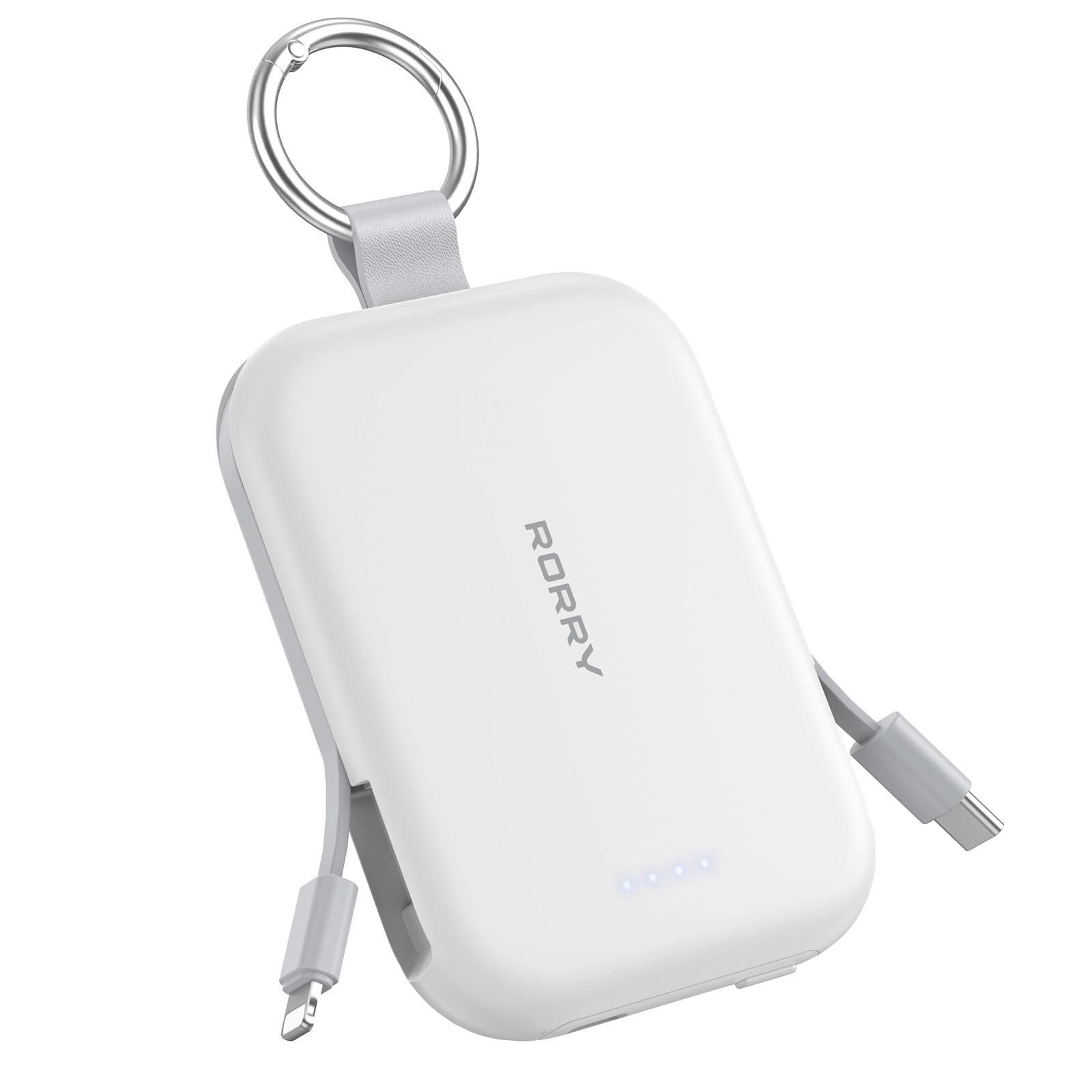
Image: The RORRY Portable Charger connected via its USB-C port to a charging cable, indicating the process of recharging the power bank itself.
5. אַפּערייטינג ינסטרוקטיאָנס
5.1. אויפלאָדן אייער עפּל וואַטש
- Press the power button on the side of the power bank to activate it.
- Place your Apple Watch onto the magnetic charging pad on the top surface of the power bank.
- Ensure the watch is properly aligned for charging to begin. The watch screen will indicate charging status.

Image: An Apple Watch placed on the magnetic charging pad of the RORRY Portable Charger, showing it is actively charging.
5.2. Charging iPhone and AirPods (Lightning)
- Gently pull out the built-in Lightning cable from the side of the power bank.
- Connect the Lightning connector to your iPhone or AirPods charging case.
- די דעווייס וועט אָנהייבן אויטאָמאַטיש אָפּלאָדן.

Image: The RORRY Portable Charger using its built-in Lightning cable to charge an iPhone, demonstrating its direct connectivity.
5.3. Charging USB-C Devices
- Gently pull out the built-in USB-C cable from the side of the power bank.
- Connect the USB-C connector to your compatible device (e.g., Android phone, tablet, Nintendo Switch).
- די דעווייס וועט אָנהייבן אויטאָמאַטיש אָפּלאָדן.

Image: The RORRY Portable Charger utilizing its built-in USB-C cable to charge a compatible device, showcasinג זיין ווערסאַטילאַטי.
5.4. גלייכצייטיגע אויפלאדונג
The RORRY Portable Charger supports charging up to three devices simultaneously using its built-in cables and Apple Watch charging pad.

Image: A RORRY Portable Charger connected to an iPhone via Lightning cable, AirPods via USB-C cable, and an Apple Watch on its magnetic pad, all charging at the same time.
6. זיכערקייַט אינפֿאָרמאַציע
Your RORRY Portable Charger is equipped with multiple safeguards to ensure safe and reliable operation:
- אָוווערכיטינג שוץ: Prevents the device from reaching excessive temperatures.
- אָווערקוררענט שוץ: Guards against excessive electrical current flow.
- אָווערוואָלtagE שוץ: באַשיצט קעגן וואָלtage סערגעס.
- קורץ קרייַז שוץ: אויטאָמאַטיש שליסט זיך אויס אין פאַל פון אַ קורץ קרייַז.
Always use the charger in a well-ventilated area and avoid exposing it to extreme temperatures or moisture.
7. ספּעסאַפאַקיישאַנז
| שטריך | דעטאַל |
|---|---|
| פּראָדוקט דימענשאַנז | 3.86 X 2.85 X 0.65 אינטשעס |
| פּונקט וואָג | 4.5 אונסעס |
| נומער מאָדעל נומער | T1-5000 |
| באַטאַרייע קאַפּאַציטעט | 5000 מיליamp שעהן |
| באַטערי טיפּ | 1 ליטהיום יאָן באַטאַרייע (אַרייַנגערעכנט) |
| קאַנעקטער טיפּ | USB Type C (for input/output) |
| ספּעציעלע פֿעיִקייטן | Built-in Cables (USB-C, Lightning), LED Indicator Lights, Pocket Size, Slim, Apple Watch Charger |
| פאַבריקאַנט | שענזשען Xianyang יננאָוואַטיאָן טעכנאָלאָגיע קאָו, לטד |
8. וישאַלט
- Keep the power bank clean and dry. Use a soft, dry cloth for cleaning.
- ויסמיידן דראַפּינג אָדער אונטערטעניק די מיטל צו שטאַרק ימפּאַקץ.
- Store in a cool, dry place away from direct sunlight and high temperatures.
- דו זאלסט נישט פּרווון צו דיסאַסעמבאַל אָדער מאָדיפיצירן די מאַכט באַנק.
9. טראָובלעשאָאָטינג
- מיטל ניט טשאַרדזשינג:
- זיכער מאַכן אַז די פּאַוער באַנק איז גענוג אויפגעלאָדן (קאָנטראָלירט די LED אינדיקאַטאָרן).
- דרוק די מאַכט קנעפּל צו אַקטאַווייט די מאַכט באַנק.
- Verify that the cables are securely connected to both the power bank and your device.
- For Apple Watch, ensure proper alignment on the magnetic pad.
- פּאַוער באַנק לאָדט זיך נישט אויף:
- Ensure the USB-C cable is correctly connected to the power bank's input port and a working power adapter.
- פּרוּווט אַן אַנדערן USB מאַכט אַדאַפּטער אָדער וואַנט אַוטלעט.
10. וואָראַנטי & שטיצן
RORRY products are designed for reliability and performance. For any questions, technical support, or warranty claims, please contact RORRY DIRECT customer service.
- נאָך-פארקויפונג סערוויס: 7X24H support available.
- Exchange Service: 30-Day Exchange Service.
- Care Plan: 12-Months Care Plan.
Contact information can typically be found on the product packaging or the official RORRY webפּלאַץ.

Image: RORRY customer service details, including 7x24H After-sales Service, 30-Day Exchange Service, and 12-Months Care Plan.
11. אפיציעלע פּראָדוקט ווידעאָס
Watch this official video from RORRY DIRECT for more information on your portable charger:
RORRY Portable Charger, 5000mAh Portable Charger Power Bank
ווידעא: אן איבערview of the RORRY 5000mAh Portable Charger, demonstrating its features and usage. This video is provided by RORRY DIRECT.


