1. הקדמה
The CUBOT Kingkong 11 is a rugged 5G smartphone designed for durability and high performance. It features a powerful processor, extensive memory, a large battery, and an advanced camera system, all housed in a robust, water-resistant, and dustproof body.
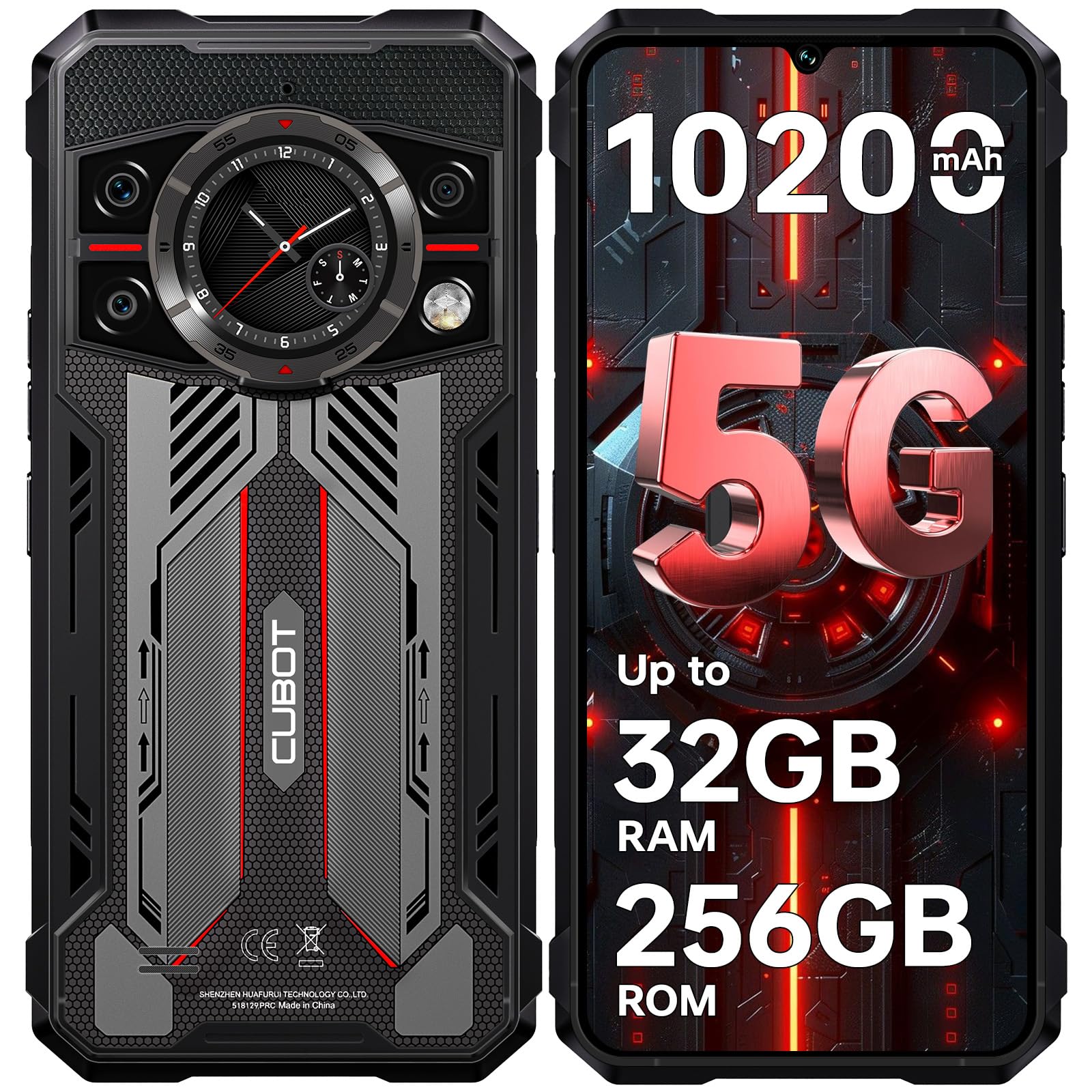
בילד: פאָרנט און הינטן view of the CUBOT Kingkong 11 5G smartphone, highlighting its rugged design.
2. ערשט סעטאַפּ
2.1. אריינשטעלן סים קארטלעך און מיקראָסד קארטל
The CUBOT Kingkong 11 supports dual SIM cards and a MicroSD card for expanded storage.
- געפינט די סים קארטל טאַץ אויף דער זייט פון דעם מיטל.
- ניצט דעם צוגעשטעלטן סים ארויסווארפער געצייג צו עפענען דעם טאץ.
- Carefully place your Nano-SIM cards and/or MicroSD card into the designated slots. Ensure correct orientation.
- שטופּ אָפּ דעם טאַץ צוריק אין דעם אַפּאַראַט ביז עס איז גלייך מיט דער זייט.

Image: Close-up of the CUBOT Kingkong 11 showing the SIM card tray with waterproof seals.
2.2. אײַנצושאַלטן און ערשטע אויפֿלאָדן
- Press and hold the power button located on the side of the device until the CUBOT logo appears.
- For first-time use, it is recommended to fully charge the device. Connect the USB-C cable to the phone and the 33W fast charger to a power outlet.
- דער באַטעריע אינדיקאַטאָר אויפן עקראַן וועט ווײַזן דעם טשאַרדזשינג סטאַטוס.

Image: Illustration of the 10200mAh battery capacity and 33W fast charging capability of the CUBOT Kingkong 11.
2.3. ווייכווארג קאָנפיגוראַטיאָן
Follow the on-screen prompts to complete the initial setup, including language selection, Wi-Fi connection, Google account login, and security settings (Face ID/Fingerprint).
3. אָפּעראַציע
3.1. אַנדרויד 15 אָפּערייטינג סיסטעם
The CUBOT Kingkong 11 runs on Android 15, offering an intuitive user interface and enhanced features. Navigate through apps, customize settings, and utilize smart functions for an optimized experience.

Image: Screenshot of the Android 15 operating system interface on the CUBOT Kingkong 11.
3.2. Main Display (6.72" FHD+ 120Hz)
The 6.72-inch FHD+ display provides vibrant visuals with a 120Hz refresh rate for smooth scrolling and gaming. The 1080x2400 resolution ensures clear and detailed content viewing.

Image: Visual representation of the 6.72-inch FHD+ display with 120Hz refresh rate on the CUBOT Kingkong 11.
3.3. Rear Smart Display (1.46")
The 1.46-inch rear smart display provides quick access to essential information such as time, notifications, battery status, and compass without activating the main screen. This feature is useful for quick glances during activities.

Image: The 1.46-inch rear smart display of the CUBOT Kingkong 11, showing widgets for clock, camera, music, battery, calls, compass, and alarm.
3.4. קאַמעראַ סיסטעם
די דעווייס האט אַ ווערסאַטאַל קוואַד-קאַמעראַ סיסטעם:
- 108MP הויפּט קאַמעראַ: Captures high-resolution photos with impressive detail.
- 32MP פראָנט קאַמעראַ: For high-definition selfies and video calls.
- 24MP נאַכט זעאונג קאַמעראַ: Equipped with infrared LEDs for clear imaging in complete darkness.
- 8MP מאַקראָ לינז: Allows for close-up photography, capturing intricate details of small subjects.

בילד: איבערview of the CUBOT Kingkong 11's quad-camera system, including the 108MP main, 32MP front, 24MP night vision, and 8MP macro lenses, with exampדי פאָטאָס.
3.5. קאָנעקטיוויטי און נאַוויגאַציע
The Kingkong 11 supports 5G full-band connectivity for fast data speeds. It includes NFC for contactless payments and data transfer, and a quadruple positioning system (GPS+GLONASS+BeiDou+Galileo) for accurate navigation.

Image: Graphic illustrating the CUBOT Kingkong 11's 5G ultra-fast global coverage and connectivity features.
4. וישאַלט
4.1. האַרטקייט און שוץ
The CUBOT Kingkong 11 is certified with IP68/IP69K for dust and water resistance, and MIL-STD-810H for shock resistance. It can withstand submersion in water up to 5 meters for 30 minutes.
- וואַסער קעגנשטעל: Ensure all ports (USB-C, SIM tray) are properly sealed before exposing the device to water. After exposure to water, dry the device thoroughly before charging.
- שטויב קעגנשטעל: The device is designed to prevent dust ingress. Clean any accumulated dust from ports and crevices using a soft, dry brush.
- קלאַפּ קעגנשטעל: While rugged, avoid intentional drops or impacts from extreme heights to preserve the device's integrity.

Image: Visual representation of the CUBOT Kingkong 11's IP68, IP69K, and MIL-STD-810H certifications for water, dust, and shock resistance.
4.2. רייניקונג
Use a soft, lint-free cloth to clean the screen and body of the phone. For stubborn smudges, a slightly damp שטאָף קען גענוצט ווערן, און דערנאָך זאָל עס גלייך טרוקנט ווערן.
5. טראָובלעשאָאָטינג
5.1. דיווייס גייט נישט אן
- זיכער מאַכן אַז די באַטאַרייע איז אויפגעלאָדן. פֿאַרבינדט דעם טשאַרדזשער און וואַרט אַ פּאָר מינוט איידער איר פּרוּווט ווידער אָנצוצינדן.
- דריק און האלט דעם מאַכט קנעפּל פֿאַר לפּחות 10-15 סעקונדעס צו דורכפירן אַ געצוואונגענע ריסטאַרט.
5.2. Poor Performance/Lag
- נאָענט ומנייטיק הינטערגרונט אַפּלאַקיישאַנז.
- ויסמעקן קאַש דאַטן פֿאַר אָפט גענוצטע אַפּפּס.
- Ensure sufficient storage space is available. Consider moving large files to the MicroSD card or cloud storage.
- ריסטאַרט דעם מיטל פּעריִאָדיש.
5.3. פּראָבלעמען מיטן אויפלאָדן
- באַשטעטיקן אַז דער טשאַרדזשינג קאַבל און אַדאַפּטער זענען זיכער פארבונדן און נישט געשעדיגט.
- Try using a different compatible charger and cable.
- Check the USB-C port for any debris or obstruction.
5.4. נעץ קאָנעקטיוויטי פּראָבלעמען
- Ensure SIM cards are correctly inserted and activated.
- Check network settings (e.g., APN settings) with your service provider.
- אַקטיווירן און אויסלעשן די עראָפּלאַן מאָדע.
- ריסטאַרט די מיטל.
6. ספּעסאַפאַקיישאַנז
| שטריך | דעטאַל |
|---|---|
| סאָרט | קובאָט |
| מאָדעל | קובאָט קינגקאָנג 11 |
| אָפּערייטינג סיסטעם | אַנדרויד 15 |
| פּראַסעסער | 5G Dimensity 7025 Octa-Core |
| באַראַן | Up to 32 GB (16 GB physical + 16 GB extended) |
| אינערלעכער סטאָרידזש | 256 גיגאבייט |
| יקספּאַנדאַבאַל סטאָרידזש | Up to 1 TB via MicroSD card |
| הויפּט ווייַז | 6.72 inches FHD+ (1080x2400), 120Hz refresh rate, 450 nits brightness |
| דערציען ווייַז | 1.46 inches Smart Display |
| הויפּט אַפּאַראַט | 108 מפּ |
| פראָנט אַפּאַראַט | 32 מפּ |
| נאַכט וויזשאַן קאַמעראַ | 24 MP with IR LED |
| מאַקראָו לענס | 8 מפּ |
| באַטאַרייע קאַפּאַציטעט | 10200 מאַה |
| טשאַרדזשינג | 33 וואט שנעלע טשאַרדזשינג, OTG פאַרקערטע טשאַרדזשינג |
| קאַנעקטיוויטי | 5G, NFC, Dual SIM |
| נאַוויגאַציע | GPS + GLONASS + BeiDou + Galileo |
| געווער | IP68/IP69K, MIL-STD-810H (Water resistant up to 5m for 30 min) |
| זיכערהייַט | פּנים אידענטיפיקאַציע, פינגערפּרינט סענסאָר |
| דימענשאַנז | 22.4 x 17.3 x 4.2 ס״מ (פּאַקעט) |
| וואָג | 700 ג (פּאַקעט) |

Image: Energy label for the CUBOT Kingkong 11, showing battery life and durability ratings. View EPREL פּראָדוקט אינפֿאָרמאַציע בלאַט
7. וואָראַנטי און שטיצן
CUBOT offers a comprehensive support package for the Kingkong 11:
- קערט: אָן קיין פּראָבלעמען צוריקגעבן אין 30 טעג פון קויפן.
- וואָראַנטי: A two-year warranty covers manufacturing defects.
- טעכניש שטיצן: Long-term technical assistance is available.
- קונה סערוויס: 24/7 online customer service is provided for any inquiries during your ownership.
For assistance, please contact CUBOT customer service through their official channels.


