1. הקדמה
This manual provides essential information for the proper use and maintenance of your XIAOMI Redmi 15 5G smartphone. Please read this guide thoroughly before operating your device to ensure optimal performance and longevity. The Redmi 15 5G is designed for reliable daily use, featuring a large display, powerful battery, and advanced camera system.
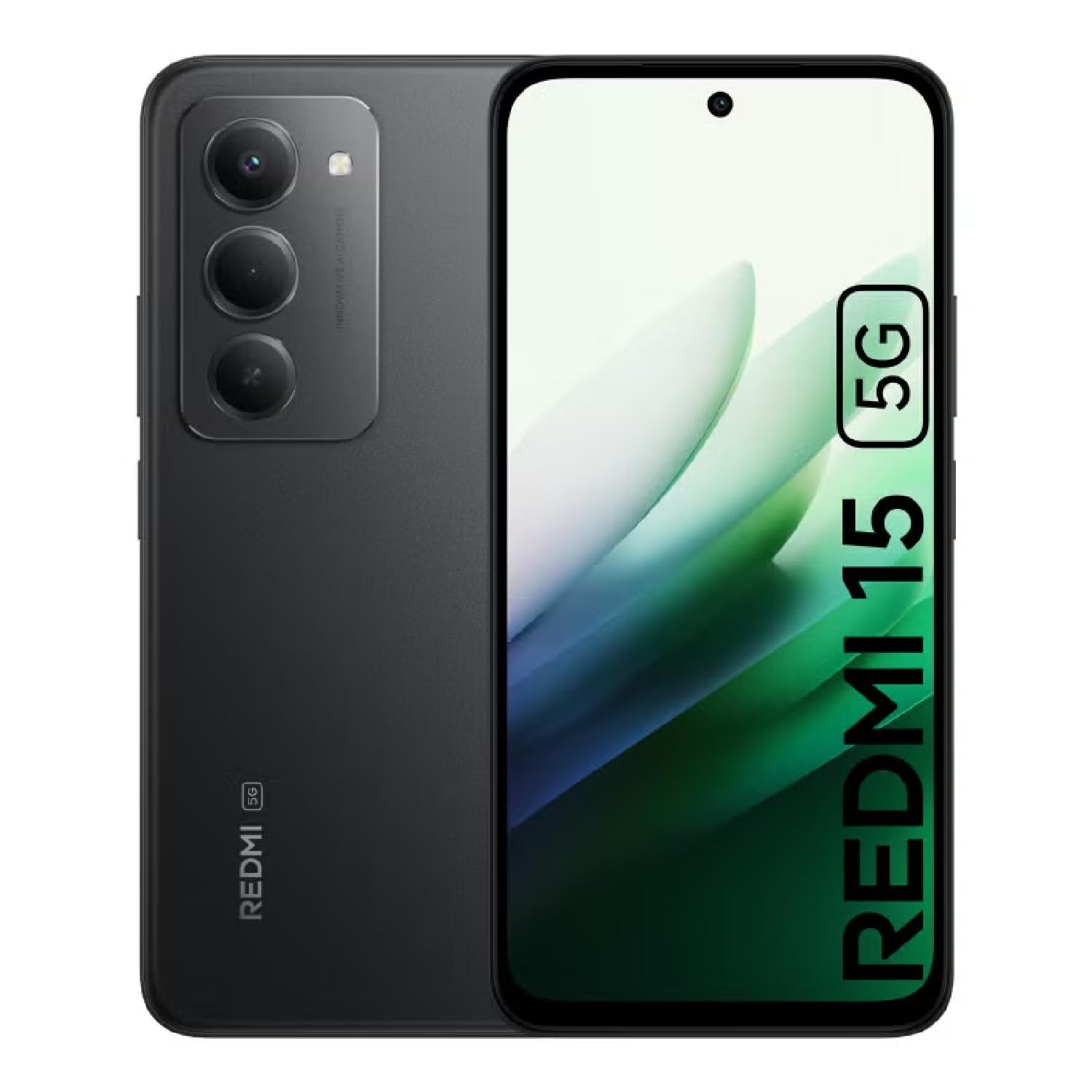
Image: The XIAOMI Redmi 15 5G smartphone, showcasing its design in multiple color options.
2. וואָס איז אין דער קעסטל
- XIAOMI Redmi 15 5G Smartphone
- וסב קאַבלע
- טעלעפאָנירן קאַסע
- SIM Ejector Tool (may be included with documentation)
- שנעל אָנהייב גייד און וואָראַנטי אינפֿאָרמאַציע
3. סעטאַפּ
3.1. סים קאַרטל און מיקראָסד קאַרטל ינסטאַלירונג
- געפינט די סים טאַץ אויף דער זייט פון אייער דעווייס.
- שטעקט אריין דעם סים אויסווארף געצייג אין דעם קליינעם לאך לעבן דעם טרעי און דריקט לײַכט ביז דער טרעי קומט ארויס.
- Place your Nano-SIM card(s) and/or microSD card into the tray, ensuring they are correctly oriented. The Redmi 15 5G supports a hybrid SIM slot (SIM1 + SIM2 or SIM1 + microSD).
- פֿאָרזיכטיק צוריקשטעלן דעם טאַץ אין דעם טעלעפֿאָן.
3.2. ערשטע איינשאַלטונג און קאָנפיגוראַציע
- Press and hold the Power button until the XIAOMI logo appears.
- פֿאָלגט די אינסטרוקציעס אויף דעם עקראַן צו אויסקלײַבן אײַער שפּראַך, ראַיאָן און זיך פֿאַרבינדן צו אַ Wi-Fi נעץ.
- Sign in with your Google account or create a new one to access apps and services.
- Set up your preferred security methods, such as a PIN, pattern, password, fingerprint, or AI face unlock.
4. אַפּערייטינג ינסטרוקטיאָנס
4.1. ווייַז פֿעיִקייטן
The Redmi 15 5G features an immersive 6.9-inch FHD+ DotDisplay with a resolution of 2340 × 1080 pixels (374 PPI). Enjoy smooth visuals with a refresh rate of up to 144Hz and a touch sampling rate of up to 288Hz. The display offers a typical brightness of 700 nits (850 nits HBM) and a contrast ratio of 1400:1. It includes an all-day eye-care display with DC dimming and TÜV Rheinland certifications for low blue light, circadian friendly, and flicker-free viewing. The Wet Touch Technology 2.0 ensures accurate touch response even with wet fingers.
4.2. קאַמעראַ סיסטעם
Capture high-quality photos and videos with the 50MP AI dual camera system. The main camera features a 5P lens with an f/1.8 aperture. Video recording supports 1080p (1920x1080) HD at 30 fps and 720p (1280x720) HD at 30 fps. The 8MP front camera (f/2 aperture) is ideal for selfies and video calls, offering features like filmCamera, HDR mode, soft-light ring, portrait mode, and time-lapse. Front camera video recording also supports 1080p and 720p HD at 30 fps.

בילד: דעטאַלירט view of the Redmi 15 5G's rear camera system.
4.3. פאָרשטעלונג און באַטאַרייע
Powered by the Snapdragon® 6s Gen 3 5G Mobile Platform, built on an efficient 6nm process, the device offers smooth and reliable performance. The octa-core CPU (Kryo, up to 2.3GHz) and Adreno GPU ensure efficient multitasking and gaming. The phone comes with 8GB of RAM, expandable up to 16GB with Memory extension (utilizing ROM storage). A massive 7000mAh (typical) battery provides extended usage, offering up to 24 hours of talk time.
4.4. קאָנעקטיוויטי און זיכערהייט
The Redmi 15 5G supports 5G connectivity (SA and NSA bands), 4G LTE, and 3G/2G networks. It includes NFC for contactless payments and data transfer, Wi-Fi for internet access, and comprehensive GPS support (GPS, Glonass, Galileo, Beidou). Security features include a side-mounted fingerprint sensor and AI face unlock for convenient and secure access.
5. וישאַלט
- רייניקונג: ניצט אַ ווייכע, לינט-פֿרייע שטאָף צו רייניקן דעם עקראַן און קערפּער. פֿאַרמייַדט שטרענגע כעמיקאַלן.
- ווייכווארג דערהייַנטיקונגען: קאָנטראָלירט און אינסטאַלירט רעגולער סיסטעם דערהייַנטיקונגען צו ענשור אָפּטימאַלע פאָרשטעלונג, זיכערהייט און צוטריט צו נייַע פֿעיִקייטן.
- באַטערי זאָרגן: כדי צו פארלענגערן די לעבן פון די באַטעריע, זאָלט איר אויסמיידן עקסטרעמע טעמפּעראַטורן און נישט לאָזן די באַטעריע גאָר אויסליידיקן אָפט.
- סטאָרידזש פאַרוואַלטונג: פּעריִאָדיש אויסמעקן נישט-נייטיקע files and apps to maintain device speed and free up storage space.
6. טראָובלעשאָאָטינג
- מיטל נישט פּאַוערינג אויף: זיכער מאַכן אַז די באַטאַרייע איז אויפגעלאָדן. פֿאַרבינדט דעם מיטל צו זײַן טשאַרדזשער און וואַרט אַ פּאָר מינוט איידער איר פּרוּווט עס ווידער אָנצוצינדן.
- Apps Freezing or Lagging: Close background applications. Clear app cache or data if the issue persists with a specific app. Restarting the device can also resolve temporary performance issues.
- שלעכטע נעץ קאָנעקטיוויטי: Check if your SIM card is properly inserted. Ensure mobile data is enabled and you are within network coverage. For Wi-Fi issues, restart your router and phone.
- די באַטאַרייע איז געשווינד ויסגעשעפּט: Reduce screen brightness, disable unnecessary features like GPS or Bluetooth when not in use, and close power-intensive background apps.
- פינגערפּרינט סענסאָר אַרבעט נישט: Ensure your finger is clean and dry. Re-register your fingerprints if the issue persists.
7. ספּעסאַפאַקיישאַנז
| שטריך | באַשרייַבונג |
|---|---|
| מאָדעל נאָמען | 25057RN09E |
| ווייַז גרייס | 6.9 אינטשעס |
| האַכלאָטע | 2340 X 1080 |
| דערפרישן קורס | 144 הז |
| פּראַסעסער | Snapdragon 6s Gen 3 Mobile Platform (Octa-core, up to 2.3GHz) |
| באַראַן | 8 GB (expandable up to 16GB with Memory extension) |
| סטאָרידזש קאַפּאַסיטי | 256 גיגאבייט (אויסברייטבאר ביז 2 טב מיט מיקראָסד) |
| הויפּט אַפּאַראַט | 50 MP AI Dual Camera |
| פראָנט אַפּאַראַט | 8 מפּ |
| באַטאַרייע קאַפּאַציטעט | 7000 מאַה |
| אָפּערייטינג סיסטעם | קסיאַאָמי היפּעראָס באַזירט אויף אַנדרויד 15 |
| קאַנעקטיוויטי | 5G, Wi-Fi, NFC, GPS |
| זיכערהייַט | זייט פינגערפּרינט סענסאָר, קינסטלעכע אינטעליגענץ פּנים ופשליסן |
| דימענשאַנז | 6.74 X 3.23 X 0.34 אינטשעס |
| וואָג | 7.9 אונסעס (224 גראַם) |
8. וואָראַנטי און שטיצן
For warranty information, please refer to the warranty card included in your product packaging or visit the official XIAOMI website. If you encounter any issues not covered in this manual, please contact XIAOMI customer support for assistance. Keep your proof of purchase for warranty claims.


