1. הקדמה
Thank you for choosing the Tacens AEROSLIM500 MicroATX PC Case. This slim mini-tower is designed for efficient and compact PC builds, supporting MicroATX and Mini-ITX motherboards. It features optimized airflow, an integrated 500W TFX power supply, and modern connectivity. This manual provides essential information for safe installation, operation, and maintenance of your new PC case.
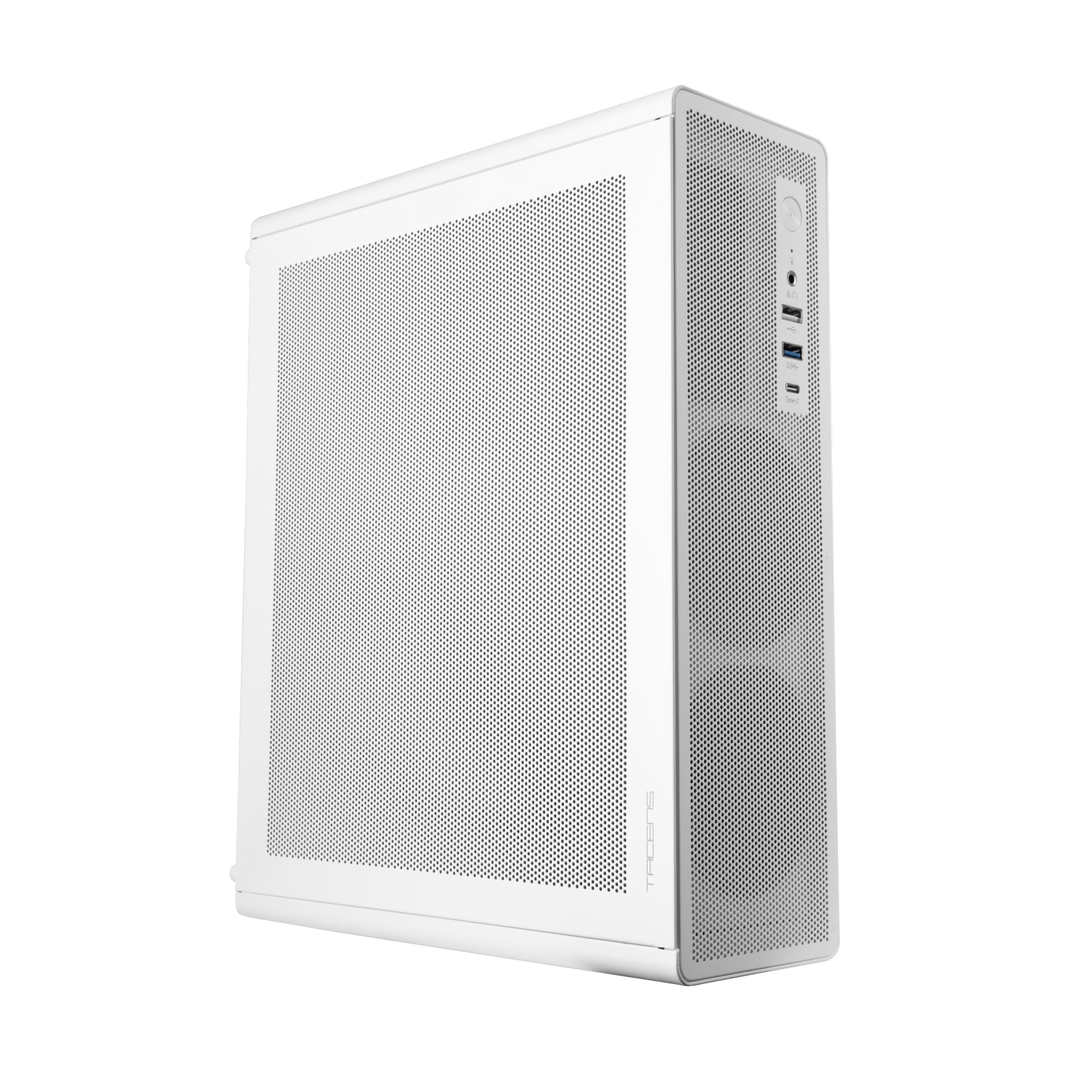
Figure 1: Tacens AEROSLIM500 MicroATX PC Case (Overall View)
2. זיכערקייַט אינפֿאָרמאַציע
Please read and follow these safety guidelines to prevent damage to the product or injury to yourself.
- מאַכט דיסקאַנעקשאַן: Always disconnect the power cable from the wall outlet before opening the case or performing any installation/maintenance.
- סטאַטיק עלעקטרע: Discharge static electricity from your body before handling internal components. Use an anti-static wrist strap if available.
- Sharp Edges: Be cautious of sharp edges inside the case during installation.
- ווענטילאַטיאָן: Ensure proper ventilation around the case. Do not block air vents.
- פליסיק און מויסטשער: Keep the case away from liquids and excessive moisture.
- פאַכמאַן ינסטאַלירונג: אויב איר זענט נישט זיכער וועגן קיין איינע פון די אינסטאַלאַציע טריט, זוכט הילף פון אַ קוואַליפֿיצירטן טעכניקער.
3. פּעקל אינהאַלט
באַשטעטיקט אַז אַלע זאכן זענען פאַראַן אין אייער פּעקל. אויב עפּעס פעלן אָדער זענען געשעדיגט, קאָנטאַקטירט אייער הענדלער.
- Tacens AEROSLIM500 MicroATX PC Case with integrated 500W TFX Power Supply
- Pre-installed 90mm FDB Front Fan
- Accessory kit (screws, standoffs, cable ties)
- באַניצער מאַנואַל (דעם דאָקומענט)
4. פּראָדוקט פֿעיִקייטן
The Tacens AEROSLIM500 PC case offers a range of features for a compact and efficient build:
- Integrated TFX 500W Power Supply: Ensures stable and efficient power delivery for your components.
- אַוואַנסירטע קאָאָלינג: Front and side ultra-fine mesh panels provide constant airflow and act as a dust barrier.
- Pre-installed Front Fan: Includes a 90mm FDB (Fluid Dynamic Bearing) fan for optimal cooling. Supports up to two 90mm front fans.
- Optimized Internal Space: Compatible with MicroATX (up to 210mm wide) and Mini-ITX motherboards.
- גפּו שטיצן: Accommodates low-profile GPUs up to 220mm long and 63mm wide.
- סטאָרידזש אָפּציעס: Features 5 x 2.5" SSD drive bays.
- יקספּאַנשאַן סלאָץ: Provides 3 expansion slots for MicroATX or 1-2 for Mini-ITX configurations.
- גאַנץ קאַנעקטיוויטי: Front panel includes USB-C, USB 3.0, USB 2.0 ports, and HD audio/microphone jacks.
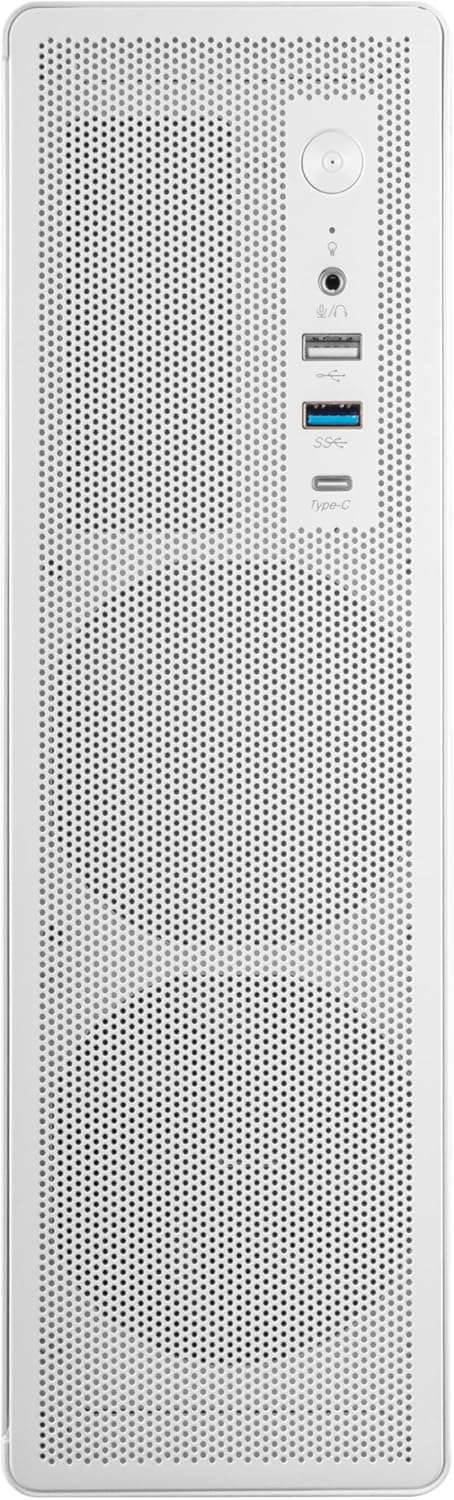
פיגור 2: פראָנט פּאַנעל קאָנעקטיוויטי

פיגורע 3: דעטאַילעד View of Front I/O Ports
5. סעטאַפּ און ייַנמאָנטירונג
Follow these steps to install your components into the Tacens AEROSLIM500 PC case. Ensure the system is powered off and unplugged before beginning.
5.1. עפענען דעם קעיס
- שטעלט דעם קעסטל אויף א פלאַכער, סטאַבילער ייבערפלאַך.
- Locate the thumbscrews or standard screws on the rear panel securing the side panel(s).
- Remove the screws and carefully slide the side panel(s) backward, then lift them off.

Figure 4: Case Interior View with Pre-installed Fan
5.2. מאָטהערבאָאַרד ינסטאַללאַטיאָן
- Install the CPU, CPU cooler (ensure it fits within the 73mm height limit), and RAM onto your MicroATX or Mini-ITX motherboard before placing it in the case.
- Align the motherboard with the pre-installed standoffs inside the case.
- באַפֿעסטיקן די מאַדערבאָרד מיט די פּאַסיקע שרויפֿן פֿון די אַקסעסאָרי קיט.

Figure 5: Motherboard Mounting Area
5.3. Storage Device Installation (2.5" SSD/HDD)
- Locate the 2.5" drive bays/mounting points. The case supports up to 5 x 2.5" drives.
- Secure your 2.5" SSDs or HDDs using the provided screws.
- Connect SATA data and power cables to the drives.

Figure 6: Power Supply and Drive Bay Area
5.4. עקספּאַנשאַן קאַרטל (GPU) ינסטאַלירונג
- אַראָפּנעמען די נייטיקע יקספּאַנשאַן סלאָט דעקל פון די הינטערשטע טייל פון די קעסטל.
- Carefully insert your low-profile GPU (max 220mm length, 63mm width) into the PCIe slot on the motherboard.
- Secure the expansion card with a screw.
5.5. Connecting Front Panel Cables
Connect the front panel cables (USB-C, USB 3.0, USB 2.0, HD Audio, Power Switch, Reset Switch, Power LED, HDD LED) to their corresponding headers on your motherboard. Refer to your motherboard manual for exact header locations.
5.6. קאַבלע מאַנאַגעמענט
Route cables neatly to improve airflow and aesthetics. Use the provided cable ties to secure bundles of cables.
5.7. שליסן דעם פאַל
- אַמאָל אַלע קאָמפּאָנענטן זענען אינסטאַלירט און די קאַבלען זענען פאַרוואַלטעט, באַפעסטיקט צוריק די זייט פּאַנעל(ען).
- Secure the side panel(s) with the thumbscrews or standard screws.
6. אַפּערייטינג ינסטרוקטיאָנס
After successful assembly, connect your peripherals (monitor, keyboard, mouse) and the power cable to the integrated TFX 500W power supply.
- מאַכט אויף: Press the power button located on the front panel to turn on your computer.
- וסב פּאָרץ: Use the front USB-C, USB 3.0, and USB 2.0 ports for connecting external devices.
- אַודיאָ דזשעקס: Connect headphones or a microphone to the front audio jacks.
- מאַכט אַוועק: Shut down your computer through the operating system. For a hard shutdown, press and hold the power button for several seconds.
7. וישאַלט
רעגולערע אויפהאלטונג העלפט זיכער מאכן די בעסטע פאָרשטעלונג און לאַנגלעבעדיקייט פון אייערע פּיסי קאָמפּאָנענטן.
- שטויב רייניקונג: The mesh panels act as dust filters. Periodically clean the front and side mesh panels using compressed air or a soft brush to remove accumulated dust.
- אינערלעכער רייניקונג: Every 6-12 months, open the case (after disconnecting power) and use compressed air to clean dust from internal components, especially CPU coolers and GPU fans.
- קאַבל פאַרוואַלטונג קאָנטראָל: Ensure cables remain neatly routed and do not obstruct airflow.
8. טראָובלעשאָאָטינג
אויב איר טרעפט פּראָבלעמען, זעט די פאלגענדע געוויינטלעכע טראָובלעשאָאָטינג טריט.
- קיין מאַכט:
- Ensure the power cable is securely connected to both the wall outlet and the PC's power supply.
- Verify that the power supply switch (if present) is in the 'ON' position.
- Check all internal power connections (24-pin ATX, 8-pin CPU, GPU power) to the motherboard and components.
- זיכער מאַכן אַז דער פראָנט פּאַנעל מאַכט קנעפּל קאַבל איז ריכטיק פארבונדן צו די מאָטהערבאָאַרד כעאַדער.
- קיין ווייַז:
- Confirm your monitor is powered on and connected to the correct video output on your GPU or motherboard.
- Reseat your GPU and RAM modules.
- יבעריק ראַש:
- Check if any cables are obstructing fan blades.
- Clean dust from fans (CPU, GPU, case fans, PSU fan).
- Ensure all screws are tightened to prevent vibrations.
- פראָנט פּאַנעל פּאָרץ אַרבעטן נישט:
- Verify that the USB and audio cables from the front panel are correctly connected to the motherboard headers.
9. ספּעסאַפאַקיישאַנז
| סאָרט | Tacens |
| מאָדעל נאָמען | עראָסלים500 |
| מאָטהערבאָאַרד קאַמפּאַטאַבילאַטי | מיקראָ אַטקס, מיני יטקס |
| טיפּ פון קאַסטן | Compact Desktop / Mini-Tower |
| קאָליר | ווייַס |
| מאַטעריאַל | מעטאַל |
| מאַכט צושטעלן | Integrated TFX 500W |
| קאָאָלינג אופֿן | Air (Pre-installed 90mm FDB front fan) |
| קפּו קולער הייך לימיט | אַרויף צו 73 מם |
| גפּו לענג לימיט | Up to 220mm (low-profile נאָר) |
| GPU Width Limit | אַרויף צו 63 מם |
| פאָר בייס | 5 x 2.5" SSD/HDD |
| יקספּאַנשאַן סלאָץ | 3 (MicroATX), 1-2 (Mini-ITX) |
| פראָנט איך / אָ פּאָרץ | 1x USB-C, 1x USB 3.0, 2x USB 2.0, HD Audio (Headphone/Microphone) |
| פּונקט וואָג | 2.25 קילאָגראַמס |
10. וואָראַנטי און שטיצן
Tacens products are manufactured to the highest quality standards. For information regarding warranty coverage, terms, and conditions, please refer to the warranty card included with your product or visit the official Tacens webפּלאַץ.
For technical support, troubleshooting assistance beyond this manual, or to inquire about replacement parts, please contact Tacens customer service through their official webזייטל אדער די קאָנטאַקט אינפֿאָרמאַציע וואָס איז צוגעשטעלט אין אייער פּראָדוקט דאָקומענטאַציע.
Official Tacens Webפּלאַץ: www.tacens.com (באַמערקונג: דאָס איז אַ פּלאַץ האָלדער URL. Please refer to your product packaging for the correct official webפּלאַץ.)


