1. הקדמה
Welcome to the user manual for your Ulefone RugKing Android 15 Rugged Smartphone. This device is engineered for durability and high performance, featuring a robust design, advanced camera capabilities, a powerful battery, and the latest Android operating system. This manual provides essential information for setting up, operating, maintaining, and troubleshooting your device.

שליסל פֿעיִקייטן:
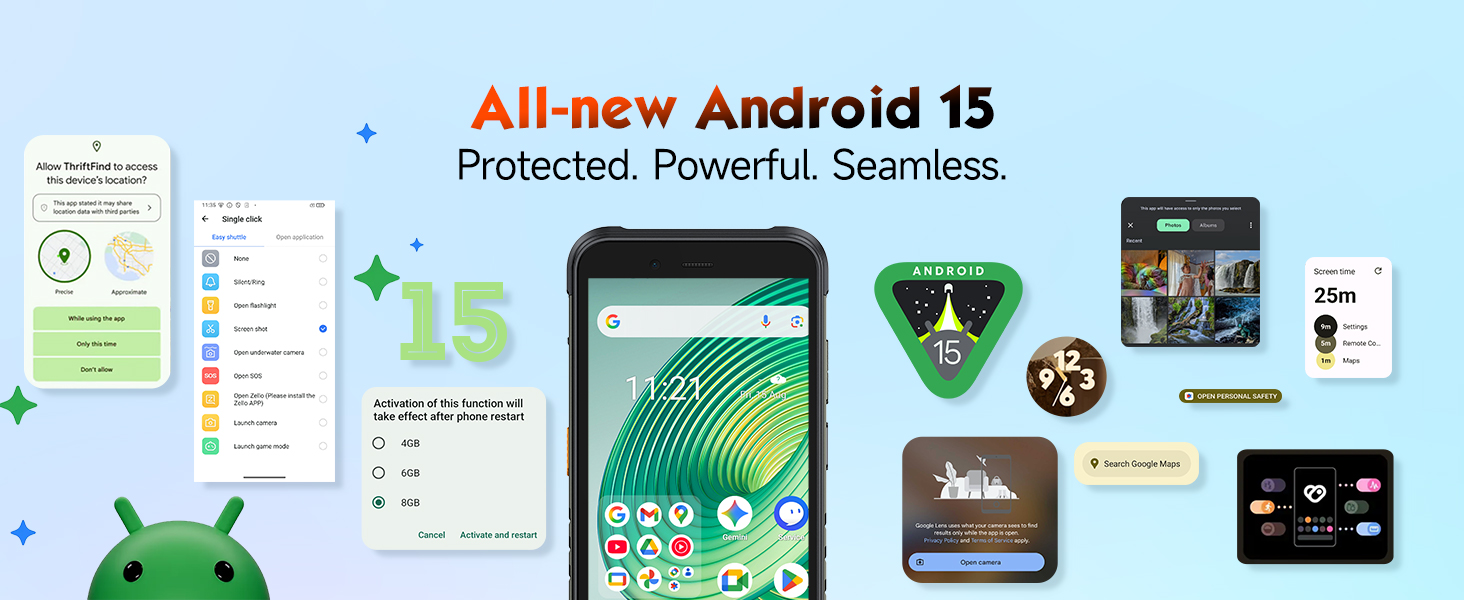
- אַפּערייטינג סיסטעם: Android 15 for enhanced security and features.
- געווער: IP68/IP69K waterproof, dustproof, and MIL-STD-810G drop-proof.
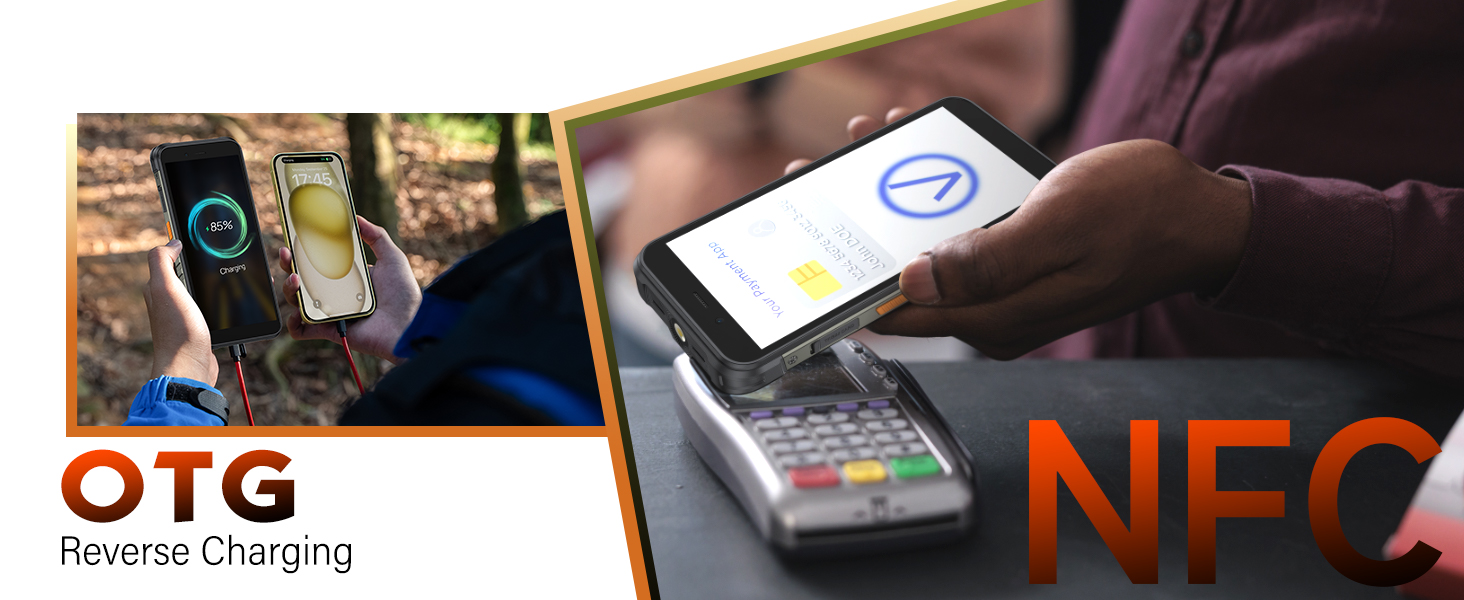
- באַטערי: Massive 9600mAh battery with 18W fast charging and OTG reverse charging.
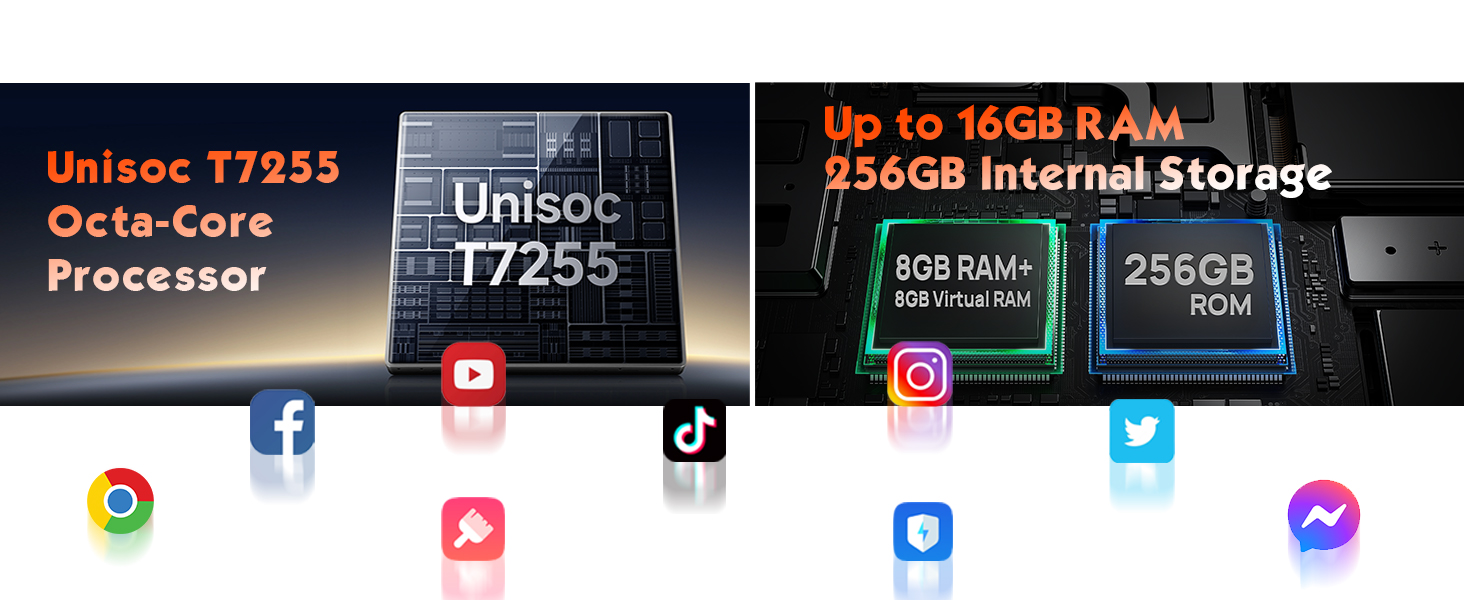
- פאָרשטעלונג: Unisoc T7255 Octa-Core processor with up to 16GB RAM (8GB physical + 8GB virtual) and 256GB ROM (expandable to 2TB).
- אַודיאָ: 126dB Bass Speaker for powerful sound.
- אַפּאַראַט: 50MP main camera, 8MP front camera, with support for underwater photography.
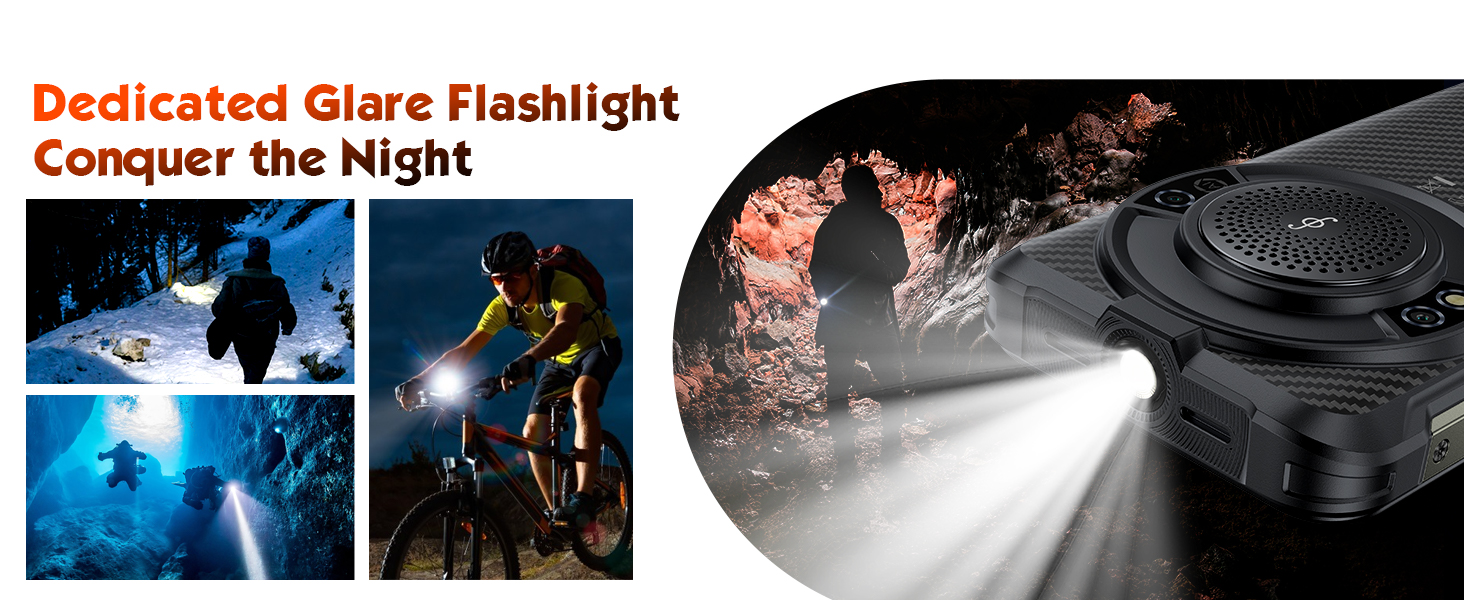
- ספּעציעלע פֿעיִקייטן: Built-in 126 Lumens Glare Flashlight, AI Assistant (Google Gemini & Ulefone AI Pro), NFC, Fingerprint ID, Face Unlock, and a Digital Toolbox.
פּראָדוקט איבערview ווידעא:
2. סעטאַפּ
2.1 קעסטל אינהאַלט:
- Ulefone RugKing Smartphone
- AC Power Charger (100~240V)
- Type-C to Type-C Data Cable (100cm)
- עקראַן פּראָטעקטאָר (פאַר-אַפּליקירט אָדער אין קעסטל)
- סים טרייַ עדזשעקטאָר
- לאַניאַרד
2.2 SIM Card and SD Card Installation:
The Ulefone RugKing supports a 3-card slot design, allowing for two Nano SIM cards and one TF (microSD) card for storage expansion up to 2TB.
- געפינט די סים קארטל טאַץ אויף דער זייט פון דעם מיטל.
- שטעקט אריין דעם סים טרעי אויסווארף געצייג אין דעם קליינעם לאך לעבן דעם טרעי און דריקט לייכט ביז דער טרעי קומט ארויס.
- Place your Nano SIM cards and/or TF card into the designated slots on the tray. Ensure they are correctly oriented.
- שטופּ פֿאָרזיכטיק צוריק דעם טאַץ אין דעם אַפּאַראַט ביז עס איז גלײַך מיט דער זײַט.
2.3 מאַכט אויף / אַוועק:
- צו מאַכט אויף: Press and hold the Power button (usually on the right side) until the Ulefone logo appears.
- צו מאַכט אַוועק: Press and hold the Power button until the power options menu appears, then select "Power off."
- צו ריסטאַרט: Press and hold the Power button until the power options menu appears, then select "Restart."
Unboxing and Setup Video:
3. אַפּערייטינג דיין מיטל
3.1 Basic Navigation (Android 15):
Your Ulefone RugKing runs on Android 15, offering an intuitive and customizable user experience. Navigate using gestures or traditional on-screen buttons (configurable in Settings).
3.2 Display Features:
The 5.99-inch HD+ screen provides a clear and vibrant viewing experience with 910 nits Max Brightness, ensuring readability even in direct sunlight.

3.3 Performance:
Powered by the Unisoc T7255 Octa-Core processor, the RugKing offers powerful and stable performance. With up to 16GB of RAM (8GB physical + 8GB virtual memory expansion) and 256GB of internal storage (expandable to 2TB), you can enjoy smooth multitasking and ample space for your apps and media.

3.4 אַפּאַראַט פֿעיִקייטן:
Capture stunning photos and videos with the 50MP rear camera and 8MP front camera. The device also supports underwater photography, allowing you to capture moments in unique environments.
- 50MP הויפּט קאַמעראַ: פֿאַר הויך-רעזאָלוציע פאָטאָס.
- 8MP פראָנט קאַמעראַ: פֿאַר קלאָרע סעלפֿיז און ווידעאָ קאָלס.
- אונטערוואַסער פאָטאָגראַפֿיע: Specialized mode for capturing images underwater.

3.5 אַודיאָ:
Experience powerful and clear audio with the 126dB Bass Speaker, featuring 3.5W loudness and an 11.5 CC sound cavity. Ideal for noisy environments or enjoying media.
3.6 Built-in Glare Flashlight:
The integrated 126 Lumens Glare Flashlight provides bright, flicker-free illumination, perfect for outdoor activities, emergencies, or everyday use.

Flashlight Test Video:
3.7 AI Assistant (Google Gemini & Ulefone AI Pro):
Leverage the power of AI with Google Gemini and Ulefone AI Pro for tasks like AI recording summary, AI writing assist, Ulefone Screen Search, and AI Calculator. Note: Third-party app audio recording depends on the app's features and permissions.

3.8 קאַנעקטיוויטי:
- 4G LTE דואַל סים: Supports global 4G frequency bands, compatible with most carriers like T-Mobile and Metro PCS. Not compatible with AT&T, Cricket, or CDMA carriers like Verizon.
- ווי-פי: שטיצט 2.4G/5G Wi-Fi פֿאַר שנעלן אינטערנעט צוטריט.
- NFC: For convenient mobile payments (Google Pay) and data transfer.
- גפּס: Integrated GPS/GLONASS/Beidou/Galileo navigation system.
3.9 Security Features:
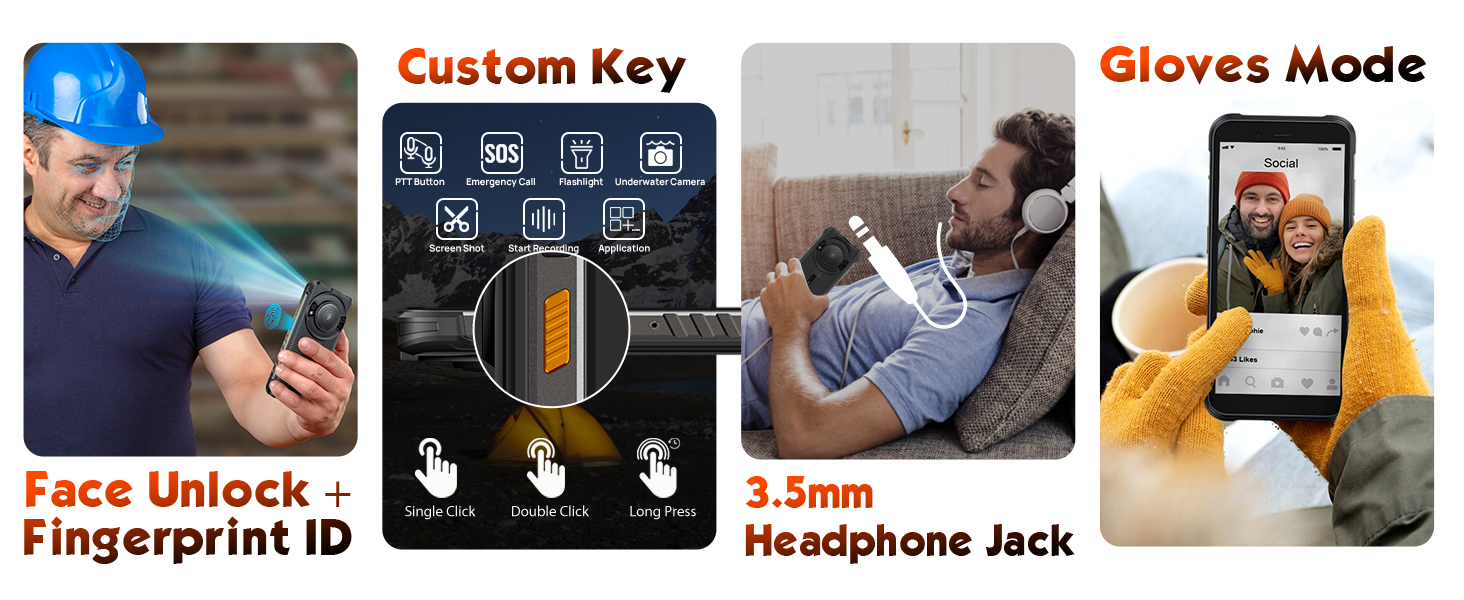
- פינגערפּרינט אידענטיפיקאציע: Unlock your device quickly and securely with your fingerprint.
- פּנים ופשליסן: ניצט פאַציאַל דערקענונג פֿאַר באַקוועמען צוטריט.
3.10 Digital Toolbox:
The built-in Digital Toolbox offers a suite of useful tools for outdoor and professional use, including Compass, Gradenter, Flashlight, Hanging Painting, Height Meter, Magnifier, Alarm bell, Pedometer, Plumb bob, Protractor, Noise Test, and Barometer.
3.11 uSmart Expansion Connector:
The uSmart Expansion Connector allows compatibility with various Ulefone accessories such as endoscopes and microscopes (sold separately), extending the phone's utility for specialized tasks.
4. וישאַלט
4.1 Durability:
The Ulefone RugKing is built to withstand harsh environments, meeting IP68 & IP69K waterproof and MIL-STD-810G standards. It can operate underwater within 2m depth for up to 30 minutes, withstand drops from 2m, and is 99% resistant to dust, dirt, and sand. It also functions in a wide operating temperature range of -20°C to 50°C.

Durability Test Video:
4.2 Battery and Charging:
The 9600mAh massive battery provides extended usage times. It supports 18W fast charging and can also function as a power bank for other devices via OTG cable. Dock charging is also supported (dock charger sold separately).

5. טראָובלעשאָאָטינג
- די מיטל איז נישט פּאַוערינג: Ensure the battery is charged. Connect to the charger and try again. If unresponsive, perform a force restart by holding the power button for 10-15 seconds.
- Apps freezing or lagging: Close background applications, clear app cache, or restart the device. Ensure sufficient storage space.
- שלעכטע נעץ קאָנעקטיוויטי: Check SIM card insertion, ensure mobile data is enabled, or try restarting the device. Verify carrier compatibility.
- Water damage concerns: While rugged, ensure all port covers are tightly sealed before water exposure. After exposure, dry the device completely before charging or using the headphone jack.
- Speaker issues: If the speaker sounds distorted or muffled after water exposure, ensure it is completely dry. Do not use the device if speaker noises persist or if the phone was broken or after destructive test.
6. ספּעסאַפאַקיישאַנז

| שטריך | דעטאַל |
|---|---|
| אָפּערייטינג סיסטעם | אַנדרויד 15 |
| פּראַסעסער | יוניסאָק ט7255 אָקטאַ-קאָר |
| באַראַן | 16 גיגאבייט (8 גיגאבייט פיזיש + 8 גיגאבייט ווירטועל) |
| אינערלעכער סטאָרידזש | 256GB (expandable up to 2TB with TF card) |
| ווייַז | 5.99" HD+ (720 x 1560), 910 nits Max Brightness |
| דערציען אַפּאַראַט | 50MP |
| פראָנט אַפּאַראַט | 8MP |
| באַטאַרייע קאַפּאַציטעט | 9600 מאַה |
| טשאַרדזשינג | 18W Fast Charging, OTG Reverse Charging, Dock Charging Support |
| געווער | IP68/IP69K Waterproof & Dustproof, MIL-STD-810G Drop-proof |
| רעדנער | 126dB Bass Speaker (3.5W, 11.5 CC Sound Cavity) |
| פלאַשליגהט | Built-in 126 Lumens Glare Flashlight |
| קאַנעקטיוויטי | 4G LTE Dual SIM, 2.4G/5G Wi-Fi, NFC, GPS/GLONASS/Beidou/Galileo |
| זיכערהייַט | Fingerprint ID, Face Unlock |
| דימענשאַנז | 6.83 X 3.28 X 0.72 אינטשעס |
| וואָג | 1.62 פונט |
7. וואָראַנטי און שטיצן
Your Ulefone RugKing smartphone comes with a standard manufacturer's warranty. Please refer to the warranty card included in your product packaging for specific terms and conditions, including coverage duration and service procedures.
For technical support, troubleshooting assistance, or warranty claims, please contact Ulefone customer service through their official webזייטל אדער די קאָנטאַקט אינפֿאָרמאַציע וואָס איז צוגעשטעלט אין אייער וואָראַנטי דאָקומענטאַציע.


