1. הקדמה
This manual provides essential information for the safe and efficient operation of your FOXX C10 10.1-inch Android Tablet. Please read this guide thoroughly before using your device to ensure proper functionality and to understand its features. Keep this manual for future reference.
2. וואָס איז אין דער קעסטל
באַשטעטיקן אַז אַלע זאכן זענען פאַראַן אין פּעקל:
- FOXX C10 Tablet
- טיפּ-C קאַבלע
- טשאַרדזשער (10W)
- באַניצער מאַנואַל
- Protective Cover (pre-applied)
- Screen Protector Film (pre-applied)
3. פּראָדוקט איבערview
The FOXX C10 tablet features a 10.1-inch HD display, dual 8MP cameras, and a robust 6000mAh battery, all powered by an Android 13 operating system.

בילד: פאָרנט און הינטן view of the FOXX C10 tablet, showcasing its sleek design and dual camera module on the rear.

Image: An infographic highlighting key features including the 10.1-inch display, Android 13, 6000mAh battery, 8MP cameras, MediaTek quad-core chipset, 4GB RAM + 64GB storage, 4G LTE bands, Wi-Fi, Bluetooth 5.0, Nano SIM, Type-C, and 3.5mm AUX port.
3.1 ווייַז
The tablet is equipped with a 10.1-inch HD TFT V-notch display, offering a resolution of 800x1280 pixels for clear visuals.

Image: Close-up of the tablet's 10.1-inch HD TFT V-notch display, showing vibrant colors and detail.
3.2 קאַמעראַס
The FOXX C10 features dual 8-megapixel cameras, both on the front and rear, enabling high-quality photos and video calls.
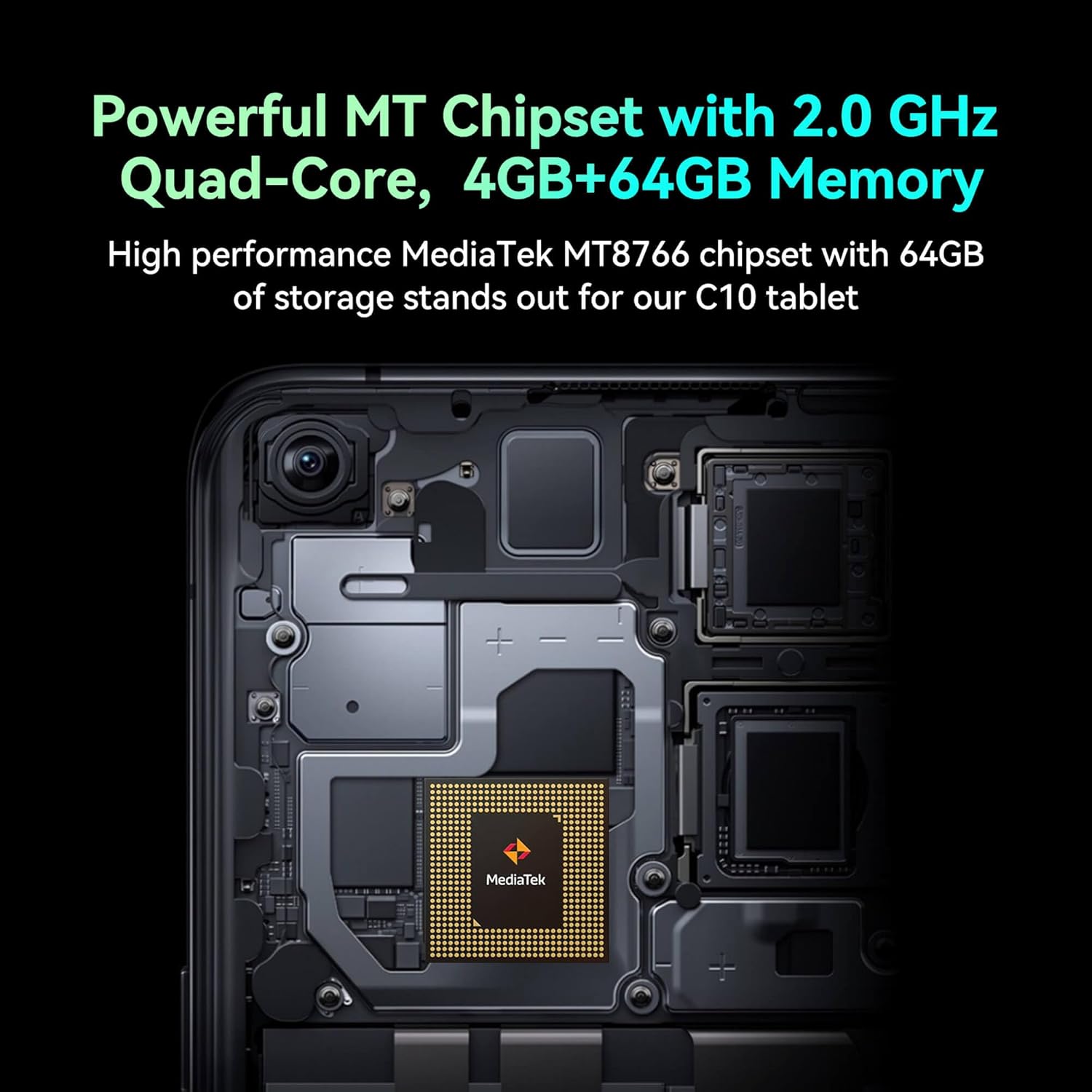
Image: Detail of the tablet's rear camera module, highlighting the 8-megapixel main camera with autofocus capabilities.
3.3 פּראַסעסאָר און זכּרון
It runs on a 2.0 GHz quad-core MediaTek MT8766 chipset, paired with 4GB of RAM and 64GB of internal storage for smooth performance and ample פּלאַץ.

בילד: אן אינערליכע view of the tablet's motherboard, showcasing the MediaTek MT8766 quad-core chipset.
3.4 באַטערי
A 6000mAh battery provides extended usage time, ensuring the device stays powered throughout the day.
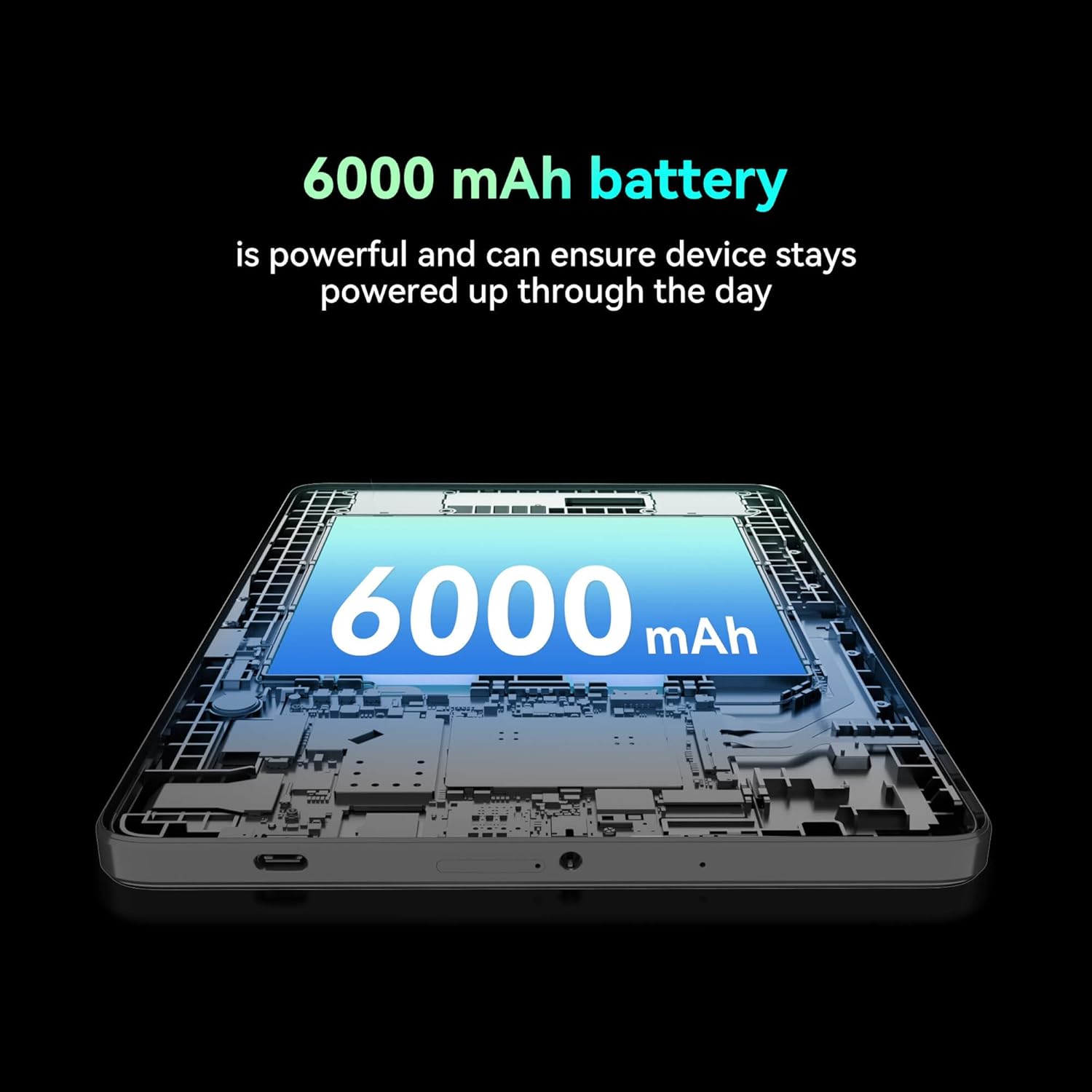
בילד: א שניט view of the tablet highlighting the large 6000 mAh battery component.
4. סעטאַפּ
4.1 ערשט טשאַרדזשינג
Before first use, fully charge your tablet using the provided Type-C cable and 10W charger. The battery indicator on the screen will show charging status.
4.2 פּאַוערינג אויף / אַוועק
- צו מאַכט אויף: דריקן און האַלטן די מאַכט קנעפּל ביז די פאַרשטעלן לייץ.
- צו מאַכט אַוועק: דריק און האלט דעם פּאַוער קנעפּל, און סעלעקטיר 'פּאַוער אויס' פון די אָפּציעס אויפן עקראַן.
- צו ריסטאַרט: Press and hold the Power button, then select 'Restart' from the options on the screen.
4.3 ינסטאַלירונג פון סים קאַרד
The FOXX C10 supports Nano SIM cards for cellular connectivity. Locate the SIM card tray on the side of the tablet. Use the provided SIM ejector tool to open the tray. Insert the Nano SIM card into the designated slot with the gold contacts facing down. Close the tray securely.
4.4 מיקראָסד קאַרטל אינסטאַלאַציע (אָפּציאָנאַל)
If your tablet supports expandable storage, locate the MicroSD card slot, often combined with the SIM tray. Insert a MicroSD card (up to 128GB, sold separately) into the slot with the gold contacts facing down. Close the tray securely.
5. אַפּערייטינג ינסטרוקטיאָנס
5.1 יקערדיק נאַוויגאַציע
Your tablet runs on Android 13. Use touch gestures for navigation:
- צאַפּן: אויסקלייבן אַן אייטעם אָדער עפֿענען אַן אַפּ.
- לאַקכענען: סקראָלן דורך סקרינז אדער רשימות.
- קניפּ: פארגרעסערן אדער פארקלענערן בילדער און web בלעטער.
- לאנג פּרעס: צוטריט קאנטעקסטועלע מעניוס אדער באוועג איקאנעס.
5.2 קאַנעקטינג צו Wi-Fi
- גיין צו סעטטינגס > נעץ און אינטערנעט > ווי-פי.
- טוישן Wi-Fi On.
- אויסקלייבן אייער געוואונטשענע Wi-Fi נעץ פון דער ליסטע.
- אַרייַן די פּאַראָל אויב געבעטן, און דאַן צאַפּן פאַרבינדן.
5.3 Making Calls (4G LTE)
With a properly installed and activated Nano SIM card, your tablet can make and receive calls.
- עפענען די טעלעפאָן אַפּ.
- Dial the desired number or select a contact.
- צאַפּן אויף רופן קנעפּל.
5.4 ניצן די קאַמעראַ
The tablet features dual 8MP cameras for photography and video recording.
- עפענען די אַפּאַראַט אַפּ.
- צאַפּן אויף לאָדן קנעפּל צו נעמען אַ פאָטאָ.
- צאַפּן אויף ווידעא icon to switch to video recording mode.
- Use the camera switch icon to toggle between front and rear cameras.
5.5 בלועטאָאָטה פּערינג
- גיין צו סעטטינגס > קאָננעקטעד דעוויסעס > בלועטאָאָטה.
- באַשטימען בלועטאָאָטה On.
- זייט זיכער אז די דעווייס מיט וואס איר ווילט זיך פארבינדן איז אין פארינג מאָדע.
- Select the device from the list and follow any on-screen prompts to complete pairing.
6. וישאַלט
6.1 באַטערי קער
- פֿאַרמײַדן עקסטרעמע טעמפּעראַטורן, וואָס קענען פֿאַרערגערן די לעבן פֿון דער באַטעריע.
- לאָזט נישט די טאַבלעט אויפלאָדן פֿאַר לענגערע פּעריאָדן נאָכדעם וואָס זי איז פֿולשטענדיק אויפגעלאָדן.
- ניצט נאָר דעם צוגעשטעלטן טשאַרדזשער און קאַבל.
6.2 רייניקונג
Use a soft, lint-free cloth to clean the screen and body of the tablet. Avoid using harsh chemicals or abrasive materials. For stubborn smudges, slightly dampווישט דעם שטאָף מיט וואַסער אָדער אַ פאַרשטעלן רייניגער דיזיינד פֿאַר עלעקטראָניק.
6.3 ווייכווארג דערהייַנטיקונגען
קאָנטראָלירט און אינסטאַלירט רעגולער ווייכווארג דערהייַנטיקונגען צו זיכער מאַכן אַז אייער טאַבלעט האט די לעצטע פֿעיִקייטן, זיכערהייט פּאַטשאַז און פאָרשטעלונג פֿאַרבעסערונגען. גייט צו סעטטינגס > סיסטעם > סיסטעם דערהייַנטיקן.
7. טראָובלעשאָאָטינג
| פּראָבלעם | לייזונג |
|---|---|
| טאַבלעט טוט זיך נישט אנצינדן | זיכער מאַכן אַז די באַטאַרייע איז אויפגעלאָדן. פֿאַרבינדט דעם טשאַרדזשער און וואַרט אַ פּאָר מינוט איידער איר פּרוּווט ווידער אָנצוצינדן. |
| קענען ניט פאַרבינדן צו ווי-פי | קוק אויב Wi-Fi איז ענייבאַלד אין סעטטינגס. ריסטאַרט דיין ראַוטער און די טאַבלעט. וועריפיצירן די Wi-Fi פּאַראָל. |
| אַפּפּס זענען פּאַמעלעך אָדער קראַשן | Close unused apps. Clear app cache (Settings > Apps > [App Name] > Storage > Clear cache). Restart the tablet. Ensure sufficient storage space. |
| קיין סעליאַלער דינסט | Ensure the Nano SIM card is correctly inserted and activated. Check your network settings and contact your service provider if necessary. |
| די פאַרשטעלן איז ניט ריספּאַנדאַבאַל | Restart the tablet. If the issue persists, perform a factory reset (data will be lost). |
8. ספּעסאַפאַקיישאַנז
| שטריך | דעטאַל |
|---|---|
| מאָדעל נאָמען | FOXX C10 |
| אָפּערייטינג סיסטעם | אַנדרויד 13 |
| פאַרשטעלן גרייס | 10.1 אינטשעס |
| מאַקסימום סקרין האַכלאָטע | 800x1280 פּיקסעלס |
| פּראַסעסער | 2 GHz Quad-Core MediaTek |
| באַראַן | 4 גיגאבייט |
| אינערלעכער סטאָרידזש | 64 גיגאבייט |
| פלאַש זכּרון גרייס | 8 GB (likely referring to system partition or eMMC base) |
| קאַמעראַס | Dual 8MP (Front & Rear) |
| באַטאַרייע קאַפּאַציטעט | 6000 מאַה |
| קאַנעקטיוויטי | 4G LTE, Wi-Fi (802.11 b/g/n/ac), Bluetooth 5.0, USB-C, 3.5mm AUX |
| פּונקט וואָג | 1.26 פונט |
| פּראָדוקט דימענשאַנז | 9.64 X 6.39 X 0.42 אינטשעס |
| קאָליר | שוואַרץ |
9. וואָראַנטי און שטיצן
For warranty information and technical support, please refer to the documentation provided with your purchase or contact the retailer. Keep your proof of purchase for warranty claims.


