1. הקדמה
This manual provides detailed instructions for the installation, operation, and maintenance of your MUBVIEW Bell J7 2K Wireless Video Doorbell Camera with Chime. Please read this manual thoroughly before using the product to ensure proper function and safety. This device is designed to enhance your home security with advanced features like 2K video, motion detection, and two-way audio.
2. וואָס איז אין דער קעסטל
באַשטעטיקן אַז אַלע קאָמפּאָנענטן זענען פאַראַן איידער איר גייט ווייטער מיט דער אינסטאַלאַציע:
- Camera Doorbell x1
- Chime x1
- באַניצער מאַנואַל x1
- טשאַרדזשינג קאַבלע קס 1
- באַטערי קס 3
- Other Accessories (screws, anchors, screwdriver)

Image: Contents of the MUBVIEW Bell J7 package, including the doorbell, chime, and installation tools.
3. פּראָדוקט איבערview
Familiarize yourself with the main parts of your video doorbell and chime:
דאָרבעל קאַמעראַ
- 2K Camera Lens: Captures high-resolution video.
- PIR באַוועגונג סענסאָר: דעטעקטירט מענטשלעכע באַוועגונג.
- מיקראָפאָן: פֿאַר צוויי-וועג אַודיאָ קאָמוניקאַציע.
- רעדנער: פֿאַר צוויי-וועג אַודיאָ קאָמוניקאַציע און סירענע.
- דאָרבעל קנעפּל: Activates the chime and sends notifications.
- Micro USB-C Port: פֿאַר אָפּלאָדן די אינעווייניקסטע באַטאַרייע.
- באַשטעטיק קנעפּל: For device reset.
- מיקראָ סד קאָרט שפּעלטל: For local video storage (up to 128GB, card not included).
- Anti-Theft Button: Triggers an alarm if the doorbell is removed from its mount.
ווירעלעסס טשימע
- רעדנער: Emits doorbell sound.
- באַנד קאָנטראָל: Adjusts chime volume.
- טאָן סעלעקטאָר: Changes chime melody.
- מאַכט מקור: באַטאַרייע-Powered פֿאַר פלעקסאַבאַל פּלייסמאַנט.

בילד: פראָנט view of the MUBVIEW Bell J7 doorbell and chime.
4. סעטאַפּ
Follow these steps to set up your MUBVIEW Bell J7 doorbell camera:
4.1 אויפלאָדן די טיר-גלאָק
- Before first use, fully charge the doorbell camera using the provided USB charging cable.
- The charging port is located on the side of the doorbell, protected by a rubber flap.
- A full charge can last up to 180 days, depending on usage.
4.2 אַפּ אינסטאַלאַציע און Wi-Fi פֿאַרבינדונג
- אָפּלאָדירן די CloudEdge or MUBVIEW app from your smartphone's app store (Apple App Store or Google Play Store).
- רעגיסטרירט זיך פֿאַר אַ חשבון אָדער לאָגט זיך איין אויב איר האָט שוין איינס.
- זיכער מאַכן אַז אייער סמאַרטפאָון איז פארבונדן צו אַ 2.4GHz Wi-Fi נעץ. The doorbell is not compatible with 5GHz Wi-Fi.
- In the app, select "Add Device" and choose "Smart Video Doorbell".
- Follow the on-screen prompts to connect the doorbell to your Wi-Fi network. This typically involves scanning a QR code displayed on your phone with the doorbell camera.
- אַמאָל פארבונדן, קענט איר געבן אַ נאָמען צו אייער מיטל און פאַרענדיקן די סעטאַפּ.
4.3 מאָנטירן די טיר-גלאָק
The doorbell can be mounted using screws or strong adhesive tape (not included for all mounting types).
- Attach the mounting bracket to your desired location on the wall or door frame. Ensure it is at an appropriate height for optimal viewing.
- Secure the bracket using the provided screws and anchors.
- Slide the doorbell camera into the mounting bracket until it clicks securely into place.
- For added security, a small screw can be inserted from the bottom of the bracket into the doorbell to prevent easy removal.

Image: Installation of the MUBVIEW Bell J7 doorbell camera onto its mounting bracket.
5. אַפּערייטינג ינסטרוקטיאָנס
5.1 לעבן View און צוויי-וועג אַודיאָ
- עפֿענען די MUBVIEW app to access the live video feed from your doorbell camera.
- Use the microphone icon in the app to enable two-way audio and speak with visitors at your door.
- The voice changer feature can be activated for added privacy and security.

Image: Demonstrating two-way audio and voice message functionality via the app.
5.2 באַוועגונג דעטעקציע און וואָרענונגען
- The doorbell features advanced PIR motion and human detection to minimize false alarms.
- When motion is detected, you will receive instant push notifications on your smartphone.
- Adjust motion detection sensitivity and set custom motion zones within the app to suit your environment.

Image: Smartphone notification for human detection from the doorbell camera.
5.3 נאַכט זעאונג
- The doorbell camera automatically switches to IR night vision in low-light conditions.
- Enhanced night vision provides clear images up to 33 feet.
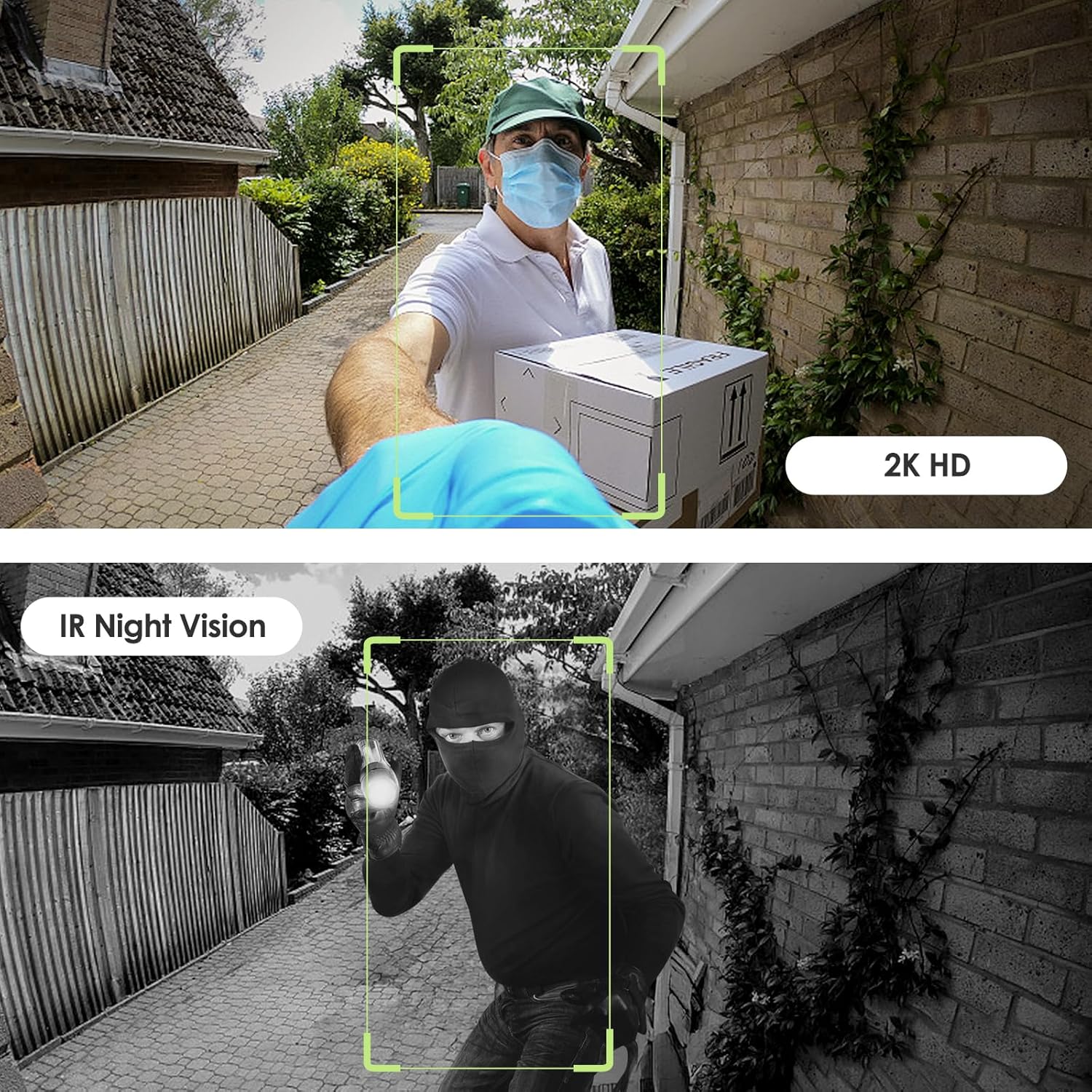
Image: Day and night vision capabilities of the MUBVIEW Bell J7 doorbell.
5.4 ווידעא סטאָרידזש
- מיקראָ סד קאַרד: Insert a micro SD card (up to 128GB, not included) into the designated slot for local storage of recorded footage.
- וואָלקן סטאָרידזש: Enjoy 7-day free cloud loop storage. Optional premium cloud storage plans are available for extended storage and features.

Image: Multiple storage options: local Micro SD card and cloud service.
6. פֿעיִקייטן
- 2K Full HD Resolution: Provides clear and detailed video.
- 145° ברייט ווינקל לינז: אָפפערט אַ ברייטע view of your doorstep.
- באַטערי-פּאַוערד: Ensures easy, wire-free installation.
- 2.4GHz Wi-Fi קאַנעקטיוויטי: Stable and reliable wireless connection.
- IP65 וועטער קעגנשטעל: Built to withstand various outdoor conditions (rain, heat, hail, sun, dust).
- אַנטי-גנייווע שרעק: Siren sounds if the doorbell is tampגערירט מיט.
- קול טשאַנגער: Enhances privacy during two-way audio.
- Pre-Recorded Voice Messages: Respond quickly with custom messages.
- משפּחה ייַנטיילונג: Supports up to 15 online users and 20 user accounts.
- קאַמפּאַטאַבילאַטי: אַרבעט מיט אַלעקסאַ און גוגל אַסיסטאַנט.

בילד: איבערview of MUBVIEW Bell J7 features.
7. וישאַלט
7.1 באַטערי טשאַרדזשינג
The doorbell is powered by rechargeable batteries. Monitor the battery level through the app and recharge as needed. The battery life can extend up to 180 days on a single charge, depending on activity and settings.
7.2 רייניקונג
Wipe the camera lens and the doorbell's exterior with a soft, damp cloth to remove dust and debris. Avoid using harsh chemicals or abrasive materials that could damage the device.
7.3 וועטער קעגנשטעל
די MUBVIEW Bell J7 is IP65 weather-resistant, designed to endure various outdoor conditions. However, extreme weather conditions may still impact performance or battery life.

Image: IP65 Weather Resistance of the MUBVIEW Bell J7 doorbell.
8. טראָובלעשאָאָטינג
| אַרויסגעבן | מעגלעך לייזונג |
|---|---|
| טיר־גלאָק פֿאַרבינדט זיך נישט צו Wi-Fi | Ensure your Wi-Fi is 2.4GHz. Move the doorbell closer to your router during setup. Reset the doorbell and try again. |
| Frequent false motion alarms | Adjust the motion detection sensitivity in the app. Set custom motion zones to exclude busy areas or moving foliage. |
| נעבעך ווידעא קוואַליטעט | Check your Wi-Fi signal strength in the app. Ensure the camera lens is clean and free from obstructions. |
| קורץ באַטאַרייע לעבן | Reduce motion detection sensitivity or frequency of live view access. Ensure the doorbell is fully charged. |
| Anti-theft alarm not working | Ensure the anti-theft feature is enabled in the app settings. Check if the doorbell is properly seated in its mounting bracket, activating the tampער קנעפּל. |
9. ספּעסאַפאַקיישאַנז
- מאָדעל נאָמען: גלאָק דזש7
- ווידעא כאַפּן האַכלאָטע: 2K
- קאַנעקטיוויטי טעכנאָלאָגיע: וויירלעס (2.4GHz Wi-Fi)
- מאַכט מקור: באַטעריע געטריבן (3 A באַטעריעס אַרייַנגערעכנט)
- דרינענדיק / דרויסנדיק באַניץ: דרויסנדיק
- וואַסער קעגנשטעל מדרגה: IP65 וואָטערפּרוף
- ספּעציעלע פֿעיִקייטן: 2-Way Audio, Built-In Light, HD Resolution, Image Sensor, Motion Sensor, Voice Changer, Anti-Theft Alarm
- קאַמפּאַטאַבאַל דעוויסעס: Smartphone (via CloudEdge/MUBVIEW אַפּ)
- פּראָדוקט דימענשאַנז: 1.37 X 5.27 X 2.2 אינטשעס
- נומער וואָג: 15.4 אונסעס
10. וואָראַנטי און שטיצן
MUBVIEW is committed to providing quality products and customer satisfaction. For any inquiries or support needs, please refer to the following:
- קונה סערוויס: Available via Call Service (9AM-5PM EST) and Online Email.
- קערט: 30-day Amazon return policy applies.
- שוץ פלענער: אפציאָנעלע 2-יאָר און 3-יאָר שוץ פּלענער זענען בנימצא פֿאַר קויפן.
For detailed contact information, please visit the official MUBVIEW webזייטל אדער זעט די קאנטאקט דעטאלן וואס זענען צוגעשטעלט אין דער פראדוקט פארפאקונג.

Image: MUBVIEW Customer Service details.


