1. פּראָדוקט איבערview
The OUKITEL C3 is a feature-rich smartphone designed for everyday use. It combines powerful performance with a sleek design, offering a seamless user experience. This manual provides essential information on setting up, operating, and maintaining your device.
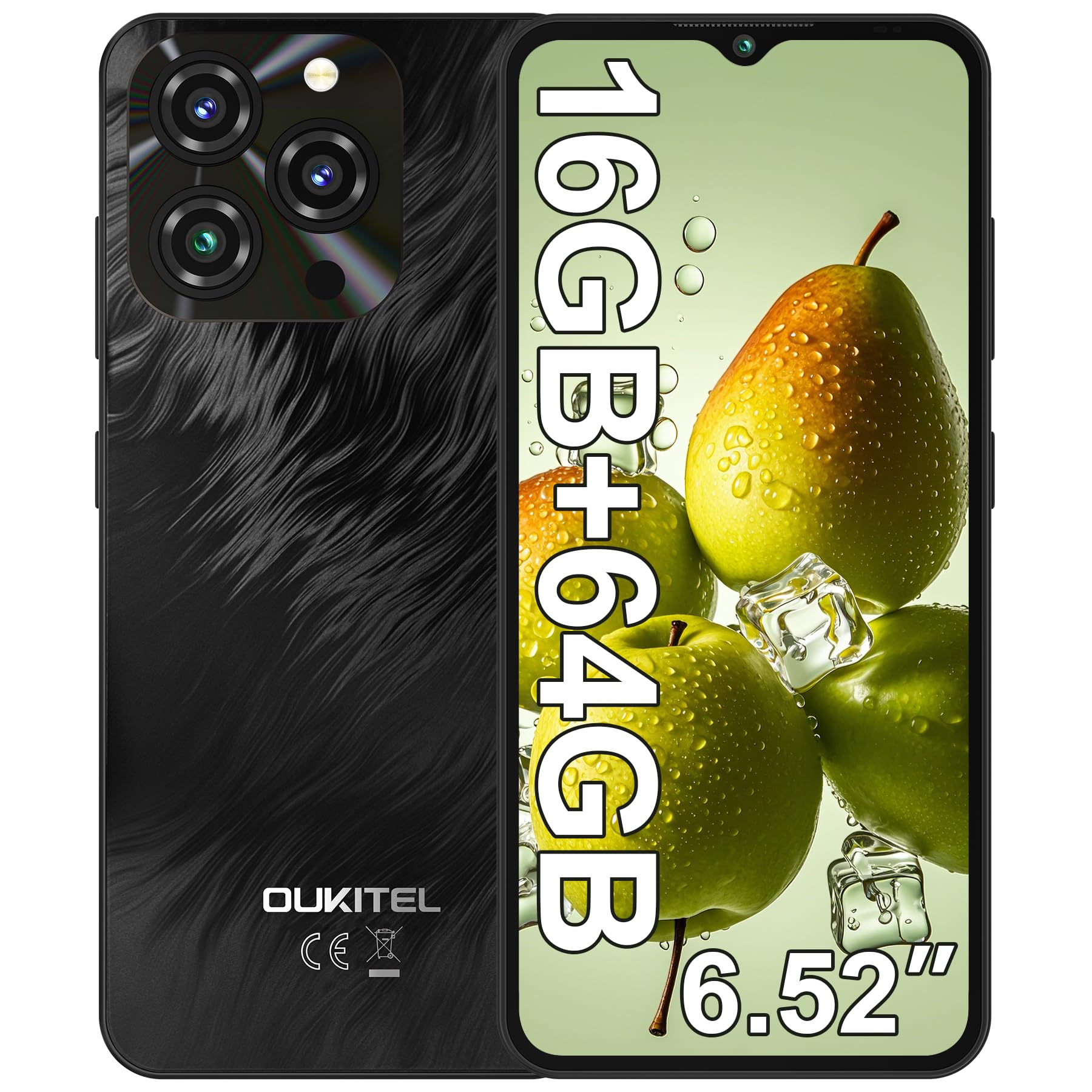
Image 1.1: OUKITEL C3 Smartphone in Grey. This image showcases the overall design of the phone.
2. וואָס איז אין דער קעסטל
Upon unboxing your OUKITEL C3, please ensure all items listed below are present:
- 1x OUKITEL C3 Cell Phone
- 1x 10W טשאַרדזשער
- 1x Data Cable (USB-C)
- 1x טעלעפאָן קאַסע
- 1x באַניצער מאַנואַל (דאָס דאָקומענט)
3. סעטאַפּ גייד
3.1. סים קאָרט ינסטאַלירונג
The OUKITEL C3 supports Dual SIM functionality, allowing you to use two Nano-SIM cards or one Nano-SIM and one TF (microSD) card up to 1TB for expanded storage.
- געפינט די סים קארטל טאַץ אויף דער זייט פון אייער דעווייס.
- Insert the provided SIM ejector tool into the small hole on the tray and press gently until the tray pops out.
- Place your Nano-SIM card(s) and/or TF card into the tray with the gold contacts facing down, ensuring they are correctly aligned.
- פֿאָרזיכטיק צוריקשטעלט דעם טאַץ אין דעם טעלעפֿאָן ביז עס קליקט אַרײַן אין פּלאַץ.

Image 3.1: Illustration of SIM card tray and other features like OTG, GPS, and Bluetooth. The SIM tray supports two Nano-SIMs or one Nano-SIM and one TF card.
3.2. ערשטע איינשאַלטונג
To power on your OUKITEL C3 for the first time, press and hold the Power button (located on the side) until the OUKITEL logo appears on the screen. Follow the on-screen prompts to complete the initial setup, including language selection and Wi-Fi connection.
3.3. Security Setup (Face ID)
Enhance your phone's security with Face ID. During initial setup or via Settings, you can register your face for quick and secure unlocking.
- גיין צו סעטטינגס > זיכערהייט און פּריוואַטקייט > פּנים ופשליסן.
- Follow the on-screen instructions to register your face. Ensure you are in a well-lit area and hold the phone at eye level.

Image 3.2: Visual representation of Face ID and other hardware features like G-sensor, 3.5mm headphone jack, and USB-C charging port.
3.4. נעץ קאַנעקטיוויטי
Your OUKITEL C3 supports 4G LTE networks. Please note that this device is compatible with T-Mobile carrier only and does not support AT&T, Verizon, or Metro PCS. Confirm carrier compatibility before use.
For Wi-Fi, go to סעטטינגס > נעץ און אינטערנעט > ווי-פי און אויסקלײַבן אײַער געוואונטשענע נעץ.

Image 3.3: OUKITEL C3 highlighting its T-Mobile carrier compatibility and supported frequency bands.
4. אפערירן אייער OUKITEL C3
4.1. גרונטלעכע נאַוויגאַציע (אַנדרויד 14)
Your OUKITEL C3 runs on Android 14, offering an intuitive and secure user experience. Navigate using gestures or the traditional three-button navigation bar (configurable in Settings).
- היים פאַרשטעלן: Swipe left/right to access app pages.
- אַפּ שופלאָד: לאַקכענען אַרויף פֿון די דנאָ פון דעם עקראַן צו view אַלע אינסטאַלירן אַפּלאַקיישאַנז.
- נאָטיפיקאַציעס און שנעלע סעטטינגס: סווייפּ אַראָפּ פֿון דער שפּיץ פֿונעם עקראַן צו צוטריטן נאָטיפיקאַציעס און שנעלע סעטטינגס קנעפּלעך.

Image 4.1: OUKITEL C3 showcasing the Android 14 interface with various apps and system features.
4.2. קאַמעראַ יוז
Capture moments with the 13MP main camera and 5MP front camera.
- עפענען די אַפּאַראַט אַפּ.
- אויסקלייבן אייער געוואונטשענעם מאָדע (פאָטאָ, ווידעאָ, פּאָרטרעט, אאז"וו).
- צאַפּן דעם שאַטער קנעפּל צו נעמען אַ פאָטאָ אָדער אָנהייבן/אָפּשטעלן רעקאָרדינג אַ ווידעאָ.

Image 4.2: Details of the 13MP main camera and 5MP front camera, highlighting their capabilities for photos and video calls.
4.3. באַטערי מאַנאַגעמענט
The 5000mAh battery provides extended usage. To optimize battery life, adjust screen brightness, close unused apps, and enable battery saver mode in סעטטינגס > באַטערי.

Image 4.3: Visual representation of the 5000mAh battery capacity and its long-lasting performance.
4.4. סטאָרידזש מאַנאַגעמענט
Your device comes with 64GB of internal storage, expandable up to 1TB with a TF card. Regularly check your storage usage in סעטטינגס > סטאָרידזש and clear unnecessary fileס צו האַלטן אָפּטימאַל פאָרשטעלונג.

Image 4.4: OUKITEL C3 highlighting its 16GB RAM (4GB fixed + 12GB virtual) and 64GB ROM, expandable to 1TB.
4.5. Using Google Assistant / Gemini
Your OUKITEL C3 integrates with Google Assistant and Gemini for hands-free control and smart assistance. You can activate it by saying "Hey Google" or "Ok Google" when your screen is on.
Video 4.5: Demonstrates how to set up and use Gemini AI on an Android phone, including voice commands for tasks like writing notes, checking weather, and setting timers. This video is provided by a Seller and is relevant to the Android 14 system.
5. וישאַלט
5.1. טשאַרדזשינג דיין מיטל
Use only the provided 10W charger and data cable to charge your OUKITEL C3. Connect the USB-C end of the cable to the phone's charging port and the USB-A end to the power adapter, then plug the adapter into a wall outlet.
5.2. ווייכווארג דערהייַנטיקונגען
קאָנטראָלירט רעגולער נאָך ווייכווארג דערהייַנטיקונגען צו זיכער מאַכן אַז אייער מיטל האט די לעצטע פֿעיִקייטן און זיכערהייט פּאַטשאַז. גייט צו סעטטינגס > סיסטעם > סיסטעם דערהייַנטיקן.
5.3. רייניקן דיין טעלעפאָן
To clean your phone, power it off and gently wipe the screen and body with a soft, lint-free cloth. Avoid using harsh chemicals or abrasive materials.
6. טראָובלעשאָאָטינג
| פּראָבלעם | לייזונג |
|---|---|
| דער טעלעפאָן איז נישט אויסגעדרייט | זיכער מאַכן אַז די באַטאַרייע איז אויפגעלאָדן. פֿאַרבינדט עס צום טשאַרדזשער פֿאַר לפּחות 15 מינוט, און פּרוּווט עס ווידער אנצינדן. |
| אַפּפּס קראַשן אָדער פרירן | Clear app cache (Settings > Apps > [App Name] > Storage > Clear cache) or restart the phone. |
| נעבעך נעץ סיגנאַל | Check SIM card installation. Ensure you are within T-Mobile's coverage area. Restart the phone. |
| באַטאַרייע דריינז געשווינד | Reduce screen brightness, close background apps, or enable battery saver mode. |
7. טעכניש ספּעסאַפאַקיישאַנז
| שטריך | דעטאַל |
|---|---|
| מאָדעל נאָמען | אוקיטעל C3 |
| אָפּערייטינג סיסטעם | אַנדרויד 14 |
| פּראַסעסער | יוניסאָק ט310 |
| באַראַן | 16GB (4GB fixed + 12GB virtual) |
| אינערלעכער סטאָרידזש | 64 גיגאבייט |
| יקספּאַנדאַבאַל סטאָרידזש | ביז 1TB (TF קאַרטל) |
| ווייַז | 6.52" HD Waterdrop Screen, 540x1200 Resolution, 450nit Brightness |
| הויפּט אַפּאַראַט | 13MP |
| פראָנט אַפּאַראַט | 5MP |
| באַטאַרייע קאַפּאַציטעט | 5000 מאַה |
| טשאַרדזשינג | 10 וואט שנעלע טשאַרדזשינג, OTG פאַרקערטע טשאַרדזשינג |
| קאַנעקטיוויטי | 4G LTE (T-Mobile only), Wi-Fi, Bluetooth 5.0, GPS, GLONASS, Beidou, Galileo |
| זיכערהייַט | Face ID |
| אַודיאָ דזשאַק | 3.5 מם |
| דימענשאַנז | 7.51 x 4.05 x 1.96 אינטשעס (פּאַקעט) |
| וואָג | 14.9 ounces (Item) |
8. וואָראַנטי און שטיצן
Your OUKITEL C3 smartphone comes with a standard manufacturer's warranty. Please refer to the warranty certificate included in your product packaging for detailed terms and conditions.
For technical support, troubleshooting assistance, or warranty claims, please contact OUKITEL customer service through their official webזייטל אדער די קאָנטאַקט אינפֿאָרמאַציע וואָס איז צוגעשטעלט אין אייער וואָראַנטי דאָקומענטאַציע.
איר קענט אויך באַזוכן די יו OUKITEL קראָם אויף אַמאַזאָן פֿאַר מער פּראָדוקט אינפֿאָרמאַציע און שטיצע רעסורסן.


