1. הקדמה
This manual provides detailed instructions for the safe and efficient use of your LG 43QNED82AUA 43 Inch QNED AI 4K Smart TV, along with the included Walts Large/Extra Large Full Motion Mount and Amber Protection 3-Outlet-Surge Surge Protector. Please read this manual thoroughly before installation and operation, and retain it for future reference.
פּעקל אינהאַלט
- LG 43QNED82AUA 43 Inch QNED AI 4K Smart TV
- מאַגיק רימאָוט קאָנטראָל
- מאַכט קאַבלע
- Walts Large/Extra Large Full Motion Mount
- Amber Protection 3-Outlet-Surge Surge Protector
- באַניצער מאַנואַלן און דאָקומענטאַציע

פיגורע 1.1: פראָנט view of the LG 43QNED82AUA 43 Inch QNED AI 4K Smart TV.

פיגורע 1.2: זייַט view of the LG 43QNED82AUA 43 Inch QNED AI 4K Smart TV, showing the included stand.
2. סעטאַפּ
2.1 אויספּאַקן און ערשטע דורכקוק
Carefully remove all components from the packaging. Inspect for any signs of damage. If any items are missing or damaged, contact your retailer immediately.
2.2 Mounting the TV (Walts Full Motion Mount)
The Walts Large/Extra Large Full Motion Mount allows for flexible positioning of your TV. Ensure the mounting surface is strong enough to support the weight of the TV and mount. The TV supports VESA 200 x 200 mounting patterns. The mount is compatible with VESA patterns up to 700mm x 500mm.
- צוטשעפּען טעלעוויזיע קלאַמערן: Secure the vertical brackets to the back of your LG TV using the appropriate screws provided with the mount. Ensure they are aligned with the VESA mounting holes.
- ינסטאַלירן וואנט פּלאַטע: Locate wall studs and securely attach the wall plate of the mount to the wall using the provided hardware. Use a level to ensure it is straight.
- הענגען טעלעוויזיע: Carefully lift the TV and hook the attached brackets onto the wall plate. Secure the TV to the mount according to the mount's specific instructions.
- סטרויערן שטעלע: Utilize the full motion capabilities to extend, swivel, and tilt the TV to your desired viewינג ווינקל.

Figure 2.1: Walts Full Motion Mount in an extended position.

פיגורע 2.2: פראָנט view of the Walts Full Motion Mount.
2.3 פֿאַרבינדן מאַכט און פּעריפֿעראַלע דעוויסעס
- סערדזש פּראָטעקטאָר: Plug the Amber Protection 3-Outlet-Surge Surge Protector into a wall outlet. The LED indicator will glow blue when working, confirming protection for your devices up to 1225 Joules.
- מאַכט קאַבלע: Connect the TV's power cable to the TV and then to one of the outlets on the Amber Protection Surge Protector.
- HDMI דעוויסעס: Connect external devices (e.g., Blu-ray player, game console) to the TV's HDMI ports (3 available).
- USB דעוויסעס: Connect USB storage devices to the TV's USB port (1 available).
- אַנטענע / קאַבלע: Connect your antenna or cable TV source to the RF Input.
- אָפּטיש אַודיאָ: For external audio systems, connect an optical cable to the SPDIF (Optical Digital Audio Out) port.

Figure 2.3: Amber Protection 3-Outlet-Surge Surge Protector.
2.4 ערשטע סעטאַפּ וויזאַרד
Upon first power-on, the TV will guide you through an initial setup process. This includes language selection, network connection (Wi-Fi 5), channel scanning, and remote control pairing.
3. אַפּערייטינג ינסטרוקטיאָנס
3.1 מאַגיק רימאָוט קאָנטראָל
The Magic Remote Control allows for intuitive navigation using point-and-click, scroll, and voice commands. Refer to the separate Magic Remote manual for detailed button functions.
3.2 סמאַרט טעלעוויזיע פֿעיִטשערז (webאפערירן סיסטעם 25)
אייער LG טעלעוויזיע לויפט אויף webOS 25, providing access to a wide range of streaming services and applications. Supported services include Netflix, Max, Disney+, YouTube, Prime Video, ESPN, Apple TV, Sling TV, and more. Navigate the home screen to access apps, inputs, and settings.
3.3 Picture and Display Settings
- דינאמישע QNED קאליר: Experience vibrant and accurate colors with 100% Color Volume.
- דימינג פּראָ: Enhances contrast with precise local dimming control.
- HDR10 פּראָ: Delivers a dramatic visual experience with improved brightness and contrast in compatible content.
- אַלפֿאַ 7 קינסטלעכע אינטעליגענץ פּראַסעסאָר דור 8: This processor automatically optimizes picture and sound quality, including 4K upscaling and Dynamic Tone Mapping Pro.

Figure 3.1: Visual representation of Dynamic QNED Color technology.
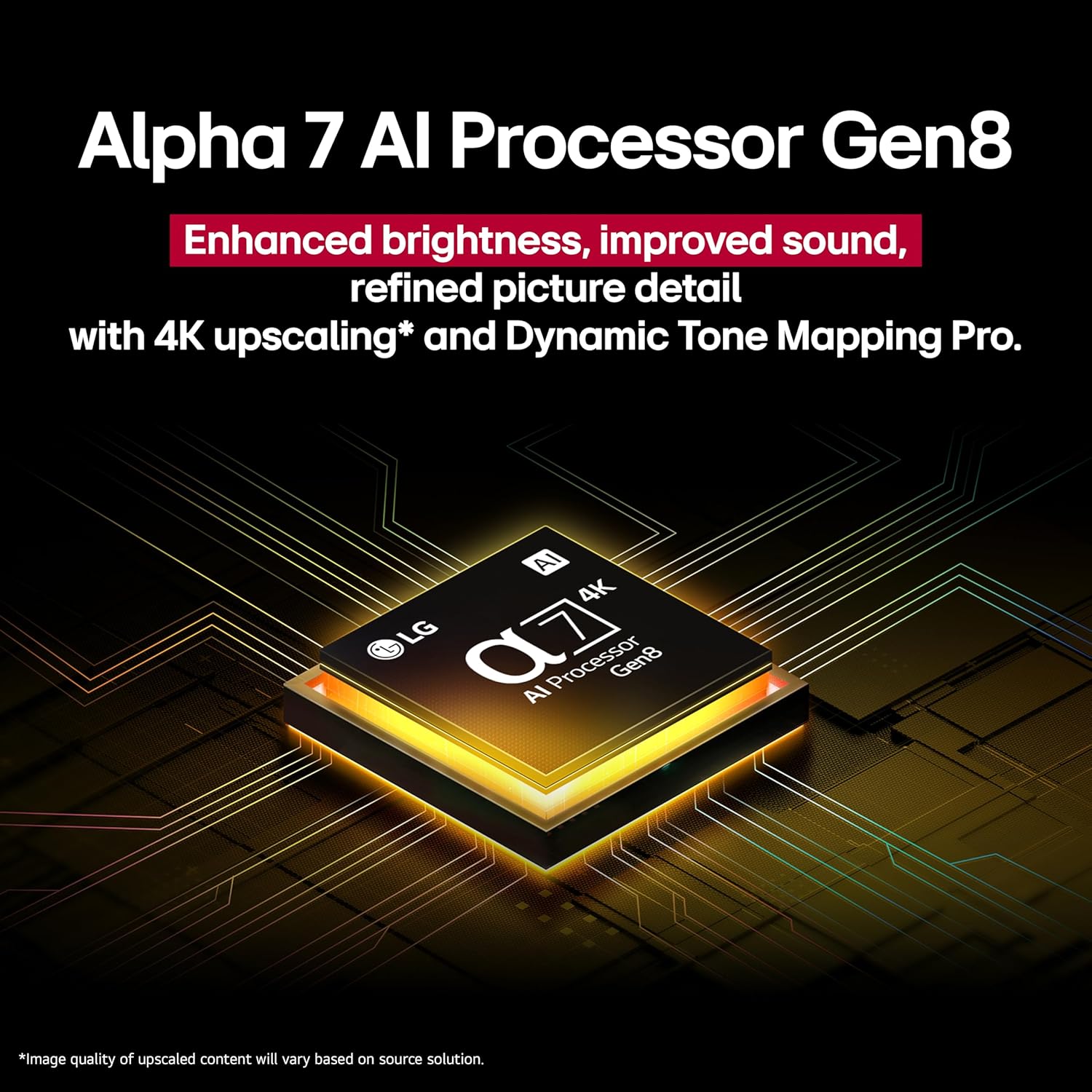
Figure 3.2: Close-up of the Alpha 7 AI Processor Gen8 chip.
3.4 אַודיאָ סעטטינגס
- LG Sound Sync: Wirelessly connect compatible LG soundbars or speakers.
- Sound Mode Share: Share sound settings across compatible devices.
- בלועטאָאָטה סעראַונד גרייט: Connect Bluetooth speakers for a surround sound experience.
- WOW אָרקעסטער: Integrates TV speakers with a compatible soundbar for enhanced audio.
3.5 קינסטלעכע אינטעליגענץ פֿעיִטשערס און קאָנעקטיוויטי
- AI Concierge, AI Search, AI Chatbot, Voice ID: Utilize these features for personalized content recommendations, quick searches, and voice recognition.
- סמאַרט היים ינטעגראַטיאָן: Compatible with Google Assistant, Amazon Alexa, Apple Home, and Apple AirPlay2.
- Game Service & ALLM: Access gaming services and benefit from Auto Low Latency Mode for a smoother gaming experience.
4. וישאַלט
4.1 Cleaning the TV Screen and Body
Before cleaning, unplug the TV from the power outlet. Use a soft, dry cloth to gently wipe the screen and TV body. For stubborn marks, lightly dampen the cloth with water or a specialized screen cleaner. Avoid using harsh chemicals, abrasives, or direct spraying of liquids onto the TV.
4.2 ווייכווארג דערהייַנטיקונגען
Ensure your TV's software is up to date for optimal performance and security. You can usually check for and install updates through the TV's settings menu under "General" or "Support."
5. טראָובלעשאָאָטינג
| פּראָבלעם | מעגלעך סיבה | לייזונג |
|---|---|---|
| קיין מאַכט | Power cable disconnected; surge protector off/tripped | Check power cable connection; ensure surge protector is on and functioning. |
| קיין בילד נישט, אבער סאונד איז דא | אומרעכטע אינפוט מקור אויסגעקליבן; פראבלעם מיט עקסטערנעם אפאראט | Verify correct HDMI input; check external device power and connection. |
| קיין געזונט | Volume muted; external audio system issue; incorrect audio output setting | Unmute volume; check external audio system; adjust TV audio output settings. |
| ווייַט קאָנטראָל נישט ארבעטן | Batteries depleted; obstruction; remote not paired | Replace batteries; remove obstructions; re-pair Magic Remote (refer to remote manual). |
| נעץ פֿאַרבינדונג פּראָבלעמען | Wi-Fi סיגנאַל שוואַך; ראַוטער פּראָבלעם; אומרעכט פּאַראָל | Restart router; check Wi-Fi password; move TV closer to router or use wired connection. |
For further assistance, please refer to the LG support webפּלאַץ אָדער קאָנטאַקט קונה דינסט.
6. ספּעסאַפאַקיישאַנז
| שטריך | דעטאַל |
|---|---|
| פאַרשטעלן גרייס | 43 אינטשעס |
| סאָרט | LG |
| ווייַז טעכנאָלאָגיע | QNED |
| האַכלאָטע | 4K |
| דערפרישן קורס | 60 הז |
| פּראָדוקט דימענשאַנז (ד רענטגענ וו רענטגענ ה) | 10.1"ד רענטגענ 38.1"וו רענטגענ 25"ה |
| פּונקט וואָג | 21.6 פונט |
| מאָדעל נאָמען | 43QNED82AUA |
| קאָליר | שוואַרץ |
| אָפּערייטינג סיסטעם | webOS 25 |
| קאָנטראָללער טיפּ | מאַגיק רימאָוט קאָנטראָל |
| Total Number of HDMI Ports | 3 |
| גאַנץ וסב פּאָרץ | 1 |
| ווירעלעסס טעכנאָלאָגיע | בלועטאָאָטה, ווי-פי |
| מאַונטינג טיפּ | Wall Mount (VESA 200 x 200) |
| מאָדעל יאָר | 2025 |
| שטיצט אינטערנעט באַדינונגס | Netflix, Max, Disney+, YouTube, Prime Video, ESPN, Apple TV, Sling TV, and More |
| אַודיאָ רעזולטאַט מאָדע | אַרומרינגלען |
| נומער פון אַודיאָ טשאַנאַלז | 2 |
7. פּראָדוקט ווידעאָס
ווידעא 7.1: אן איבערview of the LG QNED82AUA Series TV, highlighting its key features and design. This video is provided by Walts TV.
8. וואָראַנטי און שטיצן
Your LG 43QNED82AUA TV comes with a manufacturer's warranty. Please refer to the warranty card included in your package for specific terms and conditions. For technical support, service, or warranty claims, please visit the official LG webזייטל אדער קאנטאקט זייער קאסטומער סערוויס דעפארטמענט. האלט אייער קויף קוויטל אלס באווייז פון קויפן.
For support regarding the Walts Full Motion Mount or Amber Protection Surge Protector, please refer to their respective documentation or contact their customer support channels.