1. הקדמה
This manual provides detailed instructions for the Focket Flexible LED Display, a programmable full-color screen designed for versatile applications. Please read this manual thoroughly before using the product to ensure proper operation and longevity.
The Focket Flexible LED Display features a rollable design, making it portable and durable. It offers a 12x32 resolution display with vibrant RGB LED beads. Control is managed via a dedicated mobile application, supporting multiple languages and various display modes including text, music, graphics, and animations. The built-in 350mAh battery provides extended usage time.
2. פּעקל אינהאַלט
- 1 x Focket Flexible LED Display
- 1 x וסב טשאַרדזשינג קאַבלע
- 1 x אינסטרוקציע מאַנואַל (דאָס דאָקומענט)
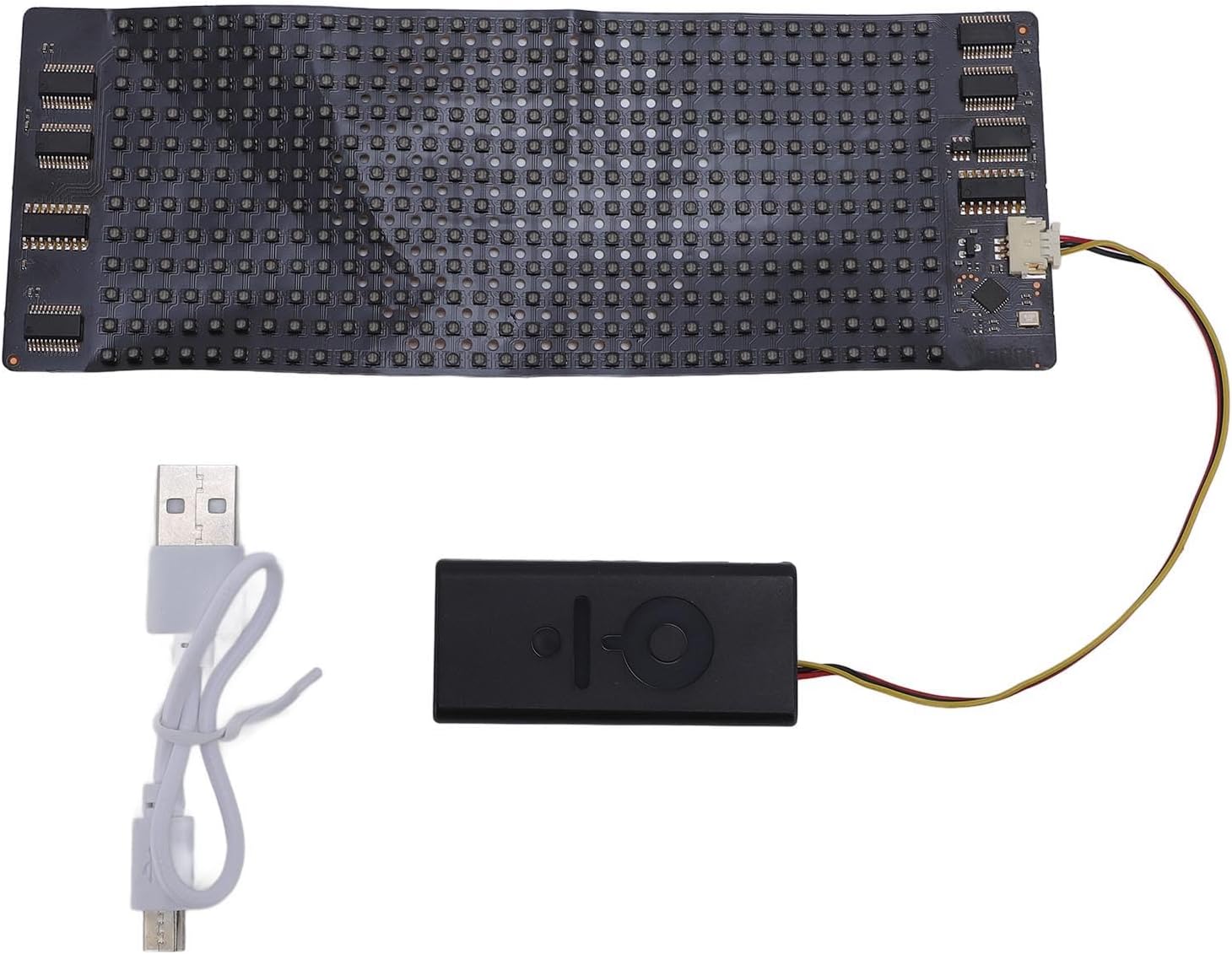
Image: The Focket Flexible LED Display, its control unit, and the included USB charging cable.
3. פּראָדוקט איבערview
The Focket Flexible LED Display consists of a flexible LED panel and a compact control unit with an integrated battery. The control unit connects to the LED panel via a short cable.
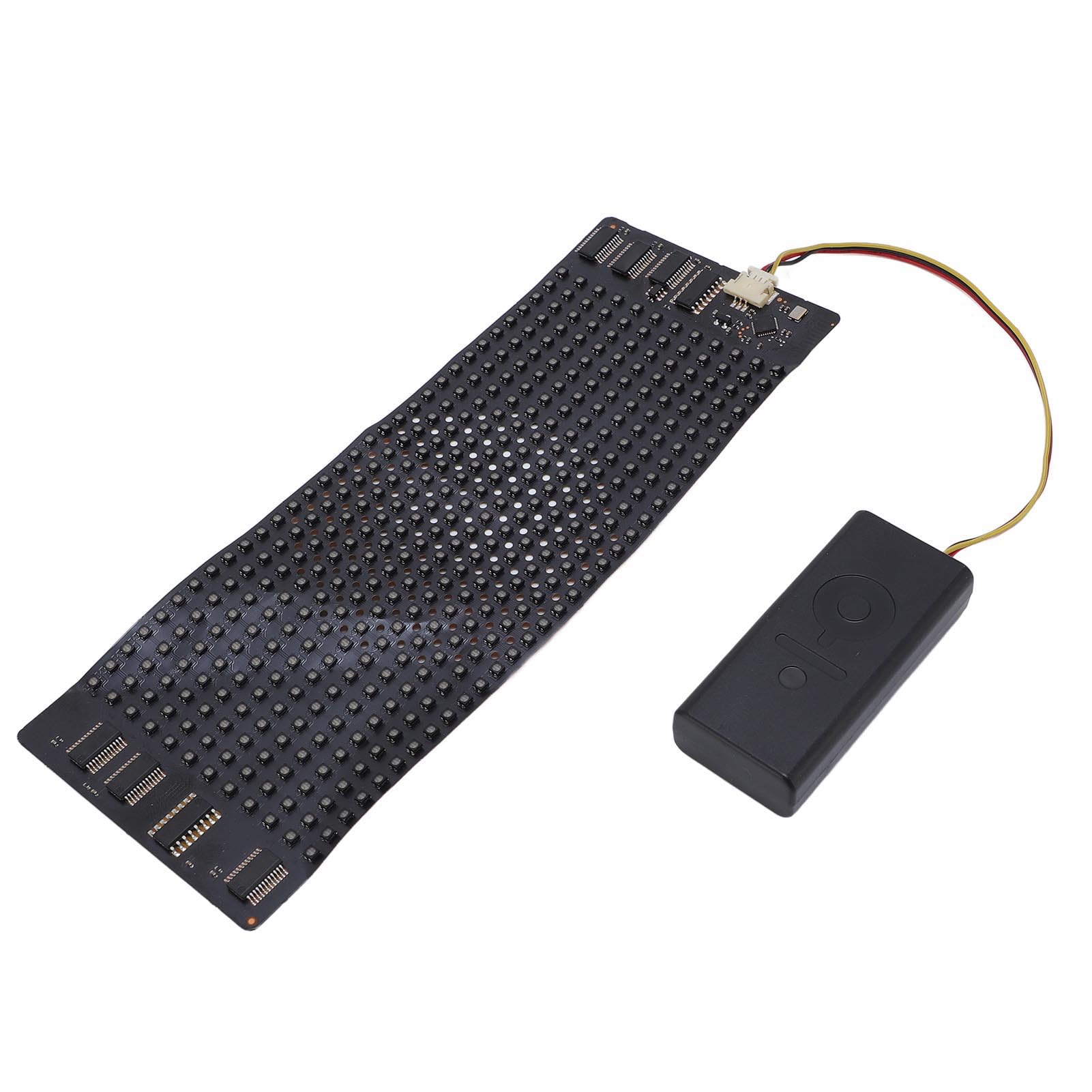
בילד: אויבן view of the Focket Flexible LED Display, showing the flexible LED panel connected to the control unit.
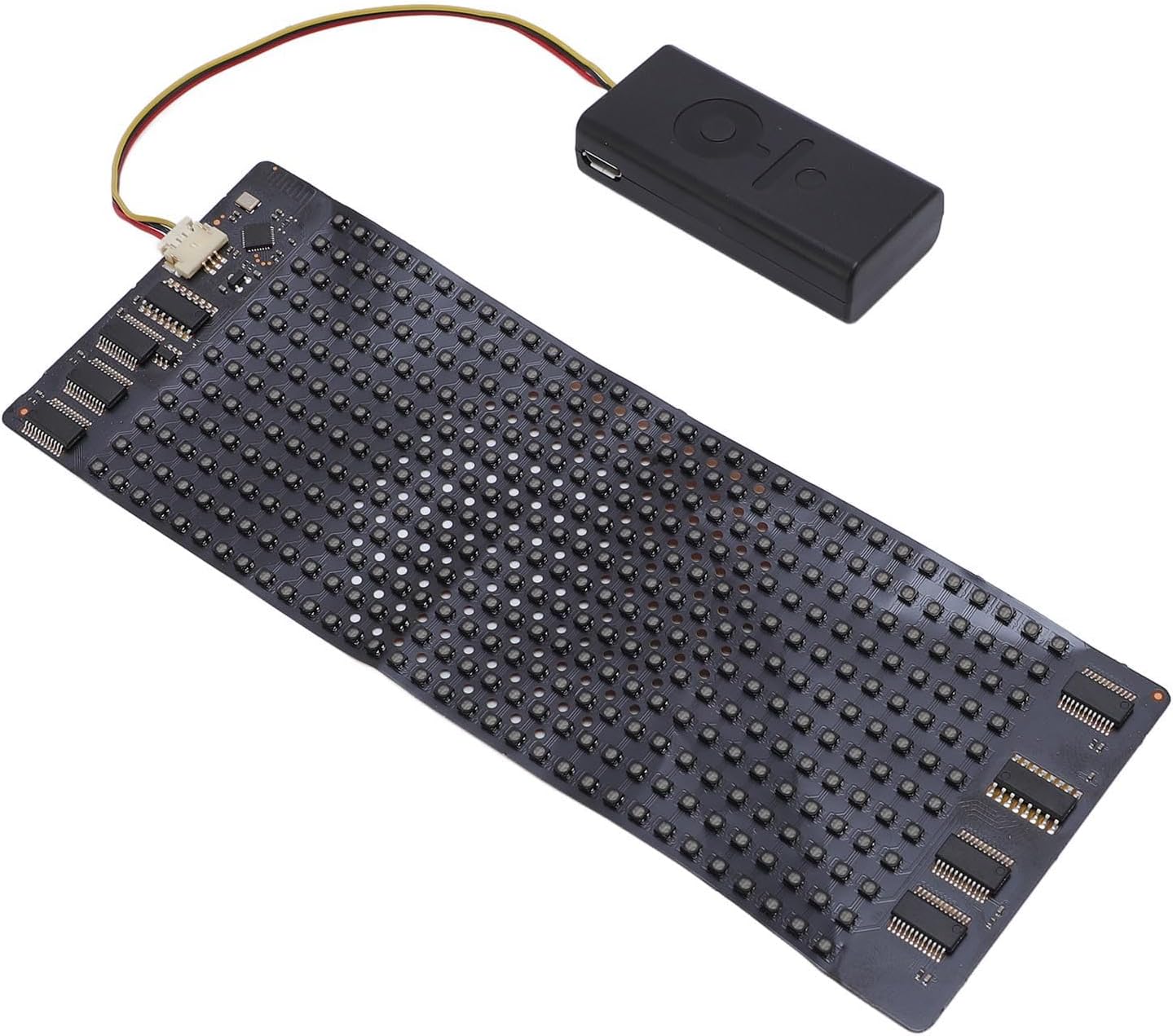
בילד: א ווינקלדיקע view of the Focket Flexible LED Display, illustrating its compact design.
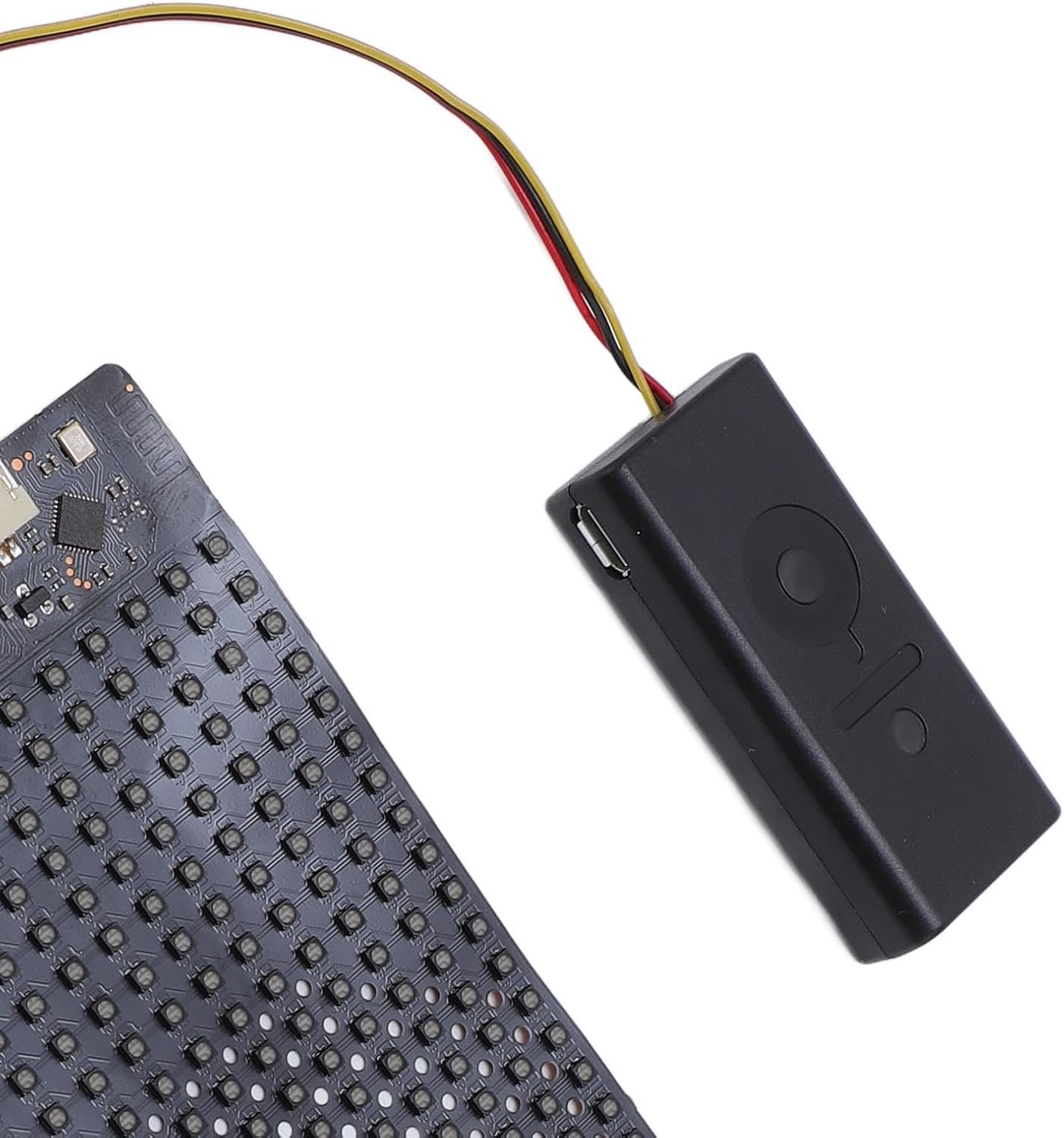
בילד: א דעטאַלירטע view of the control unit, highlighting the USB charging port and the connection point for the LED display.
4. סעטאַפּ אינסטרוקציעס
4.1 טשאַרדזשינג די מיטל
- Connect the provided USB charging cable to the micro-USB port on the control unit.
- שטעקט אריין דעם אנדערן עק פונעם USB קאבל אין א סטאנדארטן USB פאוער אדאפטער (נישט אריינגערעכנט) אדער א קאמפיוטער'ס USB פארט.
- The indicator light on the control unit will illuminate during charging and turn off or change color when fully charged.
- A full charge typically takes approximately 1-2 hours. The device can operate for over two hours at full brightness or up to five hours with text and localized content on a single charge.
4.2 אַפּ ינסטאַלירונג
To control your Focket Flexible LED Display, you need to install the dedicated mobile application.
- Scan the QR code provided in the product packaging or search for "LED" in your mobile device's app store (Google Play Store for Android, Apple App Store for iOS).
- אראפקאפיע און ינסטאַלירן די אַפּלאַקיישאַן.
- Ensure your mobile device's Bluetooth is enabled.
4.3 קאַנעקטינג צו די אַפּ
- Ensure the LED display's control unit is charged and powered on.
- Open the "LED" application on your mobile device.
- The app will automatically search for nearby Focket Flexible LED Displays. Select your device from the list to establish a Bluetooth connection.
- Once connected, the app will indicate a successful pairing, and you can begin customizing your display.
5. אַפּערייטינג ינסטרוקטיאָנס
5.1 פּאַוערינג אויף / אַוועק
Press and hold the power button on the control unit for approximately 3 seconds to turn the device on or off. The LED display will illuminate when powered on.
5.2 ניצן די מאָביל אַפּליקאַציע
The "LED" app provides various modes for customizing your display:
- טעקסט מאָדע: Enter custom text messages. You can adjust font, size, color, scroll direction, and speed.
- גראַפיק מאָדע: Select from pre-loaded images or upload your own simple monochrome or low-resolution color graphics.
- Animation Mode: Choose from built-in animations or create simple frame-by-frame animations.
- מוזיק מאָדע: Display visualizers that react to music played through your phone (functionality may vary by app version).
The app supports 11 languages for text input and interface navigation.
5.3 Customization Tips
- Experiment with different text effects and colors to achieve desired visual impact.
- For optimal visibility, consider the ambient lighting conditions when choosing brightness settings.
- Ensure your custom graphics are appropriately sized for the 12x32 resolution to avoid distortion.
6. וישאַלט
6.1 רייניקונג
- Gently wipe the LED display surface with a soft, dry, lint-free cloth.
- Avoid using harsh chemicals, abrasive cleaners, or excessive moisture, as these can damage the display.
- זיכער מאַכן אַז די דעוויס איז אויסגעלאָשן און אָפּגעטיילט פֿון יעדער מאַכט-קוואַל איידער איר רייניקט.
6.2 סטאָרידזש
- Store the flexible LED display in a cool, dry place away from direct sunlight and extreme temperatures.
- Avoid sharp folds or creases in the flexible panel to prevent damage to the internal circuitry.
- אויב איר לייגט עס אויף פאר א לענגערע צייט, לאדט אויף די באטעריע ביז בערך 50% יעדע פאר חדשים כדי צו אויפהאלטן די געזונטהייט פון די באטעריע.
7. טראָובלעשאָאָטינג
| פּראָבלעם | מעגלעך סיבה | לייזונג |
|---|---|---|
| ווייַז איז נישט קער אויף. | באַטערי איז דיפּליטיד. | טשאַרדזש די מיטל מיט די צוגעשטעלט וסב קאַבלע. |
| ווייַז איז נישט קער אויף. | דער מאַכט קנעפּל נישט ריכטיק געדריקט. | דריקן און האַלטן די מאַכט קנעפּל פֿאַר 3 סעקונדעס. |
| קען נישט פאַרבינדן זיך צום אַפּ. | Bluetooth is off on mobile device. | געבן בלועטאָאָטה אויף דיין רירעוודיק מיטל. |
| קען נישט פאַרבינדן זיך צום אַפּ. | Device is out of range or not powered on. | Ensure the display is powered on and within close proximity to your mobile device. |
| Display content is distorted or incorrect. | Incorrect settings in the app or corrupted data. | Restart the app and the LED display. Re-send the content from the app. Ensure graphics are optimized for 12x32 resolution. |
8. ספּעסאַפאַקיישאַנז
| נומער טיפּ | פלעקסאַבאַל געפירט ווייַז |
| מאָדעל נומער | Focketvux7r9cdpq |
| מאַטעריאַל | PCB, ABS |
| ווייַז גרייס | Approx. 158.5 x 58 mm (6.24 x 2.28 inches) |
| האַכלאָטע | 12x32 פּיקסעלס |
| אַפּ נאָמען | LED (for mobile control) |
| באַטערי | 1x 350mAh Rechargeable Li Battery (Built-in) |
| באַטערי לעבן | >2 hours (full brightness), up to 5 hours (text/localized content) |
| פּונקט וואָג | בעערעך. 1.73 אונס |
| פּראָדוקט דימענשאַנז | Approx. 6.69 x 1.18 x 0.39 inches (packaging/overall) |
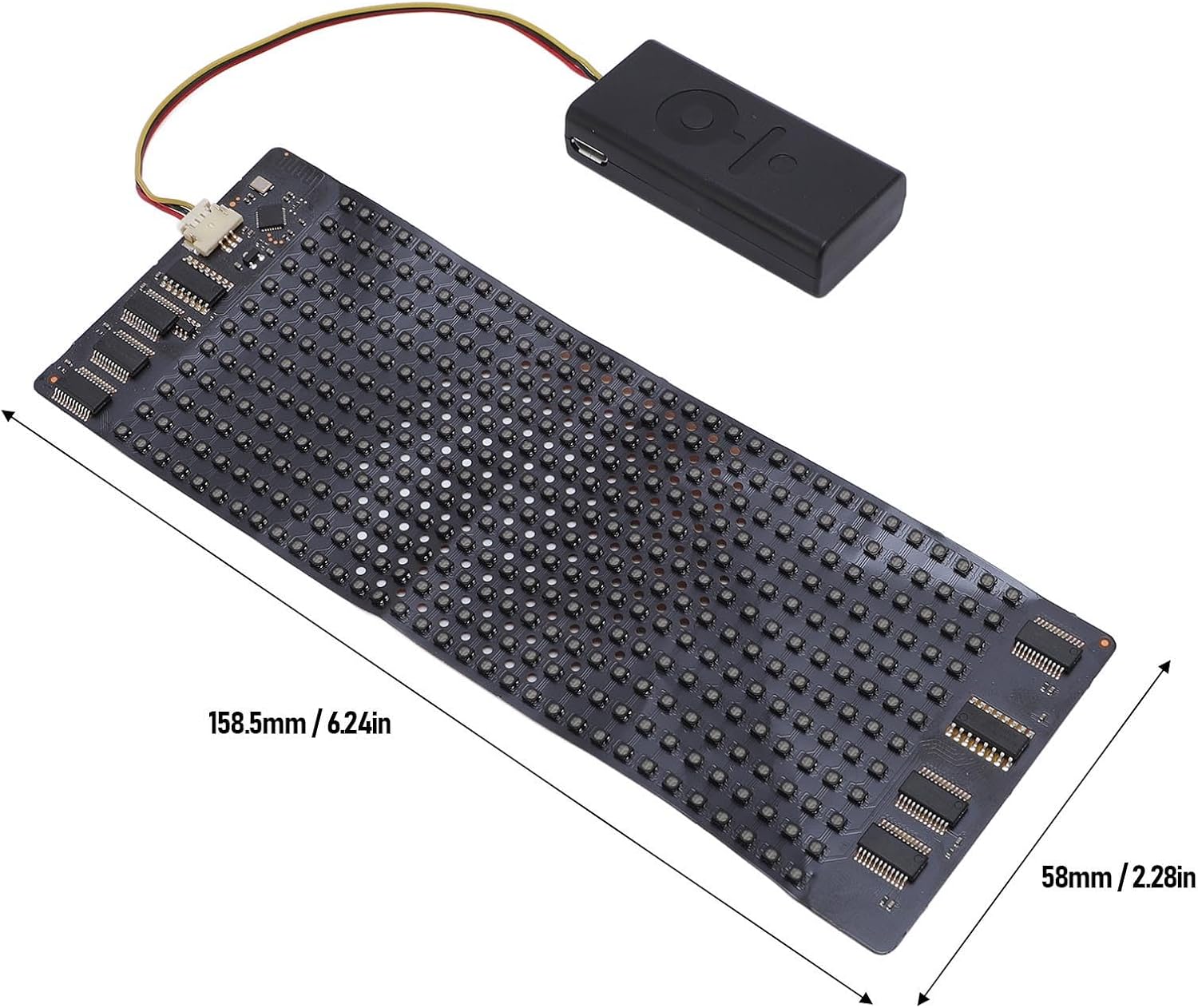
Image: The flexible LED display panel with its approximate dimensions (158.5mm x 58mm) clearly marked.
9. וואָראַנטי אינפֿאָרמאַציע
Specific warranty details for the Focket Flexible LED Display are not provided within this manual. Please refer to the product packaging, your purchase receipt, or contact the seller/manufacturer directly for information regarding warranty coverage and terms.
10. קונה שטיצן
For technical assistance, troubleshooting beyond this guide, or general inquiries, please contact Focket customer support through their official website or the contact information provided with your purchase. You may also refer to the seller's support channels on the platform where the product was purchased.