1. הקדמה
This manual provides essential information for the proper setup, operation, and maintenance of your KOORUI G2721X 27-inch 1440p QHD Gaming Monitor. Please read this manual thoroughly before using the product to ensure optimal performance and safety. Keep this manual for future reference.

פיגורע 1.1: פראָנט view of the KOORUI G2721X monitor, showcasinג זיינע דין בעזעלס און שטאַנד.
2. פּעקל אינהאַלט
Verify that all items are present in the package. If any items are missing or damaged, please contact your retailer or KOORUI customer support.
- KOORUI G2721X Monitor (x1)
- Monitor Base (x1)
- אינסטרוקציעס מאַנואַל (x1)
- DisplayPort (DP) Cable (x1)
- מאַכט אַדאַפּטער (קס 1)
3. פּראָדוקט איבערview
3.1 שליסל פֿעיִקייטן
- ווייַז: 27-inch QHD (2560x1440) resolution for crisp visuals.
- דערפרישן קורס: Up to 260Hz (supports 240Hz) for smooth gameplay.
- ענטפער צייט: 1ms (GTG) for minimal motion blur.
- טאַפליע טיפּ: Fast IPS for vibrant colors and wide viewינג אַנגלעס.
- HDR שטיצן: HDR400 for enhanced contrast and brightness.
- אַדאַפּטיוו סינק: Eliminates screen tearing and stuttering.
- קאָליר גאַמע: 99% sRGB and 90% DCI-P3 for accurate color reproduction.
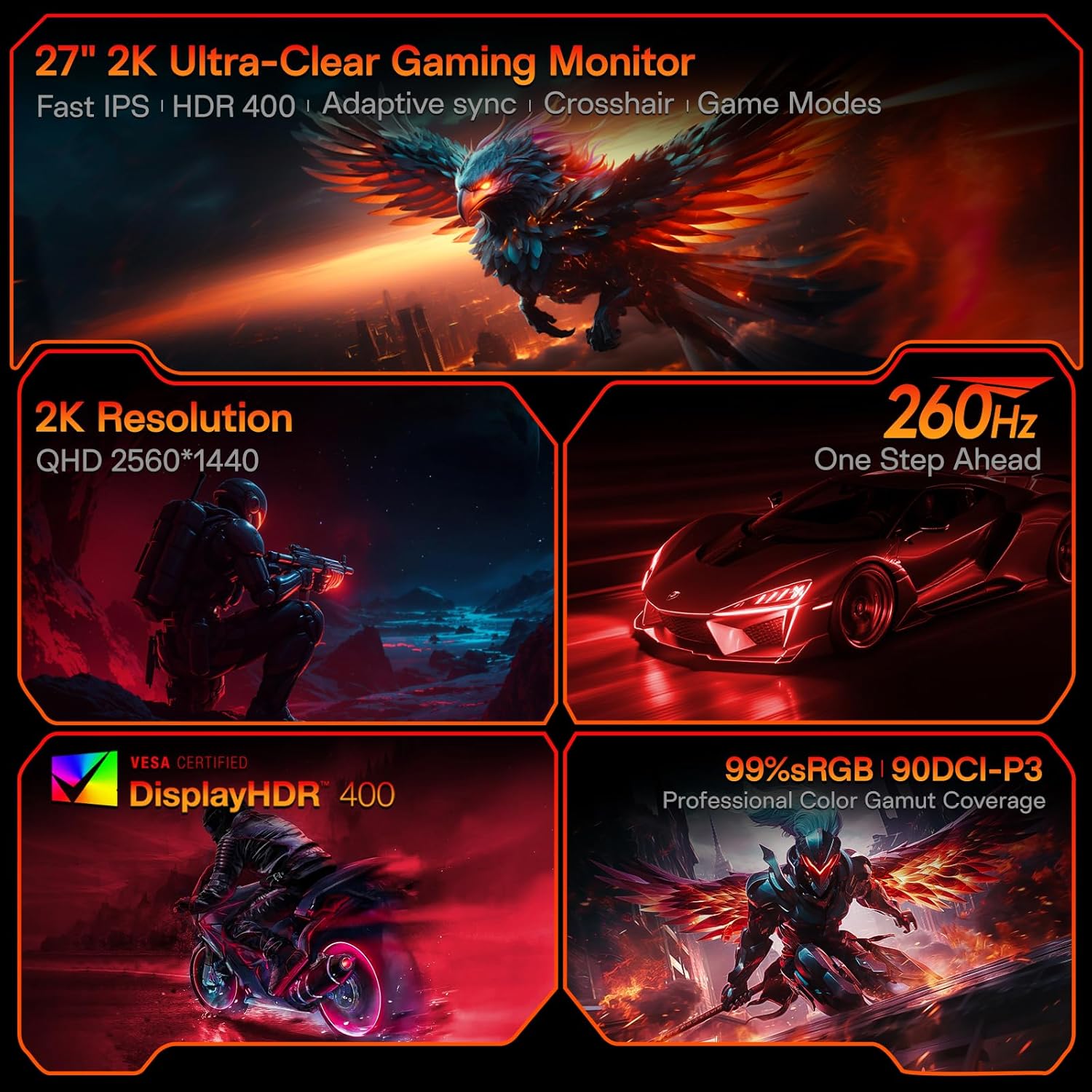
Figure 3.1: Visual representation of the monitor's core features.
3.2 פּאָרטן און קאָנטראָלן
The monitor features a variety of input and output ports for versatile connectivity, along with an intuitive control system.
- ווידעא ינפּוץ: Two HDMI 2.0 ports, one DisplayPort 1.4 port.
- אַודיאָ רעזולטאַט: One 3.5mm audio jack.
- מאַכט אַרייַנשרייַב: One DC power port.
- קאָנטראָל: A 5-way joystick located on the rear for On-Screen Display (OSD) navigation.
- פּלאַן: Hawk-wing backplate with integrated cooling stripes for efficient heat dissipation.

פיגורע 3.2: דערציען view of the monitor detailing port locations and physical adjustments.
4. סעטאַפּ
4.1 שטיין ייַנמאָנטירונג
- Carefully remove the monitor and base from the packaging.
- Align the monitor stand with the slot on the back of the monitor.
- Gently push the stand into the slot until it clicks into place, indicating a secure connection.
- שטעלט דעם צוזאַמענגעשטעלטן מאָניטאָר אויף אַ סטאַבילער, גלאַטער ייבערפלאַך.
4.2 קאַבלע קאַנעקשאַנז
- Connect the provided DisplayPort (DP) cable from your computer's graphics card to the DP 1.4 port on the monitor. Alternatively, use an HDMI cable to connect to one of the HDMI 2.0 ports.
- Connect the power adapter to the DC power port on the monitor, then plug the other end into a power outlet.
- If using external speakers or headphones, connect them to the 3.5mm Audio Out port.
4.3 Video Guide: Installation and Features
Watch this video for a visual guide on installing the monitor stand and an overview פון זייַן פֿעיִקייטן.
Video 4.1: A detailed demonstration of the KOORUI G2721X monitor's assembly and key functionalities. This video covers the physical setup, port connections, and highlights features such as the 260Hz refresh rate, QHD resolution, and Adaptive Sync technology.
5. אַפּערייטינג ינסטרוקטיאָנס
5.1 אויף-סקרין דיספּליי (OSD) נאַוויגאַציע
The monitor's settings can be adjusted using the 5-way joystick located on the back of the display. Press the joystick to open the OSD menu, then move it up/down/left/right to navigate and select options.
5.2 Motion Performance
The G2721X offers an ultra-smooth 260Hz refresh rate, crucial for competitive gaming. It also features 3-level Overdrive settings to optimize response time:
- נאָרמאַל: 5ms ענטפער צייט.
- שנעל: 3ms ענטפער צייט.
- עקסטרעם: 1ms ענטפער צייט.
Adjust these settings via the OSD menu to find the optimal balance for your gaming experience.

Figure 5.1: Illustrates the visual difference in motion clarity between 260Hz and 120Hz refresh rates.
5.3 Color Performance
The monitor covers 99% sRGB and 90% DCI-P3 color gamuts, displaying 16.7 million colors (8-bit). This wide color range enhances in-game visuals and provides accurate color reproduction for various applications.

Figure 5.2: Demonstrates the monitor's extensive color capabilities.
5.4 אַדאַפּטיוו סינק
Adaptive Sync technology synchronizes the monitor's refresh rate with your graphics card's frame rate, effectively eliminating screen tearing and stuttering during fast-paced action. Ensure Adaptive Sync is enabled in both the monitor's OSD and your graphics card's control panel for optimal performance.
5.5 HDR400 שטיצע
With HDR400 support, the monitor delivers brighter colors, deeper blacks, and enhanced contrast, providing a more immersive visual experience in compatible content.
5.6 שפּיל מאָדעס
The G2721X includes dedicated game display modes to enhance your gaming experience:
- קראָסשאַיר: צושטעלט אַן אויף-עקראַן קראָסכער פֿאַר פֿאַרבעסערטע צילן אַקיעראַסי.
- טיימער: Displays an on-screen timer for managing game events.
- FPS: Optimized settings for First-Person Shooter games.
- RCG: Optimized settings for Racing games.
- RPG: Optimized settings for Role-Playing Games.

פיגורע 5.3: עקסamples of the monitor's dedicated game modes.
6. ספּעסאַפאַקיישאַנז
| שטריך | באַשרייַבונג |
|---|---|
| מאָדעל נומער | גקסנומקסקס |
| פאַרשטעלן גרייס | 27 אינטשעס |
| טאַפליע טיפּ | שנעל IPS |
| האַכלאָטע | 2560 רענטגענ 1440 (QHD) |
| דערפרישן קורס | 260 הערץ (שטיצט 240 הערץ) |
| ענטפער צייט | 1 מס (גטג) |
| ברייטנאַס | 350 סי / מ² (ניט) |
| HDR שטיצן | HDR400 |
| קאָליר גאַמע | 99% sRGB, 90% DCI-P3 |
| קאָליר דעפּט | 16.7 מיליאָן קאָלירן (8-ביט) |
| פּיקסעל געדיכטקייַט | 109 פּפּי |
| אַספּעקט פאַרהעלטעניש | 16:9 |
| קאַנעקטיוויטי | 2x HDMI 2.0, 1x DisplayPort 1.4, 1x Audio Out, 1x DC Power |
| VESA קאַמפּאַטאַבילאַטי | 75x75מם |
| טילט אַדזשאַסטמאַנט | -5° צו 20° |
| פּראָדוקט דימענשאַנז (ב רענטגענ ד x ה) | 24 X 8.46 X 18.59 אינטשעס |
| פּונקט וואָג | 10.83 פונט |
7. וישאַלט
געהעריגע אויפהאלטונג גאראנטירט די לאנגעוויטי און אפטימאלע פערפארמאנס פון אייער מאניטאר.
- רייניקונג די פאַרשטעלן: ניצן אַ ווייך, לינט-פֿרייַ שטאָף אַ ביסל דampened with water or a specialized screen cleaner. Do not use alcohol-based cleaners or abrasive materials.
- רייניקונג פון די Casing: ווישט אויס דעם מאָניטאָר casing with a soft, dry cloth. Avoid using strong detergents or solvents.
- ווענטילאַטיאָן: Ensure the monitor's ventilation slots are clear and not obstructed to prevent overheating.
- מאַכט אַוועק: שטענדיק אויסלעשן דעם מאָניטאָר און אַרויסציען עס פֿון דער עלעקטרישער אַוטלעט איידער איר רייניגט עס אָדער אויב עס וועט נישט געניצט ווערן פֿאַר אַ לענגערע צייט.
8. טראָובלעשאָאָטינג
אויב איר טרעפט פּראָבלעמען מיט אייער מאָניטאָר, זעט די פאלגענדע געוויינטלעכע טראָובלעשווטינג טריט:
- קיין מאַכט:
- זיכער מאַכן אַז דער מאַכט קאַבל איז זיכער פארבונדן צו ביידע דעם מאָניטאָר און די מאַכט ווענטיל.
- Verify the power outlet is functioning correctly by plugging in another device.
- קיין סיגנאַל:
- Check that the video cable (DP or HDMI) is securely connected to both the monitor and your computer's graphics card.
- זיכער מאַכן אַז די ריכטיקע אַרייַנגאַנג מקור איז אויסגעקליבן אויף דעם מאָניטאָר דורך די OSD מעניו.
- פּרובירט מיט אַן אַנדער ווידעאָ קאַבל אָדער פּאָרט אויב פֿאַראַן.
- פליקערנדיקער עקראַן:
- קאָנטראָלירט דעם ווידעא קאַבל פֿאַר שעדיקן אָדער לויזע פֿאַרבינדונגען.
- אַדזשאַסטירן די רעפרעש קורס אין אייער קאָמפּיוטער'ס דיספּליי סעטטינגס.
- דיאַקטיווירן אַדאַפּטיוו סינק צייטווייליק צו זען אויב די פּראָבלעם בלייבט.
- בילד קוואַליטעט פּראָבלעמען (בלערי, פאַרדרייטע פארבן):
- Ensure the monitor's resolution is set to its native 2560x1440 in your computer's display settings.
- Reset the monitor to factory settings via the OSD menu.
- Adjust color settings (brightness, contrast, color temperature) in the OSD.
9. וואָראַנטי און שטיצן
Your KOORUI G2721X monitor is backed by a 1-year panel warranty און 3-year accessory coverage. Please note that terms and conditions apply to the warranty. For detailed warranty information or technical assistance, please refer to the official KOORUI webזייטל אדער קאנטאקט זייער קאסטומער שטיצע גלייך.
If you have any questions or require further assistance, please do not hesitate to reach out to KOORUI customer support.


