הקדמה
Thank you for choosing the pTron Bassbuds Senz Open Ear Wireless Earbuds. These earbuds are designed to provide a comfortable and pressure-free listening experience while keeping you aware of your surroundings. Featuring 13mm dynamic drivers, dual HD microphones with AI-ENC for clear calls, Bluetooth v6.0 connectivity, and IPX5 water resistance, the Bassbuds Senz are ideal for various activities. This manual provides detailed instructions for setup, operation, maintenance, and troubleshooting to ensure optimal performance.
וואָס איז אין די קעסטל
- pTron Bassbuds Senz Wireless Earbuds
- טשאַרדזשינג קאַסע
- וסב טיפּע- C טשאַרדזשינג קאַבלע
- באַניצער מאַנואַל
פּראָדוקט איבערview
The pTron Bassbuds Senz feature an open-ear design for comfort and situational awareness, along with a compact charging case.

Image: pTron Bassbuds Senz Open Ear Wireless Earbuds and Charging Case. This image displays the two earbuds and their oval-shaped charging case.

Image: Key features of pTron Bassbuds Senz. This collage highlights SafeBeats Design, Dual HD Mics, 50 Hours Playtime, 13mm Dynamic Drivers, Bluetooth 6.0, LED Battery Indicator, Type-C Charging, and IPX5 Water & Sweat Resistant.

Image: Diagram showing the 13mm dynamic drivers of pTron Bassbuds Senz. This close-up view illustrates the internal components of the earbud's audio driver.

Image: User wearing pTron Bassbuds Senz, highlighting Dual HD Mics for clear calls. A person is shown wearing one earbud, emphasizing its ergonomic fit and microphone placement.

Image: Close-up of pTron Bassbuds Senz charging case with digital LED display and Type-C charging port. This image shows the charging case with its lid open, revealing the earbuds inside and the battery percentage אַרויסווייַזן.
סעטאַפּ אינסטרוקציעס
1. אויפלאָדן די אויערקנעפּלעך און קעסטל
Before first use, fully charge the earbuds and charging case. Use the provided USB Type-C cable to connect the charging case to a power source.
- The digital LED display on the charging case will show the battery percentage.
- די אויערקנעפּלעך וועלן זיך אויטאָמאַטיש אויפלאָדן ווען מען לייגט זיי אריין אין דעם קעסטל.
- א פולע אויפלאדונג נעמט געווענליך בערך 1.5-2 שעה.
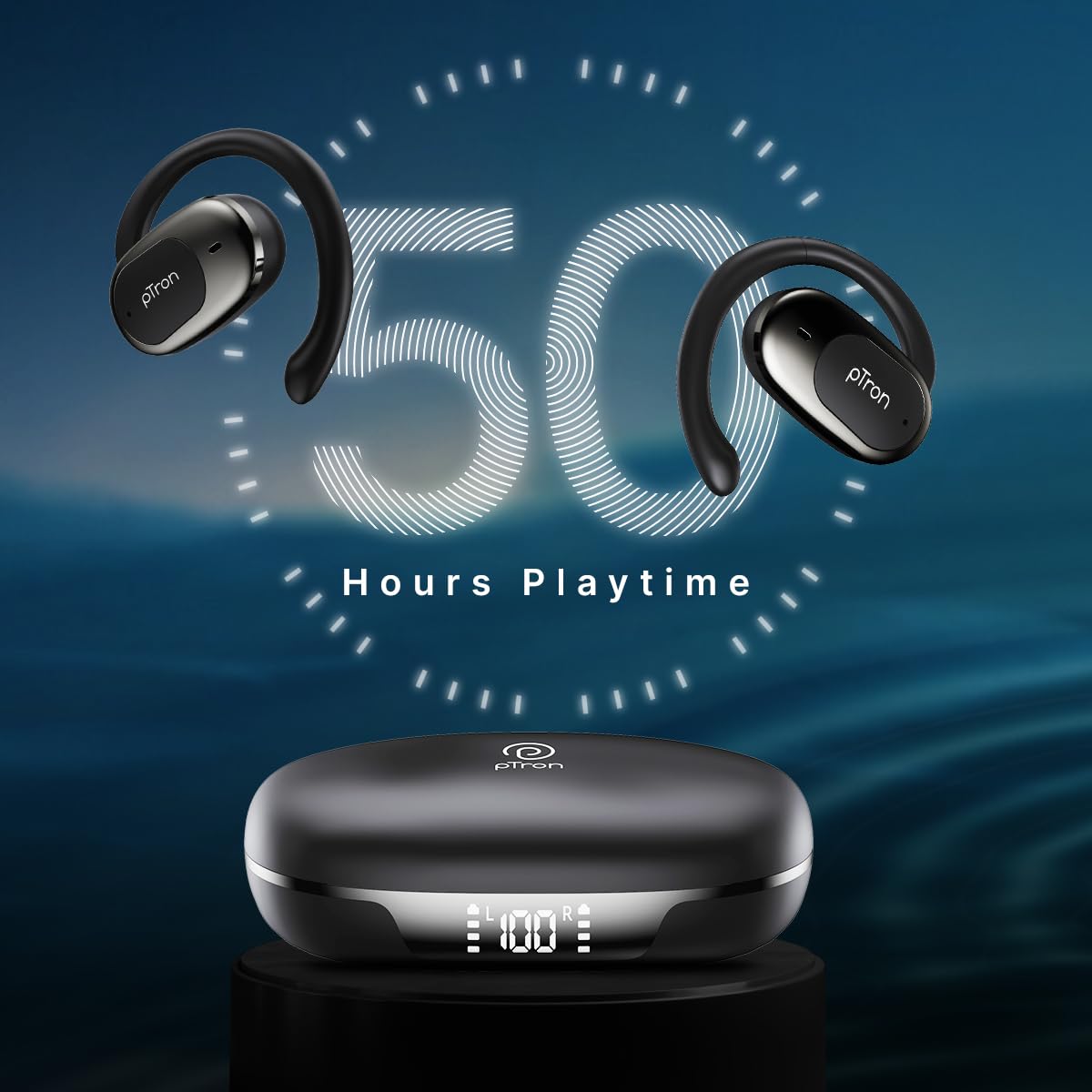
Image: pTron Bassbuds Senz earbuds and charging case, illustrating 50 hours combined playtime. This image visually represents the extended battery life of the product.
2. בלועטאָאָטה פּערינג
- מאַכט אויף: עפֿנט דעם טשאַרדזשינג קעסטל. די אויערקנעפּלעך וועלן זיך אויטאָמאַטיש אָנצינדן און אַרייַן אין פּערינג מאָדע. איר קענט הערן אַ קול פּראָמפּט וואָס ווײַזט אַז זיי זענען גרייט צו פּערן.
- אַקטאַווייט בלועטאָאָטה: On your smartphone or device, go to the Bluetooth settings and turn Bluetooth on.
- אויסקלייַבן דיווייס: Look for "pTron OWS" (or similar name) in the list of available devices and select it to connect.
- באַשטעטיקונג: אַמאָל קאָננעקטעד, איר וועט הערן אַ קול פּינטלעך באַשטעטיקן די געראָטן פּערינג.
- אָטאַמאַטיק ריקאַנעקשאַן: נאך דער ערשטער פארבינדונג, וועלן די אויערקנעפלעך זיך אויטאמאטיש פארבינדן צום לעצטן פארבינדענעם אפאראט ווען מען נעמט זיי ארויס פון קעסטל, אויב בלועטוט איז ענייבאַלד אויפן אפאראט.

Image: Smartphone screen showing Bluetooth pairing with pTron OWS, next to the earbuds and charging case. This image demonstrates the process of connecting the earbuds to a mobile device via Bluetooth.
אַפּערייטינג ינסטראַקשאַנז
The pTron Bassbuds Senz feature touch controls for easy management of music and calls.
ריר קאָנטראָלס
| פֿונקציע | קאַמף |
|---|---|
| מאַכט אויף | עפענען טשאַרדזשינג פאַל |
| מאַכט אַוועק | Place earbuds back into charging case and close lid |
| שפּיל / פּויזע מוזיק | איין צאַפּן אויף יעדער עאַרבוד |
| ווייַטער שפּור | טאָפּל-טאַפּ אויף די רעכטע אויערקנעפּל |
| פֿריִערדיקע שפּירט | טאָפּל-טאַפּ אויף די לינקע אויערקנעפּל |
| ענטפֿערן / סוף רופן | Single tap on either earbud during an incoming call |
| אָפּוואַרפן רופן | Long press on either earbud during an incoming call |
| אַקטאַווייט די קול אַססיסטאַנט | דריי מאָל צאַפּן אויף יעדן אויערקנעפּל |
| באַנד אַרויף | Long press on the Right earbud |
| באַנד אַראָפּ | Long press on the Left earbud |
וישאַלט
רייניקונג
- רייניקט רעגולער די אויערקנעפּלעך און די טשאַרדזשינג קעסטל מיט אַ ווייכן, טרוקענעם, לינט-פֿרייע שטאָף.
- דו זאלסט נישט נוצן האַרב קעמיקאַלז, רייניקונג סאָלוואַנץ אָדער שטאַרק דיטערדזשאַנץ.
- זיכער מאַכן אַז די טשאַרדזשינג קאָנטאַקטן אויף ביידע אויערקנעפּלעך און קעסטל זענען ריין און פריי פון שמוץ.
סטאָרידזש
- סטאָר די עאַרבודז אין זייער טשאַרדזשינג פאַל ווען ניט אין נוצן צו באַשיצן זיי און האַלטן זיי טשאַרדזשינג.
- Avoid storing in extreme temperatures (hot or cold) or in dusty/humid environments.
באַטערי קער
- כדי צו פארלענגערן די לעבן פון די באַטעריע, זאָלט איר נישט אָפט אויסלאָדן די אויערקנעפּלעך און די טשאַרדזשינג קעסטל.
- לאָדט דעם אַפּאַראַט רעגולער אויף, אפילו אויב עס ווערט נישט אָפט גענוצט.

Image: User exercising with pTron Bassbuds Senz, demonstrating IPX5 water and sweat resistance. This image shows the earbuds being used during a workout, highlighting their durability against sweat and splashes.
טראָובלעשאָאָטינג
If you encounter issues with your pTron Bassbuds Senz, refer to the following common solutions:
- אויערקנעפּלעך פּאַסן נישט מיטן מיטל:
Ensure both earbuds are charged. Turn off Bluetooth on your device, then turn it back on. Forget "pTron OWS" from your device's Bluetooth list and try pairing again. Make sure the earbuds are in pairing mode (out of the case). - נאָר איין אויערקנעפּל אַרבעט:
Place both earbuds back into the charging case, close the lid, wait a few seconds, then open the lid and take them out. This often resets the connection between the two earbuds. If the issue persists, try re-pairing them with your device. - אויערקנעפּלעך לאָדן זיך נישט אויף:
Check if the charging cable is securely connected to both the case and the power source. Ensure the charging contacts on the earbuds and inside the case are clean and free of obstructions. Verify the charging case has sufficient battery. - נידעריקע קול אדער שלעכטע געזונט קוואַליטעט:
Adjust the volume on both your device and the earbuds. Ensure the earbuds are properly seated in your ears. Clean any debris from the earbud speakers. - Connectivity issues (disconnections):
Ensure your device is within the 10-meter Bluetooth range. Avoid obstacles between your device and the earbuds. Minimize interference from other wireless devices.
ספּעסאַפאַקיישאַנז
| שטריך | דעטאַל |
|---|---|
| מאָדעל נאָמען | Bassbuds Senz |
| קאַנעקטיוויטי טעכנאָלאָגיע | דראָטלאָז (בלוטוט וו6.0) |
| בלועטאָאָטה קייט | 10 מעטער |
| אַודיאָ דרייווער טיפּ | 13 מם דינאַמיש דרייווער |
| Battery Life (Combined) | אַרויף צו 50 שעה |
| טשאַרדזשינג פּאָרט | וסב טיפּ-C |
| וואַסער קעגנשטעל | IPX5 (וואַסער קעגנשטעליק) |
| מיקראָפאָנעס | Dual HD Mics with AI-ENC |
| קאָנטראָל מעטאָד | ריר |
| אויער פּלייסמאַנט | עפענען אויער |
| מאַטעריאַל | אַקרילאָניטרילע בוטאַדיענע סטירענע (אַבס) |
| פּונקט וואָג | 67 גראַמז |
| פּראָדוקט דימענשאַנז | 9.1 X 5.9 X 3.1 סענטימעטער |
וואָראַנטי און שטיצן
The pTron Bassbuds Senz comes with a 1-year manufacturer warranty from the date of purchase, covering manufacturing defects only.
קונה שטיצן
For any queries, support, or warranty claims, please contact pTron customer care:
- טעלעפֿאָן: 040-67138888
- בליצפּאָסט: support@ptron.in
- פאַבריקאַנט: Palred Electronics Pvt. Ltd., SY.NO. 56, 1ST FLOOR, GUNDLAPOCHAMPאַלי ווילעדזש, טעק פּאַרק MTP, TSIIC-IALA NACHARAM, הײַדעראַבאַד - 500076, טעלאַנגאַנאַ, אינדיע


