1. הקדמה
This user manual provides comprehensive instructions for the NEC VersaPro VH-1 laptop. It covers setup, operation, maintenance, and troubleshooting to ensure optimal performance and user experience. Please read this manual thoroughly before using your device.
The NEC VersaPro VH-1 is a lightweight and high-performance 12.5-inch Full HD laptop, featuring a 7th Generation Intel Core i5-7Y54 processor. It is designed for efficient web browsing, business applications, and remote work. With pre-installed Windows 11 Pro and MS Office 2019, it is ready for immediate use upon arrival.
2. פּראָדוקט איבערview
2.1 שליסל פֿעיִקייטן
- Lightweight & Thin Design: Weighing approximately 921g, this 12.5-inch FHD laptop is highly portable, fitting easily into a backpack for commuting, business trips, or mobile work.
- 7th Gen Intel Core i5-7Y54 Processor: Equipped with an efficient and power-saving Intel Core i5-7Y54 (up to 3.2GHz) processor, offering sufficient performance for browsing, online meetings, and Office applications. It also features quiet operation and low heat generation.
- High-Speed SSD Storage: Features an SSD for fast boot-up and smooth operation, handling large files and multiple applications without lag.
- Rich Connectivity & Type-C Expansion: כולל א Web camera, Wi-Fi, Bluetooth, HDMI, and a Type-C port for versatile connections to peripherals and external monitors. The Type-C port supports future expansion.
- Pre-installed Software: Comes with Windows 11 Pro and MS Office 2019 pre-installed, allowing immediate document creation, report preparation, and web קאַנפראַנסינג.
2.2 קאָמפּאָנענט לעגיטימאַציע
Familiarize yourself with the various parts of your NEC VersaPro VH-1 laptop.

בילד: פארשידענע views of the NEC VersaPro VH-1 laptop, showing the front, back, top, and keyboard layout.

בילד: זייט view of the laptop highlighting available ports including USB 3.0, LAN, Headphone Jack, HDMI, SD Card Slot, and Power Connector.
3. סעטאַפּ
3.1 ערשט מאַכט-אויף
- פאַרבינדן מאַכט: שטעקט אריין דעם AC אדאפטער אין דעם לעפטאפ'ס מאכט פארט און דערנאך אין א וואנט אווענטיל.
- מאַכט אויף: Open the laptop lid and press the power button. The laptop will begin the initial boot process.
- Windows סעטאַפּ: פֿאָלגט די אינסטרוקציעס אויף דעם עקראַן צו פֿאַרענדיקן די Windows 11 Pro סעטאַפּ, אַרייַנגערעכנט שפּראַך, ראַיאָן, נעץ פֿאַרבינדונג און באַניצער אַקאַונט שאַפונג.
3.2 ווייכווארג אקטיוואציע
Your laptop comes with MS Office 2019 pre-installed. Follow the prompts to activate your Office suite using your Microsoft account or product key.

Image: The laptop displaying the Windows 11 interface, with logos indicating Windows 11 Pro and MS Office 2019 are installed and ready for use.
4. אַפּערייטינג ינסטרוקטיאָנס
4.1 יקערדיק באַניץ
- קלאַוויאַטור: The laptop features a Japanese layout keyboard designed for comfortable and accurate typing.
- טאָוטשפּאַד: ניצט דעם אינטעגרירטן טאָוטשפּאַד פֿאַר נאַוויגאַציע און דזשעסטשערז.
- Web אַפּאַראַט: די געבויט-אין web camera and dual microphones are ideal for remote work, online meetings, and video calls.

Image: A user engaged in a video conference call on the NEC VersaPro VH-1 laptop, demonstrating its web camera and dual microphone capabilities for remote work and online learning.
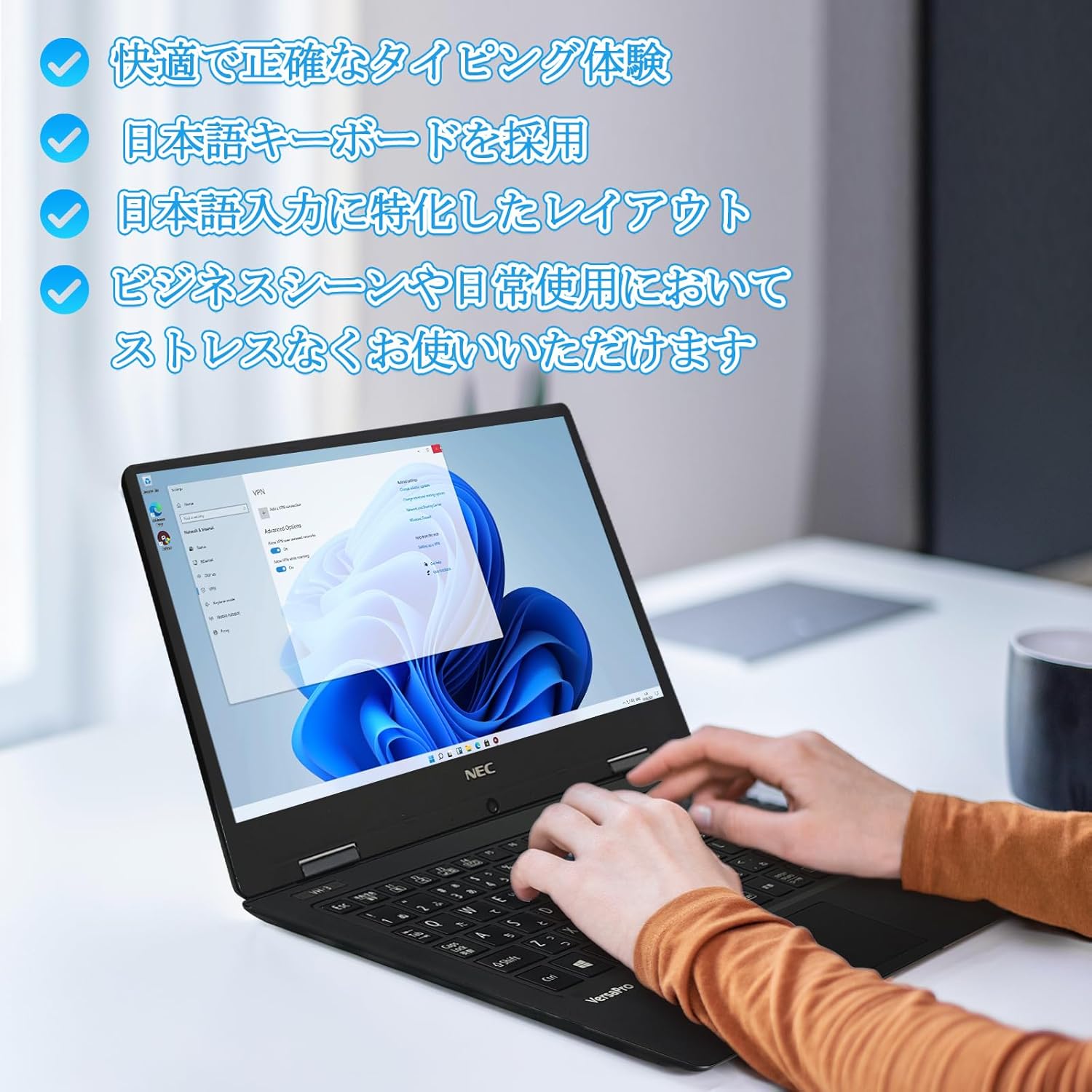
Image: Close-up of hands typing on the laptop's keyboard, illustrating the comfortable and precise typing experience provided by the Japanese layout keyboard.
4.2 קאַנעקטיוויטי
- ווי-פי: פֿאַרבינדט זיך צו וויירלעסע נעטוואָרקס פֿאַר אינטערנעט אַקסעס.
- בלועטאָאָטה: פאַרבינדן מיט בלועטוט-ענייבאַלד דעוויסעס ווי כעדפאָונז אָדער מײַז.
- הדמי: פאַרבינדן צו עקסטערנע דיספּלייז אָדער פּראָיעקטאָרן.
- טיפּ C: Use the Type-C port for data transfer, charging compatible devices, or connecting to a USB-C hub for additional ports.
5. וישאַלט
5.1 רייניקונג
- פאַרשטעלן: ניצן אַ ווייך, לינט-פֿרייַ שטאָף אַ ביסל דampגעוואשן מיט וואַסער אָדער אַ פאַרשטעלן רייניגער. שפּריצט נישט פליסיקייט גלייך אויף דעם פאַרשטעלן.
- קלאַוויאַטור און שאַסי: ניצט אַ ווייכע שטאָף צו ווישן די ייבערפלאַכן. פֿאַר שווערע שמוץ, אַ ביסל ווייכער.amp שטאָף קען גענוצט ווערן. פֿאַרמײַדט שאַרפֿע כעמיקאַלן.
5.2 באַטערי קער
- כדי צו פארלענגערן די לעבן פון די באַטעריע, זאָל מען אויסמיידן עקסטרעמע טעמפּעראַטורן.
- אויב איר לייגט אַוועק דעם לאַפּטאָפּ פֿאַר אַ לענגערע צייט, זאָרגט אַז די באַטאַרייע איז אָפּגעלאָדן צו אַרום 50-70%.
6. טראָובלעשאָאָטינג
6.1 פּראָסט ישוז און סאַלושאַנז
| אַרויסגעבן | מעגלעך לייזונג |
|---|---|
| דער לאַפּטאָפּ גייט נישט אָן. | Ensure the AC adapter is securely connected to both the laptop and a working power outlet. Check if the power button is functioning correctly. |
| Wi-Fi פֿאַרבינדונג פּראָבלעמען. | Verify Wi-Fi is enabled in Windows settings. Restart your router and the laptop. Check for updated network drivers. |
| עקסטערנער דיספּלעי נישט דעטעקטירט. | Ensure the HDMI cable is securely connected. Press Windows key + P to cycle through display modes. Check external display input settings. |
| לאַנגזאַמע פאָרשטעלונג. | Close unnecessary applications. Check for background processes consuming resources. Ensure sufficient free space on the SSD. Run a system scan for malware. |
If you encounter issues not listed here or require further assistance, please refer to the support section.
7. ספּעסאַפאַקיישאַנז
| שטריך | דעטאַל |
|---|---|
| סאָרט | NEC |
| מאָדעל נאָמען | VasaPro VH-1 |
| פּראָדוקט מאָדעל נומער | VKT12 |
| פאַרשטעלן גרייס | 12.5 אינטשעס |
| האַכלאָטע | 1920x1080 פּיקסעלס (FHD) |
| קפּו סאָרט | ינטעל |
| קפּו טיפּ | Core i5 7Y54 |
| קפּו ספּיד | 1.2 GHz (Max 3.2 GHz) |
| פּראַסעסער גראף | 2 |
| באַראַן זכּרון גרייס | 4 גיגאבייט |
| מאַקסימום זכּרון שטיצט | 8 גיגאבייט |
| זכּרון טיפּ | DDR3 SDRAM |
| שווער דיסק גרייס | 1 טב |
| האַרט דיסק טיפּ | ססד |
| גראַפיקס קאָופּראַסעסער | Intel HD Graphics 615 |
| גראַפיקס קאַרד באַשרייַבונג | ינטעגראַטעד |
| אָפּערייטינג סיסטעם | Windows 11 פּראָ |
| ווירעלעסס טיפּ | Bluetooth, Wi-Fi (802.11n) |
| וסב 3.0 פּאָרץ | 2 |
| HDMI פּאָרץ | 1 |
| אָפּטיש דרייוו טיפּ | קיינער |
| פּונקט וואָג | 1.5 Kilograms (Shipping Weight) |
| באַטערי | 1 12V battery (included), 24 Watt-hours, 4 Lithium Ion cells |
8. וואָראַנטי און שטיצן
For warranty information and technical support, please refer to the documentation provided with your purchase or contact the retailer. Specific warranty terms may vary.


