הקדמה
Thank you for choosing the NUBWO HG03 USB Gaming Headset. This manual provides detailed instructions for setting up, operating, and maintaining your headset to ensure optimal performance and an immersive gaming experience. The HG03 headset features 7.1 surround sound, a dedicated FPS mode, and a noise-canceling microphone, designed for PC and console gaming.
פּעקל אינהאַלט
ביטע באַשטעטיקן אַז אַלע זאכן זענען פאַראַן אין דיין פּעקל:
- 1 x NUBWO HG03 USB Gaming Headset
- 1 x באַניצער מאַנואַל (דאָס דאָקומענט)

בילד: The NUBWO HG03 USB Gaming Headset, showcasing its white and black design with the attached microphone and in-line controller.
פּראָדוקט פֿעיִקייטן
- FPS 3D Spatial Sound: Experience precise directional audio, allowing you to identify in-game sounds like footsteps and gunfire from various angles. This feature is enabled via plug-and-play USB connectivity.
- One-Click FPS Mode: Activate a dedicated FPS mode with a single button press on the in-line controller. This mode enhances high frequencies to help pinpoint enemy movements.
- ראַש-קאַנסילינג מיקראָפאָן: The directional microphone is designed to provide clear voice communication by suppressing background noise, such as keyboard clicks. Its memory-steel core boom allows for flexible positioning.
- Comfortable and Durable Design: Weighing approximately 280g, the headset features breathable fabric-wrapped memory foam ear cushions for extended wear. The lightweight aluminum headband offers flexibility and durability.
- וניווערסאַל וסב קאַמפּאַטאַבילאַטי: Connects via USB to PC (Windows 7/8/10), PS4/PS5 consoles, and laptops. Note: This headset connects via USB only and does not support direct connection to console controllers.
סעטאַפּ אינסטרוקציעס
- פֿאַרבינדן דעם כעדסעט: Plug the USB connector of the NUBWO HG03 headset into an available USB port on your PC, laptop, PS4, or PS5 console.
- דרייווער אינסטאַלאַציע (פּיסי): For Windows 7/8/10, the necessary drivers should install automatically upon connection. If not, check your operating system's sound settings.
- אַודיאָ אַרויסגאַנג קאָנפיגוראַציע:
- פֿאַר פּיסי: Navigate to your sound settings (Right-click the speaker icon in the taskbar > Sound Settings or Playback Devices). Select "NUBWO HG03" as your default playback and recording device.
- פֿאַר PS4/PS5: Go to Settings > Sound > Audio Output. Select "NUBWO HG03" as the output device. Ensure "Output to Headphones" is set to "All Audio".
- מיקראָפאָן סעטאַפּ:
- Adjust the flexible microphone boom to a comfortable position near your mouth.
- In your device's sound settings, ensure "NUBWO HG03" is selected as the default input device and adjust the microphone volume level.
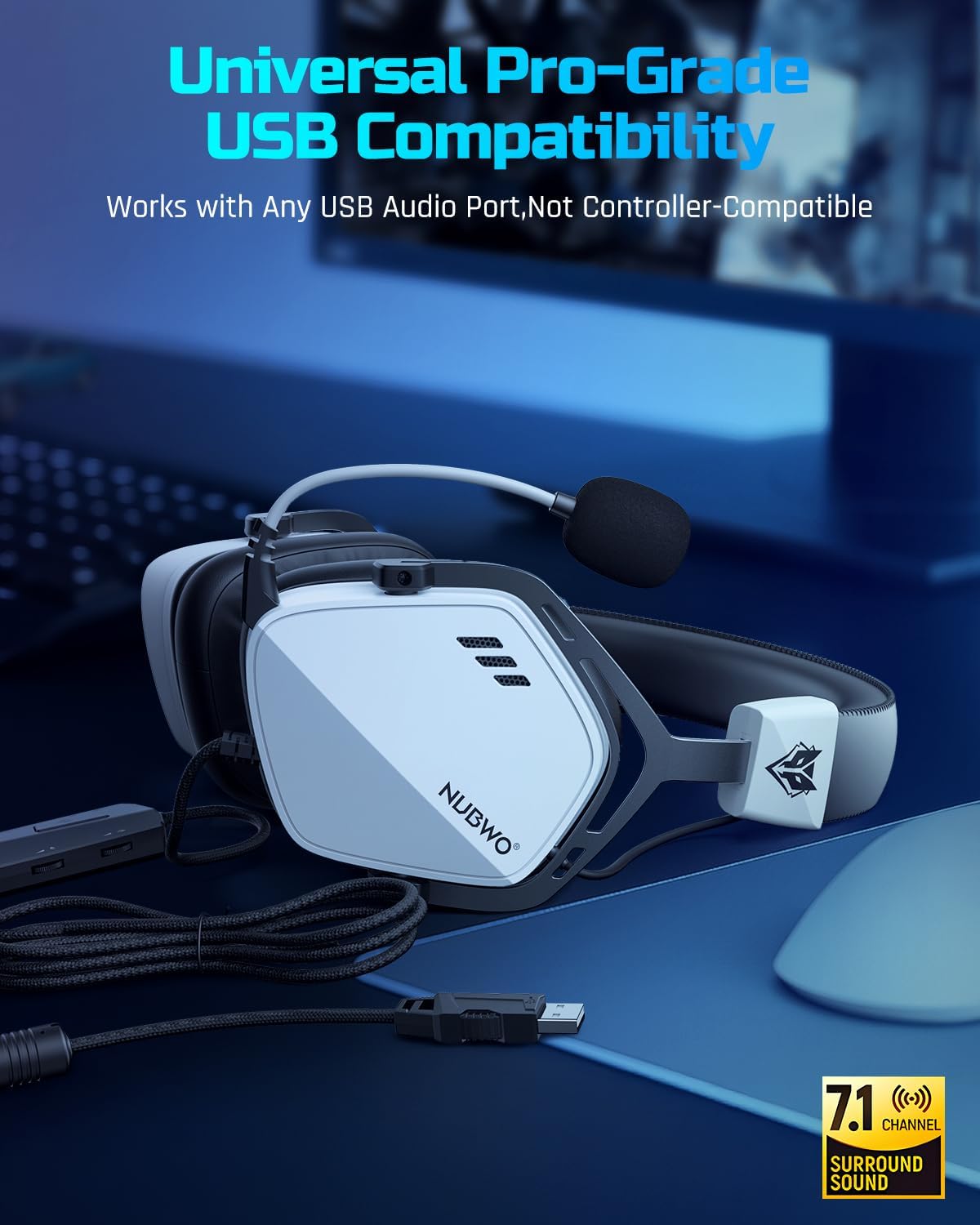
בילד: The USB connector of the NUBWO HG03 headset, illustrating its plug-and-play compatibility with various devices.
אַפּערייטינג ינסטראַקשאַנז
In-line Controller Functions

בילד: Close-up of the NUBWO HG03 in-line controller, showing the volume scroll wheel, mic mute switch, and FPS mode button.
- Master Volume Scroll Wheel: Located on the side of the in-line controller, rotate it up or down to adjust the overall audio volume.
- מיקראָפאָן מוט סוויטש: A physical switch on the controller allows you to quickly mute or unmute your microphone.
- FPS Mode Button: Press this button to toggle the dedicated FPS audio mode on or off. This mode enhances specific frequencies for improved positional audio in games.
FPS 3D Spatial Sound
The headset's 3D spatial audio technology provides enhanced directional sound. When active, this feature helps you perceive the location of in-game sounds with greater accuracy, which is particularly beneficial in first-person shooter (FPS) games.

בילד: A visual representation of the FPS 3D Spatial Sound feature, showing how sound cues are enhanced for positional awareness in gaming.
מיקראָפאָן באַניץ
The flexible microphone can be adjusted to your preferred position. Ensure it is close to your mouth for optimal voice clarity. The noise-canceling feature works to reduce ambient sounds, focusing on your voice for clear communication with teammates.

בילד: A user wearing the NUBWO HG03 headset, demonstrating the adjustable noise-canceling microphone positioned for clear communication.
קאַמפּאַטאַבילאַטי
The NUBWO HG03 USB Gaming Headset is compatible with the following devices:
- PC (Windows 7, Windows 8, Windows 10)
- לאַפּטאָפּס
- פּלייסטיישאַן 4 (PS4)
- פּלייסטיישאַן 5 (PS5)
וויכטיק באַמערקונג:
This headset connects exclusively via USB. It does not support direct connection to console controllers via a 3.5mm audio jack.
וישאַלט
To ensure the longevity and optimal performance of your NUBWO HG03 headset, follow these maintenance guidelines:
- רייניקונג: Use a soft, dry cloth to wipe down the headset and ear cushions. For stubborn dirt, a slightly damp cloth can be used, but ensure no moisture enters the speaker grilles or USB port.
- סטאָרידזש: האַלט די כעדסעט אין אַ קיל, טרוקן אָרט אַוועק פון דירעקט זונשייַן און עקסטרעמע טעמפּעראַטורן. ויסמיידן צו שטעלן שווערע זאַכן אויף שפּיץ פון די כעדסעט.
- קאַבלע זאָרגן: Avoid sharp bends or excessive pulling on the USB cable. Do not wrap the cable too tightly around the headset.
- מיקראָפאָן באַהאַנדלונג: Handle the microphone boom gently. Avoid twisting or forcing it into extreme positions.
טראָובלעשאָאָטינג
| פּראָבלעם | מעגלעך סיבה | לייזונג |
|---|---|---|
| קיין געזונט פון כעדסעט. |
|
|
| מיקראָפאָן טוט נישט אַרבעטן. |
|
|
| Sound quality issues (e.g., distorted audio). |
|
|
ספּעסאַפאַקיישאַנז
| שטריך | דעטאַל |
|---|---|
| מאָדעל נאָמען | HG03 |
| קאַנעקטיוויטי טעכנאָלאָגיע | ווייערד (וסב) |
| כעדפאָונז דזשאַק | וסב |
| אַודיאָ דרייווער טיפּ | דינאַמיש דרייווער |
| אַודיאָ דרייווער גרייס | 50 מילאַמיטערז |
| אָפטקייַט ענטפער | 20 הערץ - 20,000 הערץ |
| סענסיטיוויטי | 96 דב |
| ימפּידאַנס | 32 Ohm |
| ספּעציעלע שטריך | Surround Sound, Noise-Canceling Microphone |
| קאָנטראָל טיפּ | Button Control (In-line controller) |
| פּונקט וואָג | 14.9 אונסעס (בעערעך 280 ג) |
| פּראָדוקט דימענשאַנז | 4.33 X 6.3 X 8.15 אינטשעס |
| מאַטעריאַל | Plastic (with aluminum headband) |
| קאָליר | ווייַס |
| קאַמפּאַטאַבאַל דעוויסעס | Desktops, Laptops, PS4, PS5 |
וואָראַנטי און שטיצן
The NUBWO HG03 USB Gaming Headset comes with a צוויי-יאָר וואָראַנטי פֿון דעם קויפֿדאַטום. די וואָראַנטי דעקט פֿאַבריקאַציע־דעפֿעקטן און גאַראַנטירט אַז אייער פּראָדוקט פֿונקציאָנירט ווי באַשטימט אונטער נאָרמאַלן באַנוץ.
For any questions, technical assistance, or warranty claims, please contact NUBWO Customer Support. We offer 24-hour customer-friendly support service to assist you.
Please refer to the official NUBWO webוועבזייטל אדער אייער קויפן דאקומענטאציע פאר ספעציפישע קאנטאקט דעטאלן.