1. פּראָדוקט איבערview
The FirstPower Pro Marine Battery Charger 5X1 is a 1-bank, 5A onboard battery charger designed for various 12V batteries, including SLA/AGM (Lead-Acid), Lithium (LiFePO4), and Calcium types. This charger features an IP68 waterproof rating, allowing for continuous onboard charging in marine environments. It incorporates advanced charging technologies such as Force Mode for deeply discharged batteries and an Auto Repair Mode for optimizing battery health. Integrated thermal sensors ensure precise charging across different climates.

Image 1.1: The FirstPower Pro Marine Battery Charger 5X1 unit.

Image 1.2: The 12V 1-bank, 5A charger connected to a marine battery, illustrating its primary function to charge and maintain one 12V battery, provide all-season, all-weather charging, and prevent overcharging when plugged in 24/7.
2. וואָס איז אין דער קעסטל
ווען איר עפֿענען דעם פּעקל, איר זאָל געפֿינען די פאלגענדע זאכן:
- 1x FirstPower Pro Marine Battery Charger 5X1 (5A)
- 1x Battery Clip (for temporary connections)
- 1x Battery Connector (ring terminals for permanent installation)
- 1x Spare Fuse
- 1x באַניצער מאַנואַל
- 1x פּאָרטאַטיוו זעקל

Image 2.1: Visual representation of the items included in the product packaging, showing the charger unit, battery clips, battery connector with ring terminals, spare fuse, manual, and portable bag.
3. סעטאַפּ אינסטרוקציעס
Follow these steps to properly set up your FirstPower Pro Marine Battery Charger:
- פאַרבינדן צו באַטאַרייע: Attach the battery clips or ring terminals to your 12V battery. Ensure correct polarity: Red (+) to positive terminal, Black (-) to negative terminal.
- אויסקלייבן טשאַרדזשינג מאָדע: Press the "MODE" button on the charger to cycle through the available charging modes (SLA/AGM, Lithium, Calcium) until the appropriate mode for your battery type is selected. The charger will automatically return to the last selected mode upon reconnection.
- פאַרבינדן צו מאַכט: Plug the AC power plug into a standard 120V AC outlet. The charger will begin its diagnostic and charging process.
Safety Warning: If you need to stop charging, always unplug the AC power plug from the outlet BEFORE disconnecting the battery connections.

Image 3.1: Step-by-step visual guide on connecting the charger: 1) Plug AC power, 2) Connect battery clips (Red+ / Black-), 3) Select mode, 4) Connect battery to charger via hole.
4. אַפּערייטינג ינסטרוקטיאָנס
4.1 טשאַרדזשינג מאָדעס
The charger supports three distinct 12V battery types. Select the correct mode for optimal charging and battery longevity:
- 12V SLA/AGM: For 12V wet cell, gel, enhanced flooded, maintenance-free, and AGM batteries.
- 12V LITHIUM: Specifically for 12V lithium-ion (LiFePO4) batteries.
- 12V CALCIUM: For 12V calcium batteries.
Press the "MODE" button to switch between these options. The selected mode will be indicated by an illuminated LED.
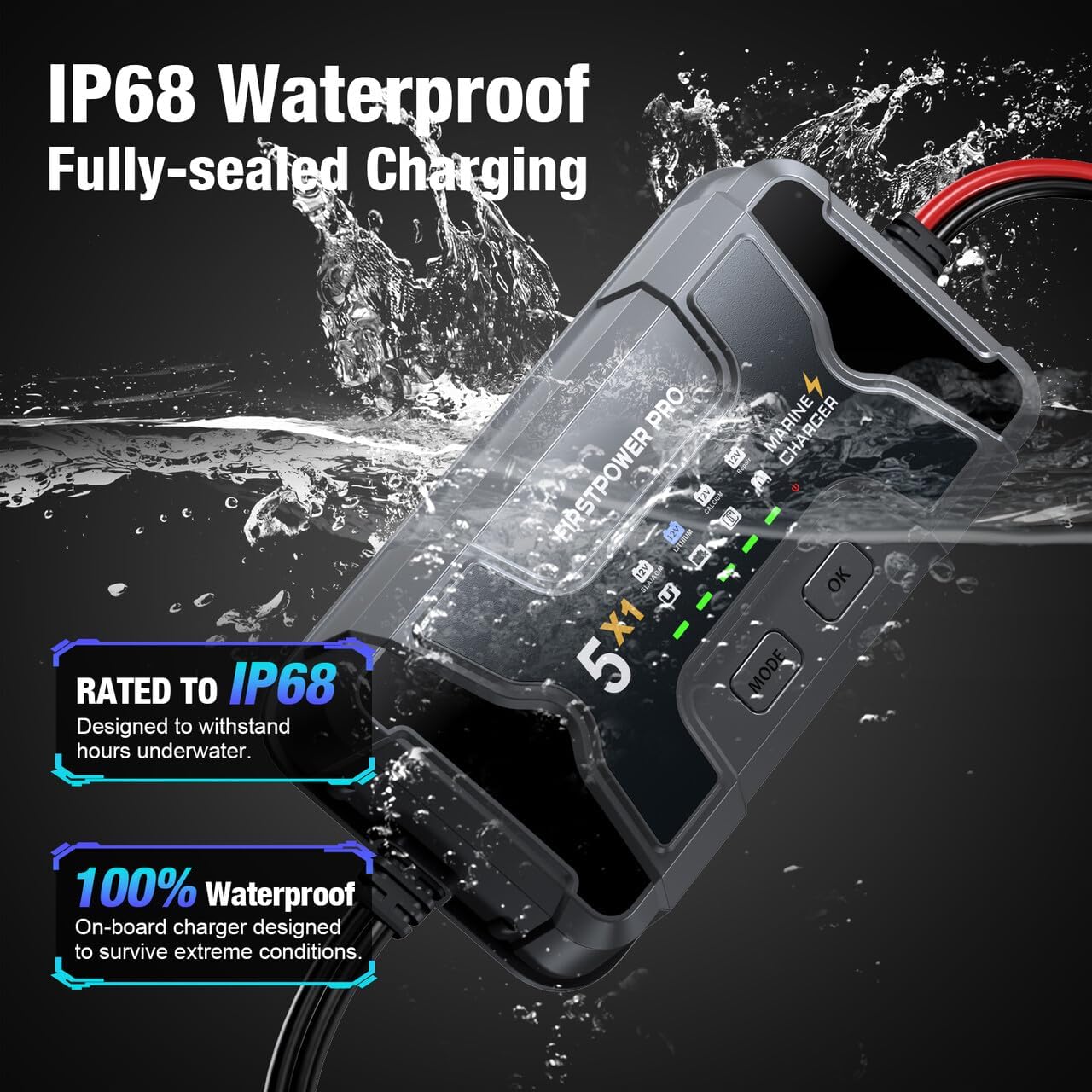
Image 4.1: The charger's interface highlighting the three selectable battery charging modes: SLA/AGM, Lithium, and Calcium.
4.2 Force Mode for Dead Batteries
אויב דיין באַטאַרייע וואָלtage is extremely low (below 1V), the charger's standard detection might not initiate charging. In such cases, use the Force Mode:
- Ensure the charger is connected to the battery and power.
- Press and hold the "OK" button for 3 seconds. This will manually initiate charging for deeply discharged batteries.
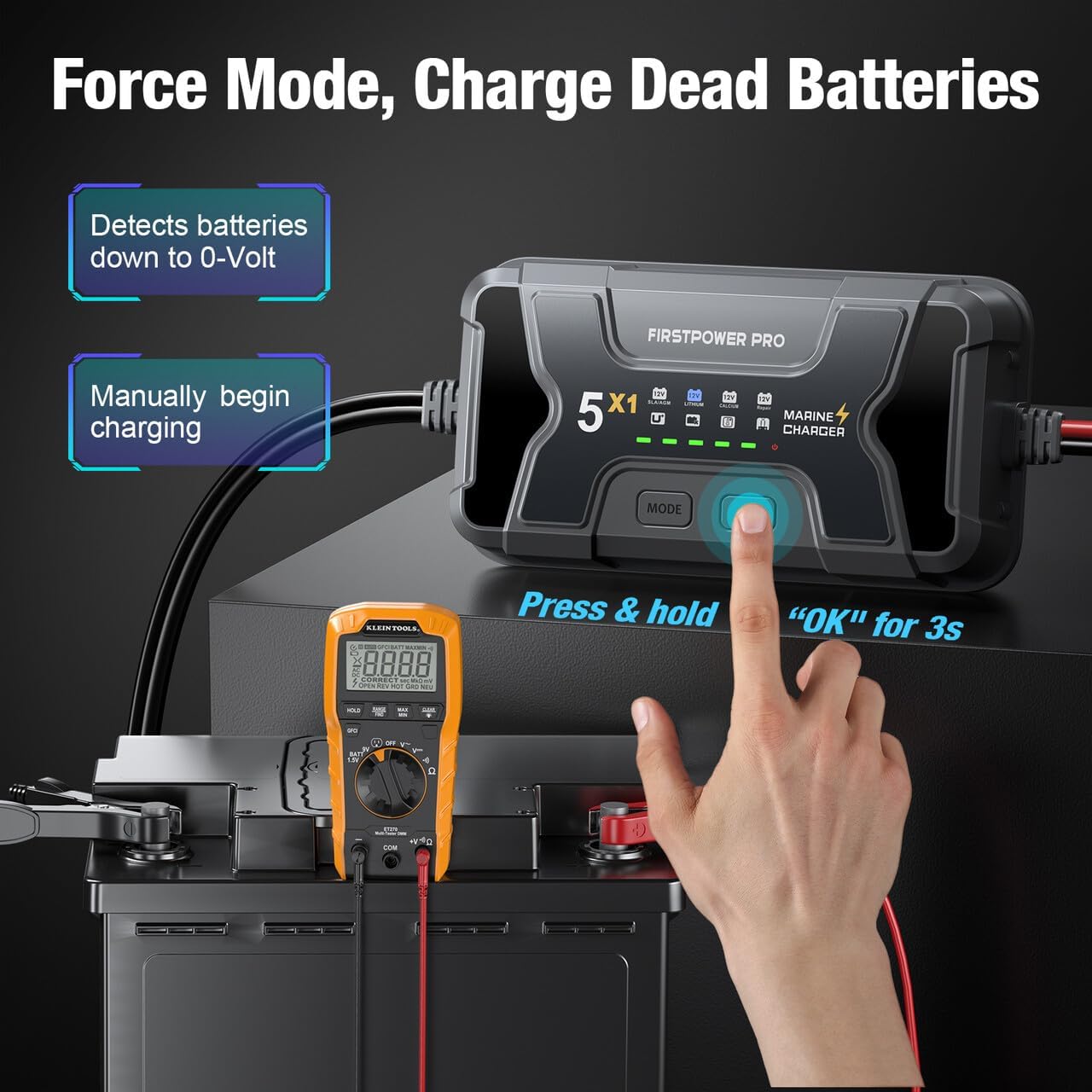
Image 4.2: Illustration of activating Force Mode by pressing and holding the 'OK' button for 3 seconds to charge batteries detected down to 0-Volt.
4.3 Auto Repair Mode
The charger features an automatic repair function for old, idle, damaged, stratified, or sulfated 12V batteries. When the "12V Repair" light is on, the charger automatically starts the repair process without user intervention.
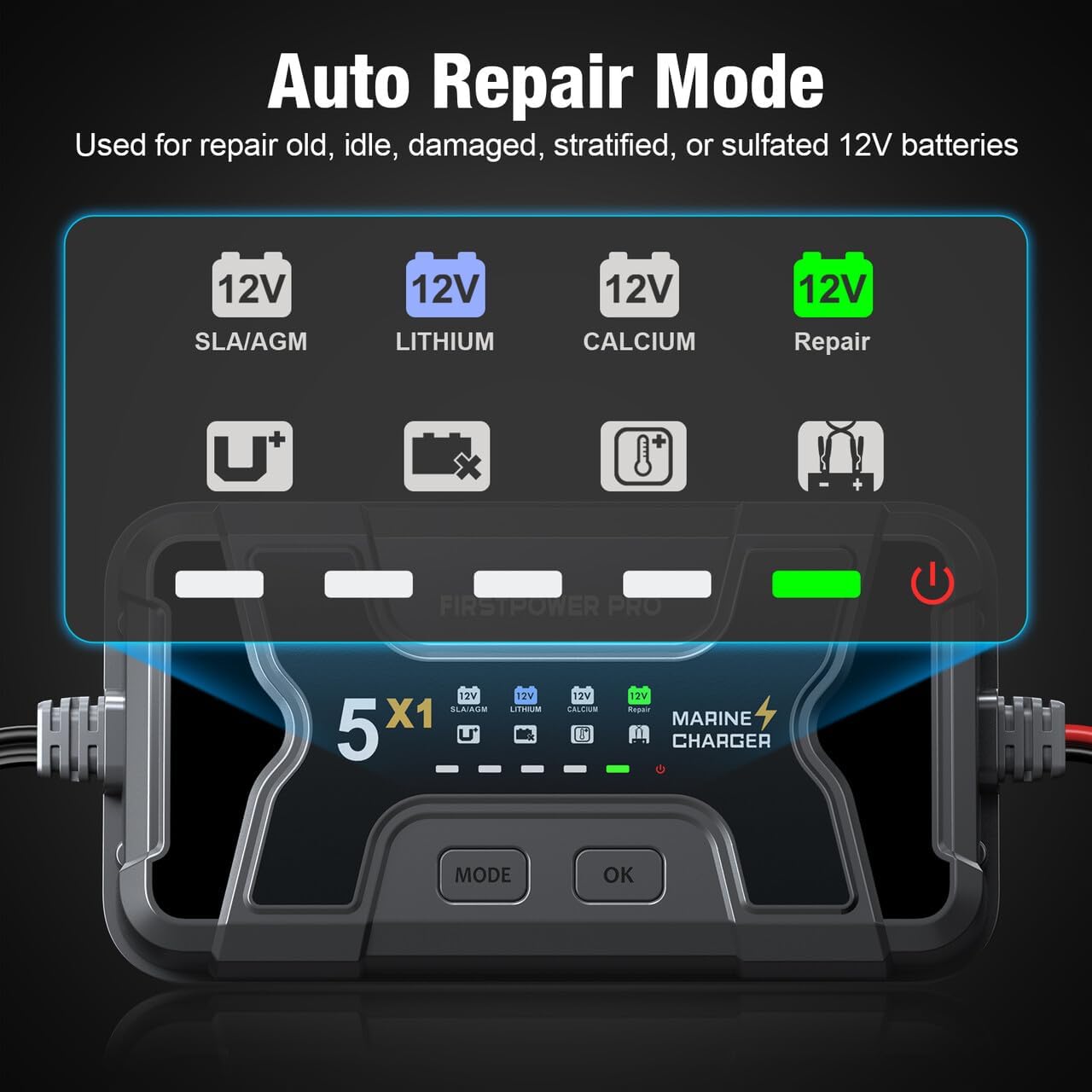
Image 4.3: The charger's display indicating the active Auto Repair Mode, which is used for restoring various types of 12V batteries.
4.4 Thermal Compensation
An integrated thermal sensor detects the ambient temperature and adjusts the charging parameters. This prevents over-charging in hot climates and under-charging in cold climates, ensuring optimal battery health and performance regardless of environmental conditions.

Image 4.4: Visual representation of the thermal compensation feature, showing the charger adapting to both hot (up to 40°C) and cold (down to -20°C) weather conditions.
4.5 מאַכט ווייַז
The charger features a 5-grid power display to indicate the battery's charge level: 20%, 40%, 60%, 80%, and 100%.
4.6 פּראָדוקט ווידעא
Video 4.5: An official product video demonstrating the features and operation of the FirstPower Pro 5A 1-Bank Marine Battery Charger.
5. וישאַלט
To ensure the longevity and optimal performance of your FirstPower Pro Marine Battery Charger, follow these maintenance guidelines:
- רייניקונג: Regularly wipe the charger's exterior with a soft, damp שטאָף. ויסמיידן ניצן האַרב קעמיקאַלז אָדער אַברייסיוו קלינערז.
- קשר טשעקס: Periodically inspect the battery clips and connectors for any signs of corrosion, damage, or loose connections. Ensure they are clean and securely attached.
- סטאָרידזש: When not in use, store the charger in a cool, dry place. Its IP68 waterproof rating ensures protection against water and dust, making it suitable for marine environments even when not actively charging.
- קאַבלע דורכקוק: Check the input and output cables for any cuts, fraying, or damage. Replace if necessary to prevent electrical hazards.

Image 5.1: The charger submerged in water, illustrating its IP68 waterproof and fully-sealed charging capabilities, designed to withstand hours underwater and extreme conditions.
6. Troubleshooting and Advanced Diagnostics
The FirstPower Pro Marine Battery Charger is equipped with advanced diagnostics to help identify and resolve common issues:
- איבער וואָלtage: If the Over Voltage indicator is on, check if the battery is 12V and that the correct charging mode is selected.
- שלעכטע באַטעריע: A Bad Battery indication suggests the battery may be shorted or not charging. It is recommended to have the battery checked by a professional.
- איבער טעמפּעראַטור: If the charger detects an Over Temperature condition (e.g., above 100°C), it will stop charging automatically. Charging will resume once the unit has cooled down to a safe operating temperature.
- Reverse Connection: The charger will indicate a Reverse Connection if the battery clips are connected with incorrect polarity (Red (+) to negative, Black (-) to positive). Correct the connection immediately.

Image 6.1: The charger's display showing various advanced diagnostic indicators for issues such as over voltage, bad battery, over temperature, and reverse connection.
7. ספּעסאַפאַקיישאַנז
| שטריך | באַשרייַבונג |
|---|---|
| מאָדעל נומער | ICM5A-1 |
| פּראָדוקט דימענשאַנז | 2.09 X 7.09 X 3.35 אינטשעס |
| פּונקט וואָג | 2.79 פונט |
| אַרייַנשרייַב וואָלtage | 120 וואלטס |
| רעזולטאַט חלקtage | 12 וואלטס |
| קראַנט רייטינג | 5 Amps |
| וואָטערפּרוף רייטינג | IP68 |
| סופּפּאָרטעד באַטערי טייפּס | SLA/AGM, Lithium (LiFePO4), Calcium |
8. וואָראַנטי און שטיצן
The FirstPower Pro Marine Battery Charger 5X1 comes with a 3 יאָר וואָראַנטידי וואָראַנטי דעקט פאַבריקאַציע חסרונות און גאַראַנטירט פאַרלאָזלעך אָפּעראַציע אונטער נאָרמאַל נוצן באדינגונגען.
For technical support, warranty claims, or any questions regarding your product, please refer to the contact information provided in the included user manual or visit the official FirstPower Pro webפּלאַץ.


