הקדמה
This manual provides detailed instructions for the setup, operation, and maintenance of your NiTHO NEXUS Wireless Controller. Please read this manual thoroughly before using the product to ensure proper functionality and to prevent damage.
פּראָדוקט איבערview
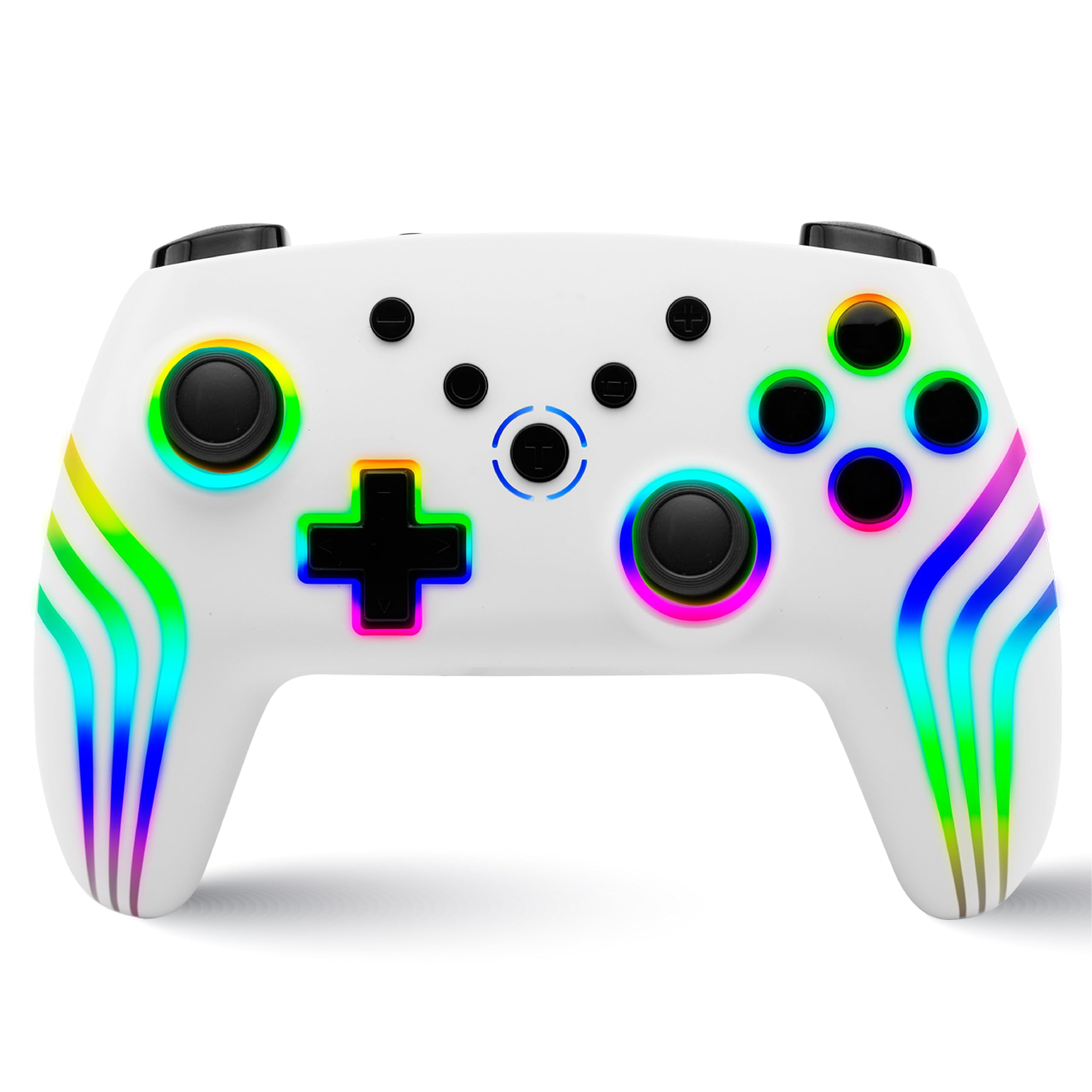
The NiTHO NEXUS Wireless Controller is designed for multi-platform gaming, offering compatibility with PC (Windows), Switch 2, Switch / Lite / OLED, Android, and iOS devices. It features Hall Effect triggers, a 6-axis gyro, adjustable vibration, and customizable RGB lighting.
קאָנטראָללער אויסלייג
בילד: פראָנט און צוריק view of the NiTHO NEXUS Wireless Controller with all buttons and ports clearly labeled. Key labels include HOME button, Screenshot key, +/- keys, Pairing button, Left Rockers, Cross arrow key, TURBO button, Mode Indicator Light, A/B/X/Y Keys, Right Rockers, R1, R2, L1, L2, TYPE-C charging port, and Force Online button.
סעטאַפּ
טשאַרדזשינג די קאָנטראָללער
Before initial use, fully charge the controller. Connect the supplied USB Type-C cable to the controller's charging port and the other end to a USB power source (e.g., PC, USB wall adapter). The charging indicator will show the charging status and turn off when fully charged. A full charge takes approximately 2.5 hours and provides up to 9 hours of gameplay.

בילד: Illustration showing the controller's 800mAh battery capacity, indicating up to 9 hours of gameplay and a 2.5-hour charging time.
פּערינג מיט דיווייסאַז
The NiTHO NEXUS controller supports wireless connection via Bluetooth to various platforms.

בילד: The NiTHO NEXUS controller highlighting its universal compatibility with Switch 1 & 2, PC, Android, and iOS devices.
- נינטענדאָ סוויטש / סוויטש 2: Turn on your Switch console. Go to "Controllers" > "Change Grip/Order". Press and hold the Pairing button on the top of the NEXUS controller until the indicator lights flash rapidly. Once paired, the indicator light will become solid.
- פּיסי (ווינדאָוז): Ensure your PC has Bluetooth enabled. Go to "Bluetooth & other devices" settings, click "Add Bluetooth or other device", then "Bluetooth". Press and hold the Pairing button on the controller. Select "Nitho NEXUS" from the list of available devices.
- אַנדרויד / יאָס: Enable Bluetooth on your mobile device. Press and hold the Pairing button on the controller. Select "Nitho NEXUS" from the list of available Bluetooth devices.
אַפּערייטינג ינסטראַקשאַנז
ווייבריישאַן סעטטינגס
The controller features dual motor vibration with four adjustable levels: Off, Low, Medium, and High. These can be adjusted to suit your preference during gameplay.

בילד: The controller with visual cues for dual motor vibration, showing 0%, 50%, 75%, and 100% intensity levels.
טורבאָ פונקטיאָן
The programmable turbo function allows for rapid, repeated button presses. It has three speed settings: 5, 10, or 15 shots per second.
- צו אַקטאַווייט טורבאָ: Press and hold the TURBO button, then press the desired action button (e.g., A, B, X, Y, L1, R1, L2, R2). The button will now continuously register presses when held.
- צו סטרויערן טורבאָ גיכקייַט: With Turbo active, press and hold the TURBO button, then move the Right Rocker (right analog stick) Up or Down to cycle through the speeds.
- To deactivate Turbo: Press and hold the TURBO button, then press the action button again.

בילד: The controller highlighting the Turbo function, showing options for 5, 10, and 15 shots per second.
RGB לייטינג מאָדעס
The controller features customizable RGB lighting with 7 vibrant colors and 4 dynamic lighting modes.
- Jumping Light Effect: Colors change rapidly.
- Colorful Constant Light Effect: A single color remains constant.
- Rainbow Color Mixing Light Effect: Colors blend and transition smoothly.
- אָטעמען ליכט ווירקונג: קאלירן פארבלאסן אריין און ארויס.
Refer to the controller's specific button combinations (usually a dedicated RGB button or a combination with the HOME button) to cycle through these modes and colors.

בילד: The controller displaying various RGB LED light multi-effects, including Jumping Light, Colorful Constant Light, Rainbow Color Mixing Light, and Breathing Light.
6-Axis Gyro Motion Sensor
The integrated 6-axis gyro sensor allows for precise motion control in compatible games, capturing tilts and rotations for responsive gameplay, particularly in racing, action, and adventure titles.

בילד: The controller with an overlay demonstrating its 6-axis motion sensing capabilities, showing rotational movement.
האַלל אַפעקט טריגערז
The magnetic Hall Effect triggers provide smooth and accurate input, reducing wear and preventing common issues like stick drift, ensuring long-lasting precision.

בילד: Close-up of the controller's trigger area, emphasizing the Hall Effect Trigger technology.
וישאַלט
- האַלט דעם קאָנטראָללער ריין דורך אים ווישן מיט אַ ווייכן, טרוקענעם שטאָף.
- Avoid exposing the controller to extreme temperatures, direct sunlight, or moisture.
- פרובירט נישט צו צענעמען דעם קאנטראלער, ווייל דאס וועט בטל מאכן די גאראנטיע.
- Store the controller in a safe place when not in use to prevent physical damage.
טראָובלעשאָאָטינג
- קאָנטראָללער נישט פּערינג: Ensure the controller is charged. Make sure Bluetooth is enabled on your device and the controller is in pairing mode (indicator lights flashing). Try restarting both the controller and the device.
- אינפוט לעג אדער דיסקאנעקציע: Ensure there are no obstructions between the controller and the device. Move closer to the device. Reduce interference from other wireless devices.
- קנעפּלעך רעאַגירן נישט: Check if the controller is charged. If specific buttons are unresponsive, try resetting the controller (refer to the "Force Online button" or a small reset pinhole if available, not explicitly mentioned but common).
- ווייבריישאַן אַרבעט נישט: Check in-game settings to ensure vibration is enabled. Verify the controller's vibration level is not set to "Off".
- שטעקן דריפט: The NiTHO NEXUS features Hall Effect triggers designed to prevent stick drift. If you experience this issue, ensure the controller's firmware is up to date (check manufacturer's website) or contact support.
ספּעסאַפאַקיישאַנז
| שטריך | דעטאַל |
|---|---|
| מאָדעל נומער | נעקסוס |
| קאַמפּאַטאַבילאַטי | PC (Windows), Switch 2, Switch / Lite / OLED, Android, iOS |
| קאַנעקטיוויטי | ווירעלעסס (בלועטאָאָטה) |
| באַטערי | 800mAh Nonstandard Battery (included) |
| באַטערי לעבן | אַרויף צו 9 שעה |
| טשאַרדזשינג צייט | בעערעך. 2.5 שעה |
| טריגערס | Magnetic Hall Effect Triggers |
| באַוועגונג סענסאָר | 6-אַקס גיראָ |
| ווייבריישאַן | Dual Motor, 4 adjustable levels |
| טורבאָ פונקטיאָן | 3 speeds (5, 10, 15 shots/sec) |
| RGB לייטינג | 7 פארבן, 4 דינאמישע מאָדעס |
| פּראָדוקט דימענשאַנז | 16.1 X 6.5 X 11.1 סענטימעטער |
| פּונקט וואָג | 270 ג |
| לאַנד פון אָריגין | כינע |
וואָראַנטי און שטיצן
For warranty information and technical support, please refer to the official Nitho website or contact their customer service directly. The manufacturer's contact email is: nithoamazonin@mtm-t.com.
For support in India, you may also contact the importer: Marketgate Technologies Private Limited, India, email: marketgateindia@gmail.com.
ביטע האַלטן דיין דערווייַז פון קויפן פֿאַר וואָראַנטי קליימז.


