1. איבערview
The AUTO-VOX Wireless Backup Camera Kit provides a reliable and convenient solution for enhanced visibility when operating RVs, trucks, and trailers. This system features a 5-inch HD monitor, a magnetic-mount camera with solar charging capabilities, and supports dual-channel display for comprehensive rear and front views. Designed for quick installation and robust performance, it includes essential components for immediate use.
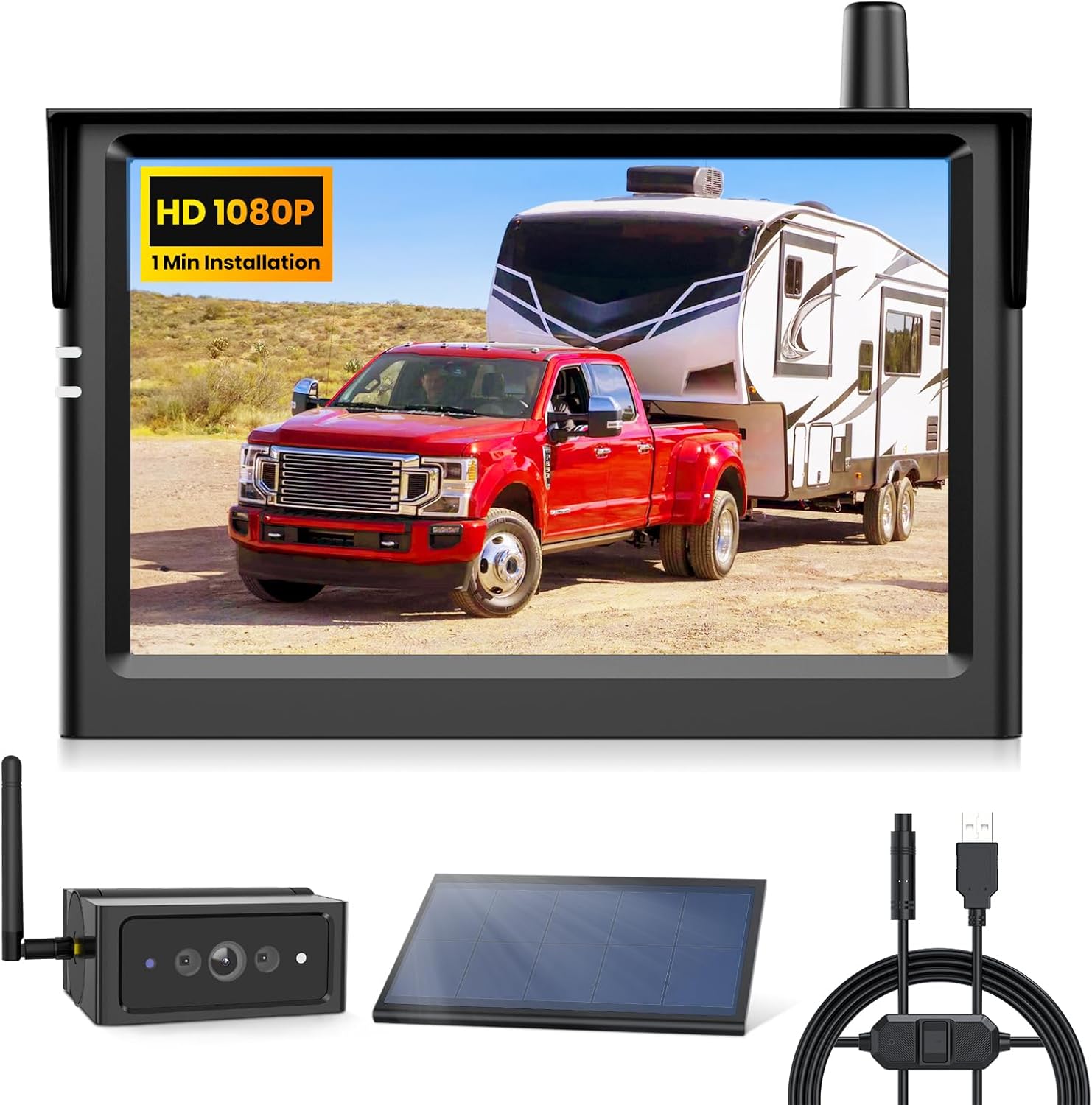
Figure 1: AUTO-VOX Wireless Backup Camera Kit components including the 5-inch HD monitor, magnetic camera, solar panel, and various power cables.
2. פּעקל אינהאַלט
- 5" HD Monitor
- ווירעלעסס באַקקופּ קאַמעראַ
- Power Cable (for monitor)
- Solar Panel/USB Charging Cable (for camera)
- סטאָרידזש באַג
3. פּראָדוקט פֿעיִקייטן
- 1-Minute Magnetic Installation: The camera features a rubber-coated magnetic base for quick, tool-free attachment to metal surfaces, protecting vehicle paint. An optional iron sheet base is included for non-metallic surfaces.
- Strong & Reliable Wireless Signal: Equipped with an upgraded 2.4GHz chip, providing a stable signal up to 50ft, suitable for RVs, campers, and heavy-duty vehicles.
- עקסטענדעד באַטאַרייע לעבן: The camera offers over 15 hours of runtime per charge, with a smart sleep mode and auto-wake function for instant use.
- 1080P Night Vision & Wide-Angle View: Dual IR LEDs and a wide-angle lens ensure clear night vision. The system supports dual-channel display for front and rear views, enhancing safety and blind spot coverage.
- פלעקסאַבאַל מאַכט אָפּציעס: Includes a solar panel for continuous charging and a USB 5V to 12V cable, eliminating the need for a cigarette lighter port.
4. סעטאַפּ און ייַנמאָנטירונג
4.1 אַפּאַראַט ינסטאַלירונג
The wireless backup camera is designed for quick and easy installation. It features a strong magnetic base with a rubber coating to prevent scratches on your vehicle's paint. For non-metallic surfaces, an iron sheet base is provided for secure mounting.
- טשאַרדזשינג די אַפּאַראַט: Before first use, ensure the camera's internal battery is fully charged using the provided USB cable or by exposing the solar panel to direct sunlight.
- צוטשעפּען די אַפּאַראַט: Securely attach the camera to a suitable metallic surface at the rear of your vehicle (e.g., trailer hitch, bumper). If mounting on a non-metallic surface, first attach the included iron sheet base using screws, then attach the camera magnetically to the base.
- סטרויערן די אַפּאַראַט ווינקל: The camera unit allows for manual tilting to achieve the desired viewינג ווינקל.

Figure 2: Easy three-step installation process for the camera's magnetic base.
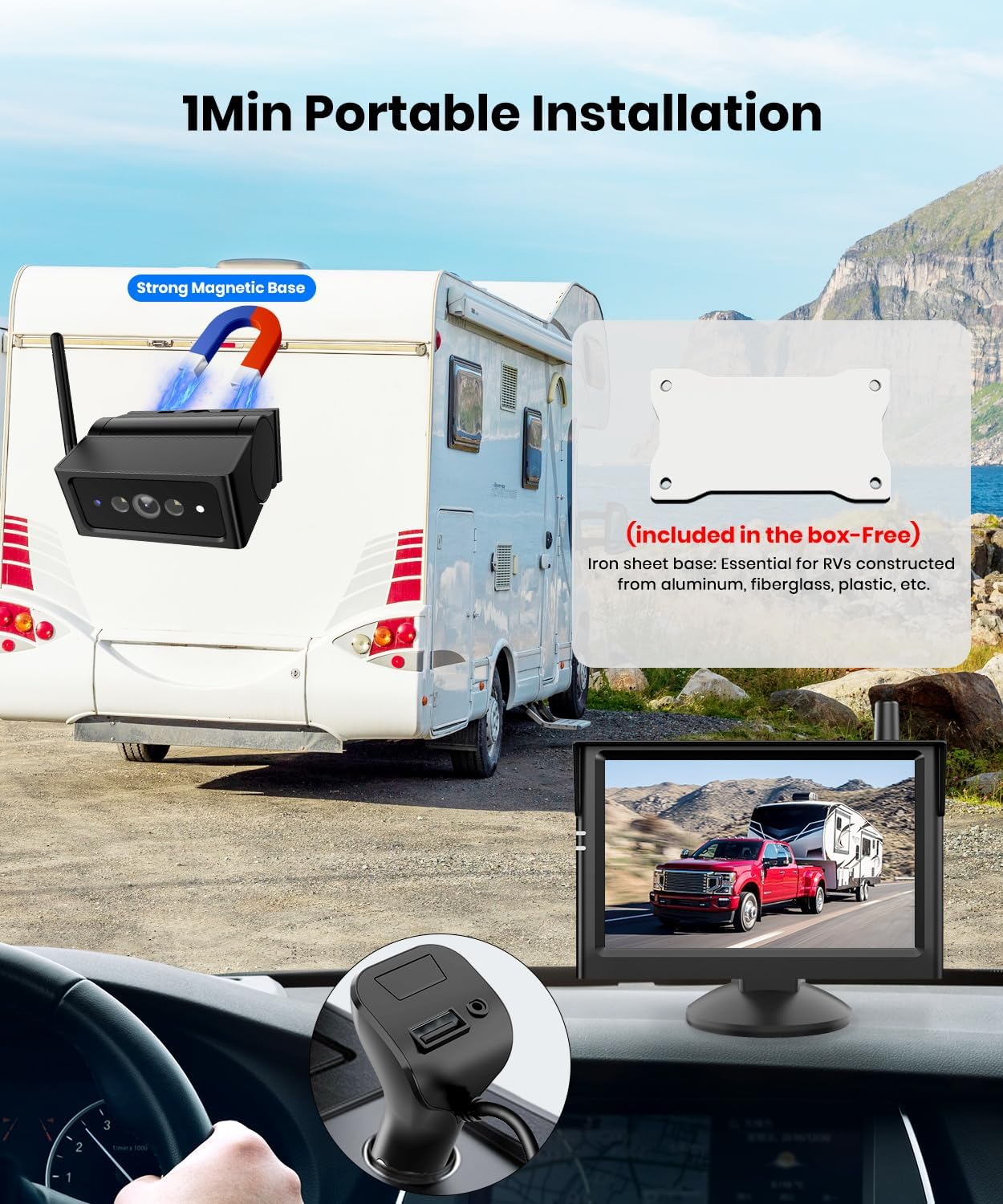
Figure 3: The magnetic camera attached to a trailer hitch, with the monitor displaying the view inside the vehicle.
4.2 מאָניטאָר פּלייסמאַנט
The 5-inch HD monitor can be placed on your vehicle's dashboard or windshield using the provided suction cup mount. Ensure the monitor is positioned where it does not obstruct your view פון דעם וועג.
- צוטשעפּען בארג: Secure the suction cup mount to a clean, smooth surface (dashboard or windshield).
- פֿאַרבינדן מאָניטאָר: Attach the monitor to the mount.
- מאַכט אויף: Plug the monitor's power cable into a 12V power outlet in your vehicle. The power adapter includes an additional USB port for charging other devices.
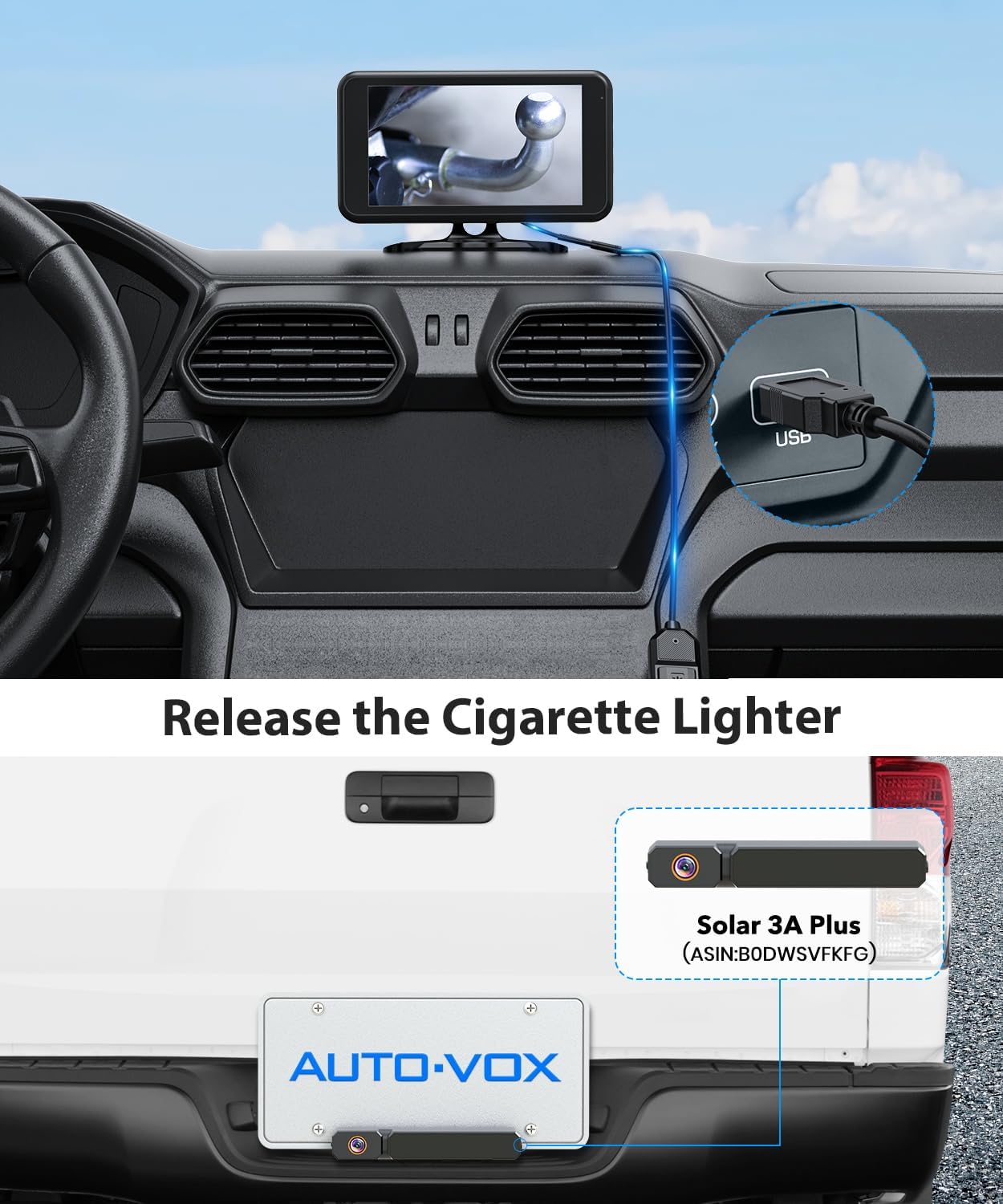
Figure 4: The USB 5V to 12V cable connected to a vehicle's USB port, providing power to the monitor and camera, freeing up the cigarette lighter.
5. אַפּערייטינג ינסטרוקטיאָנס
5.1 יקערדיק אָפּעראַציע
Once the monitor is powered on and the camera is charged and activated, the video feed should automatically display. The system is designed for instant use with its auto-wake feature.
- מאַכט קנעפּל: Use the power button on the monitor to turn the display on/off.
- מעניו נאַוויגאַציע: The monitor features buttons for navigating settings such as brightness, contrast, and display options.
- Dual-Channel Display: If an additional camera is paired, the monitor can display both feeds simultaneously or switch between them.
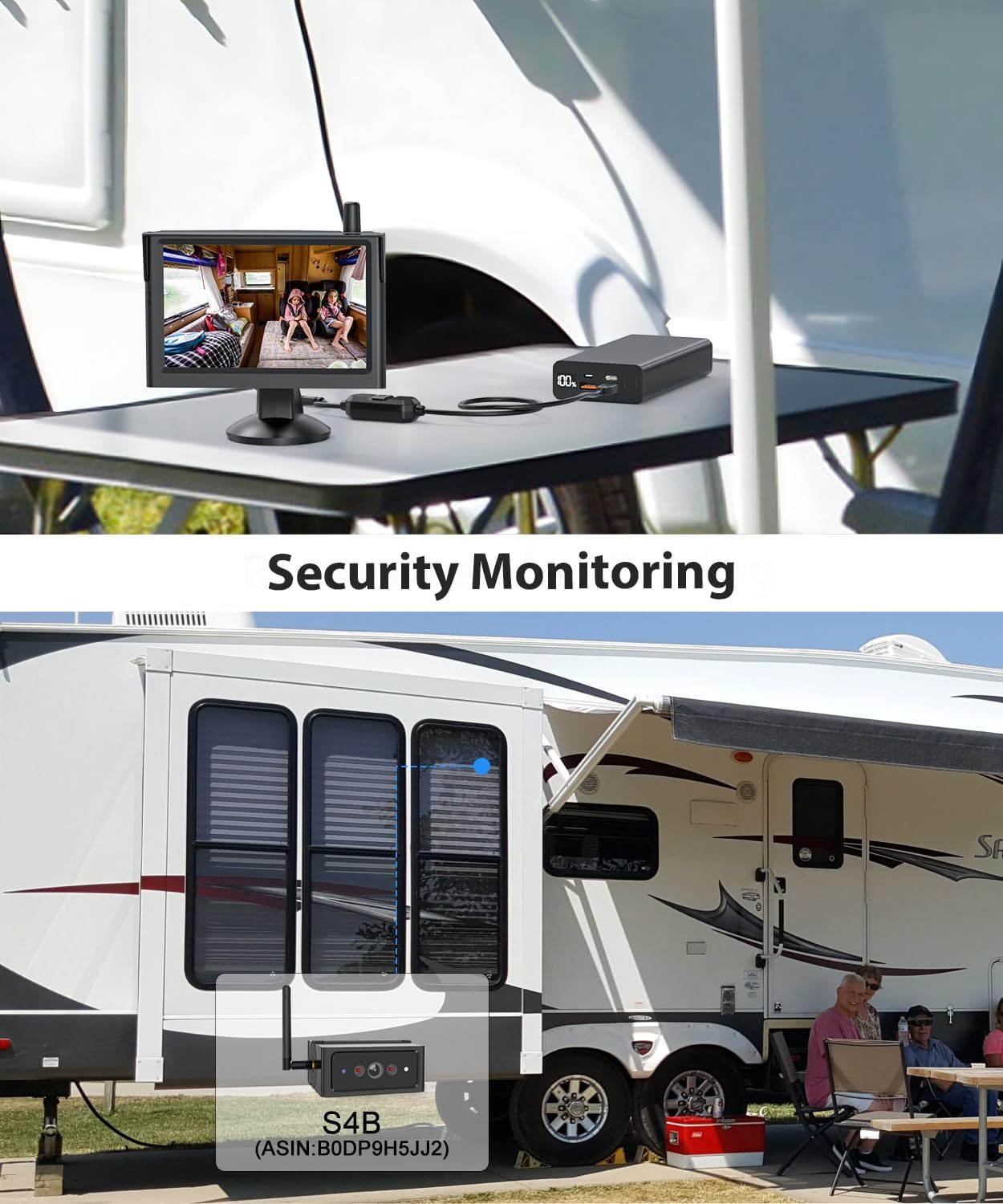
Figure 5: The monitor displaying security footage from a camera mounted on an RV, showing the interior for monitoring.

Figure 6: The monitor displaying a rear view from an RV, highlighting the system's capability to observe surroundings from anywhere.
6. וישאַלט
To ensure optimal performance and longevity of your AUTO-VOX Wireless Backup Camera Kit, follow these maintenance guidelines:
- זונ טשאַרדזשינג: Position the camera's solar panel to receive maximum sunlight exposure for continuous charging.
- USB טשאַרדזשינג: If solar charging is insufficient (e.g., during prolonged periods of low light), use the provided USB cable to charge the camera's internal battery.
- רייניקונג: רעגולער רייניקט די קאַמעראַ לינז און זונ פּאַנעל מיט אַ ווייכן, דamp cloth to ensure clear vision and efficient charging.
- וואָטערפּרוף שאַץ: The camera has an IP69K waterproof rating, making it resistant to high-pressure water jets and dust. However, avoid prolonged submersion.

Figure 7: The wireless camera highlighting its long battery life, smart sleep mode, and auto-wake features for energy efficiency.

Figure 8: The solar panel connected to the camera, illustrating continuous charging for nonstop power.
7. טראָובלעשאָאָטינג
- קיין סיגנאַל: Ensure both the camera and monitor are powered on and within range (up to 50ft). Check for any obstructions that might interfere with the 2.4GHz wireless signal.
- נעבעך בילד קוואַליטעט: Clean the camera lens. Ensure the camera is fully charged. Adjust brightness and contrast settings on the monitor.
- די באַטאַרייע איז געשווינד ויסגעשעפּט: Verify the solar panel is receiving adequate sunlight. If not, charge the camera via USB. Ensure smart sleep mode is active.
- Monitor Not Powering On: Check the 12V power connection. Ensure the vehicle's power outlet is functional.
8. ספּעסאַפאַקיישאַנז
| שטריך | באַשרייַבונג |
|---|---|
| פּראָדוקט דימענשאַנז | 6.1 X 4.33 X 7.87 אינטשעס |
| פּונקט וואָג | 2.8 פונט |
| באַטעריז | 2 ליטהיום יאָן באַטעריז (אַרייַנגערעכנט) |
| ווייַז טעכנאָלאָגיע | לקד |
| פאַרשטעלן גרייס | 5 אינטשעס |
| קאָליר | שוואַרץ |
| Voltage | 12 וואלטס |
| אָפּטיש סענסאָר טעכנאָלאָגיע | קמאָס |
| לענס טיפּ | ברייט ווינקל, פאַרפעסטיקט |
| פאַקטיש ווינקל פון View | 120 דיגריז |
| ייַנמאָנטירונג טיפּ | Surface Mount (Magnetic with optional screw-on base) |
| קאַמפּאַטאַבאַל דעוויסעס | Chevrolet Silverado, Ford F-150, Jeep Grand Cherokee, Ram 1500, Toyota Tacoma (and similar vehicles) |
9. וואָראַנטי און שטיצן
For warranty information and technical support, please refer to the official AUTO-VOX website or contact customer service directly. Warranty details may also be available on the product packaging or included documentation.


