1. הקדמה
This manual provides comprehensive instructions for the Inateck Nomad N0158 Foldable Keyboard and Mouse Set. It covers product features, setup procedures, operational guidelines, maintenance tips, and troubleshooting information to ensure optimal performance and user experience. This set is designed for multi-device connectivity, supporting up to three devices simultaneously across various operating systems including Windows, macOS, Android, and iOS.
2. פּעקל אינהאַלט
באַשטעטיקט אַז אַלע זאכן וואָס זענען אויסגערעכנט אונטן זענען אַרייַנגערעכנט אין אייער פּעקל:
- Inateck Nomad N0158 Foldable Keyboard
- ווירעלעסס מאַוס
- Accessory Bag (600D two-tone splash-proof RPET recycled material)
- Folding Stand (suitable for 4-13 inch iPads, smartphones, and tablets)
- וסב-C טשאַרדזשינג קאַבלע
- באַניצער מאַנואַל
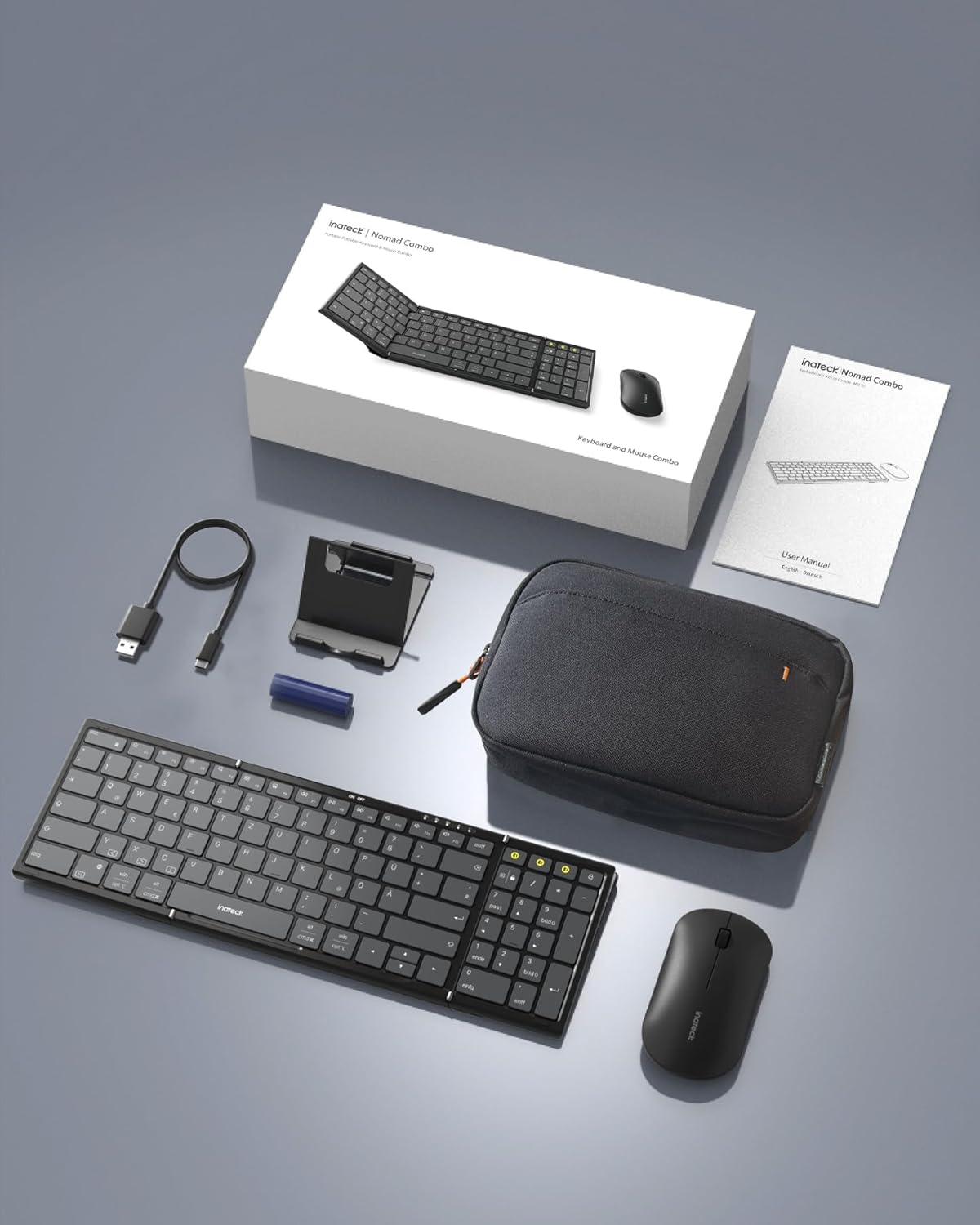
Image: All components included in the Inateck Nomad N0158 package: the foldable keyboard, wireless mouse, accessory bag, folding stand, and USB-C charging cable.
3. פּראָדוקט איבערview
3.1 קלאַוויאַטור פֿעיִקייטן
- פאָלדאַבלע פּלאַן: Compact for portability.
- פול-גרייס אויסלייג: 99 keys with a separate numeric keypad for efficient data entry and document editing.
- Multi-device Connectivity: Connects to up to 3 devices via 2.4G, Bluetooth 1 (BT1), and Bluetooth 2 (BT2).
- לאנג באַטאַרייע לעבן: Over 90 hours of continuous use, up to 180 days standby. Rechargeable via Type-C port.
- Stable Hinge: Features a seamless metal hinge with magnetic locking for stability when unfolded.

Image: The Inateck Nomad N0158 keyboard unfolded, showcasing its full-size layout with six rows of main keys and a dedicated numeric keypad.

בילד: א דעטאַלירטע view of the keyboard's seamless metal hinge and magnetic locking system, designed for stability when the keyboard is open.
3.2 מויז פֿעיִטשערז
- ווירעלעסס קאַנעקטיוויטי: Connects via 2.4G USB dongle and two Bluetooth channels (BT1, BT2).
- לאנג באַטאַרייע לעבן: Over 50 hours of continuous operation, with extended standby time.
4. סעטאַפּ גייד
4.1 אויפלאָדן די קלאַוויאַטור
- געפינט דעם USB-C טשאַרדזשינג פּאָרט אויף דער קלאַוויאַטור.
- Connect the provided USB-C cable to the keyboard and a power source (e.g., computer USB port, USB wall adapter).
- די טשאַרדזשינג אינדיקאַטאָר ליכט וועט זיך אָנצינדן. אַמאָל גאָר אָנגעלאָדן, וועט די ליכט זיך טוישן אָדער אויסלעשן.
The mouse typically uses a replaceable battery (often pre-installed with a pull tab) or may be rechargeable. Refer to the mouse's specific instructions for charging or battery installation.
4.2 Pairing the Keyboard and Mouse
The keyboard and mouse support multiple connection methods: 2.4G wireless (for mouse only, via USB dongle) and Bluetooth (BT1, BT2 for both keyboard and mouse).
4.2.1 2.4G Wireless Connection (Mouse Only)
- Locate the 2.4G USB dongle, usually stored within the mouse or accessory bag.
- אַרײַנשטעלן דעם USB דאָנגל אין אַ פֿאַראַן USB פּאָרט אויף אײַער קאָמפּיוטער.
- Turn on the mouse. It should automatically connect to the dongle.
4.2.2 Bluetooth Connection (Keyboard and Mouse)
The keyboard and mouse each have two Bluetooth channels (BT1 and BT2) for connecting to different devices.
- קער אויף די מיטל: זייט זיכער אז די קלאַוויאַטור און מויז זענען אנגעצונדן.
- אויסקלייבן אַ בלועטוט קאַנאַל:
- For the keyboard, press the dedicated BT1 or BT2 button.
- For the mouse, switch to the desired Bluetooth mode (BT1 or BT2) using its mode switch.
- אַקטאַווייט פּערינג מאָדע:
- For the keyboard, לאַנג דריקן the selected BT1 or BT2 button until the indicator light flashes, indicating pairing mode.
- For the mouse, long press its Bluetooth pairing button (refer to mouse-specific instructions if not obvious) until its indicator light flashes.
- אַקטיווירן בלועטוט אויף דיין מיטל: On your computer, tablet, or smartphone, go to Bluetooth settings.
- זוכן פֿאַר מכשירים: אייער דעווייס וועט סקענען פֿאַר פֿאַראַן בלועטוט דעווייסעס.
- אויסקלייבן און פֿאַרבינדן: Choose "Inateck Keyboard" and/or "Inateck Mouse" from the list of found devices. Follow any on-screen prompts to complete the pairing.

Image: Illustration of the keyboard and mouse connected to multiple devices (laptop, tablet, smartphone) via 2.4G, BT1, and BT2 channels. Short press to switch channels, long press to activate pairing mode.
5. אַפּערייטינג ינסטרוקטיאָנס
5.1 וועקסלען צווישן פארבונדענע דעווייסעס
אַמאָל געפּאָרט מיט קייפל דעוויסעס, קענט איר לייכט באַשטימען צווישן זיי:
- קלאַוויאַטור: Short press the BT1 or BT2 button to switch to the corresponding paired device.
- מויז: Use the mode switch on the mouse to select between 2.4G, BT1, or BT2.
5.2 Using the Folding Stand
The included folding stand is designed to hold 4-13 inch iPads, smartphones, and tablets, providing an ergonomic viewing angle while using the keyboard. Ensure the stand is placed on a stable, flat surface.
5.3 Keyboard Usage Notes
- סטאַביל ייבערפלאַך: Always place the keyboard on a flat, stable surface. The folding hinge is not designed to lock, and typing on uneven surfaces may cause instability.
- קלאַוויאַטור אויסלייג: The keyboard features a QWERTZ layout. Ensure your device's operating system is configured to match this layout for correct character input.
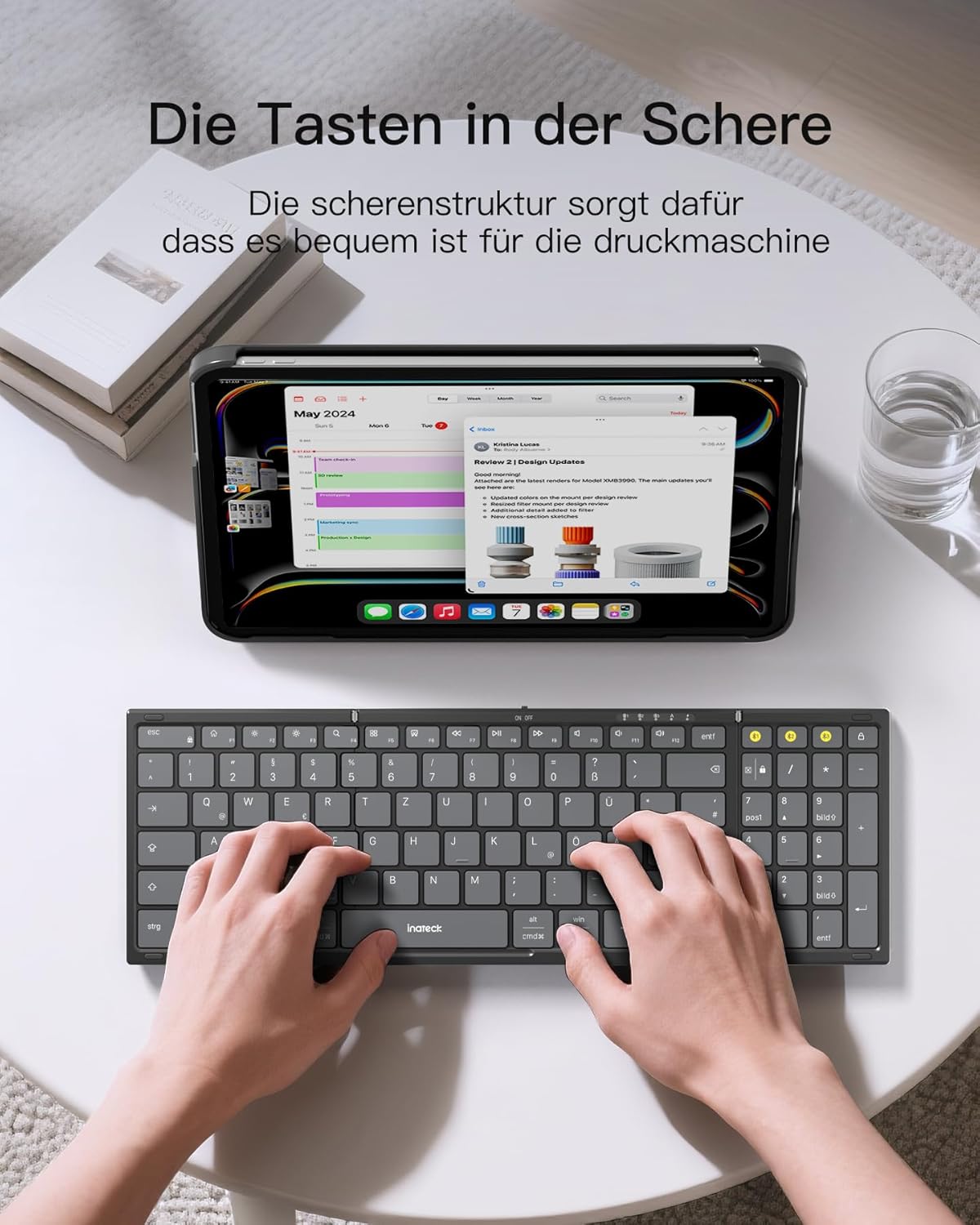
Image: A user demonstrating typing on the Inateck Nomad N0158 foldable keyboard, with a tablet positioned on the included stand for an optimal workspace setup.
6. וישאַלט
6.1 רייניקונג
- Use a soft, dry, lint-free cloth to clean the keyboard and mouse surfaces.
- פֿאַר שווערן שמוץ, אַ ביסל דampווישט דעם שטאָף מיט וואַסער אָדער אַ מילדן, נישט-שרייַבנדיקן רייניגער. פֿאַרמייַדט איבעריקע פֿײַכטקייט.
- Do not use harsh chemicals, solvents, or abrasive materials, as these can damage the product finish.
6.2 סטאָרידזש
- When not in use, fold the keyboard and store it along with the mouse and stand in the provided accessory bag.
- סטאָר די פּראָדוקט אין אַ קיל, טרוקן אָרט אַוועק פון דירעקט זונשייַן און עקסטרעם טעמפּעראַטורעס.
- The accessory bag is made from splash-proof material, offering protection during travel.
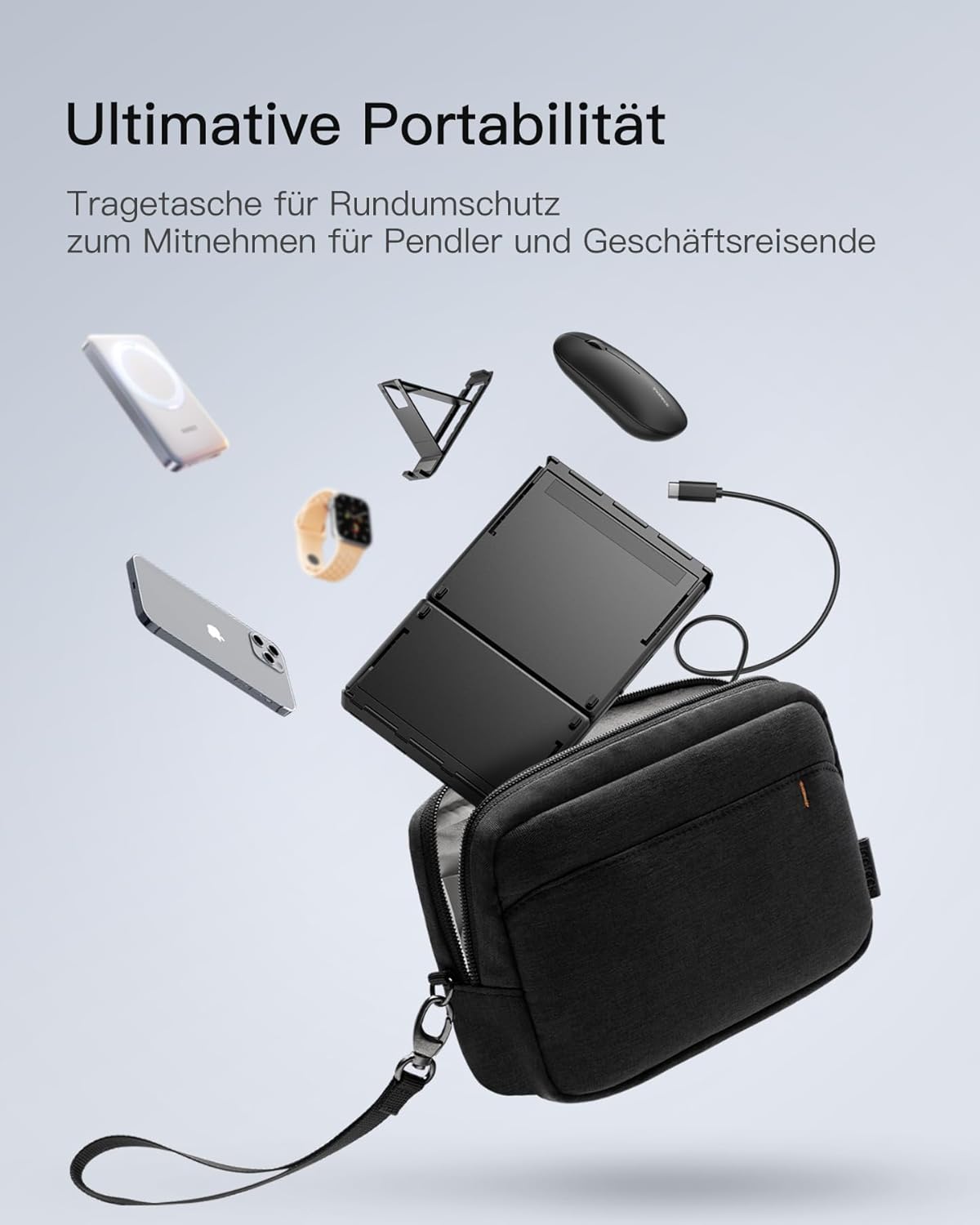
Image: The Inateck Nomad N0158 accessory bag, designed for ultimate portability and protection of the keyboard, mouse, and folding stand during transport.
6.3 באַטערי קער
- Recharge the keyboard regularly to maintain battery health, even if not used frequently.
- פֿאַרמײַדט פֿולשטענדיק אויסלאָדן די באַטעריע פֿאַר לענגערע פּעריאָדן.
- If the mouse uses replaceable batteries, ensure they are inserted correctly and replace them when power is low.
7. טראָובלעשאָאָטינג
7.1 קאָנעקטיוויטי פּראָבלעמען
- אפאראט קאנעקט זיך נישט:
- זייט זיכער אַז די קלאַוויאַטור/מויז איז אויפגעלאָדן און אנגעצונדן.
- Verify that the correct Bluetooth channel (BT1/BT2) is selected and in pairing mode (flashing indicator).
- אויף אייער דעווייס, דרייט אויס בלועטוט און דערנאך ווידער אן.
- Remove any previous pairings for the keyboard/mouse from your device's Bluetooth settings and attempt to pair again.
- For 2.4G mouse connection, ensure the USB dongle is securely inserted and the mouse is in 2.4G mode.
- ינטערמיטאַנט קשר:
- Ensure there are no obstructions between the keyboard/mouse and your device.
- Move closer to your device to rule out range issues.
- קוק פֿאַר ינטערפיראַנס פון אנדערע וויירליס דעוויסעס.
7.2 Incorrect Keyboard Output (e.g., 'Y' appears instead of 'Z')
This issue typically occurs when the device's operating system keyboard layout does not match the physical QWERTZ layout of the Inateck keyboard. To resolve this, adjust your device's keyboard language settings:
For Windows/Android/macOS/iOS:
- גיי צו דיין דעווייס'ס סעטטינגס.
- נאַוויגירן צו שפּראַך & אַרייַנשרייַב or similar (e.g., "Other settings > Language and input methods" on Android).
- געפֿינען גשמיות קלאַוויאַטור or ייַזנוואַרג קלאַוויאַטור סעטטינגס.
- Select the "Nomad" or "Inateck Keyboard" entry.
- Set the keyboard layout to דײַטש (QWERTZ).
7.3 Keyboard Instability
The keyboard's folding hinge does not lock. For stable typing, always ensure the keyboard is placed on a completely flat and firm surface. Avoid using it on uneven surfaces like a lap, bed, or soft cushions, as this can cause the keyboard to fold unexpectedly.
8. ספּעסאַפאַקיישאַנז
| סאָרט | Inateck |
| מאָדעל | N0158 |
| קאַנעקטיוויטי טעכנאָלאָגיע | Bluetooth, 2.4G Wireless (Mouse) |
| ספּעציעלע פֿעיִקייטן | 3 Bluetooth Channels, Ergonomic (design) |
| קאַמפּאַטאַבאַל דעוויסעס | Laptop, Personal Computer, Smartphone (iPad, iPhone, Mac, Android, Windows) |
| קלאַוויאַטור באַשרייַבונג | Foldable keyboard mouse set wireless |
| רעקאָמענדירטע פּראָדוקט ניצט | אָפיס, רייזע |
| קלאַוויאַטור אויסלייג | קווערטז |
| מאַכט מקור | Battery Powered (Rechargeable via USB-C for keyboard) |
| קלאַוויאַטור באַטאַרייע לעבן | 90+ hours continuous use, 180 days standby |
| מויז באַטאַרייע לעבן | 50+ hours continuous use, extended standby |
| פּראָדוקט דימענשאַנז (אַנפאָולדיד) | 40.54 X 11.49 X 3 סענטימעטער |
| פּראָדוקט וואָג | 756 ג |

Image: Visual representation of the Inateck Nomad N0158 keyboard's dimensions when folded (18.4 cm) and unfolded (34.2 cm x 11.5 cm), alongside a tablet (27.9 cm) and smartphone (14.6 cm) for scale.
9. וואָראַנטי און שטיצן
Inateck products are designed for reliability and performance. For warranty information, technical support, or customer service inquiries, please refer to the official Inateck webזייטל אדער קאנטאקט זייער קאסטומער שטיצע גלייך. האלט אייער קויף קוויטל פאר גאראנטיע קליימס.
באַאַמטער Webפּלאַץ: www.inateck.com


