1. הקדמה
Welcome to the user manual for your new OnePlus Buds 4 Wireless Earbuds. These earbuds are designed to provide a superior audio experience with features such as adaptive noise cancellation, high-resolution audio support, and extended battery life. This manual will guide you through the setup, operation, maintenance, and troubleshooting of your device to ensure you get the most out of your earbuds.
2. וואָס איז אין דער קעסטל
ביטע קאָנטראָלירט דעם אינהאַלט פֿון אייער פּעקל צו זיכער מאַכן אַז אַלע זאַכן זענען דאָרט:
- OnePlus Buds 4 אויערקנעפּלעך
- OnePlus Buds 4 Charging Case
- טיפּ-C טשאַרדזשינג קאַבלע
- Ear Tips (S, M, L pairs)
- User Manual & Safety and Warranty Information
3. פּראָדוקט איבערview
The OnePlus Buds 4 feature an ergonomic design for comfortable wear and a compact charging case for portability and extended battery life. Key components include the earbuds with touch controls and the charging case with a USB-C port.

Image: OnePlus Buds 4 earbuds securely placed within their charging case.

Image: The OnePlus Buds 4 earbuds and their open charging case, showcasing the individual components.

בילד: אן איבערview of the OnePlus Buds 4's advanced features, including noise cancellation, audio quality, and smart functionalities.
3.1 שליסל פֿעיִקייטן
- Sensationally Sculpted Sound: Dual DACs and dual drivers with Hi-Res LHDC 5.0 for near-lossless audio, deep bass, and clear highs. Features Golden Sound for personalized listening and OnePlus 3D Audio for immersive sound.
- Silence Made Smarter: Up to 55dB Adaptive Noise Cancellation (ANC) dynamically reduces ambient noise. Adaptive Mode allows switching between ANC and Transparency Mode.
- AI Clear Call Algorithm: A 3-mic system filters out ambient noise and wind for crystal-clear calls.
- Smarter Connectivity: Steady Connect ensures reliable connectivity. Supports real-time AI Translation and voice assistant activation.
- עקסטענדעד באַטאַרייע לעבן: ביז 45 שעה פון גאַנץ ווידערשפּיל מיטן טשאַרדזשינג קעסטל.

Image: Visual representation of BassWave™ 2.0 Dynamic Bass technology, enhancing low-frequency audio.

Image: Depiction of Golden Hearing technology, which customizes sound based on individual ear canal structure for optimized audio.
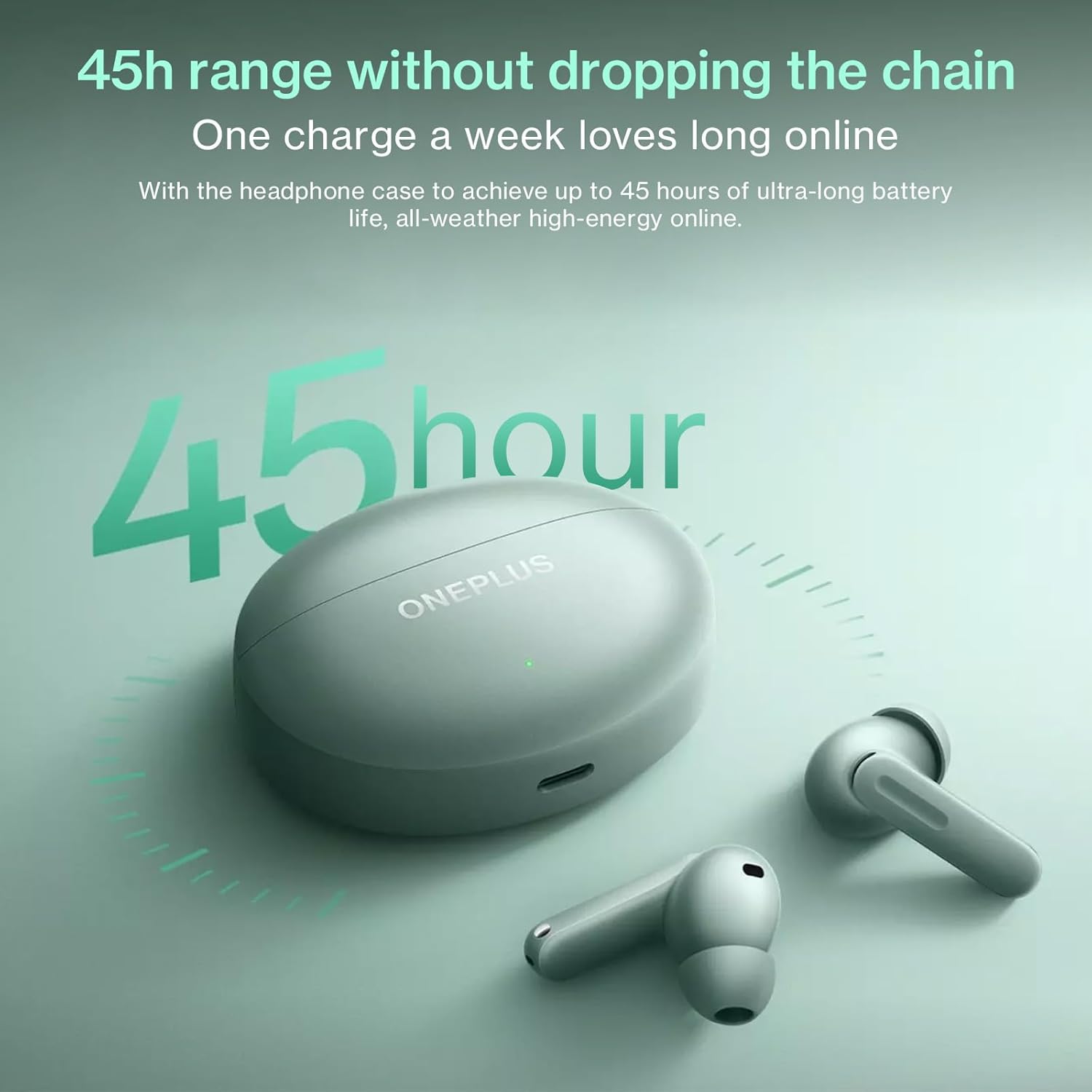
Image: The OnePlus Buds 4 and their charging case, highlighting the impressive 45-hour total battery life.

Image: Explanation of the enhanced Vocal Noise Reduction feature, demonstrating its effectiveness in noisy environments.

בילד: דעטאַלירט view of the Flagship Coaxial Dual Unit, illustrating its design for balanced high and low-frequency audio reproduction.
4. סעטאַפּ
4.1 אויפלאָדן די אויערקנעפּלעך און קעסטל
Before first use, fully charge the earbuds and the charging case. Place the earbuds into the charging case and close the lid. Connect the Type-C charging cable to the charging port on the case and plug the other end into a USB power adapter (not included). The indicator light on the case will show charging status.
- טשאַרדזשינג קאַסע: Connect to a power source using the provided USB-C cable.
- עאַרבודז: Place them inside the charging case. They will charge automatically.
4.2 ערשטע פּאָרינג
- זיכער מאַכן אַז די אויערקנעפּלעך זענען אין דער טשאַרדזשינג קעסטל און אַז דער קעסטל האט גענוג באַטאַרייע.
- Open the charging case lid. The indicator light will flash, indicating pairing mode.
- אויף אייער דעווייס (סמאַרטפאָן, טאַבלעט, אאז"וו), גייט צו בלועטוט סעטטינגס און אַקטיווירט בלועטוט.
- זוכן פֿאַר available devices and select "OnePlus Buds 4" from the list.
- Once connected, the indicator light on the case will turn solid.
4.3 Subsequent Pairing
The earbuds will automatically connect to the last paired device when the case lid is opened. If you wish to pair with a new device, follow the initial pairing steps.
4.4 App Installation (HeyMelody App)
For full functionality, including custom touch controls, sound customization (Golden Sound), and firmware updates, download the HeyMelody app from your device's app store (Google Play Store for Android, Apple App Store for iOS). Open the app and follow the on-screen instructions to connect your OnePlus Buds 4.
5. אַפּערייטינג ינסטרוקטיאָנס
5.1 ריר קאָנטראָלס
The OnePlus Buds 4 feature intuitive touch controls on each earbud. The default controls are:
- איין טאַפּ: שפּילן/פּויזע מוזיק, ענטפֿערן/ענדיגן רוף.
- טאָפּל טאַפּ: נעקסטע ליד, אפזאגן רוף.
- דרייַיק טאַפּ: Previous track, Activate AI Translation (on OnePlus phones).
- Press and Hold (Earbud Stem): Switch Noise Control modes (ANC/Transparency/Off).
- Press and Hold (Both Earbuds): אַקטאַווייט די קול אַסיסטאַנט.
Note: These controls can be customized via the HeyMelody app.
5.2 ראַש קאָנטראָל מאָדעס
The OnePlus Buds 4 offer advanced noise control options:
- אַדאַפּטיוו ראַש קאַנסאַליישאַן (ANC): Reduces ambient noise for an immersive listening experience. The earbuds dynamically adjust noise cancellation levels based on your environment.
- דורכזעיקייַט מאָדע: Allows you to hear your surroundings clearly without removing the earbuds, useful for conversations or being aware of traffic.
- אויסגעלאשן: Disables both ANC and Transparency modes.
Switch between modes by pressing and holding the earbud stem.
5.3 AI Translation
For OnePlus phone users, triple-tapping an earbud can activate real-time AI Translation, facilitating seamless conversation in multiple languages. Ensure your OnePlus phone's translation features are set up.
5.4 רופן פאַנגקשאַנז
The earbuds are equipped with a 3-mic system and AI Clear Call algorithm for clear voice pickup during calls, even in noisy environments.
- ענטפֿערן / סוף רופן: איין צאַפּן אויף יעדער עאַרבוד.
- אָפּזאָגן רופן: טאָפּל צאַפּן אויף יעדער עאַרבוד.
5.5 גיימינג מאָדע
The Low Latency Gaming Mode minimizes audio delay, providing a more synchronized audio-visual experience for gaming. This mode can typically be activated or managed through the HeyMelody app or your OnePlus phone's settings.
6. וישאַלט
6.1 רייניקונג
רעגולערע רייניקונג העלפט אויפהאלטן די קוואַליטעט פון די געזונט און היגיענע:
- עאַרבודז: Gently wipe the earbuds, especially the ear tips and mesh, with a soft, dry, lint-free cloth. For stubborn dirt, slightly dampen the cloth with water or a mild, non-abrasive cleaner. Ensure no liquid enters the speaker openings.
- טשאַרדזשינג קאַסע: Wipe the case with a soft, dry cloth. Use a cotton swab to clean the charging contacts inside the case if necessary.
- אויער עצות: Remove the ear tips and wash them with water and mild soap. Rinse thoroughly and allow them to dry completely before reattaching.
ניצט נישט קיין שרײַבנדיקע מאַטעריאַלן, אַלקאָהאָל, אדער כעמישע רייניקונגס־מיטלען.
6.2 סטאָרידזש
When not in use, always store the earbuds in their charging case to protect them from dust, dirt, and physical damage. Store the case in a cool, dry place away from direct sunlight and extreme temperatures.
7. טראָובלעשאָאָטינג
אויב איר טרעפט פּראָבלעמען מיט אייערע OnePlus Buds 4, פּרוּווט די פֿאָלגנדיקע לייזונגען:
- אויערקנעפּלעך נישט פּערינג: Ensure the earbuds are charged, in the case, and the lid is open. Check your device's Bluetooth settings. Try resetting the earbuds (refer to the HeyMelody app or online support for specific reset instructions).
- קיין קלאַנג פֿון איין אויערקנעפּל: Place both earbuds back in the case, close the lid, wait a few seconds, then open it again. Check the battery level of both earbuds.
- טשאַרדזשינג ישוז: Ensure the charging cable is securely connected to both the case and the power source. Try a different cable or power adapter. Clean the charging contacts on the earbuds and inside the case.
- נעבעך געזונט קוואַליטעט: Ensure the ear tips provide a good seal in your ear canal. Try different sized ear tips. Clean the earbud mesh. Check for interference from other wireless devices.
- ריר קאָנטראָלס רעאַגירן נישט: Ensure your fingers are clean and dry. Try restarting the earbuds by placing them in the case and closing the lid.
For more detailed troubleshooting or persistent issues, refer to the HeyMelody app or the official OnePlus support webפּלאַץ.
8. ספּעסאַפאַקיישאַנז
| באַשרייַבונג | דעטאַל |
|---|---|
| מאָדעל נאָמען | עקסנומקסאַ |
| קאַנעקטיוויטי טעכנאָלאָגיע | ווירעלעסס |
| ווירעלעסס קאָמוניקאַציע טעכנאָלאָגיע | בלועטאָאָטה |
| בלועטאָאָטה ווערסיע | 5.4 |
| קאָנטראָל טיפּ | ריר קאָנטראָל |
| ראַש קאָנטראָל | אַדאַפּטיוו ראַש קאַנסאַליישאַן |
| אויער פּלייסמאַנט | אין אויער |
| פאָרם פאַקטאָר | אין אויער |
| וואַסער קעגנשטעל מדרגה | וואַסער קעגנשטעליק (IP55) |
| פּונקט וואָג | 4.2 אונס (0.12 קילאָגראַמס) |
| באַטעריע לעבן (גאַנץ מיט קעסטל) | אַרויף צו 45 שעה |
| קאָליר | גרין |
| פאַבריקאַנט | ONEPLUS |
9. וואָראַנטי און שטיצן
Your OnePlus Buds 4 are covered by a limited warranty. Please refer to the "User Manual & Safety and Warranty" document included in your package for detailed warranty terms and conditions. For technical support, product information, or service requests, please visit the official OnePlus support webזייטל אדער קאנטאקט זייער קאסטומער סערוויס. האלט אייער באווייז פון קויפן פאר גאראנטיע טענות.
OnePlus אפיציעל Webפּלאַץ: https://www.oneplus.com/global/support


