1. Getting Started: Unboxing and Components
This section details the contents of your TABWEE T80 package and provides an overview of the tablet's physical features.
1.1 פּעקל אינהאַלט
באַשטעטיקט אַז אַלע זאכן וואָס זענען אויסגערעכנט אונטן זענען פאַראַן אין אייער פּעקל:
- TABWEE T80 Android Tablet
- בלועטאָאָטה קיבאָרד
- ווירעלעסס מאַוס
- סטילוס פּען
- פּראַטעקטיוו קאַסע
- עקראַן פּראָטעקטאָר (פאַר-אַפּליקירט אָדער באַזונדער)
- טאַבלעט סטאַנד
- Charger and USB-C Cable

1.2 פּראָדוקט איבערview
Familiarize yourself with the tablet's buttons, ports, and camera locations.
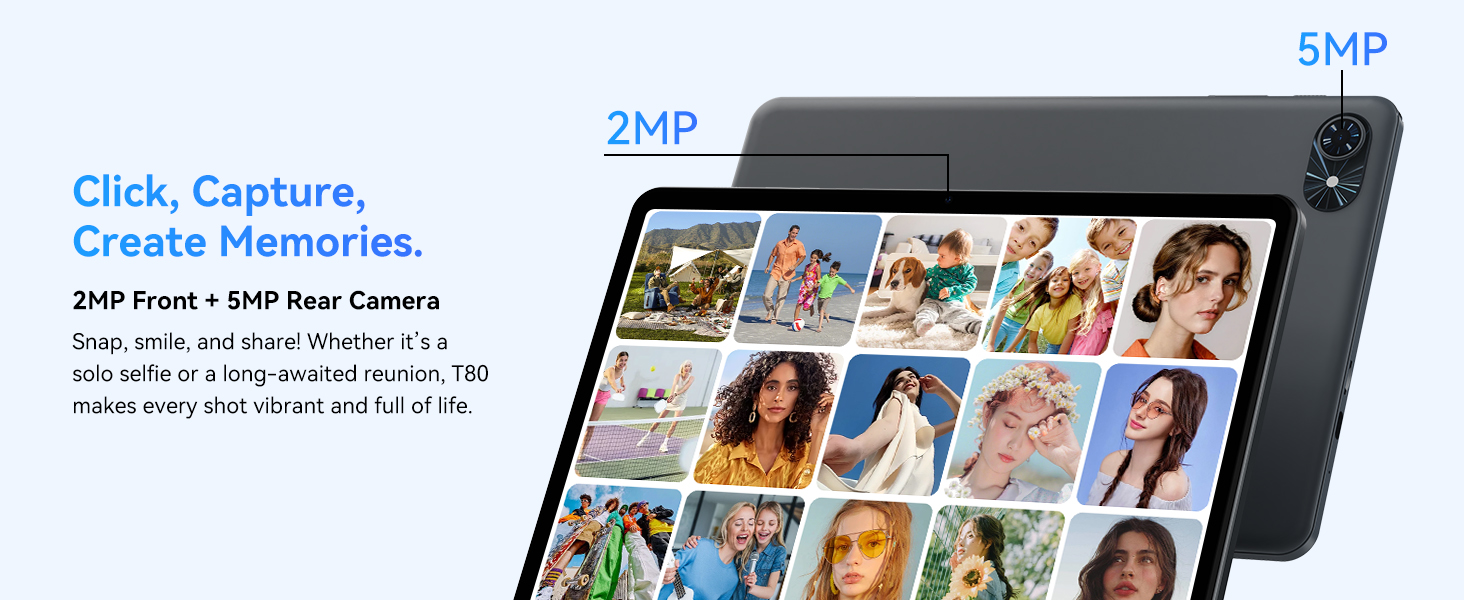
- פראָנט אַפּאַראַט: Located at the top center when held in landscape orientation. (2MP)
- דערציען אַפּאַראַט: Located on the back panel, typically in the upper left corner. (5MP)
- מאַכט קנעפּל: Used to turn the tablet on/off or wake/sleep the screen.
- באַנד קנעפּלעך: אַדזשאַסטירן דעם אַודיאָ אַרויסגאַנג לעוועל.
- וסב- C פּאָרט: פֿאַר טשאַרדזשינג און דאַטן אַריבערפירן.
- מיקראָסד קאָרט שפּעלטל: For expanding storage up to 2TB.
- רעדנער: צוויי רעדנערס פֿאַר אַודיאָ אַרויסגאַנג.
2. סעטאַפּ אינסטרוקציעס
Follow these steps to set up your TABWEE T80 tablet for first-time use.
2.1 ערשטע איינשטראָם און גרונטלעכע קאָנפיגוראַציע
- טשאַרדזשינג די טאַבלעט: Connect the provided USB-C cable and charger to the tablet and a power outlet. Allow the tablet to charge for at least 30 minutes before first use.
- מאַכט אויף: Press and hold the Power button until the TABWEE logo appears on the screen.
- שפּראַך און ראַיאָן: פֿאָלגט די אינסטרוקציעס אויף דעם עקראַן צו אויסקלײַבן אײַער בילכער שפּראַך און ראַיאָן.
- פאַרבינדן צו Wi-Fi: Select your Wi-Fi network from the list and enter the password. A stable internet connection is required for initial setup and updates.
- גוגל אקאונט: לאָג אַרײַן מיט אײַער גוגל אַקאַונט אָדער שאַפֿט אַ נײַעם. דאָס איז נייטיק צו דאַונלאָודן אַפּפּס פֿון גוגל פּליי סטאָר.
- טאָג און צייט: Confirm the date and time settings.
- זיכערהייט: Set up a screen lock (PIN, pattern, or password) for security.
2.2 פֿאַרבינדן אַקסעסאָריעס
The TABWEE T80 comes with several accessories to enhance its functionality.
- Bluetooth Keyboard and Mouse:
- זייט זיכער אז די קלאַוויאַטור און מויז זענען אויפגעלאָדן און אנגעצונדן.
- אויף אייער טאַבלעט, גייט צו סעטטינגס > פארבונדענע דעווייסעס > בלועטוט.
- Enable Bluetooth and scan for new devices.
- Select the keyboard and mouse from the list to pair them. Follow any on-screen prompts.
- סטילוס פעדער: The stylus pen can be used directly on the screen for navigation, drawing, or writing. No pairing is typically required for basic capacitive styluses.
- Protective Case and Stand: Attach the protective case to the tablet. The case often includes a foldable stand for hands-free viewing.
3. אַפּערייטינג ינסטרוקטיאָנס
This section covers the daily operation of your TABWEE T80 tablet.
3.1 Basic Navigation and Android 15 Features
- היים פאַרשטעלן: Swipe left or right to access different home screens. Tap and hold an empty space to customize widgets, wallpaper, and settings.
- נאָוטאַפאַקיישאַנז און שנעל סעטטינגס: לאַקכענען אַראָפּ פֿון די שפּיץ פון דעם עקראַן צו view notifications and access quick settings like Wi-Fi, Bluetooth, and brightness.
- אַפּ שופלאָד: סווייפּ אַרויף פֿון דער אונטערשטער טייל פֿון דעם עקראַן צו צוטריטן אַלע אינסטאַלירטע אַפּליקאַציעס.
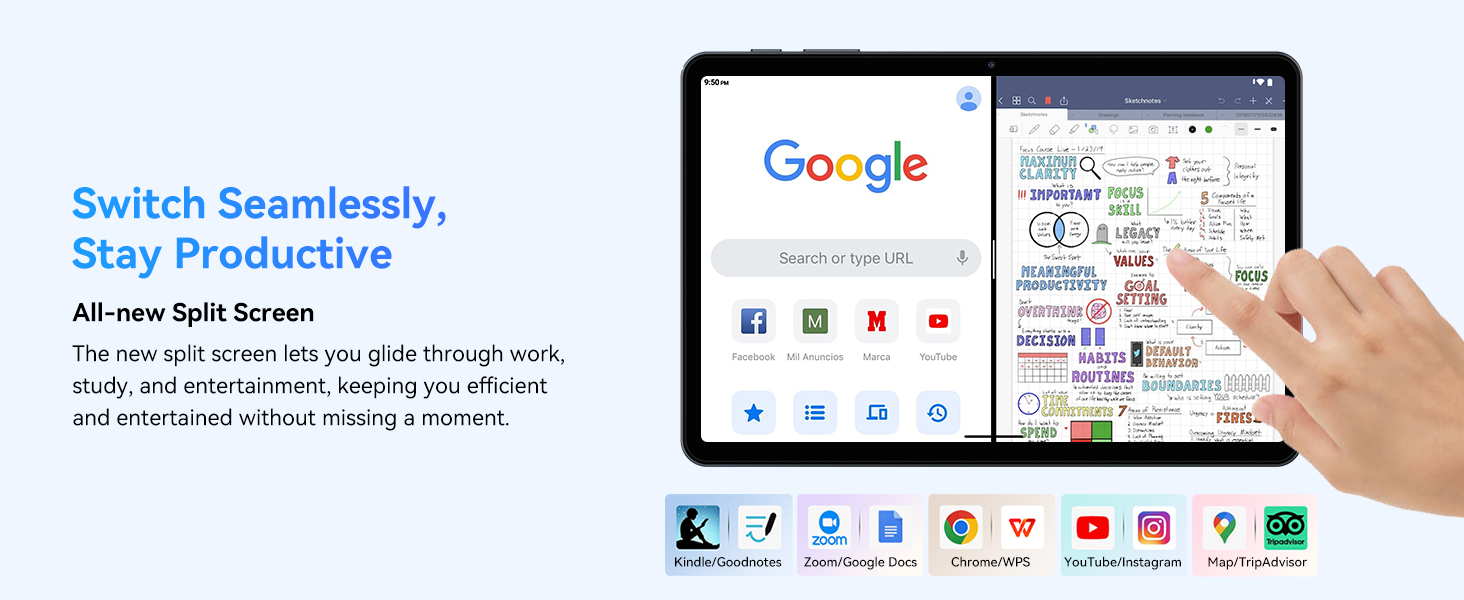
- Multitasking (Split Screen): Android 15 supports enhanced split-screen functionality. To use, open an app, then swipe up from the bottom, hold, and drag another app icon to either side of the screen.
- דזשעמיני קינסטלעכע אינטעליגענץ 2.0: Your tablet integrates Gemini AI 2.0 for enhanced task management, smart chats, text-to-image generation, voice-enabled Q&A, and real-time conversations. Access AI features through compatible apps or dedicated AI interfaces.
- פּריוואַטקייט און זיכערהייט: Android 15 offers improved privacy controls. Review and adjust app permissions in סעטטינגס> פּריוואַטקייט.
3.2 קאַנעקטיוויטי
- ווי-פי: Supports 802.11a/b/g/n/ac for fast 5G Wi-Fi connectivity. Manage Wi-Fi connections in סעטטינגס > נעץ און אינטערנעט > Wi-Fi.
- בלועטאָאָטה 5.0: For connecting wireless headphones, speakers, keyboards, and mice. Manage Bluetooth devices in סעטטינגס > פארבונדענע דעווייסעס > בלועטוט.
- גפּס: The tablet includes GPS functionality for location services and navigation apps.
- OTG (אויף-דער-גיין): Supports OTG, allowing you to connect USB devices like flash drives or external hard drives using an appropriate adapter.
3.3 קאַמעראַ באַניץ
The TABWEE T80 features a 2MP front camera and a 5MP rear camera.
- עפֿנט די קאַמעראַ אַפּ פֿון אייער היים־עקראַן אָדער אַפּ־שוך.
- צאַפּן דעם שאַטער קנעפּל צו נעמען פאָטאָס.
- טוישט צווישן פראָנט און הינטערשטע קאַמעראַס ניצנדיק די קאַמעראַ טאָגל ייקאַן.
- Explore different modes such as video recording or panorama if available.

3.4 סטאָרידזש און פאָרשטעלונג
- באַראַן: The tablet comes with 6GB of physical RAM, expandable virtually to 18GB for smooth multitasking. Adjust RAM settings in סעטטינגס אויב דארף.
- אינערלעכער סטאָרידזש: 128GB ROM is provided for apps and files.
- יקספּאַנדאַבאַל סטאָרידזש: A MicroSD card slot allows for storage expansion up to 2TB. Insert a compatible MicroSD card into the designated slot.
- פּראַסעסער: Powered by a Quad-Core Unisoc T310 processor (1x A75 2.0GHz, 3x A55 1.8GHz) and GE8300 GPU for efficient performance.
3.5 באַטאַרייע און טשאַרדזשינג
- באַטאַרייע קאַפּאַציטעט: Equipped with a 6000mAh battery, providing over 10 hours of typical usage.
- טשאַרדזשינג: Use the provided 10W fast charger and USB-C cable. Connect the cable to the tablet's USB-C port and the charger to a power outlet.
- באַטערי אָפּטימיזאַטיאָן: Android 15 includes AI Super Power Saving Algorithms to extend battery life. Monitor battery usage in סעטטינגס> באַטערי.

3.6 Display and Entertainment
- ווייַז: 10-inch IPS display with a resolution of 1280 x 800 pixels.
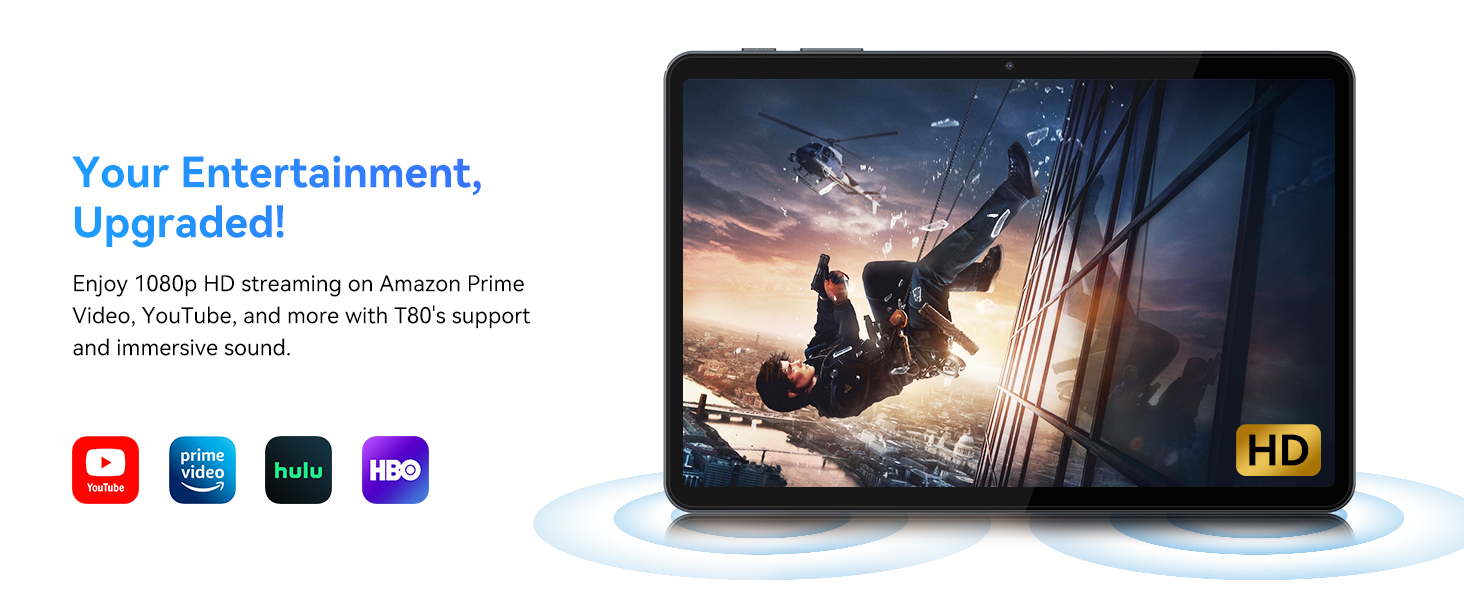
- ווידעא פּלייבאַק: Supports 1080P video playback for streaming services like Amazon Prime Video, YouTube, Hulu, and HBO.
- אַודיאָ: Dual speakers provide clear audio for media consumption.
4. וישאַלט
געהעריגע אויפהאלטונג גאראנטירט די לאנגעוויטי און אפטימאלע פערפארמאנס פון אייער טאבלעט.
4.1 באַטערי קער
- פֿאַרמײַדט עקסטרעמע טעמפּעראַטורן, ווײַל זיי קענען פֿאַרערגערן די לעבן פֿון דער באַטעריע.
- לאָזט נישט די באַטאַרייע גאָר אויסליידיקן אָפט. לאָדט עס אויף איידער עס דערגרייכט 0%.
- Use only the provided charger and cable to prevent damage.
4.2 רייניקונג
- ניצט אַ ווייכן, לינט-פֿרייע שטאָף צו רייניקן דעם עקראַן און קערפּער פֿון דער טאַבלעט.
- פֿאַר שווערע פֿלעקן, אַ ביסל דampווישט דעם שטאָף מיט וואַסער אָדער אַ רייניקונג לייזונג פֿאַרן עקראַן. פֿאַרמייַדט שאַרפע כעמיקאַלן.
- זיכער מאַכן אַז אַלע פּאָרטן זענען פריי פון שטויב און דעבריס.
4.3 ווייכווארג דערהייַנטיקונגען
- Regularly check for and install system updates. These updates often include performance improvements, security patches, and new features.
- גיין צו סעטטינגס > סיסטעם > סיסטעם דערהייַנטיקונג צו קאָנטראָלירן פֿאַר פֿאַראַן דערהייַנטיקונגען.
5. טראָובלעשאָאָטינג
This section addresses common issues you might encounter with your TABWEE T80 tablet.
5.1 טאַבלעט גייט נישט אָן
- Ensure the tablet is sufficiently charged. Connect it to the charger and wait a few minutes before attempting to power it on again.
- Try holding the Power button for 10-15 seconds to force a restart.
5.2 Wi-Fi קאָנעקטיוויטי פּראָבלעמען
- Toggle Wi-Fi off and on in Quick Settings.
- ריסטאַרט דיין Wi-Fi ראַוטער.
- פארגעס די נעץ אין סעטטינגס > נעץ און אינטערנעט > Wi-Fi און ריקאַנעקט.
5.3 לאַנגזאַמע פאָרשטעלונג
- נאָענט ומנייטיק הינטערגרונט אַפּלאַקיישאַנז.
- ויסמעקן קאַש פֿאַר אָפט גענוצטע אַפּפּס אין סעטטינגס > אַפּפּס > [אַפּ נאָמען] > סטאָרידזש און קאַש > ויסמעקן קאַש.
- זיכער מאַכן אַז איר האָט גענוג פרייען סטאָרידזש פּלאַץ. ויסמעקן אַלטע files or move them to expandable storage.
- ריסטאַרט די טאַבלעט פּעריִאָדיש.
5.4 Accessories Not Connecting
- For Bluetooth accessories, ensure they are charged, powered on, and in pairing mode.
- Verify Bluetooth is enabled on the tablet and try re-pairing the device.
- Check the battery level of the accessories.
6. ספּעסאַפאַקיישאַנז
Detailed technical specifications for the TABWEE T80 Android 15 Tablet.
| שטריך | באַשרייַבונג |
|---|---|
| מאָדעל נאָמען | T80(6+128) |
| אָפּערייטינג סיסטעם | אַנדרויד 15 |
| פאַרשטעלן גרייס | 10 אינטשעס |
| מאַקסימום סקרין האַכלאָטע | 1280 רענטגענ 800 פּיקסעלס |
| פּראַסעסער | Unisoc T310 Quad-Core (1x A75 2.0GHz, 3x A55 1.8GHz) |
| באַראַן | 18 גיגאבייט (6 גיגאבייט פיזיש + 12 גיגאבייט ווירטועל) |
| Flash Memory Size (ROM) | 128 גיגאבייט |
| יקספּאַנדאַבאַל סטאָרידזש | ביז 2TB דורך MicroSD קאַרטל |
| ווירעלעסס טיפּ | 802.11a, 802.11ac, 802.11b, 802.11g, 802.11n (5G WiFi) |
| בלועטאָאָטה | בלועטאָאָטה 5.0 |
| באַטאַרייע קאַפּאַציטעט | 6000 מאַה |
| דורכשניטלעך באַטאַרייע לעבן | 480 Hours (Standby) / 10+ Hours (Usage) |
| פראָנט אַפּאַראַט | 2MP |
| דערציען אַפּאַראַט | 5MP |
| פּונקט וואָג | 1.1 פונט |
| פּראָדוקט דימענשאַנז | 9.5 X 6.3 X 0.3 אינטשעס |
| קאָליר | זילבער גרוי |
7. וואָראַנטי און שטיצן
Information regarding your product warranty and how to obtain customer support.
7.1 פּראָדוקט וואָראַנטי
The TABWEE T80 tablet comes with a 2-יאָר וואָראַנטי, covering manufacturing defects and ensuring product reliability. This warranty provides peace of mind and support for your device.
7.2 קונה שטיצן
For any technical assistance, inquiries, or warranty claims, please contact TABWEE customer support:
- בליצפּאָסט: סערוויס פּלוס.לינדאַ@גמעיל.קאָם
- טעלעפאָן (יו. עס.): +1 (717) 896-6060
- טעלעפאָנירן (וק): +44 7700 156388
- Phone (CA): +1 (587) 841-0500
- טעלעפאָן (DE): +49 157 3598 0115
TABWEE offers 24/7 customer support and lifetime technical assistance to ensure you have the best experience with your product.