1. הקדמה און איבערview
Thank you for choosing the iScooter W6 Electric Scooter. This manual provides essential information for the safe operation, assembly, maintenance, and troubleshooting of your new electric scooter. Please read this manual thoroughly before your first ride to ensure optimal performance and safety.
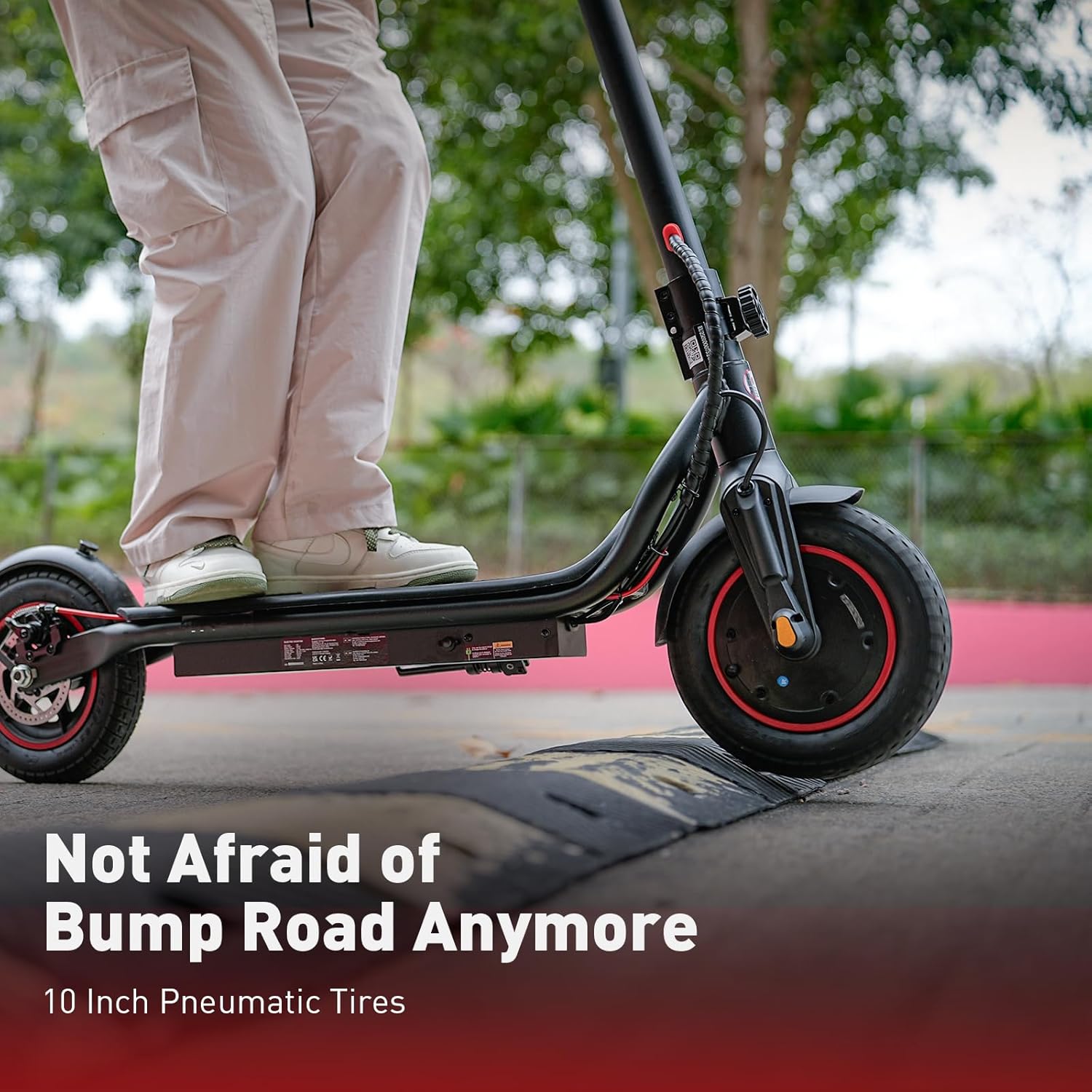
The iScooter W6 is designed for adults and teens, featuring a powerful 500W brushless motor, a top speed of 35 km/h, and a maximum range of 37 km. It is equipped with 10-inch pneumatic tires for a comfortable ride, dual braking systems for enhanced safety, and optional smart APP control for a personalized experience.
2. זיכערקייַט אינפֿאָרמאַציע
Your safety is paramount. Always wear a helmet and appropriate protective gear (knee pads, elbow pads) when riding. Familiarize yourself with local laws and regulations regarding electric scooter use.
- טראָגט שטענדיק אַ סערטיפֿיצירטן העלם.
- פֿאָרט נישט אין שטאַרקן רעגן אָדער דורך לאַכן טיפער ווי 2 ס״מ.
- Avoid riding on slippery surfaces, loose gravel, or steep inclines.
- האַלט אַ זיכערע דיסטאַנץ פון אַנדערע וועהיקלעס און פוסגייער.
- נישט איבערשטייגן די מאקסימום וואָג קאַפּאַציטעט פון 120 ק"ג (264 פונט).
- Ensure all screws and quick releases are securely fastened before each ride.
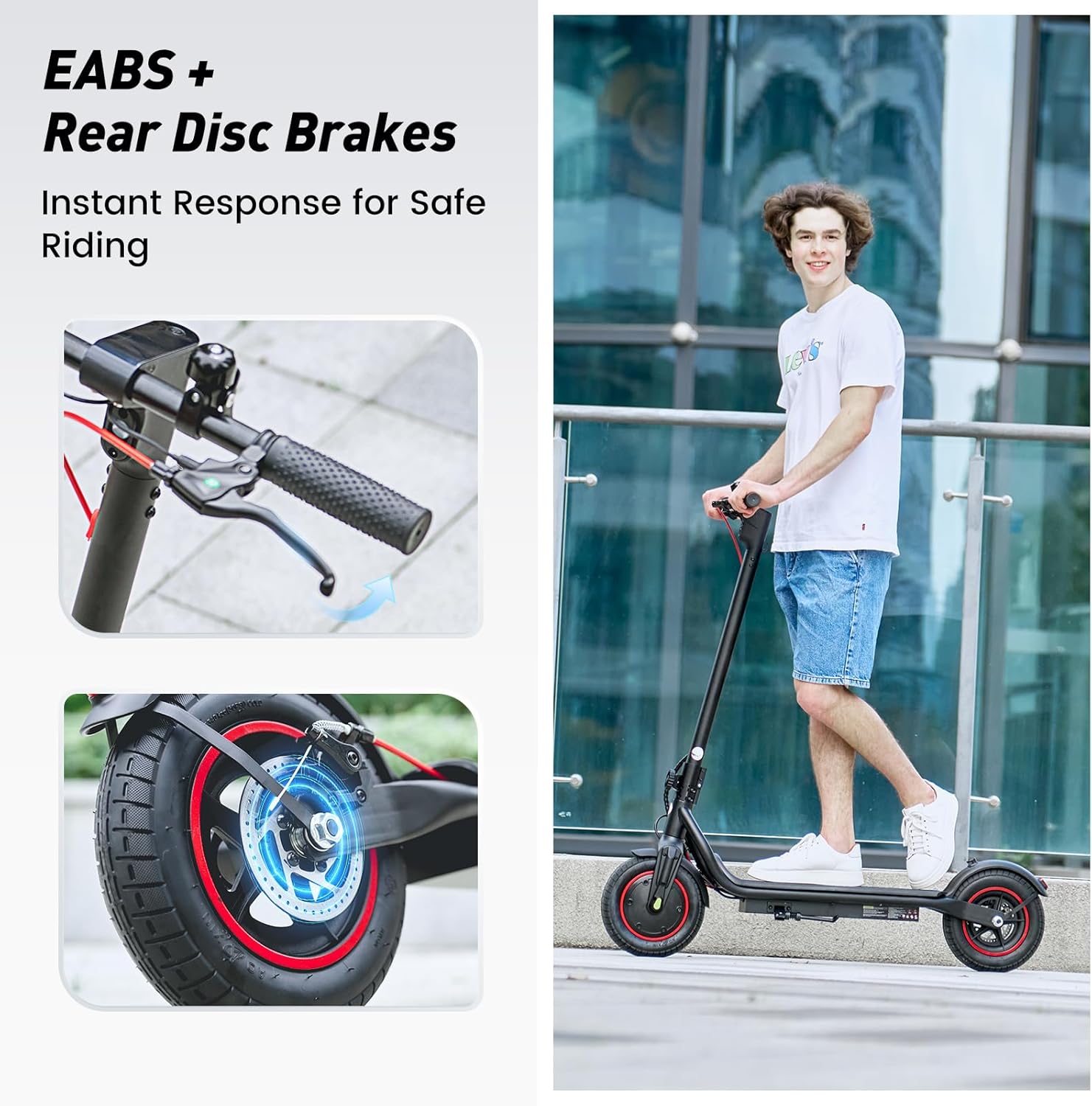
- Use both brakes simultaneously for effective stopping.
- Be aware of your surroundings and avoid distractions while riding.
3. פּעקל אינהאַלט
ביטע קאָנטראָלירט דעם אינהאַלט פֿון אייער פּעקל. אויב עס פֿעלן אָדער זענען געשעדיגט עפּעס, קאָנטאַקטירט קונה שטיצע.
- יסקוטער וו6 עלעקטריק סקוטער
- טשאַרדזשער
- באַניצער מאַנואַל
- Screws and Screwdriver for assembly
4. אַסעמבלי און סעטאַפּ
Your iScooter W6 comes partially assembled. Follow these steps to complete the setup:
- אויספֿאַלטן דעם סקוטער: הייב פֿאָרזיכטיק דעם האַנטל־שטאַם ביז עס פֿאַרשליסט זיך אין פּלאַץ. מאַכט זיכער אַז דער צוזאַמענפֿאַלט־מעכאַניזם איז זיכער פֿאַרשלאָסן.
- צוטשעפּען די האַנטלבאַרס: Insert the handlebars into the stem and tighten the screws using the provided screwdriver. Ensure they are firmly attached and aligned.
- טשעקן טייער דרוק: Verify that the 10-inch pneumatic tires are inflated to the recommended pressure for optimal ride comfort and range.
- ערשט אָפּצאָל: Fully charge the scooter before its first use. Refer to the 'Charging' section for details.

5. אַפּערייטינג ינסטרוקטיאָנס
Before riding, ensure you are in a safe, open area and are wearing all necessary safety gear.
5.1 מאַכט אויף / אַוועק
- To power on, press and hold the power button on the display for a few seconds.
- צו אויסלעשן, דריק און האלט נאכאמאל דעם פאוער קנעפל ביז דער עקראַן לעשט זיך אויס.
5.2 ריידינג מאָדעס
The iScooter W6 offers three speed modes to suit different riding conditions:
- עקאָ מאָדע: Approximately 14 km/h (9 mph) - For energy saving and beginners.
- דרייוו מאָדע: Approximately 24 km/h (15 mph) - Standard mode for balanced performance.
- ספּאָרט מאָדע: Approximately 35 km/h (22 mph) - For maximum speed and power.
Press the power button once while the scooter is on to cycle through the speed modes.

5.3 אַקסעלעראַציע און ברעיקינג
- אַקסעלעריישאַן: Push off with your foot to gain initial momentum, then gently press the throttle lever on the right handlebar.
- ברייקינג: The scooter features dual braking systems: a rear disc brake and an electronic brake. Squeeze the brake levers on the handlebars to slow down or stop. For emergency stops, apply both brakes firmly.
- אַרומפאָרן קאָנטראָל: To activate cruise control, maintain a consistent speed for 5 seconds. The scooter will beep, and the cruise control icon will appear on the display. To deactivate, press the throttle or brake lever.
5.4 Lights and Bell
- העפל ליכט: Press the power button twice quickly to turn the LED headlight on or off.
- טאילייט: The rear warning light automatically activates with the headlight and when braking.
- גלאָק: Use the integrated bell on the left handlebar to alert pedestrians or other riders.
6. Smart APP Control
The iScooter W6 supports smart APP control for enhanced functionality (for models with APP support). Download the official iScooter APP from your smartphone's app store.
- פּאָרינג: פֿאָלגט די אינסטרוקציעס אין דער אַפּ צו פֿאַרבינדן אייער סקוטער דורך בלועטוט.
- פֿעיִקייטן: The APP allows you to lock/unlock the scooter, view real-time ride data (speed, battery level, mileage), switch riding modes, and more.
- Anti-Theft Security: The APP can remotely lock the scooter, making it unridable and providing an additional layer of security.

7. טשאַרדזשינג
Proper charging practices extend battery life and ensure safe operation.
- באַטערי: The scooter is equipped with a 42V / 10.5Ah lithium-ion battery.
- טשאַרדזשינג צייט: A full charge typically takes 5–7 hours.
- טשאַרדזשינג פּראָצעס: Connect the charger to the charging port on the scooter, then plug it into a standard wall outlet. The indicator light on the charger will change (e.g., red to green) when fully charged.
- בעסטער פּראַקטיסיז: Avoid completely draining the battery. Store the scooter with a partial charge (20-80%) if not used for extended periods. Do not charge unattended.
8. וישאַלט
רעגולערע אויפהאלטונג גאראנטירט די לאנגעוויטי און זיכערע אפעראציע פון אייער סקוטער.
- רייניקונג: ווישט אויס דעם סקוטער מיט אדווערטייזמענטamp טוך. ניצט נישט הויך-דרוק וואסער אדער קאראזיווע רייניגער.
- טירעס: Regularly check tire pressure and for any signs of wear or damage. The 10-inch pneumatic tires provide a comfortable ride but require proper inflation.
- בראַקעס: Inspect brake levers, cables, and disc brakes for proper function and wear. Adjust or replace components as needed.
- פאַסטענערס: קאָנטראָלירט פּעריִאָדיש אַלע שרויפן און באָלץ צו זיכער מאַכן אַז זיי זענען פעסט.
- סטאָרידזש: האַלט דעם סקוטער אין אַ קיל, טרוקן אָרט אַוועק פון דירעקט זונשייַן און עקסטרעמע טעמפּעראַטורן.

9. טראָובלעשאָאָטינג
If you encounter issues with your iScooter W6, refer to the following common problems and solutions:
| פּראָבלעם | מעגלעך סיבה | לייזונג |
|---|---|---|
| סקוטער גייט נישט אן | Low battery; loose connections; power button malfunction | Charge the battery; check all visible connections; contact support if issue persists. |
| פאַרקלענערטע קייט אָדער גיכקייט | Low tire pressure; heavy load; riding uphill; cold weather; aging battery | Inflate tires to correct pressure; reduce load; ride on flatter terrain; ensure battery is fully charged. |
| בראַקעס נישט עפעקטיוו | Worn brake pads; loose brake cable; disc brake misalignment | Inspect and adjust brake components; replace worn parts; seek professional service if unsure. |
| ומגעוויינטלעך נויזיז בעשאַס אָפּעראַציע | Loose components; debris in wheels; motor issue | Check for loose parts and tighten; inspect wheels for obstructions; contact support if noise persists. |
For issues not listed here or if troubleshooting steps do not resolve the problem, please contact iScooter customer support.
10. ספּעסאַפאַקיישאַנז
Key technical specifications for the iScooter W6 Electric Scooter:
| שטריך | באַשרייַבונג |
|---|---|
| מאָדעל נומער | W6 |
| מאָטאָר מאַכט | 500 וו |
| מאַקס ספּיד | 35 קילאמעטער/ה |
| מאַקס ראַנגע | 37 קילאמעטער |
| באַטערי | 42 וו / 10.5 אַה |
| ראָד גרייס | 10 אינטשעס (פּנעוומאַטיש) |
| טאָרמאָז טיפּ | Rear Disc Braking & Electronic Braking |
| מאַקס וואָג קאַפּאַסיטי | 120 קילאָגראַמס (264 לבס) |
| פּונקט וואָג | 15 קג |
| מאַטעריאַל | אַלומינום |
| ספּעציעלע פֿעיִקייטן | 37KM Max Range & 35KM/H Top Speed, 500W Powerful Motor & 10'' Inflatable Tires, Double Braking Systems (Rear Disc Braking & Electronic Braking), Foldable & Commuting, Smart APP Support |
11. וואָראַנטי און שטיצן
iScooter provides a comprehensive warranty and dedicated customer support for your electric scooter.
- וואָראַנטי פּעריאָד: One-year warranty for the E-scooter, and 180-day warranty for specific parts such as the motor and battery. This warranty is non-transferable after the product's initial sale.
- קערט: iScooter offers a 7-day no-reason return policy, provided there is no human damage and no stains on the product.
- שיפּינג שעדיקן: If shipping damage occurs, please contact iScooter support at support@iscooterglobal.com and provide photo or video proof.
- קונה שטיצן: iScooter is committed to providing quality items and service. For any inquiries or assistance, please reach out to our customer support team.