הקדמה
This manual provides essential information for the safe and efficient operation, maintenance, and troubleshooting of your Xiaomi Robot Vacuum 5 Pro. Please read this manual thoroughly before using the product and retain it for future reference.
וויכטיק סאַפעטי אינפֿאָרמאַציע
To reduce the risk of injury or damage, read and follow all safety precautions. This device is for household use only.
- ניצט נישט דעם ראָבאָט וואַקוום אויף נאַסע ייבערפלאַכן אדער אין סביבות מיט שטייענדיק וואַסער.
- Keep children and pets away from the robot vacuum during operation.
- ניצט נאָר דעם אָריגינעלן מאַכט אַדאַפּטער און טשאַרדזשינג דאָק וואָס ווערט צוגעשטעלט דורך דעם פאַבריקאַנט.
- Ensure the power cord is not damaged or tangled.
- אַראָפּנעמען אַלע לויזע קאַבלען, קליינע אָביעקטן, אָדער שוואַכע זאַכן פֿון דער ערד איידער רייניקונג, כּדי צו פֿאַרמייַדן פֿאַרפּלעכטונג אָדער שאָדן.
- Do not operate the robot vacuum near open flames or flammable materials.
- זיצט נישט אויפן ראָבאָט וואַקוום און לייגט נישט שווערע זאכן דערויף.
- אויסלעשן דעם ראָבאָט וואַקוום און אַרויסנעמען דעם טשאַרדזשינג דאָק איידער איר דורכפירן קיין וישאַלט אָדער רייניקונג.
פּעקל אינהאַלט
באַשטעטיקן אַז אַלע קאָמפּאָנענטן זענען פאַראַן אין דער פּאַקעט:
- Xiaomi Robot Vacuum 5 Pro
- Self-cleaning Base Station
- מאַכט אַדאַפּטער
- זייַט באַרשט
- הויפּט באַרשט (פאַר-אינסטאַלירט)
- Dustbin (pre-installed)
- וואַסער טאַנק (פאַר-אינסטאַלירט)
- מאַפּ פּאַדס (x2)
- באַניצער מאַנואַל
פּראָדוקט איבערview
Familiarize yourself with the components and features of your Xiaomi Robot Vacuum 5 Pro.
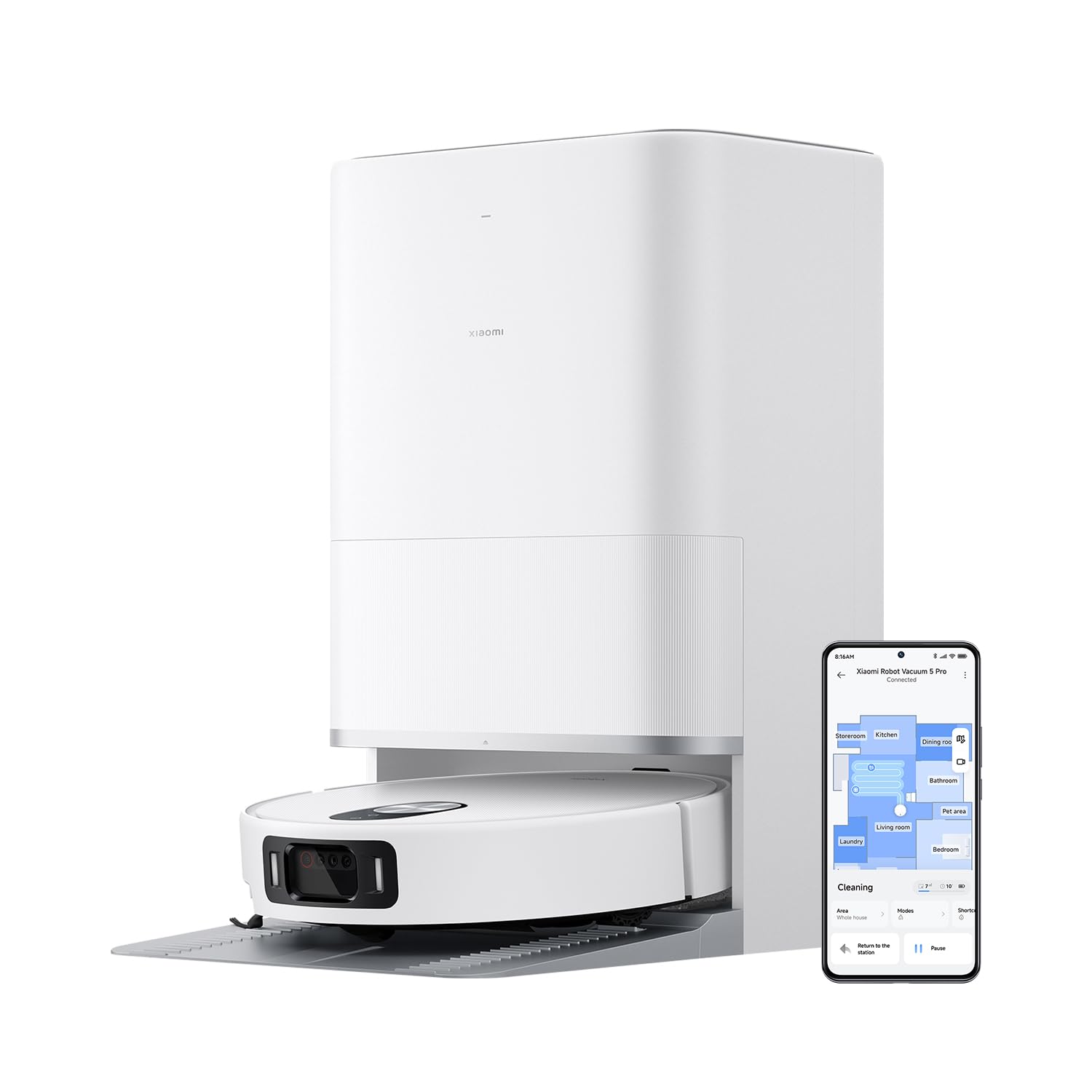
פיגורע 1: The Xiaomi Robot Vacuum 5 Pro docked in its self-cleaning base station, with a smartphone displaying the control app interface.
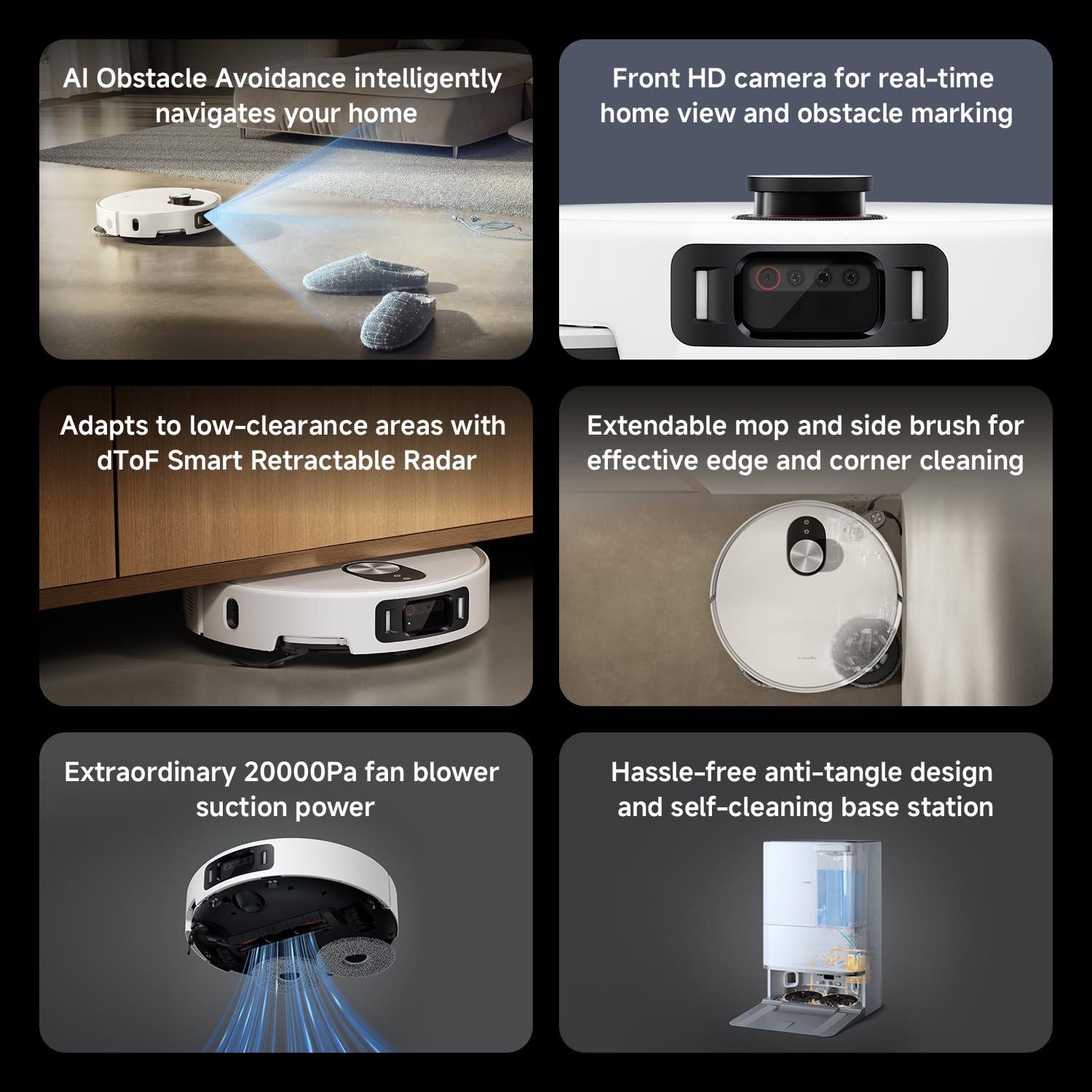
פיגורע 2: איבערview of key features including AI obstacle avoidance, front HD camera, dToF radar, extendable mop, powerful suction, and the self-cleaning base station.

פיגורע 3: The AI triple-camera smart detection system, comprising an RGB camera, two infrared cameras, and an infrared 3D dot projector for accurate environment sensing.
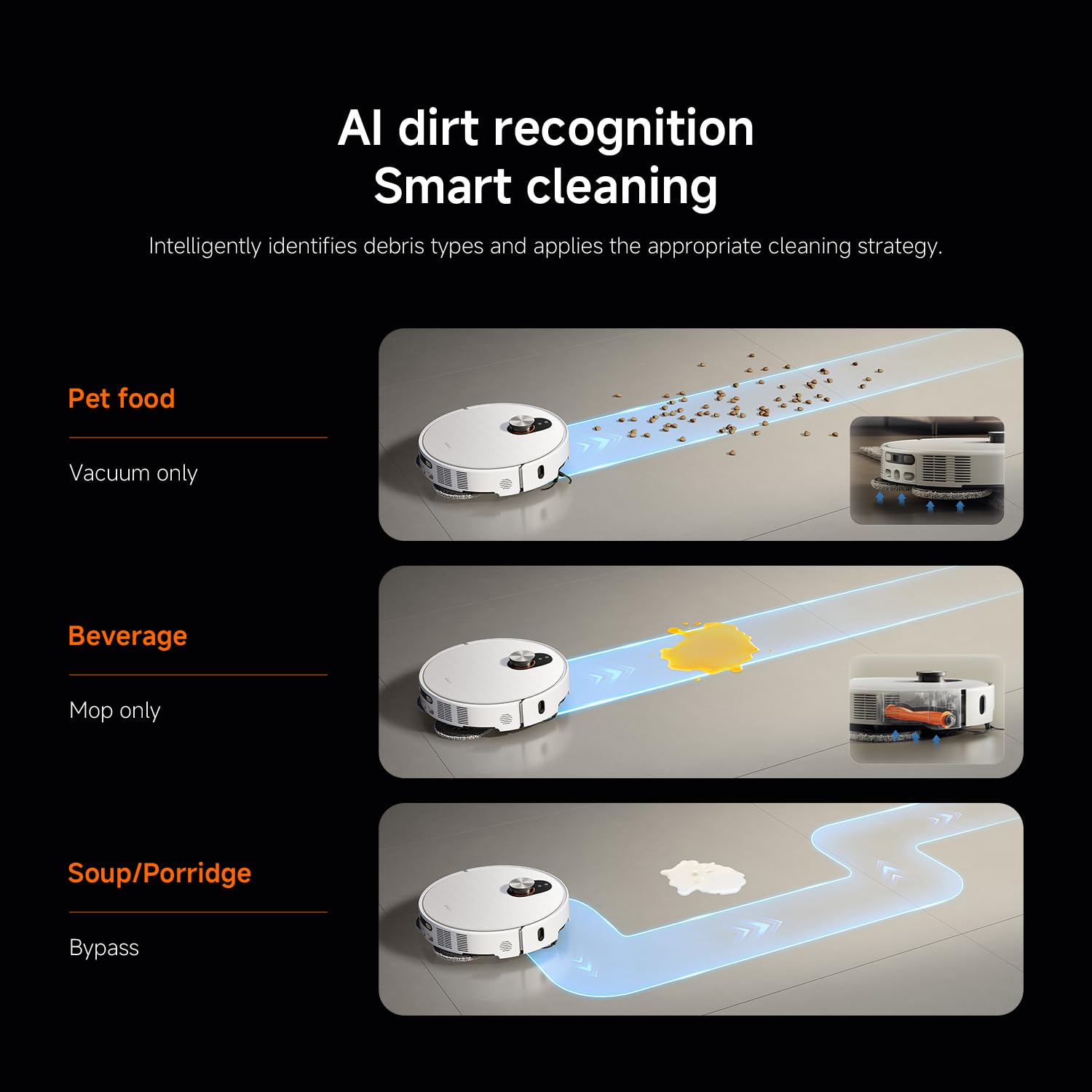
פיגורע 4: AI dirt recognition system intelligently identifying debris types and applying appropriate cleaning strategies (vacuum, mop, or bypass).
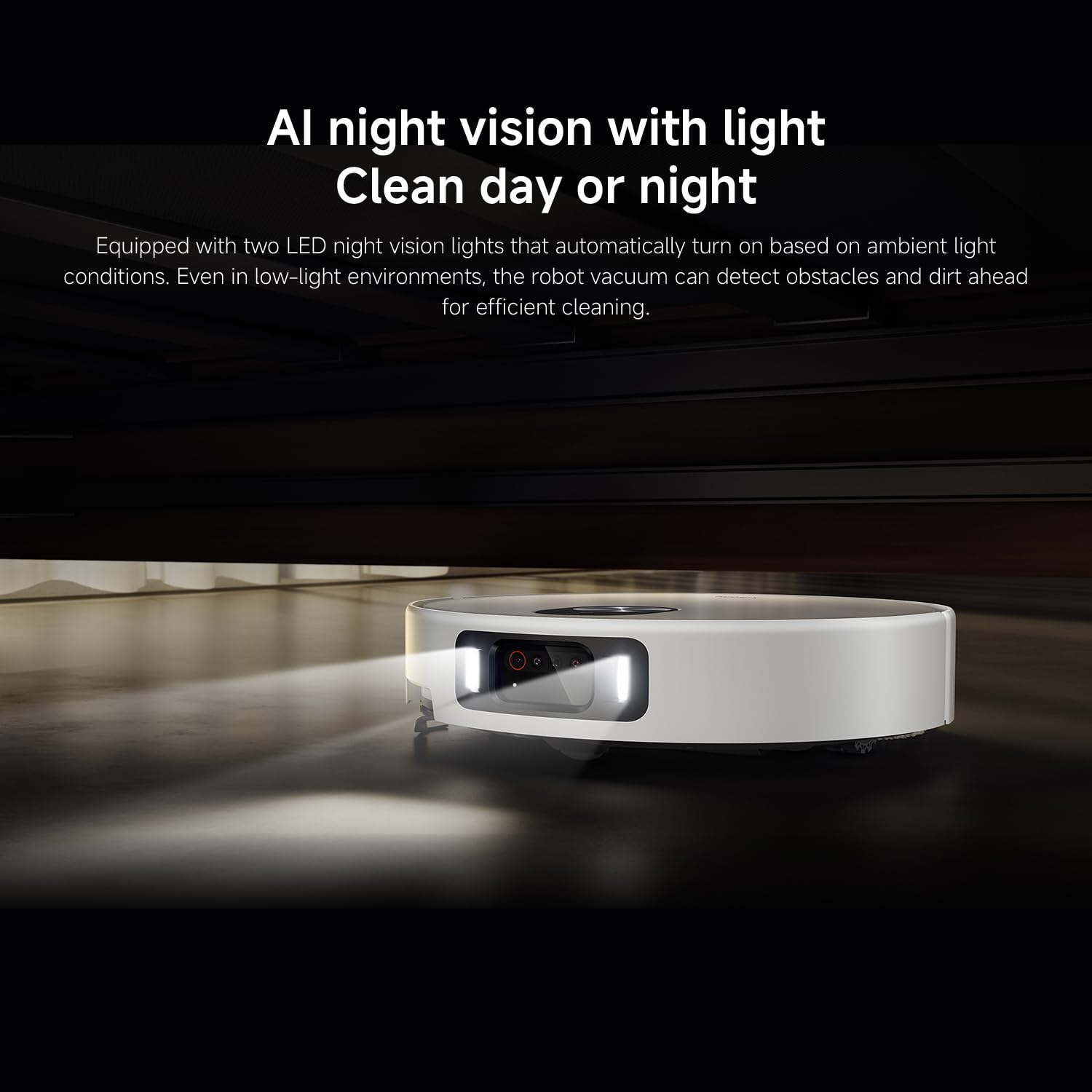
פיגורע 5: AI night vision with two LED lights, enabling the robot vacuum to detect obstacles and dirt efficiently in low-light conditions.
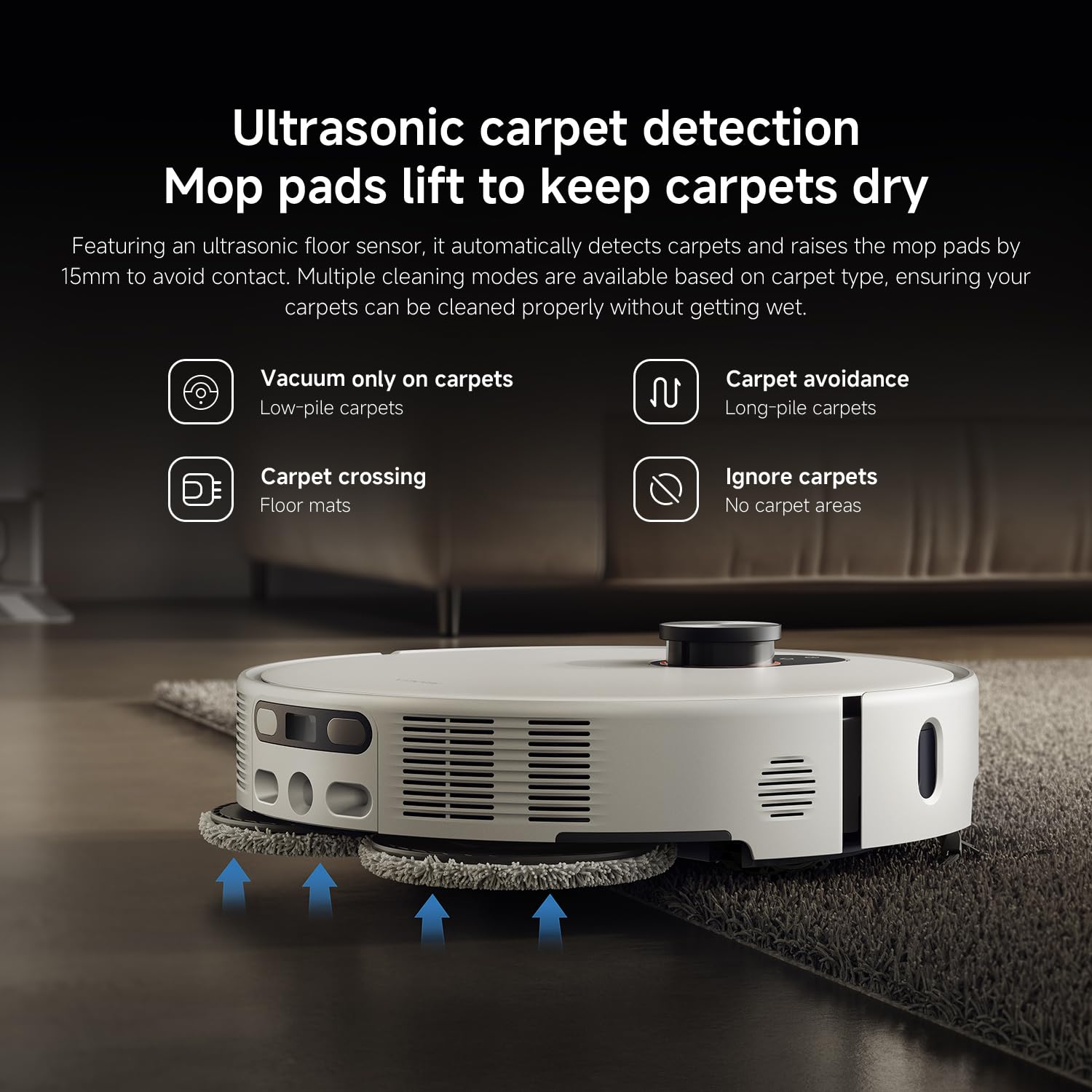
פיגורע 6: Ultrasonic carpet detection system, which automatically lifts mop pads by 15mm to avoid wetting carpets, offering multiple cleaning modes.
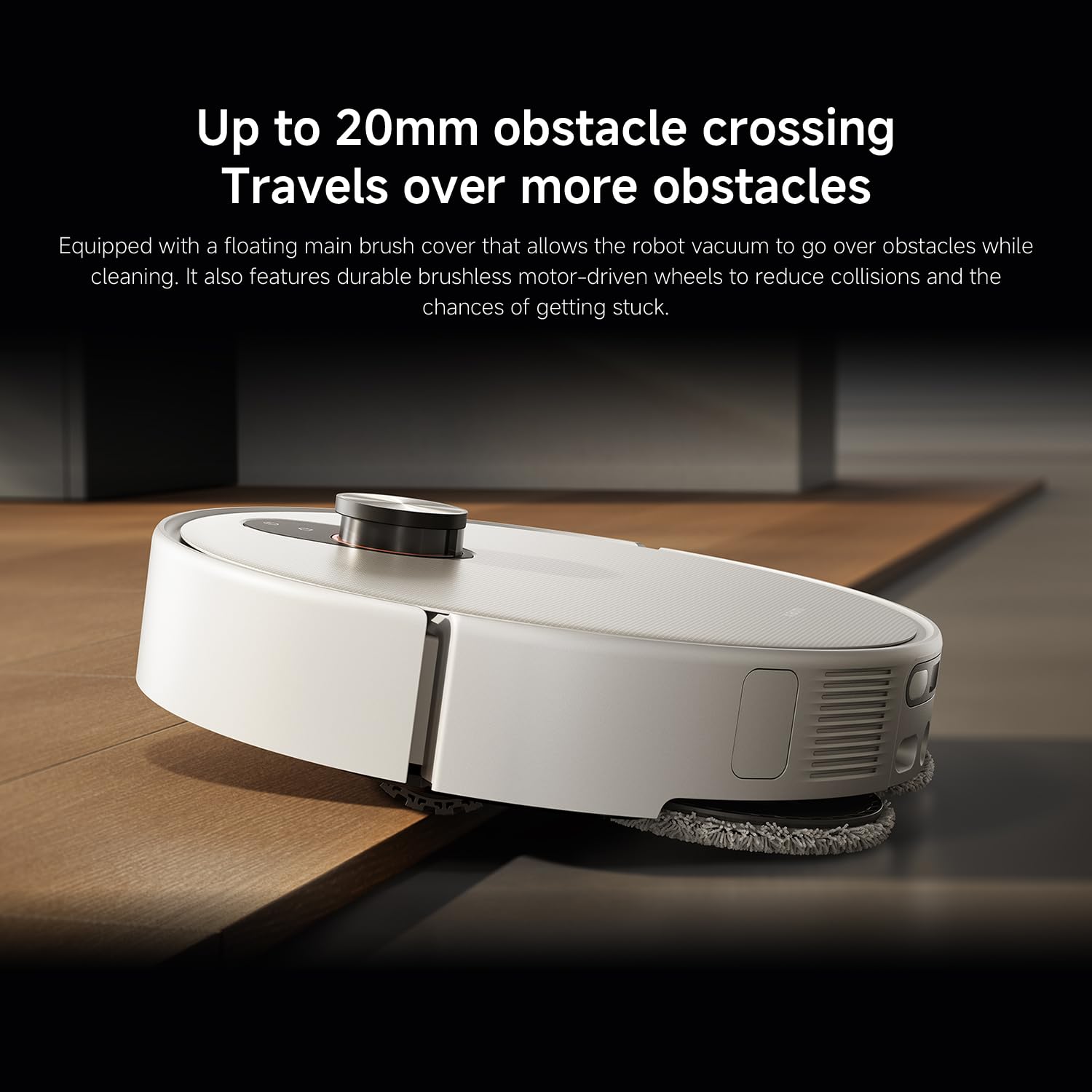
פיגורע 7: The robot vacuum's ability to cross obstacles up to 20mm high, facilitated by a floating main brush cover and durable wheels.
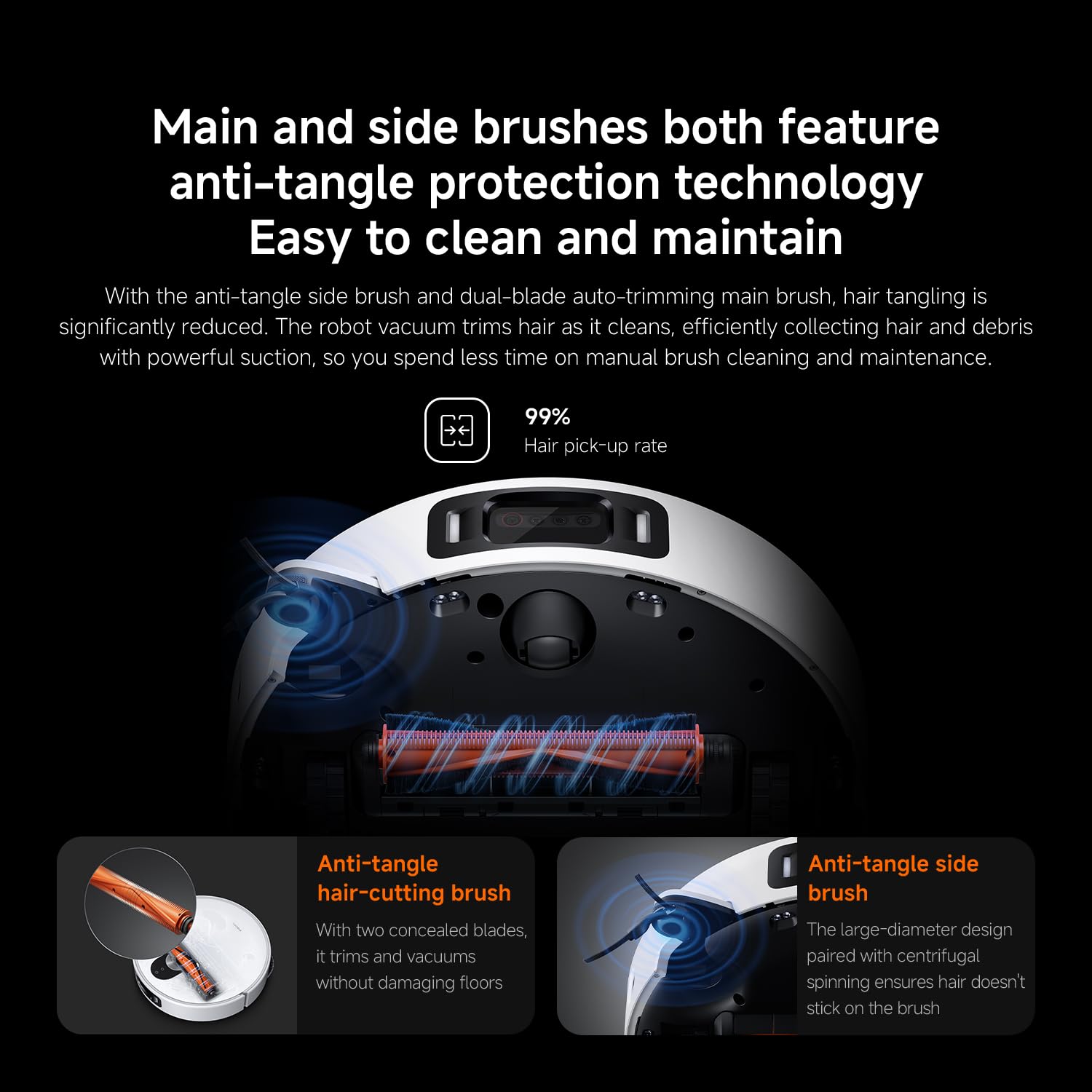
פיגורע 8: Main and side brushes featuring anti-tangle protection technology, including concealed blades for the main brush and a large-diameter design for the side brush.
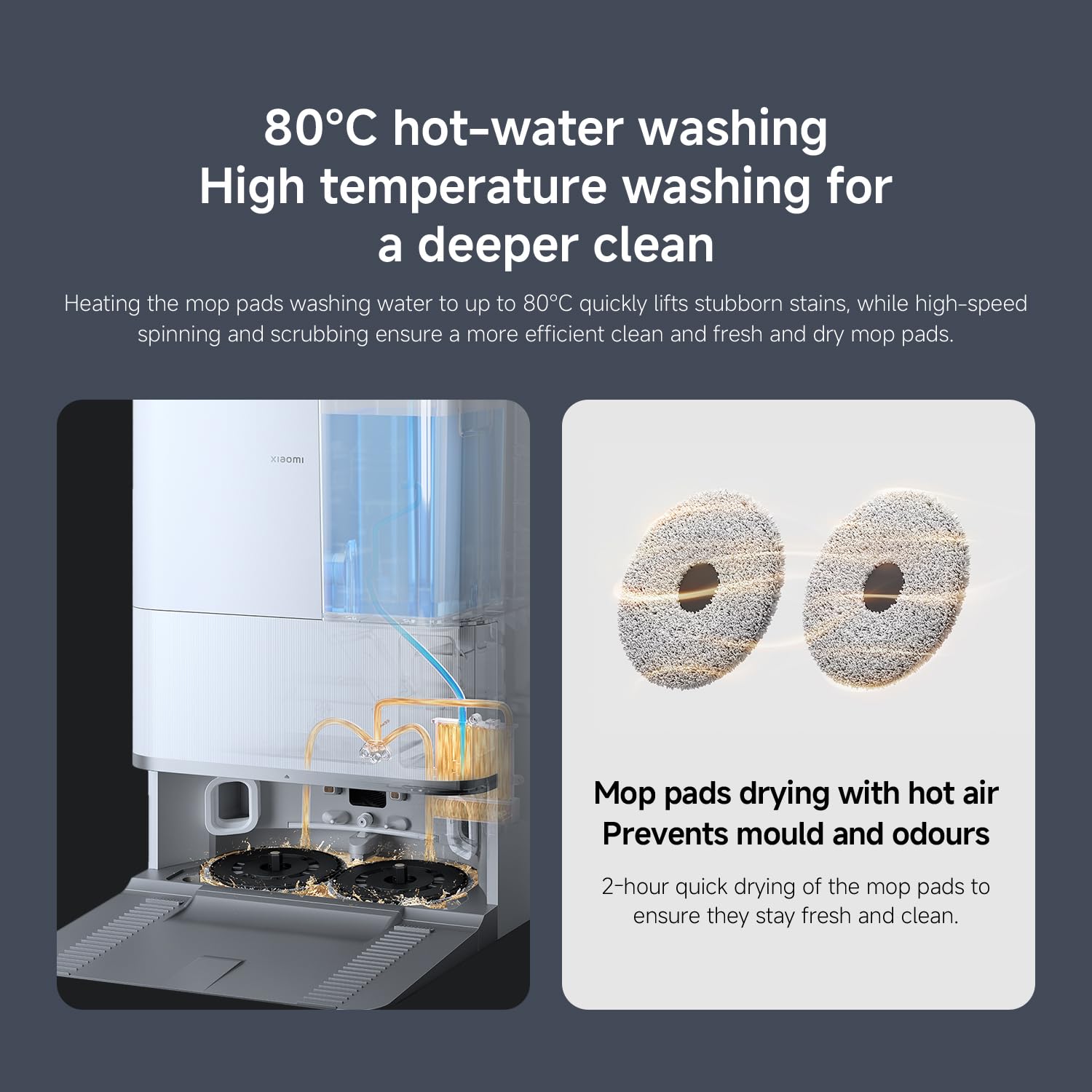
פיגורע 9: The self-cleaning base station performing 80°C hot-water washing for deep cleaning and 2-hour hot air drying of mop pads to prevent mold and odors.
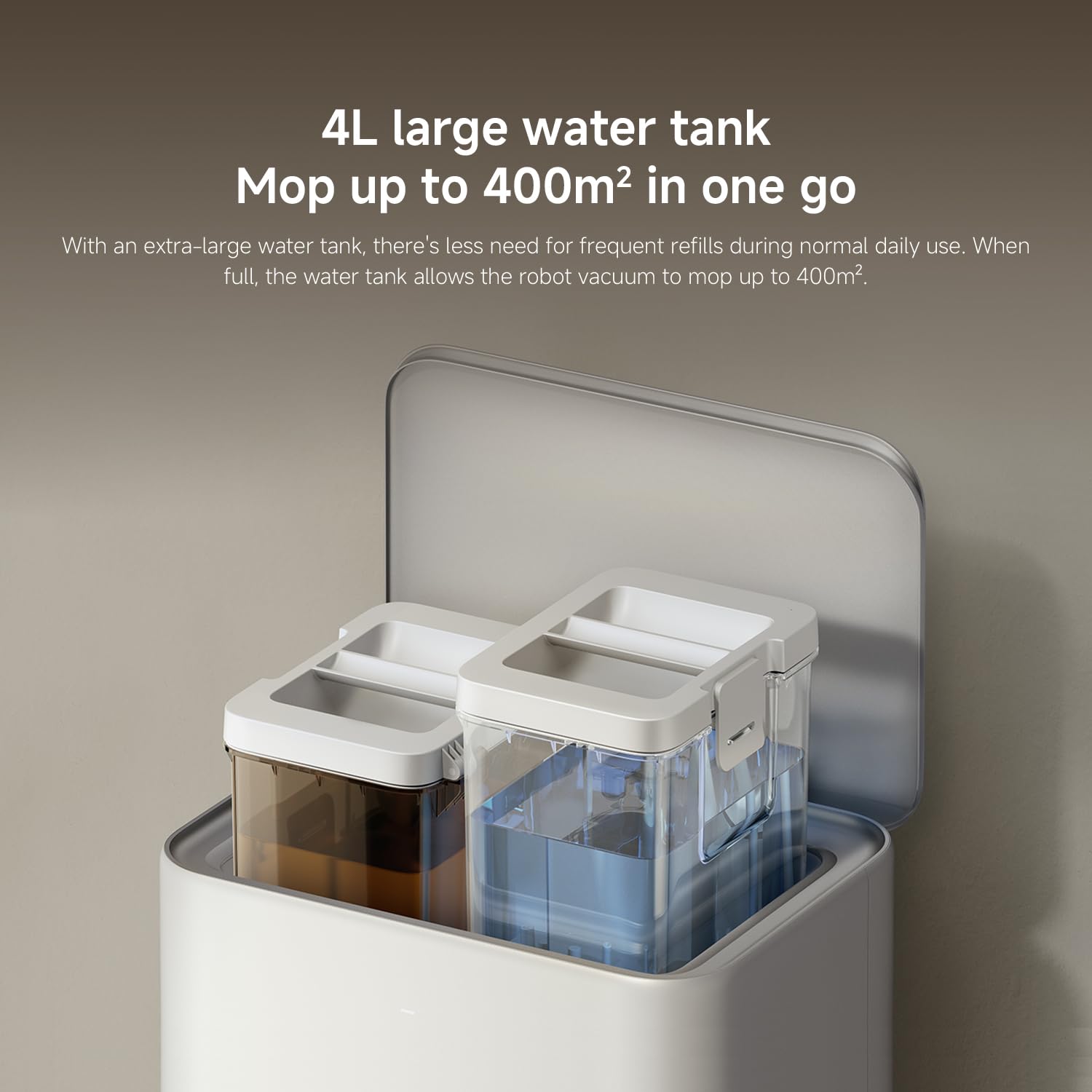
פיגורע 10: The 4L large water tank system within the self-cleaning base station, designed for extended mopping coverage without frequent refills.
סעטאַפּ גייד
1. אַנפּאַקינג און פּלייסמאַנט
- קערפאַלי באַזייַטיקן אַלע קאַמפּאָונאַנץ פון די פּאַקקאַגינג.
- Choose a suitable location for the self-cleaning base station. Ensure there is at least 0.5 meters of clear space on both sides and 1.5 meters in front of the base station.
- Place the base station against a wall on a hard, level surface. Do not place it on carpets.
- Connect the power adapter to the base station and plug it into a power outlet. Ensure the cable is neatly tucked away to prevent entanglement.
2. ערשטע אויפלאָדונג
- Place the robot vacuum onto the charging contacts of the base station. Ensure the contacts align.
- The robot will automatically power on and begin charging. Allow it to fully charge before first use (approximately 6 hours). The indicator light on the robot will change when fully charged.
3. אַפּ דאַונלאָוד און פֿאַרבינדונג
- אָפּלאָדירן די Xiaomi היים אַפּ פֿון דיין סמאַרטפֿאָן'ס אַפּ סטאָר (אַפּ סטאָר פֿאַר iOS, גוגל פּליי סטאָר פֿאַר אַנדרויד).
- עפֿנט די אַפּ און שאַפֿט אַן אַקאַונט אָדער לאָגט זיך איין.
- צאַפּן אויף דעם "+" בילדל אין דער אויבערשטער רעכטער ווינקל צו לייגן צו אַ מיטל.
- Select "Xiaomi Robot Vacuum 5 Pro" from the list of available devices or scan the QR code on the robot.
- Follow the in-app instructions to connect the robot to your home Wi-Fi network. Ensure your phone is connected to a 2.4GHz Wi-Fi network during setup.
- אַמאָל פארבונדן, קענט איר קאָנטראָלירן דעם ראָבאָט, view maps, set schedules, and access advanced features through the app.
אַפּערייטינג ינסטראַקשאַנז
1. אָנהייבן און אָפּשטעלן רייניקונג
- אָנהייב רייניקונג: Press the power button on the robot or tap "Clean" in the Xiaomi Home app. The robot will automatically map your home and begin cleaning.
- פּויזע רייניקונג: Press any button on the robot or tap "Pause" in the app.
- רעזומע רייניקונג: Press the power button again or tap "Resume" in the app.
- צוריקקער צו באַזע: Press the home button on the robot or tap "Recharge" in the app. The robot will return to the self-cleaning base station.
2. רייניקונג מאָדעס
The Xiaomi Home app allows you to select various cleaning modes:
- נאָר וואַקוום: For dry debris and general vacuuming.
- נאָר מאָפּ: For wet cleaning with mop pads.
- וואַקוום און מאַפּ: גלייכצייטיג וואַקוום רייניקונג און מאַפּינג.
- שטח רייניקונג: Select specific rooms or zones on the map to clean.
- אָרט רייניקונג: דירעקטירט דעם ראָבאָט צו רייניקן אַ ספּעציפֿישן קליין געגנט.
3. Advanced Features via Xiaomi Home App
- מאַפּע פאַרוואַלטונג: View and edit your home's map. Set virtual walls and no-go zones to restrict the robot from certain areas.
- סקעדזשולד רייניקונג: שטעלט איין ספעציפישע צייטן פארן ראָבאָט צו רייניקן אויטאָמאַטיש.
- Cleaning Preferences: Adjust suction power, water flow level, and carpet cleaning modes (e.g., vacuum only on carpets, carpet avoidance).
- פאַקטיש-צייט מאָניטאָרינג: Monitor the robot's cleaning progress and location in real-time.
- AI Dirt Recognition: The robot automatically adjusts its cleaning strategy based on detected dirt types.
- AI נאַכט זעאונג: Enables cleaning in low-light conditions.
וישאַלט
Regular maintenance ensures optimal performance and extends the lifespan of your robot vacuum. Always turn off the robot and unplug the base station before performing maintenance.
1. דוסטבין און פילטער
- ליידיקן מיסטקאסטן: The self-cleaning base station will automatically empty the dustbin. However, manually check and empty the dustbin if the base station is not used or if the dustbin is full.
- ריין פילטער: Tap the dustbin to remove loose dirt. Rinse the filter under running water. Ensure it is completely dry before re-installing (allow 24 hours). Replace the filter every 3-6 months, or as needed.
2. Water Tank and Mop Pads
- ריפיל וואַסער טאַנק: The base station will manage water levels. Ensure the clean water tank in the base station is filled.
- ריינע מאַפּ פּאַדס: The base station automatically washes and dries the mop pads. Periodically remove and hand wash the mop pads for a deeper clean. Replace mop pads every 1-3 months, depending on usage.
3. ברושעס
- הויפּט באַרשט: Remove the main brush cover and lift out the main brush. Use the cleaning tool to remove hair and debris. Check the bearings for any entanglement. Reinstall the brush. Replace every 6-12 months.
- זייַט באַרשט: Unscrew the side brush and remove any tangled hair or debris. Reattach the brush. Replace every 3-6 months.
4. סענסארן און טשאַרדזשינג קאָנטאַקטן
- Wipe all sensors (cliff sensors, wall sensors, dToF radar) and charging contacts on both the robot and the base station with a clean, dry cloth.
טראָובלעשאָאָטינג
אויב איר טרעפט פּראָבלעמען מיט אייער ראָבאָט וואַקוום, זעט די פאלגענדע געוויינטלעכע פּראָבלעמען און לייזונגען:
| פּראָבלעם | מעגלעך סיבה | לייזונג |
|---|---|---|
| Robot does not power on or charge. | Battery depleted; charging contacts dirty; power adapter not connected. | Ensure robot is properly docked. Clean charging contacts. Check power adapter connection. |
| ראָבאָט בלייבט אָפט שטעקן. | Obstacles on floor; low-clearance furniture; cliff sensors dirty. | Clear floor of cables and small items. Use virtual walls in app. Clean cliff sensors. |
| שלעכטע רייניקונג פאָרשטעלונג. | Dustbin full; brushes tangled; filter clogged; low suction setting. | Empty dustbin. Clean main and side brushes. Clean/replace filter. Increase suction power in app. |
| Robot cannot return to base station. | Base station obstructed; robot too far from base; charging contacts dirty. | Ensure clear path to base. Move robot closer to base. Clean charging contacts. |
| Mop pads not cleaning effectively or leaving streaks. | Mop pads dirty; water tank empty; low water flow setting. | Clean or replace mop pads. Refill clean water tank. Adjust water flow in app. |
| אַפּ קאַנעקשאַן פּראָבלעמען. | אומרעכט Wi-Fi פּאַראָל; 5GHz Wi-Fi נעץ; ראָבאָט צו ווייט פֿון ראַוטער. | Ensure 2.4GHz Wi-Fi. Re-enter password. Move robot closer to router. Restart robot and router. |
ספּעסאַפאַקיישאַנז
| שטריך | דעטאַל |
|---|---|
| סאָרט | XIAOMI |
| מאָדעל נומער | 65238 |
| טייל נומער | BHR07WEGB |
| Voltage | 240 וואלטס |
| מאַכט מקור | באַטאַרייע פּאַוערד |
| באַטעריז אַרייַנגערעכנט | יא (1 x 12V באַטעריע) |
| פאָרם פאַקטאָר | קייַלעכיק |
| פּראָדוקט דימענשאַנז | 44.3 X 43.1 X 68.6 סענטימעטער |
| פּונקט וואָג | 15 קילאָגראַמס |
| ייבערפלאַך רעקאָמענדאַציע | מולטי- ייבערפלאַך |
| ערשטער דאַטע בנימצא | 23 ט ן סעפטעמבע ר 2025 |
וואָראַנטי און שטיצן
פֿאַר וואָראַנטי אינפֿאָרמאַציע און קונה שטיצע, ביטע זען די וואָראַנטי קאַרטל אַרייַנגערעכנט מיט דיין פּראָדוקט אָדער באַזוכן די באַאַמטער XIAOMI website. You can also contact XIAOMI customer service for assistance with product inquiries, technical support, or service requests.
באַאַמטער Webפּלאַץ: www.mi.com


