1. הקדמה
The GIGABYTE AERO X16 Copilot+ PC is designed for high-performance computing, blending powerful components with a sleek, portable design. This manual provides essential information for setting up, operating, maintaining, and troubleshooting your new laptop. It features an AMD Ryzen AI 9 HX 370 processor, NVIDIA GeForce RTX 5070 Laptop GPU, a 16-inch 2560x1600 WQXGA 165Hz display, and runs on Windows 11 Home. Its lightweight chassis and advanced cooling system ensure optimal performance for demanding tasks.
Official GIGABYTE AERO X16 Trailer: This video showcases the design and key features of the GIGABYTE AERO X16 laptop.
2. וואָס איז אין דער קעסטל
באַשטעטיקן אַז אַלע זאכן זענען פאַראַן אין דער פּאַקאַדזשינג:
- גיגאבייט ערא X16 לאַפּטאָפּ
- מאַכט אַדאַפּטער
- באַניצער מאַנואַל (דעם דאָקומענט)
3. פּראָדוקט איבערview און שליסל פֿעיִקייטן
The AERO X16 is engineered for peak performance and user experience. Below are some of its core features:
- GIGABYTE GiMATE: An intelligent AI agent that personalizes performance to your workflow, adapting system operations to your unique needs.
- AMD Ryzen AI 9 HX 370 Processor: Delivers best-in-class CPU and NPU performance for demanding productivity tasks and AI PC experiences.
- NVIDIA GeForce RTX 5070 Laptop GPU: Powered by NVIDIA Blackwell, offering next-generation graphics capabilities for gaming and creative pursuits, with AI horsepower for NVIDIA DLSS 4 and NVIDIA Studio.
- Windows 11 Home (Copilot+ PC): Provides a fast, intelligent, and secure operating system experience, enhancing productivity and creativity.
- Thin and Lightweight Design: Measures only 16.75 mm (0.65 inches) and weighs 1.9 kg (4.18 lbs), ensuring portability without compromising performance.
- 16-inch WQXGA (2560x1600) 165Hz Display: Features an IPS panel with 3ms response time, 100% sRGB, and 400 nits brightness for a superior visual experience.
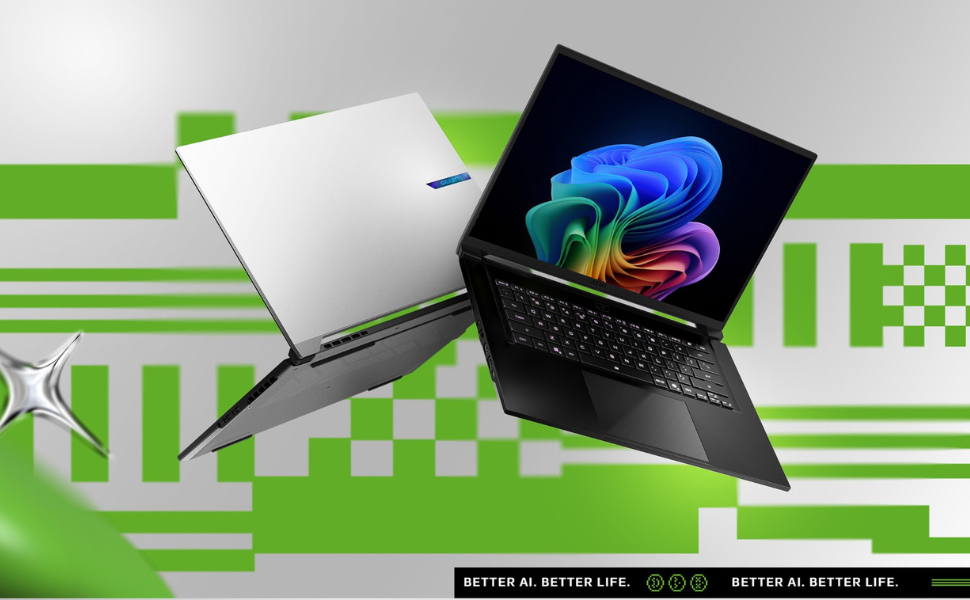
Image: Ultimate Processing Power. This graphic highlights the laptop's CPU capabilities, including core count, thread count, boost clock speed, and thermal design power.
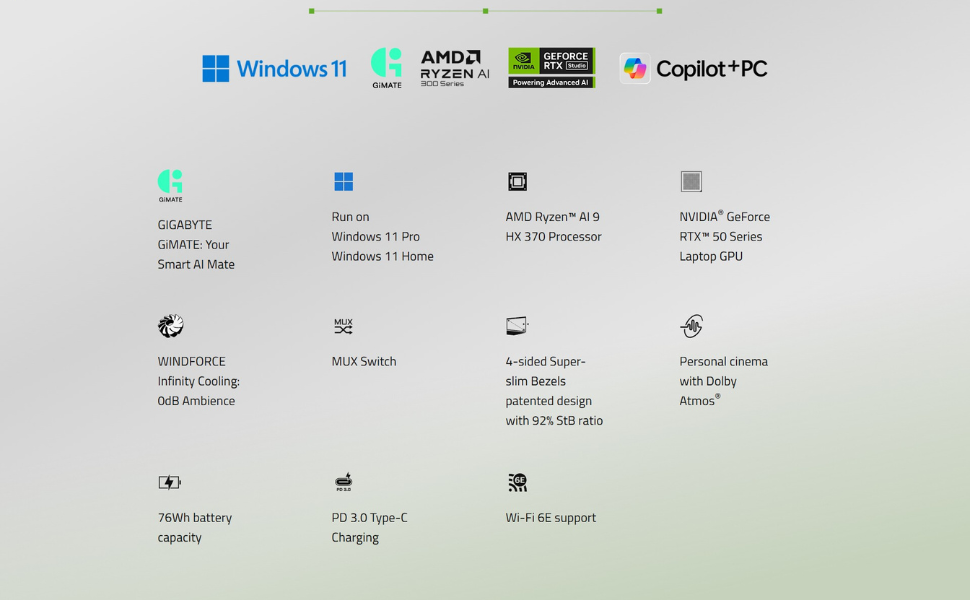
Image: Game Changer. This image emphasizes the NVIDIA GeForce RTX 50 Series GPU, powered by Blackwell and AI, for advanced gaming and creative tasks.
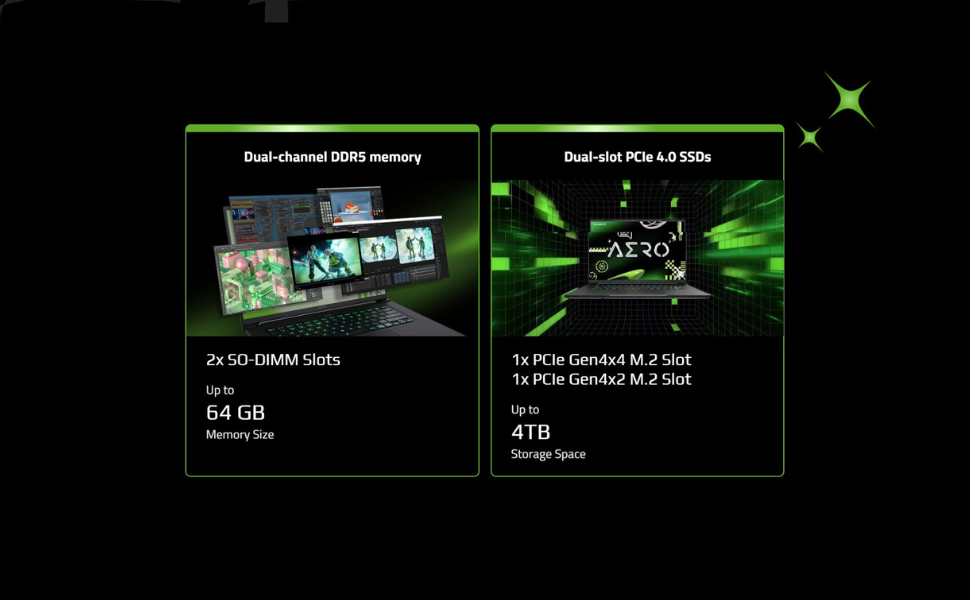
Image: Cinema Experience. This graphic details the high-quality display features of the AERO X16, including resolution, refresh rate, and color accuracy.
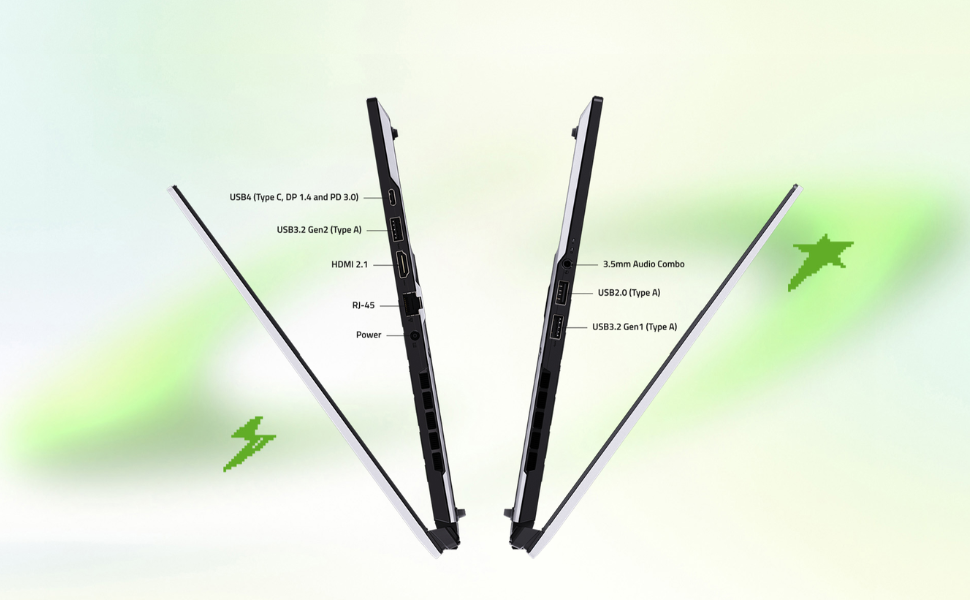
Image: Key Specifications. This image summarizes the core components and operating system of the AERO X16, including upgrade potential.
4. סעטאַפּ גייד
4.1 אויספּאַקן און ערשטע דורכקוק
- פֿאָרזיכטיק אַרויסנעמען דעם לאַפּטאָפּ און אַלע אַקסעסאָריעס פֿון דער פּאַקאַדזשינג.
- קאָנטראָלירט דעם לאַפּטאָפּ פֿאַר קיין גשמיותדיקע שאָדן. אויב מען טרעפט שאָדן, קאָנטאַקטירט גלייך אייער הענדלער.
- Place the laptop on a stable, flat surface.
4.2 פֿאַרבינדן דעם מאַכט אַדאַפּטער
- Connect the power adapter to the DC-in port on the laptop.
- צאַפּן די מאַכט שנור אין אַן עלעקטריקאַל ווענטיל.
- Allow the battery to charge for at least 30 minutes before initial use, or until the battery indicator shows a full charge.

בילד: פראָנט view פון די GIGABYTE AERO X16 לאַפּטאָפּ.

בילד: זייט view of the GIGABYTE AERO X16, illustrating port locations.
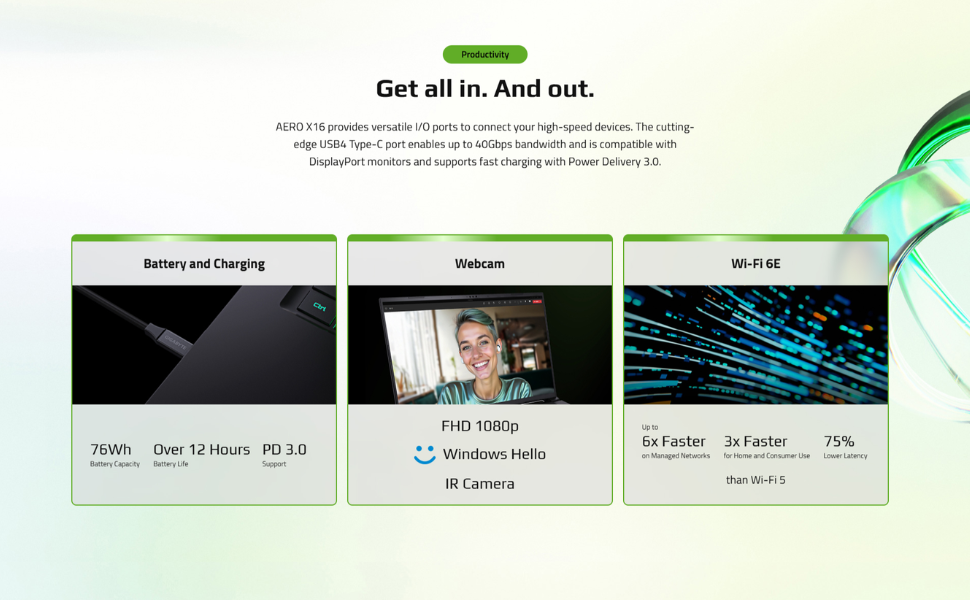
Image: All-Round Versatility. This diagram labels the various input/output ports on the laptop for easy identification.
4.3 ערשטע בוט און ווינדאָוס סעטאַפּ
- עפֿנט דעם דעקל פֿונעם לאַפּטאָפּ און דריק דעם מאַכט קנעפּל.
- פֿאָלגט די אינסטרוקציעס אויף דעם עקראַן צו פֿאַרענדיקן די Windows 11 Home סעטאַפּ, אַרייַנגערעכנט שפּראַך, ראַיאָן, נעץ פֿאַרבינדונג און באַניצער אַקאַונט שאַפונג.
- Ensure your laptop is connected to the internet to download necessary updates during setup.
5. אפערירן דיין לאַפּטאָפּ
5.1 קלאַוויאַטור און טאָוטשפּאַד
The AERO X16 features a full-sized keyboard and a responsive touchpad for navigation and input.
- קלאַוויאַטור באַקלייט: Adjust the keyboard backlight brightness using the dedicated function keys (Fn + F3/F4).
- טאָוטשפּאַד דזשעסטשערז: ניצט מולטי-טאטש דזשעסטשערז פֿאַר סקראָלן, זומען און סוויטשינג אַפּליקאַציעס. זעט די ווינדאָוס סעטטינגס פֿאַר קאַסטאַמייזיישאַן.

בילד: פון אויבן אַראָפּ view of the GIGABYTE AERO X16, highlighting the keyboard and touchpad layout.
5.2 ווייַז סעטטינגס
Your laptop's 165Hz WQXGA display offers vibrant visuals. You can adjust display settings via Windows settings:
- רעזאלוציע: שטעלט איין צו 2560x1600 פאר אפטימאלע קלארקייט.
- דערפרישן קורס: Ensure 165Hz is selected for the smoothest visual experience.
- ברייטקייט: Adjust as needed for comfortable viewing.
5.3 GIGABYTE GiMATE AI Software
GIGABYTE GiMATE is an intelligent AI agent designed to optimize your laptop's performance based on your usage patterns. It can adjust power settings, fan speeds, and other parameters to enhance efficiency and user experience. Explore the GiMATE application to customize its settings and modes.
6. וישאַלט
6.1 רייניקן דיין לאַפּטאָפּ
- פאַרשטעלן: ניצן אַ ווייך, לינט-פֿרייַ שטאָף לייטלי דampגעוואשן מיט וואַסער אָדער אַ פאַרשטעלן רייניגער. פֿאַרמייַדן שטרענגע כעמיקאַליעס.
- קלאַוויאַטור און שאַסי: ניצט אַ ווייכע שטאָף. פֿאַר שווערע שמוץ, אַ ביסל דיקamp cloth is acceptable. Compressed air can be used to clear dust from between keys.
- ווענץ: Regularly clean the air vents to prevent dust buildup, which can affect cooling performance. Use compressed air to gently clear dust.

בילד: אונטן view of the GIGABYTE AERO X16, showing the cooling vents.
6.2 ווייכווארג דערהייַנטיקונגען
Keep your operating system, drivers, and GIGABYTE software updated to ensure optimal performance, security, and compatibility.
- ווינדאָוס דערהייַנטיקונגען: קאָנטראָלירט און אינסטאַלירט רעגולער נאָך דערהייַנטיקונגען דורך Windows סעטטינגס > Windows Update.
- דרייווער דערהייַנטיקונגען: באַזוכט די אָפֿיציעלע GIGABYTE שטיצע website for the latest drivers for your AERO X16 model.
6.3 באַטערי קער
- פֿאַרמײַדט אָפֿט פֿולשטענדיק אויסצולאָדן די באַטעריע.
- If storing the laptop for an extended period, charge the battery to approximately 50-70% and store it in a cool, dry place.
- פֿאַרמײַדט אויסשטעלן דעם לאַפּטאָפּ צו עקסטרעמע טעמפּעראַטורן.
7. טראָובלעשאָאָטינג
7.1 שטראָם פּראָבלעמען
- לאַפּטאָפּ טוט זיך נישט אָנצינדן: Ensure the power adapter is securely connected and the outlet is functional. Try a different outlet. If the battery is completely drained, allow it to charge for a while before attempting to power on.
- באַטערי נישט טשאַרדזשינג: Check the power adapter and cable for damage. Ensure the DC-in port is clean. Try restarting the laptop.
7.2 ווייַז ישוז
- קיין ווייַז: Connect an external monitor to check if the issue is with the laptop's screen. If the external monitor works, the laptop's display or its connection may be faulty.
- פליקערנדיקער עקראַן: דערהייַנטיקט אייערע גראַפיק דרייווערס. קאָנטראָלירט די פֿאַרבינדונגען פֿון די דיספּליי קאַבל אויב איר ניצט אַן עקסטערנעם מאָניטאָר.
7.3 פּראָבלעמען מיט פאָרשטעלונג
- לאַנגזאַמע פאָרשטעלונג: Close unnecessary applications. Check for background processes consuming high CPU/RAM. Ensure sufficient free storage space. Update drivers and Windows.
- איבערהייצונג: Ensure vents are clear of obstructions. Use the GIGABYTE GiMATE software to adjust fan profileס. באַטראַכטן ניצן אַ קיל פּאַד.
8. ספּעסאַפאַקיישאַנז
| שטריך | באַשרייַבונג |
|---|---|
| שטייענדיק פאַרשטעלן ווייַז גרייס | 16 אינטשעס |
| פאַרשטעלן האַכלאָטע | 2560 x 1600 פּיקסעלס (WQXGA) |
| מאַקסימום סקרין האַכלאָטע | 2560x1600 פּיקסעלס |
| פּראַסעסער | AMD Ryzen AI 9 HX 370 (5.1 GHz ryzen_ai) |
| באַראַן | 32 GB DDR5 RAM (5600 MHz) |
| שווער דרייוו | 1000 GB SSD (PCIe Gen4 NVMe™ M.2 SSD) |
| גראַפיקס קאָופּראַסעסער | NVIDIA GeForce RTX 5070 |
| graphics קאָרט ראַם גרייס | 8 גיגאבייט |
| אָפּערייטינג סיסטעם | Windows 11 היים |
| ווירעלעסס טיפּ | בלועטוט, וויי-פיי 6E |
| נומער פון וסב 2.0 פּאָרץ | 1 |
| נומער פון וסב 3.0 פּאָרץ | 3 |
| דורכשניטלעך באַטאַרייע לעבן | 14 Hours (up to) |
| פּונקט וואָג | 4.19 פונט |
| פּראָדוקט דימענשאַנז | 13.98 X 0.79 X 9.87 אינטשעס |
| קאָליר | אָרט גריי |
9. וואָראַנטי און שטיצן
Your GIGABYTE AERO X16 laptop comes with a manufacturer's warranty. Please refer to the warranty card included in your product packaging for specific terms and conditions, including warranty period and coverage details.
פֿאַר טעכנישע שטיצע, דרייווער דאַונלאָודז, און ווייטערדיקע הילף, ביטע באַזוכט די אָפֿיציעלע GIGABYTE שטיצע webזייטל. איר קענט דאָרטן אויך געפֿינען אָפֿט געשטעלטע פֿראַגעס און טראָובלעשווטינג גיידס.
GIGABYTE שטיצן Webפּלאַץ: www.gigabyte.com/support


